Using language-specific SDKs accelerates development by exposing idiomatic APIs and hiding low-level REST details. SDKs for Azure OpenAI provide consistent patterns across languages (for example, .NET and Python), making it easy to initialize clients, prepare requests, and handle responses while controlling model behavior with parameters like temperature and max_tokens. In this lesson we’ll cover what makes SDKs developer-friendly and walk through a concise, corrected Python example that integrates Azure OpenAI into a simple Flask chatbot. Why SDKs help
  • Familiar languages: Use the SDK for the language you already know (Python, .NET, etc.).
  • Predictable structure: The typical pattern is initialize client → build messages/params → call API → process response.
  • Fine-grained control: Tune generation with parameters such as max_tokens, temperature, and top_p.
  • Sync and async options: Choose synchronous or asynchronous clients depending on your app architecture.
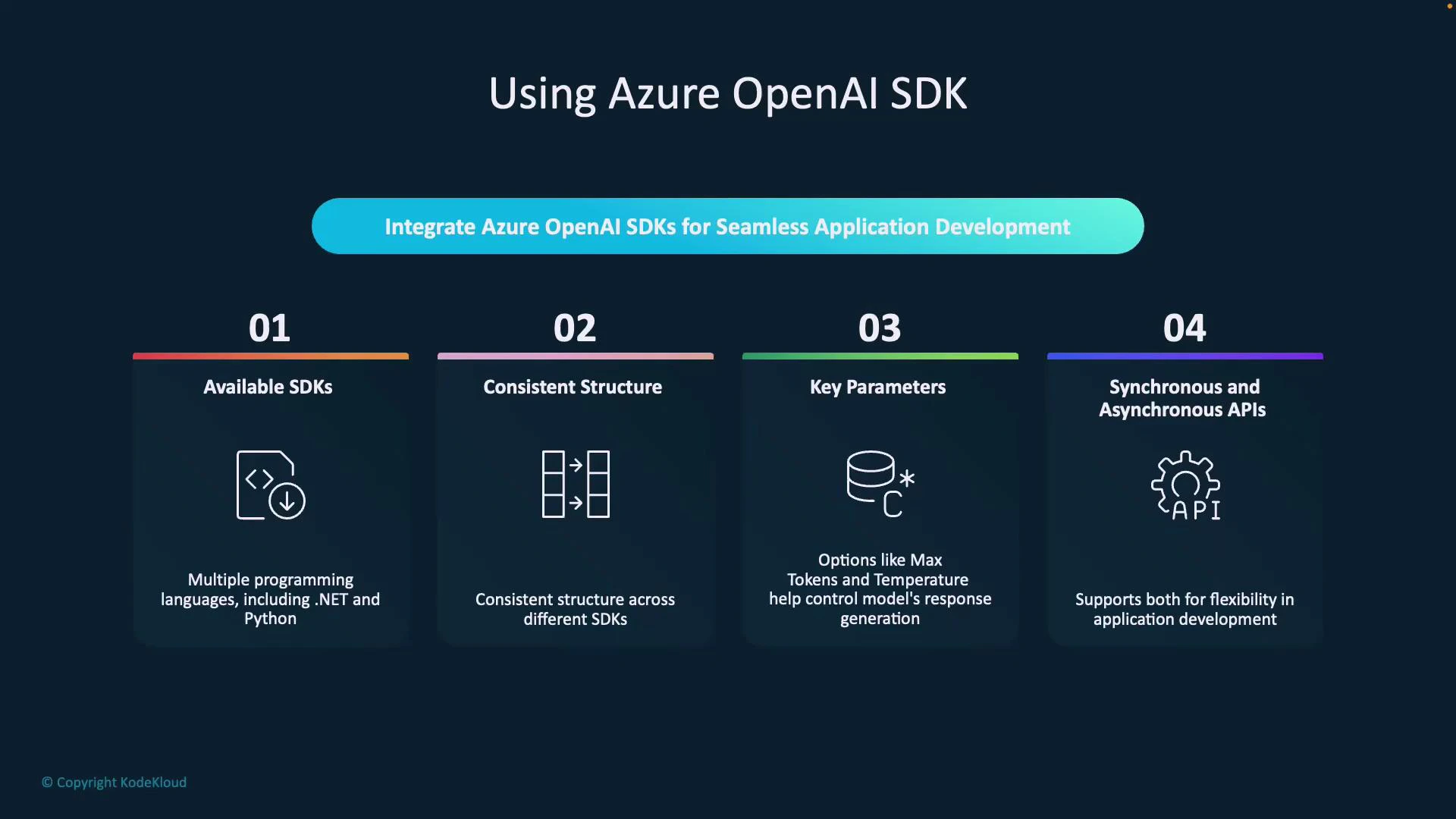
A dark-themed slide titled "Using Azure OpenAI SDK" with four numbered panels describing features: Available SDKs, Consistent Structure, Key Parameters, and Synchronous and Asynchronous APIs. It highlights support for multiple languages (e.g., .NET, Python), controls like max tokens/temperature, and sync/async API options.
Quick SDK workflow
  1. Import the SDK package for your language.
  2. Initialize a client with your endpoint and credentials.
  3. Build chat messages and set generation parameters (system prompt, user messages, temperature, max_tokens, etc.).
  4. Send the request (sync or async).
  5. Process the response and integrate it into your application.
Never hardcode secrets (API keys or endpoints) in source code. Use environment variables or a secure secrets manager.
Store your Azure endpoint and API key in environment variables or a secure secrets store. Never commit keys to source control.
Environment variables (recommended)
VariablePurposeExample
AZURE_OPENAI_KEYYour Azure OpenAI API keyset AZURE_OPENAI_KEY="..."
AZURE_OPENAI_ENDPOINTYour Azure OpenAI resource endpointhttps://my-openai-resource.openai.azure.com/
AZURE_OPENAI_DEPLOYMENTDeployment name for the modelgpt-4o
Python + Flask example (synchronous SDK) Below is a compact single-file Flask app that demonstrates a typical synchronous integration using the azure.ai.openai package. It reads credentials from environment variables, initializes the OpenAIClient with AzureKeyCredential, forwards user input to a deployed model, and returns the assistant reply as JSON.
# app.py
from flask import Flask, request, render_template, jsonify
import os

from azure.ai.openai import OpenAIClient
from azure.core.credentials import AzureKeyCredential

app = Flask(__name__)

# Read credentials from environment variables for safety
AZURE_OPENAI_KEY = os.environ.get("AZURE_OPENAI_KEY")
AZURE_OPENAI_ENDPOINT = os.environ.get("AZURE_OPENAI_ENDPOINT")
DEPLOYMENT_NAME = os.environ.get("AZURE_OPENAI_DEPLOYMENT", "gpt-4o")

if not (AZURE_OPENAI_KEY and AZURE_OPENAI_ENDPOINT):
    raise ValueError("Set AZURE_OPENAI_KEY and AZURE_OPENAI_ENDPOINT environment variables.")

# Initialize the Azure OpenAI client
credential = AzureKeyCredential(AZURE_OPENAI_KEY)
client = OpenAIClient(endpoint=AZURE_OPENAI_ENDPOINT, credential=credential)

@app.route('/')
def index():
    # Serve a simple UI (index.html) that posts JSON to /chat
    return render_template('index.html')

@app.route('/chat', methods=['POST'])
def chat():
    user_input = request.json.get("message", "").strip()
    if not user_input:
        return jsonify({"reply": "Please send a non-empty message."}), 400

    # Prepare messages and parameters for the chat completion
    messages = [
        {"role": "system", "content": "You are a helpful assistant."},
        {"role": "user", "content": user_input}
    ]

    # Call the Azure OpenAI chat completions API (synchronous)
    response = client.get_chat_completions(
        deployment_id=DEPLOYMENT_NAME,
        messages=messages,
        temperature=0.7,
        max_tokens=150
    )

    # Extract the assistant reply
    reply = response.choices[0].message.content.strip()
    return jsonify({"reply": reply})

if __name__ == '__main__':
    # For local development only. In production use a WSGI server like Gunicorn or uWSGI.
    app.run(host='0.0.0.0', port=5000, debug=True)
Explanation of the key parts
  • Initialization: create an OpenAIClient using your Azure endpoint and AzureKeyCredential.
  • Messages: construct a list of chat messages with roles (“system”, “user”, optionally “assistant”).
  • Request: call client.get_chat_completions with your deployment_id and generation parameters (temperature, max_tokens).
  • Response: extract the assistant text from response.choices[0].message.content (strip whitespace).
Example response JSON
{
  "reply": "Hello! I'm a virtual assistant ready to help. What would you like to do today?"
}
Local DevTools / network details (example)
PropertyExample
Request URLhttp://127.0.0.1:5000/chat
Request MethodPOST
Status Code200 OK
Content-Type (response)application/json
ServerWerkzeug/3.1.3 Python/3.9.13
Response headers (example)
HeaderValue
Connectionclose
Content-Length171
Content-Typeapplication/json
ServerWerkzeug/3.1.3 Python/3.9.13
Request headers (example)
HeaderValue
Accept/
Content-Typeapplication/json
Host127.0.0.1:5000
Originhttp://127.0.0.1:5000
Next steps / integrations
  • Add authentication and authorization for your Flask endpoints to protect access.
  • Integrate with internal knowledge sources or a vector database to implement retrieval-augmented generation (RAG) for context-aware answers. See an intro to RAG here: Fundamentals of RAG.
  • If your app needs high concurrency, switch to the async client or run the Flask app behind an async-friendly server.
  • Consult Azure OpenAI docs for deployment, scaling, and best practices: https://learn.microsoft.com/azure/cognitive-services/openai/
Summary Using a language-specific SDK (like the Azure OpenAI Python SDK) keeps your integration concise and consistent. The SDK handles authentication, request/response serialization, and exposes parameters to tune generation behavior—letting you focus on building features like a Flask-based chatbot rather than the underlying REST plumbing.

Watch Video