In this lesson, we’ll explain how Question Answering (QnA) systems let AI answer user questions using structured information sources such as knowledge bases. You’ll learn the architecture, the difference between static QnA and dynamic language understanding, and practical steps to create, test, and publish a knowledge base for production use. Imagine a common scenario for a bank customer asking questions like:
  • How do I reset my net banking password?
  • What is the interest rate for savings accounts?
  • How do I block a lost debit card?
A QnA system can automatically return accurate, prewritten answers to these queries by searching a curated knowledge base that contains help documents, FAQs, and policy guides. This structured content is what the QnA engine searches to find the best match and deliver the response.
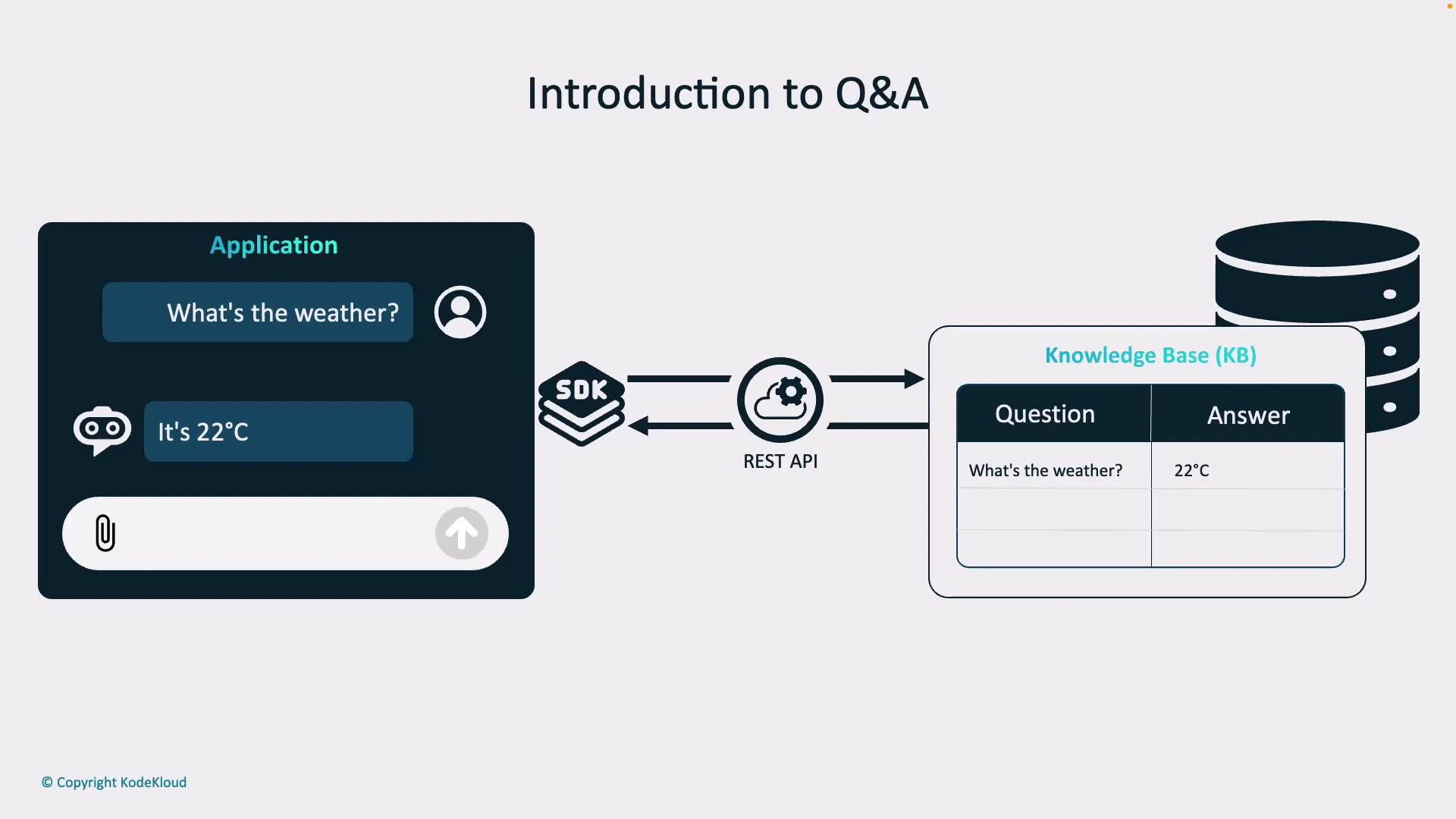
A diagram titled "Introduction to Q&A" showing a chat app asking "What's the weather?" and receiving "It's 22°C." The question is sent via an SDK/REST API to a knowledge base (KB) that stores the question–answer pair.
APIs and SDKs enable developers to integrate QnA capabilities into mobile apps, chatbots, and web forms. SDKs (available in multiple languages) abstract away HTTP details and let you focus on designing a great user experience instead of low-level plumbing.

How a QnA flow typically works

  1. User submits a natural-language question via app, website, or chatbot.
  2. The client sends the query to a QnA endpoint (REST API or SDK).
  3. The QnA service searches the knowledge base for matching Q&A entries.
  4. The service returns the best matched answer, often with a confidence score.
  5. The client displays the answer; fallback logic handles low-confidence cases.

Question Answering vs Language Understanding

It’s important to distinguish a traditional QnA system from more general language-understanding solutions. The primary difference is whether responses are static (prewritten and stored) or dynamically generated based on intent, context, and live data.
AspectStatic QnA (Knowledge Base)Dynamic Language Understanding
Response typePrewritten answers stored in KBGenerated responses using models + live data
When to useFAQ, policy, onboarding, repetitive queriesPersonalized recommendations, real-time data, complex reasoning
Speed & predictabilityFast and predictableMore flexible but may be slower/less predictable
Example“How do I reset my password?” → stored reset instructions + link“Should I take an umbrella today?” → detect intent, call weather API, reply with forecast
Example flows:
  • Static QnA: User asks “How do I reset my password?” The system matches the question to a stored Q&A pair and returns the prewritten answer with a reset link.
  • Dynamic language understanding: User asks “Should I take an umbrella today?” The system detects the intent (“weather forecast”), extracts the location (e.g., “New York”), calls a weather API, and generates a context-aware response.
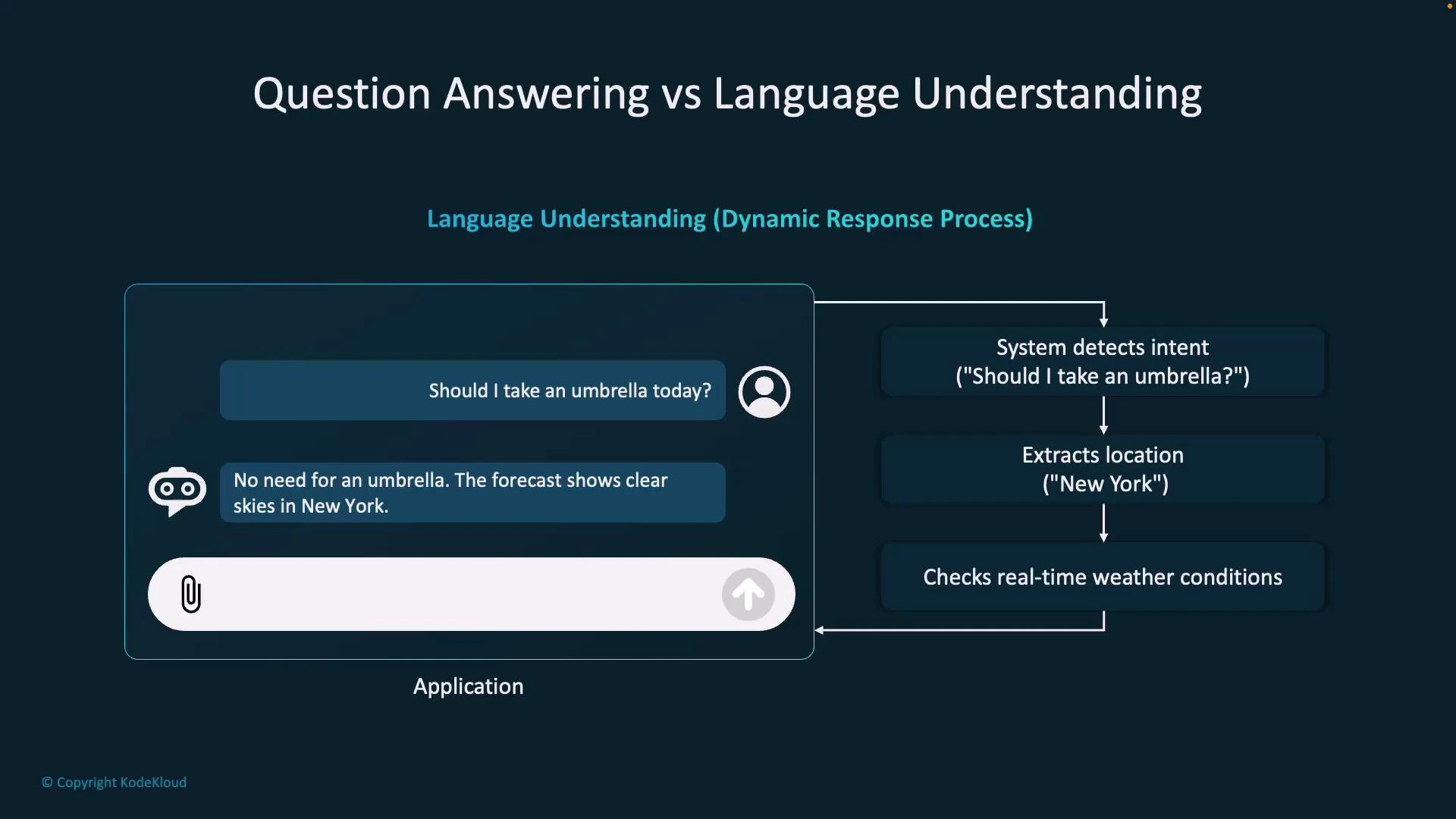
A diagram titled "Question Answering vs Language Understanding" showing a chat example where a user asks "Should I take an umbrella today?" and the system replies "No need for an umbrella. The forecast shows clear skies in New York." To the right is a flowchart showing steps: system detects intent, extracts location ("New York"), and checks real-time weather conditions.
Language understanding and QnA are complementary. Use the knowledge base for authoritative, static answers and use intent/entity extraction plus APIs for personalized, real-time responses.

Creating a Knowledge Base

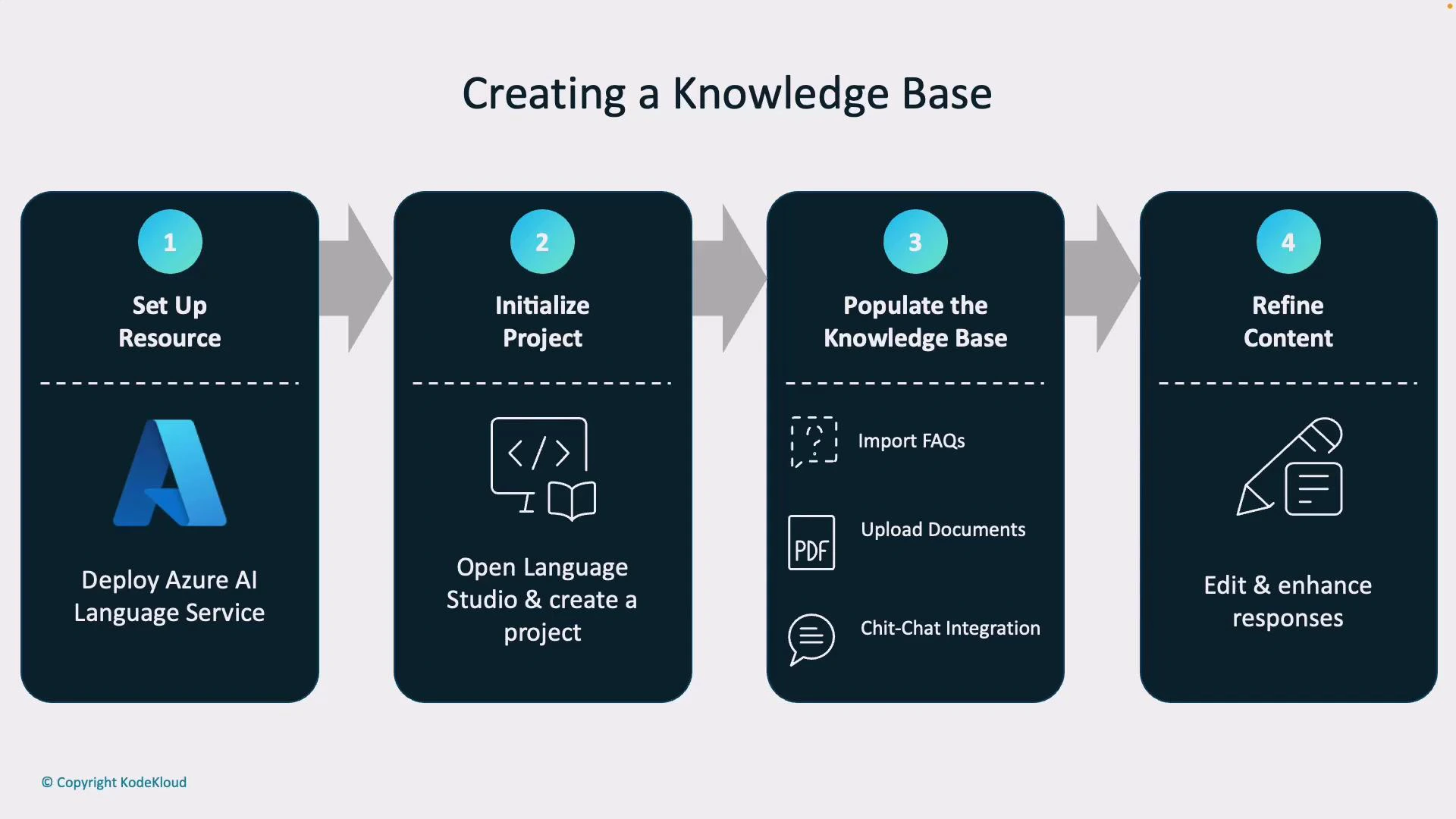
A well-structured knowledge base is the heart of an effective QnA system. Building one typically follows these four steps:
  1. Set up resources
    • Deploy a language service (for example, Azure AI Language Services) in your cloud account to provide QnA and language capabilities.
  2. Initialize a project
    • Use a management tool like Language Studio to create a new QnA project. Language Studio provides a no-code, web-based UI for managing QnA content.
  3. Populate the knowledge base
    • Import FAQs, upload PDFs and text documents, and add chit-chat/fallback phrases for conversational behavior.
  4. Refine content
    • Edit responses, add alternative phrasings, and align tone with your brand for clarity and consistency.
Best practices for KB entries:
Content TypePurposeExample
FAQ pairDirect answers to common queries”How to reset password” → steps + link
Document excerptsLonger policy excerpts or guidesBanking fees PDF sections
Chit-chatFriendly fallbacks for small talk”Thanks for your help!” → “You’re welcome!”
A four-step flowchart titled "Creating a Knowledge Base" showing: 1) Set up resource (Deploy Azure AI Language Service), 2) Initialize project (Open Language Studio & create a project), 3) Populate the knowledge base (import FAQs, upload documents, chit‑chat integration), and 4) Refine content (edit & enhance responses).
Keep answers concise and aligned to your brand voice. Use clear titles and tags to make QnA entries easy to search and maintain.

Testing and Publishing Your Knowledge Base

Testing and monitoring ensure your knowledge base behaves correctly in production. Key validation tasks include:
  • Evaluate confidence scores: Every returned candidate can include a confidence score. Use these scores to determine when to accept the top answer, show multiple options, ask a clarifying question, or escalate to a human agent.
  • Add alternative phrasings: Users ask the same question in many ways. Add synonyms and alternate wordings to improve recall and retrieval accuracy.
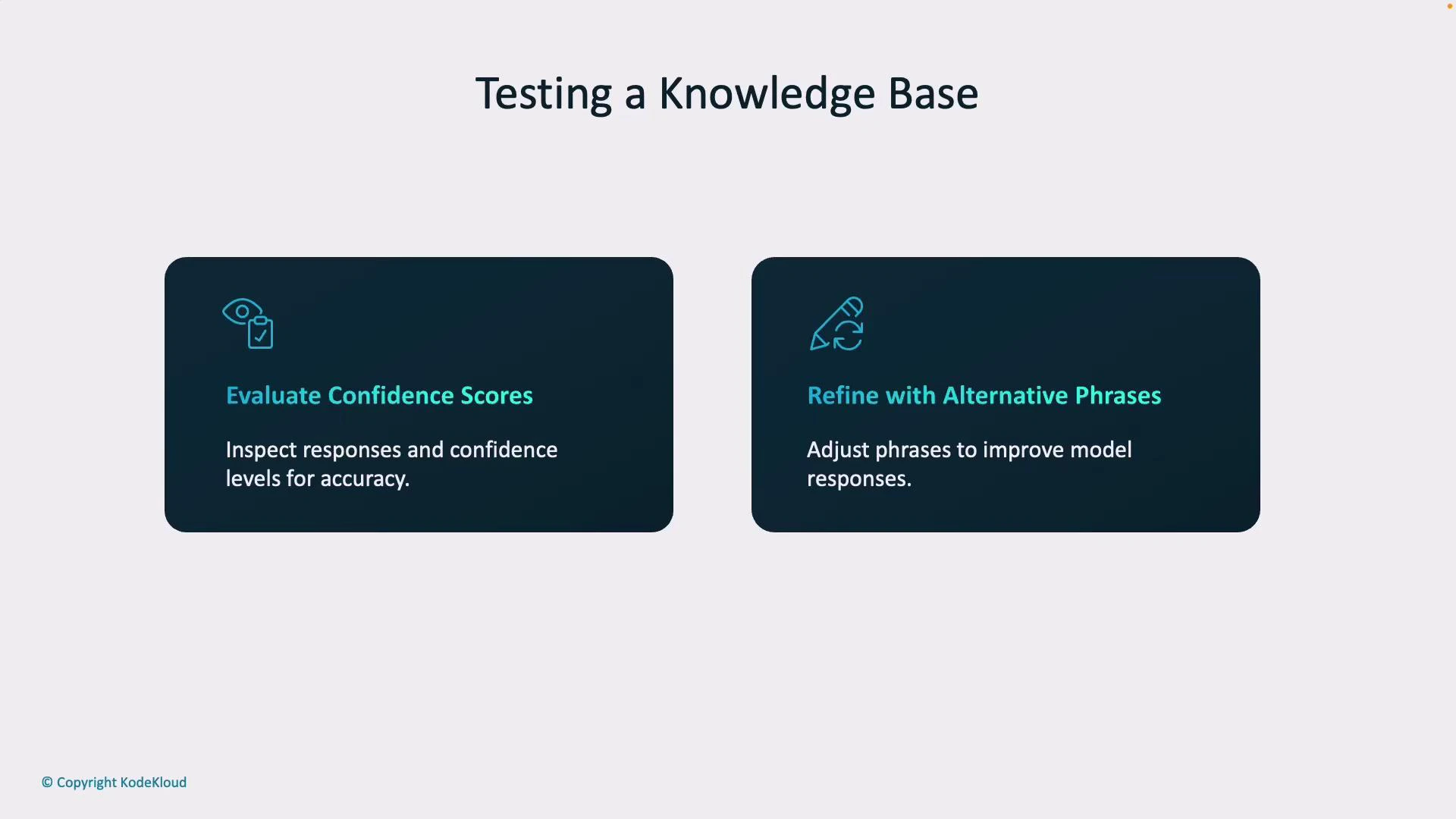
A slide titled "Testing a Knowledge Base" with two dark rounded panels. The left panel reads "Evaluate Confidence Scores" (inspect responses and confidence levels for accuracy) and the right reads "Refine with Alternative Phrases" (adjust phrases to improve model responses).
Monitor confidence thresholds and design fallback behavior (for example: ask a clarifying question or route to a human agent) when scores are low.
Publishing makes your knowledge base available for integration:
  • Generate a REST API endpoint so applications can query the knowledge base over HTTP.
  • Enable SDK compatibility — Azure and other providers supply SDKs in multiple languages to speed integration and reduce boilerplate code.
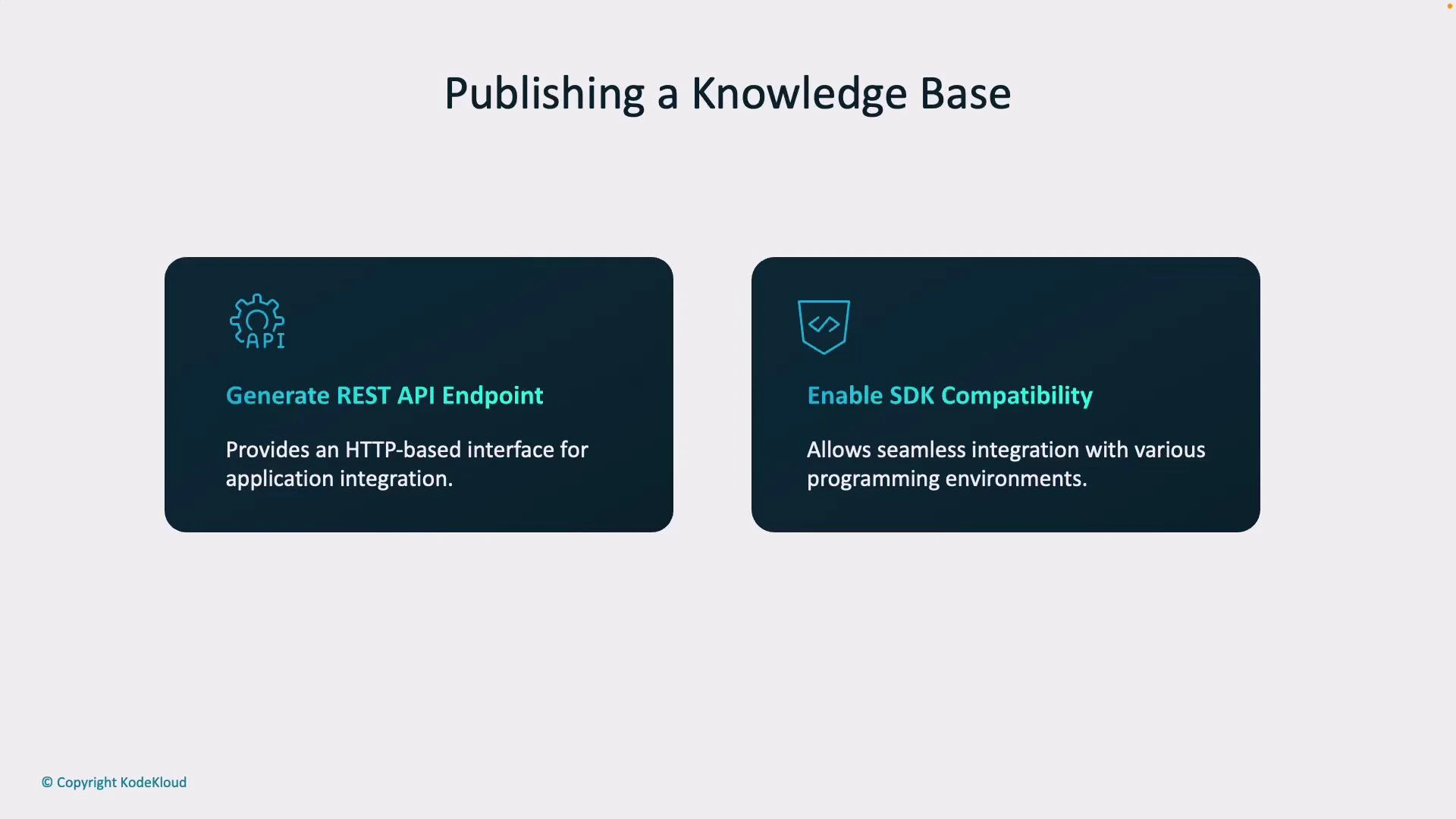
A presentation slide titled "Publishing a Knowledge Base" showing two dark panels. The panels list "Generate REST API Endpoint" (provides an HTTP-based interface for application integration) and "Enable SDK Compatibility" (allows seamless integration with various programming environments).
After publishing, integrate the service into your chatbot, mobile app, or web form and continuously monitor logs and user feedback to refine answers, update content, and adjust confidence thresholds.

Watch Video