

- Key rotation
- Key Vault storage
- Managed Identity
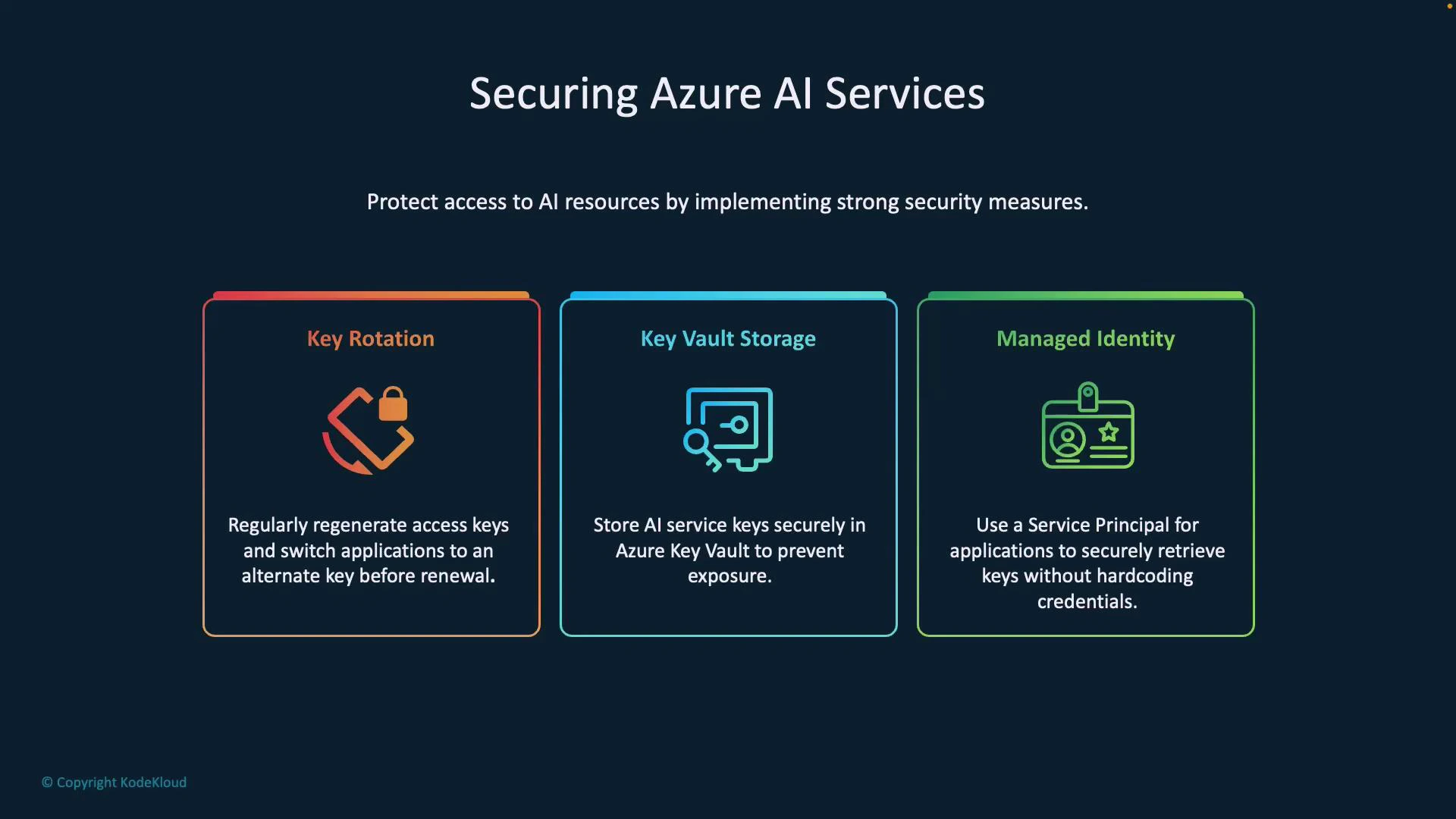
- Keys embedded in code or logs are easy to leak and can be used by an attacker to call your AI service, incur costs, or exfiltrate data.
- Combining centralized secret storage (Key Vault), automated identity (Managed Identity), and regular key rotation makes exposure less likely and limits the blast radius if a secret is compromised.
1. Key rotation
Regularly regenerate (rotate) your access keys to reduce the time window an exposed key remains valid. Zero-downtime rotation pattern (applies where resources provide two keys):- Configure your application to use the secondary key.
- Regenerate the primary key.
- Verify operation using the new primary key, then switch the application to use the primary key.
- Regenerate the secondary key according to your rotation policy.
- Select rotation frequency based on your compliance and risk posture (e.g., monthly, quarterly).
- Automate rotation and validation where possible to avoid human error.
- Never embed keys in source code, container images, or logs.
2. Key Vault storage
Use Azure Key Vault to centrally store keys, secrets, and certificates. Key Vault supports access control, auditing, and secret versioning. Benefits- Centralized management reduces accidental exposure via source control.
- Secret versioning lets you rotate without changing application code (if the app retrieves the latest version).
- Access to secrets can be audited and restricted via RBAC or Key Vault access policies.
- Store your AI service API key as a secret in Key Vault.
- Applications fetch the secret at runtime (see Managed Identity below).
- When you rotate the secret in Key Vault, retrieving by name without a version returns the latest value, enabling seamless updates.
3. Managed Identity
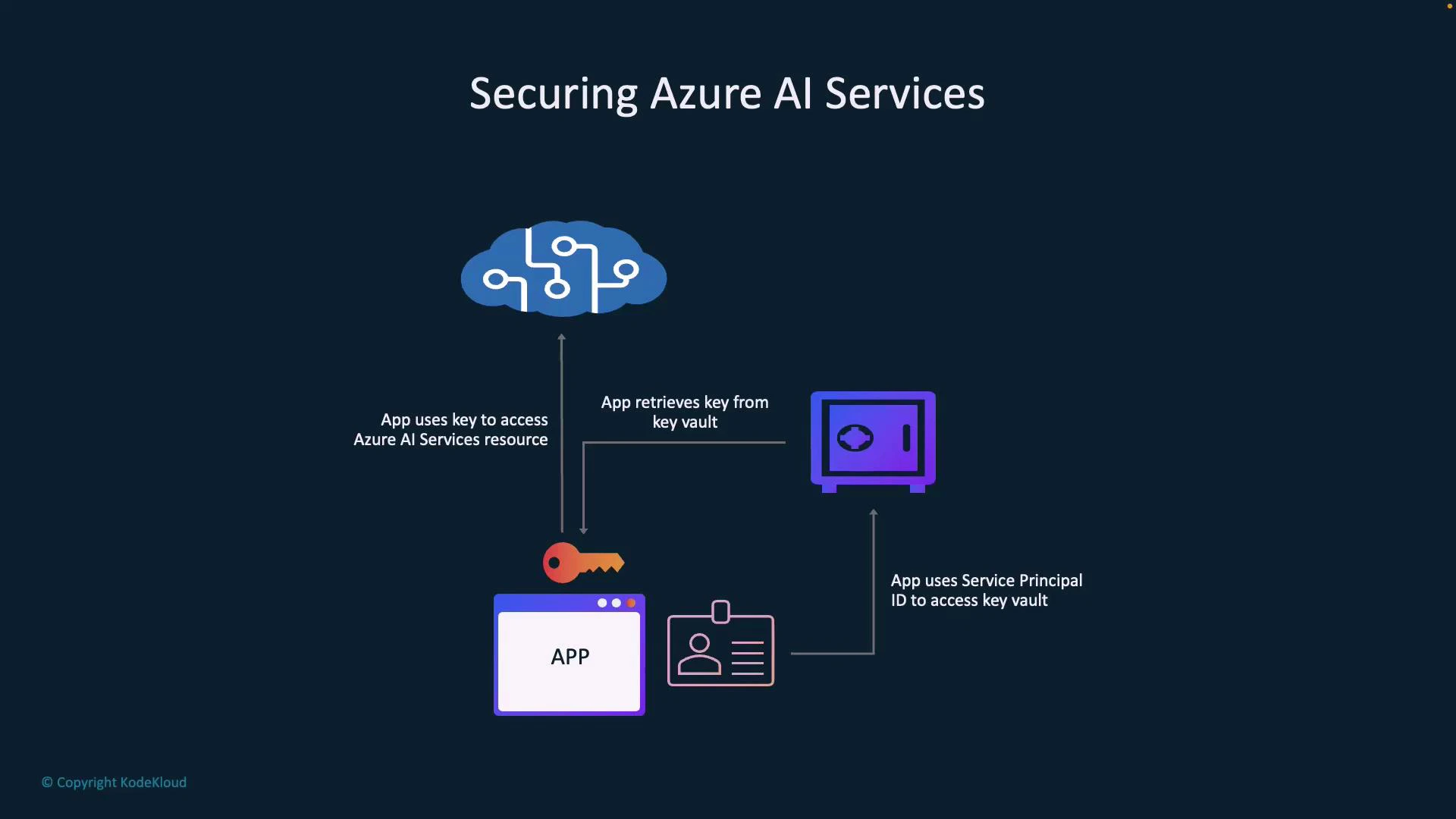
Managed Identity eliminates credential handling in code by giving Azure resources an identity in Azure AD. Typical flow- Your app authenticates using its Managed Identity.
- The app requests the secret (API key) from Key Vault.
- Key Vault returns the secret value.
- The app uses the secret to call Azure AI Services.
Use Managed Identity wherever possible for Azure-hosted applications. It avoids hard-coded secrets and simplifies rotation and access control.
- Prerequisites: The Azure resource (e.g., App Service, VM, or Function) must have its Managed Identity enabled and be granted the Key Vault “get” permission. Install azure-identity and azure-keyvault-secrets packages.
- Grant the Managed Identity the least privilege necessary: use Azure RBAC or Key Vault access policies to grant the “get” permission for secrets.
- Use Key Vault secret versioning to track rotations; unless you specify a version, retrieving by name returns the current secret.
- Test rotation workflows: after rotating a secret, verify the app can read the updated secret before disabling or deleting older credentials.
Never paste production keys or secrets in public repositories or documentation. Avoid logging secrets in plaintext. Use Key Vault and Managed Identity to minimize secret exposure.
- Azure Key Vault documentation
- Managed identities for Azure resources
- Azure security documentation
- Microsoft Azure Security Technologies (AZ-500) course (example): https://learn.kodekloud.com/user/courses/microsoft-azure-security-technologies-az-500