

What Azure AI Search does — at a glance
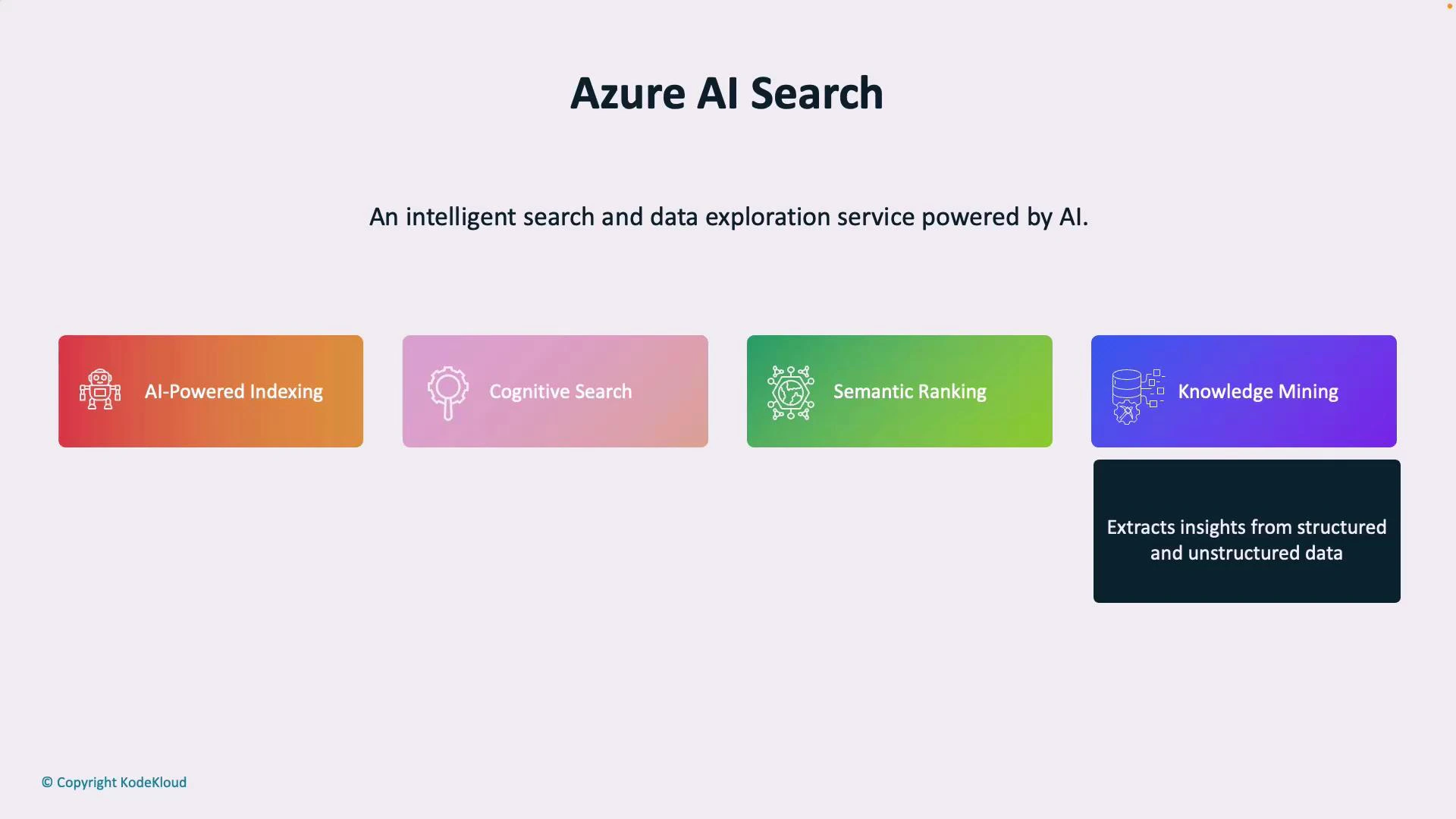
- AI-powered indexing: Automatically extracts and structures searchable fields from documents, databases, and file stores.
- Natural-language understanding: Uses NLP to interpret user intent and return conceptually relevant results beyond exact keyword matches.
- Semantic ranking: Prioritizes results that are most relevant by understanding relationships between words and concepts.
- Knowledge mining: Extracts entities, key phrases, and relationships from structured and unstructured sources (PDFs, images, spreadsheets, etc.) for downstream use.
How Azure AI Search works — the pipeline
Azure AI Search usually follows a simple pipeline: ingestion → AI enrichment → indexing → querying. Each stage transforms your raw data into structured, searchable knowledge.- Raw data sources
- Files, blobs, databases, or other storage systems.
- AI enrichment pipeline
- Applies cognitive skills such as OCR (for scanned images), entity recognition, key-phrase extraction, language detection, translation, and custom skills to extract structured content from unstructured documents.
- Indexing
- Converts enriched content into a searchable index: text fields, filters, facets, scoring profiles, and optionally vector embeddings for semantic or vector search.
- Querying and ranking
- Applications and users query the index using text queries, filters, facets, or semantic queries. Results are ranked by relevance, scoring profiles, and semantic ranking when enabled.
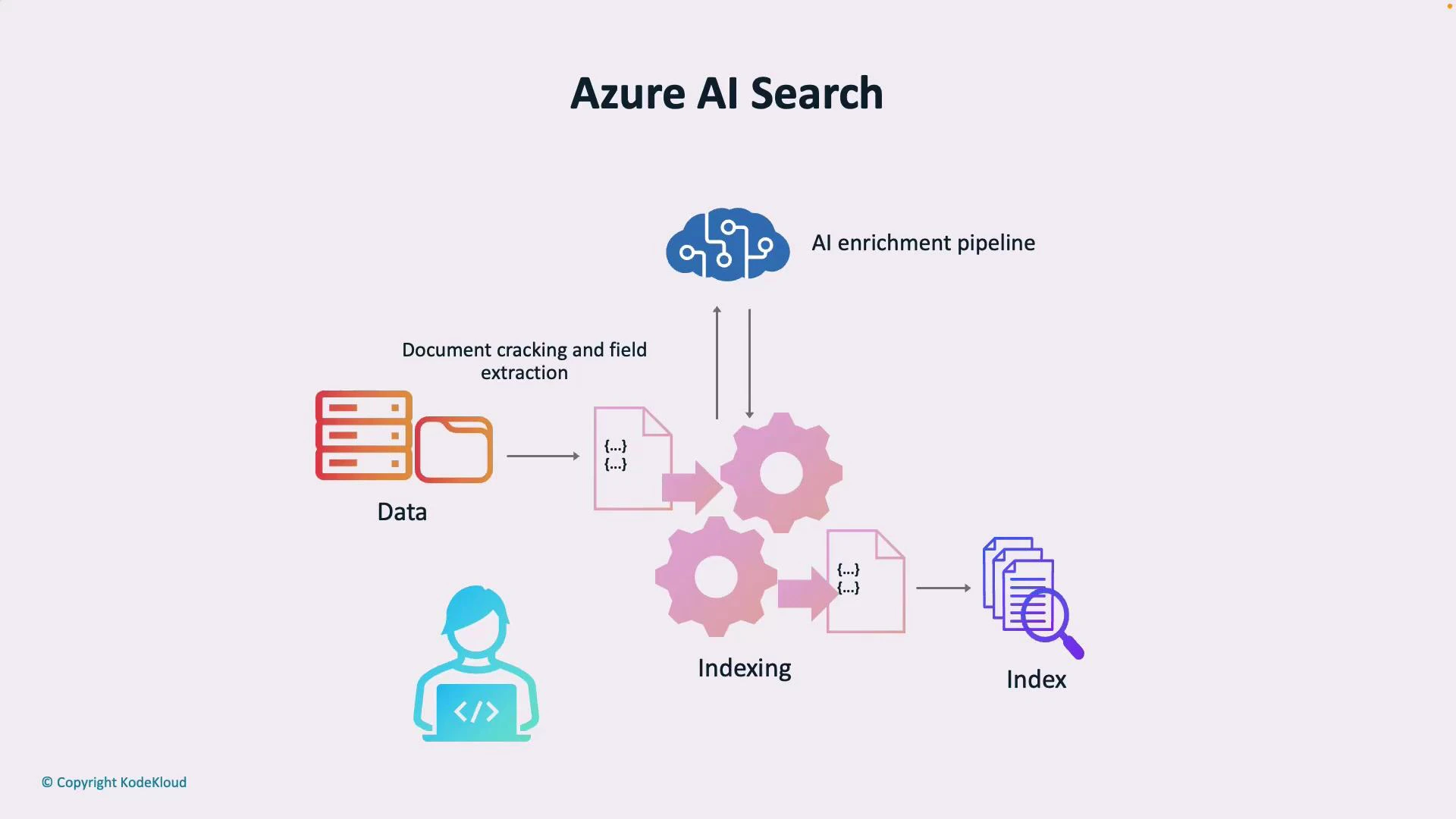
If terms like “indexing”, “AI enrichment”, or “skillset” are unfamiliar, think of them this way: indexing is how documents are organized for fast search; enrichment is the AI work that extracts searchable metadata; a skillset is the collection of enrichment steps (OCR, entity extraction, custom code).
Core concepts explained
- Index: A data structure that Azure Search uses to enable fast search operations (fields, data types, analyzers).
- Skillset: A pipeline of cognitive skills that transform raw content into enriched JSON fields.
- Cognitive skills: Prebuilt (OCR, language detection) or custom functions that extract entities, key phrases, or apply business logic.
- Semantic configurations: Settings that enable semantic ranking and passage retrieval using embeddings or language models.
- Vector/semantic search: Uses vector embeddings to find conceptually similar content, especially useful for natural language queries and question-answering.
Example: Minimal REST search request
Below is a simplified example of a search POST request to an Azure Search index (semantic search preview API). Replace placeholders with your service name, index name, and API key.When to use Azure AI Search
- Enterprise search portals across documents and knowledge bases.
- Customer support knowledge bases, to power FAQ and conversational interfaces.
- Content discovery for digital asset management (images, video transcripts, PDFs).
- Building knowledge graphs and downstream analytics from mined entities.
Quick-start checklist
- Create an Azure AI Search service in the Azure portal.
- Define an index schema for fields and data types.
- Create a skillset for AI enrichments (OCR, named-entity recognition, key phrases).
- Run indexer to ingest and enrich documents.
- Configure semantic settings or vector search for better relevance.
- Integrate via REST SDKs or client libraries and tune scoring profiles.
Links and references
- Azure AI Search documentation
- Azure Cognitive Services overview
- Semantic search with Azure Cognitive Search
Next up: hands-on configuration — creating a search service, defining an index, and applying AI enrichments to real data.