

- Deployment options: Run containers locally (developer laptop or edge), in Azure Container Instances (ACI), on Azure Kubernetes Service (AKS), or on other container platforms and clouds.
- Data control: Applications send data to the container for local processing. The container reports only usage telemetry to Azure for billing/licensing; customer data remains on-premises.
- Scalability and flexibility: Run models on-premises, in the cloud, or as a hybrid. Standard orchestration tools like Kubernetes (AKS, EKS) enable scaling and high availability.
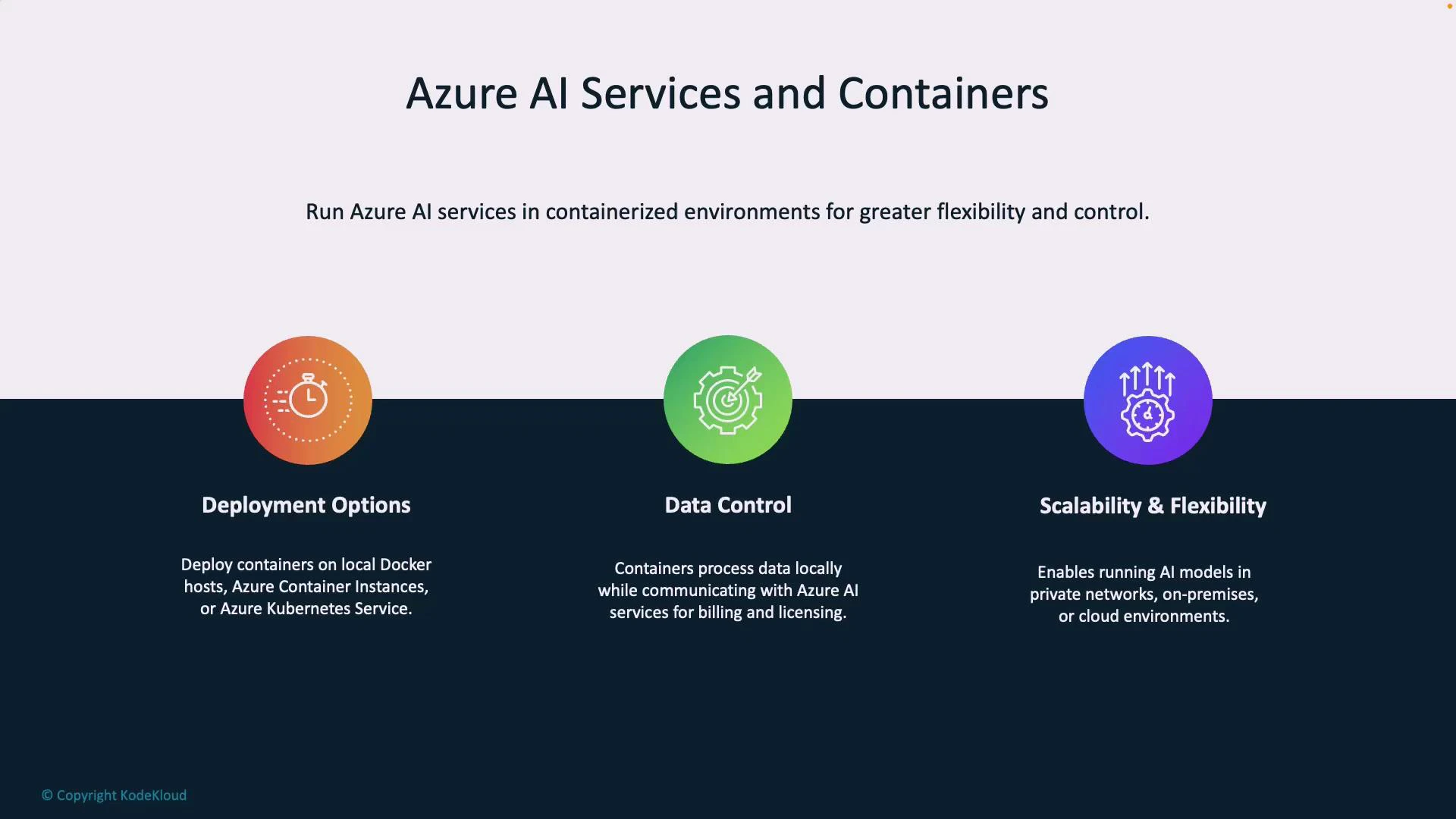
Key deployment options
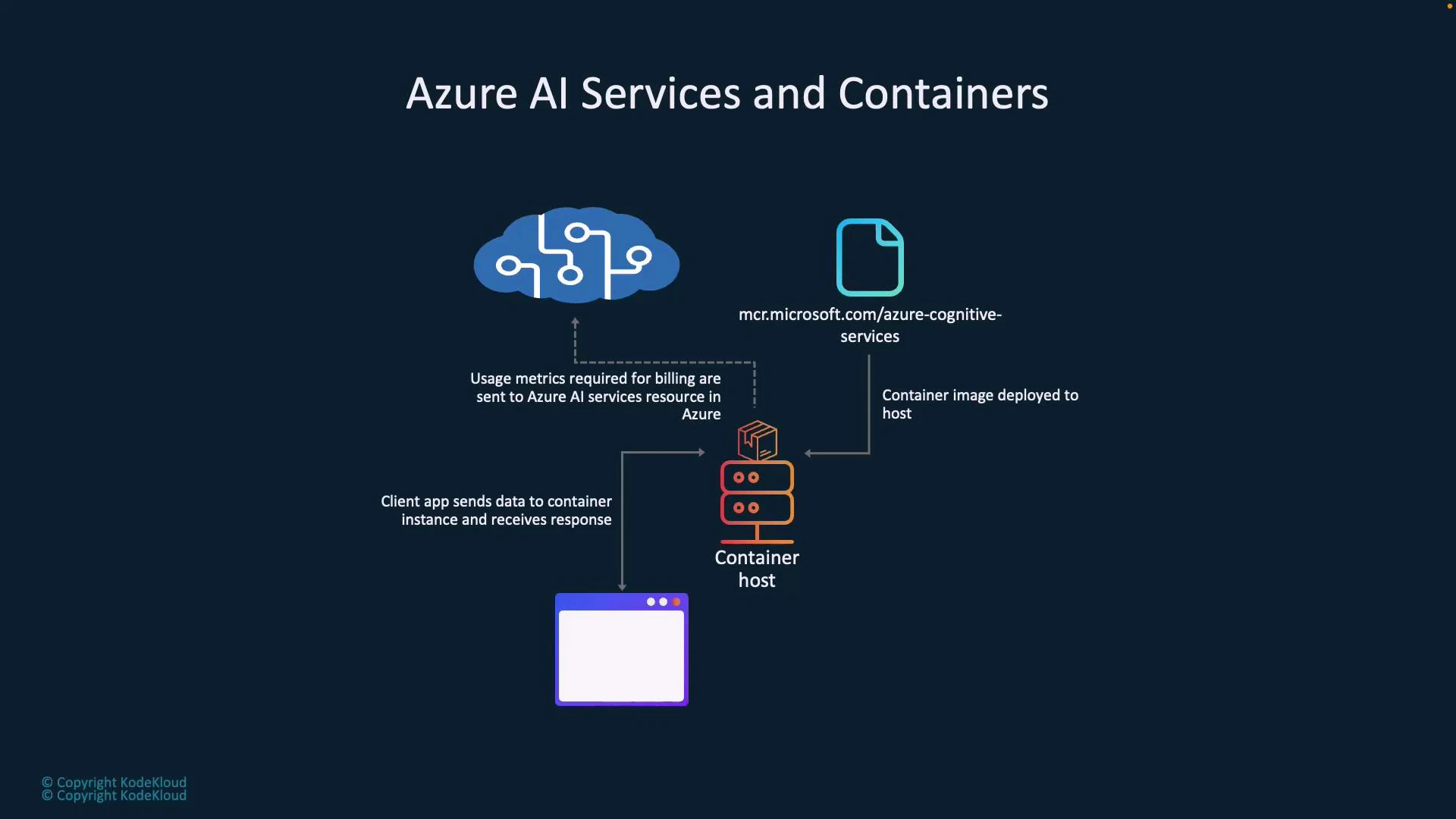
Architecture overview
Typical flow when running Azure AI in containers:- Pull an AI container image from Microsoft Container Registry (MCR).
- Deploy the image to a container host (local Docker, ACI, AKS, another cloud, etc.).
- Client applications send requests (e.g., text for sentiment analysis) to the container’s local REST API.
- The container processes inputs locally and returns responses to the client.
- Periodically, the container emits telemetry (usage metrics) to Azure for billing and licensing — it does not send customer data.
Running a container locally (example)
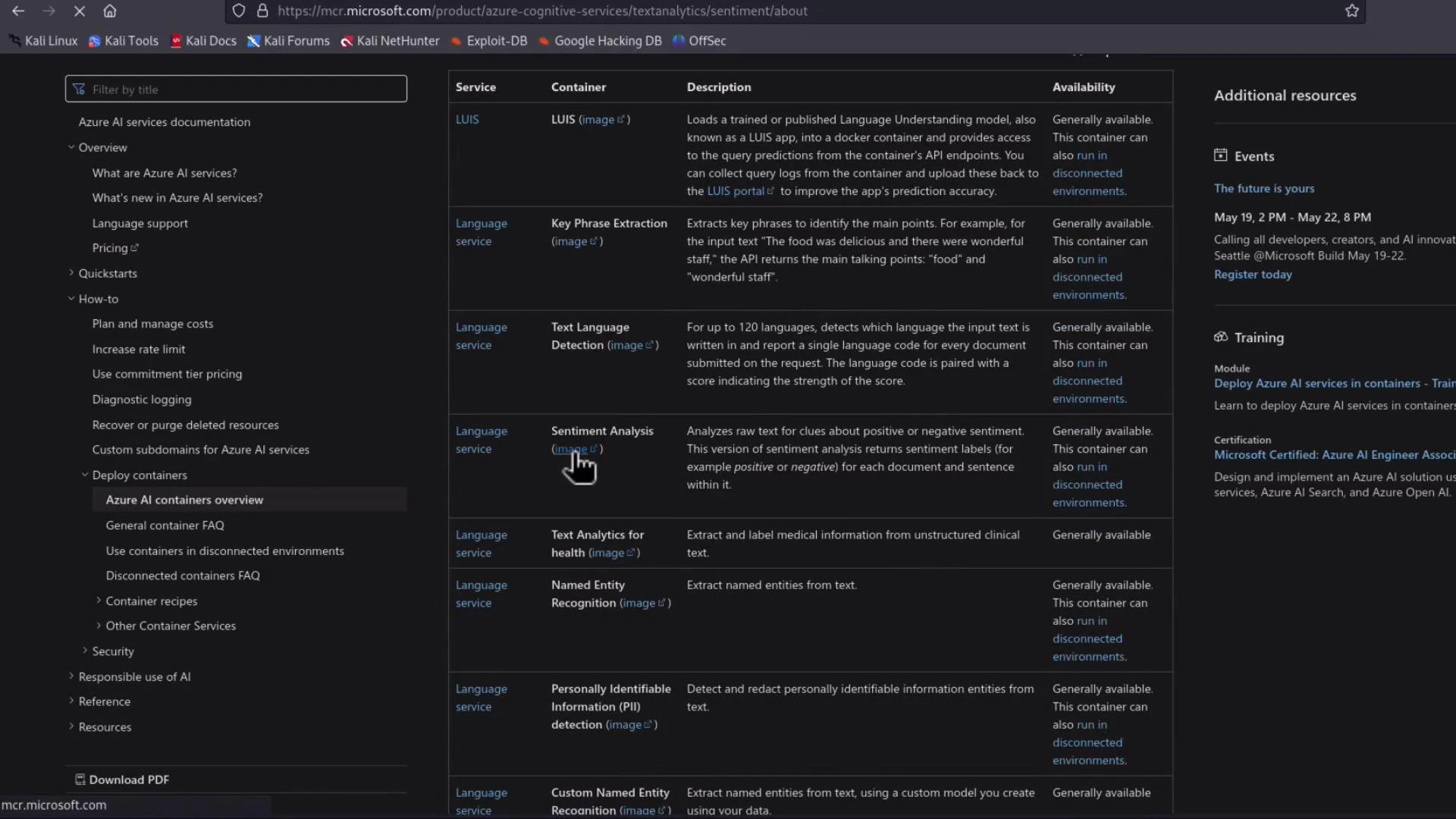
For a simple demo, run a Cognitive Services container on Docker Desktop. In production, you would typically use AKS, ACI, EKS, or another orchestrator. This section shows the local workflow for the Text Analytics (Sentiment) container.- Find the container image and instructions in Microsoft Docs. See the Language service containers overview and the Sentiment container page:
- The MCR image name for sentiment looks like:
If you’re using Apple Silicon (ARM) and the container image targets x86_64 (AMD64), the image may pull successfully but fail to run. Either use an x86_64 host, an emulator layer (e.g., Docker Desktop Rosetta/QEMU), or check the container docs for a supported ARM build.
Run the container
The docs include an example docker run command. Replace placeholders with your values:- — e.g., latest
- — your Cognitive Services endpoint (used for billing/licensing)
- — your Cognitive Services API key
- —rm: remove the container after exit
- -it: interactive terminal so logs are visible
- -p 5000:5000: map container port 5000 to host port 5000
- —memory / —cpus: resource limits for the container
- Eula=accept: acknowledge license terms
- Billing: the Cognitive Services endpoint URL for licensing/usage reporting
- ApiKey: your service key for authentication to the container
Accessing the API and built-in documentation
Open http://localhost:5000 in your browser. The container exposes Swagger/Redoc API documentation and health endpoints. Typical endpoints include:- /authentication/renew — renew tokens used by the container
- /records/usage-logs// — retrieve usage reporting logs
- /sentiment (prediction endpoint)
- /swagger/v3/swagger.json and Swagger UI pages for interactive testing
- /health or other status endpoints
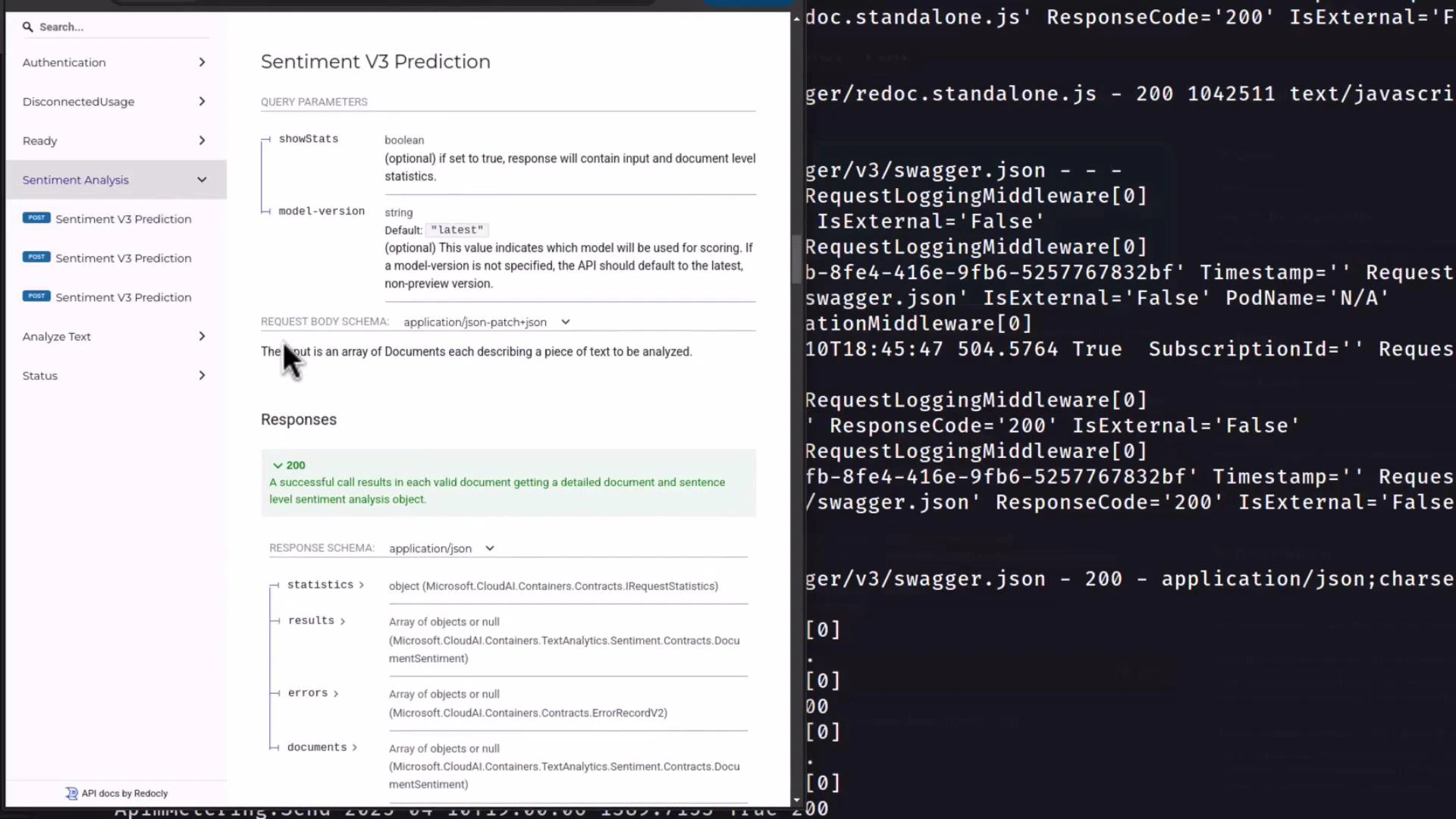
Sentiment API example
The Sentiment container uses the same REST shape as the cloud Text Analytics API. Send a JSON body with documents and receive sentiment classifications with confidence scores. Example request body:Container status and health
Use the container’s status and health endpoints to confirm:- The API key is valid
- Telemetry/usage reporting is functioning
- Service processes are healthy
Summary
Workflow recap:- Obtain the MCR image for the desired Azure AI container.
- Pull and run the container on a host (local Docker, ACI, AKS, etc.).
- Configure the container with your Billing endpoint and ApiKey.
- Call the local REST endpoints for inference; the container emits only usage telemetry to Azure for billing/licensing.
Links and references
- Azure Language service containers docs: https://learn.microsoft.com/azure/ai-services/language/language-service-containers-overview
- Azure Cognitive Services containers overview: https://learn.microsoft.com/azure/cognitive-services/
- Kubernetes documentation: https://kubernetes.io/docs/