

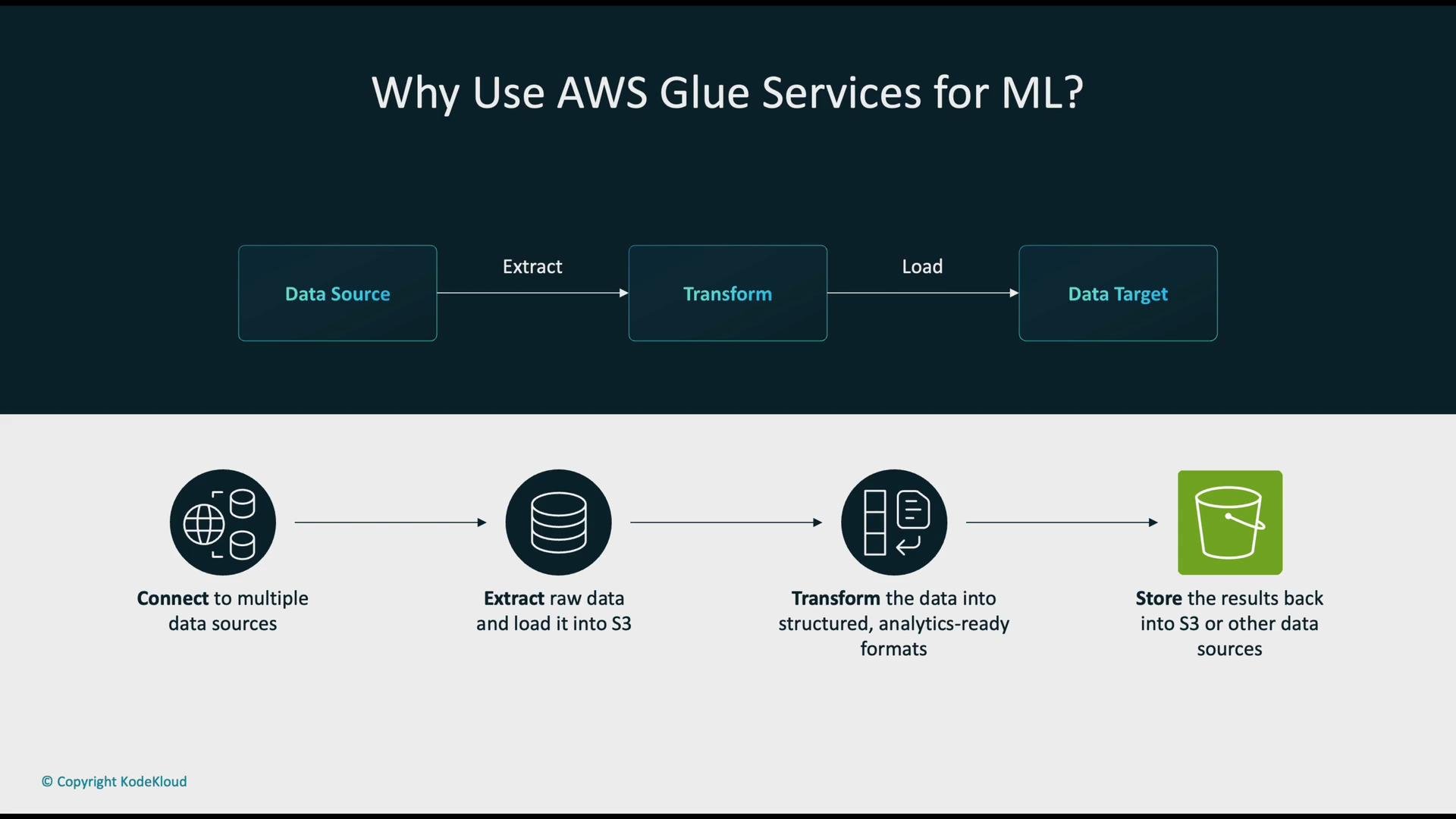
ETL pattern for ML data preparation
The data preparation flow typically follows the ETL pattern:- Extract: Ingest raw data from sources such as Amazon S3, Amazon Redshift, Amazon OpenSearch, relational databases, or streaming sources.
- Transform: Use AWS Glue or AWS Glue DataBrew to clean, normalize, deduplicate, convert types, parse dates, and otherwise prepare data for analytics and ML.
- Load: Persist processed datasets back to Amazon S3, a data warehouse, or another storage layer for model training and analytics.
What is AWS Glue?
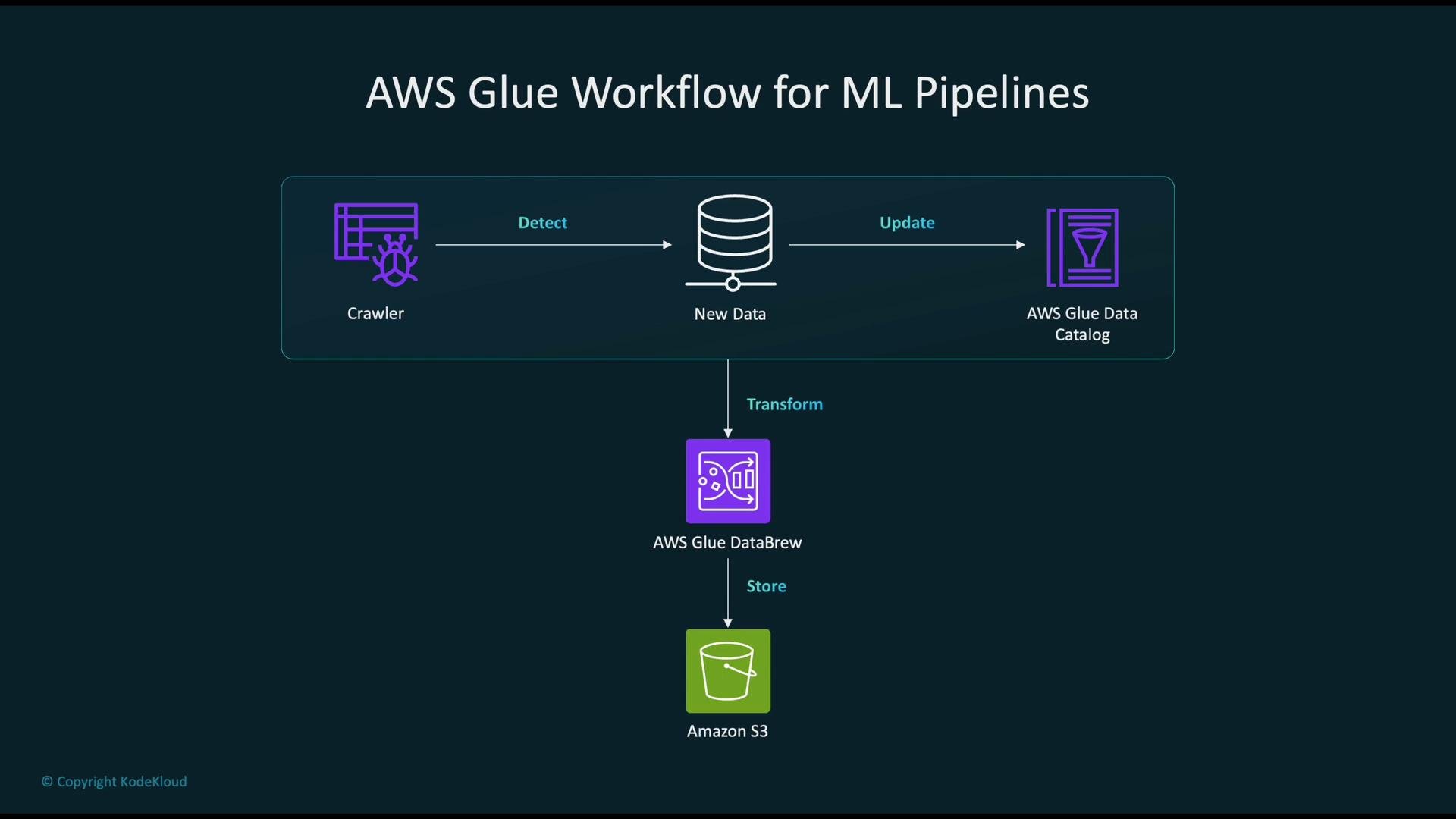
AWS Glue is a serverless ETL service designed for large-scale, code-driven data processing. Key features include:- Crawlers that scan data stores, infer schemas and types, and populate the Glue Data Catalog.
- A centralized Glue Data Catalog that becomes a shared metadata repository for tools like Amazon Athena and Amazon Redshift Spectrum.
- ETL jobs built on Apache Spark for scalable, programmatic transformations; jobs can be scheduled, chained, or triggered.
- Integration with the AWS analytics and ML ecosystems for automated production pipelines.
AWS Glue DataBrew: visual, interactive data preparation
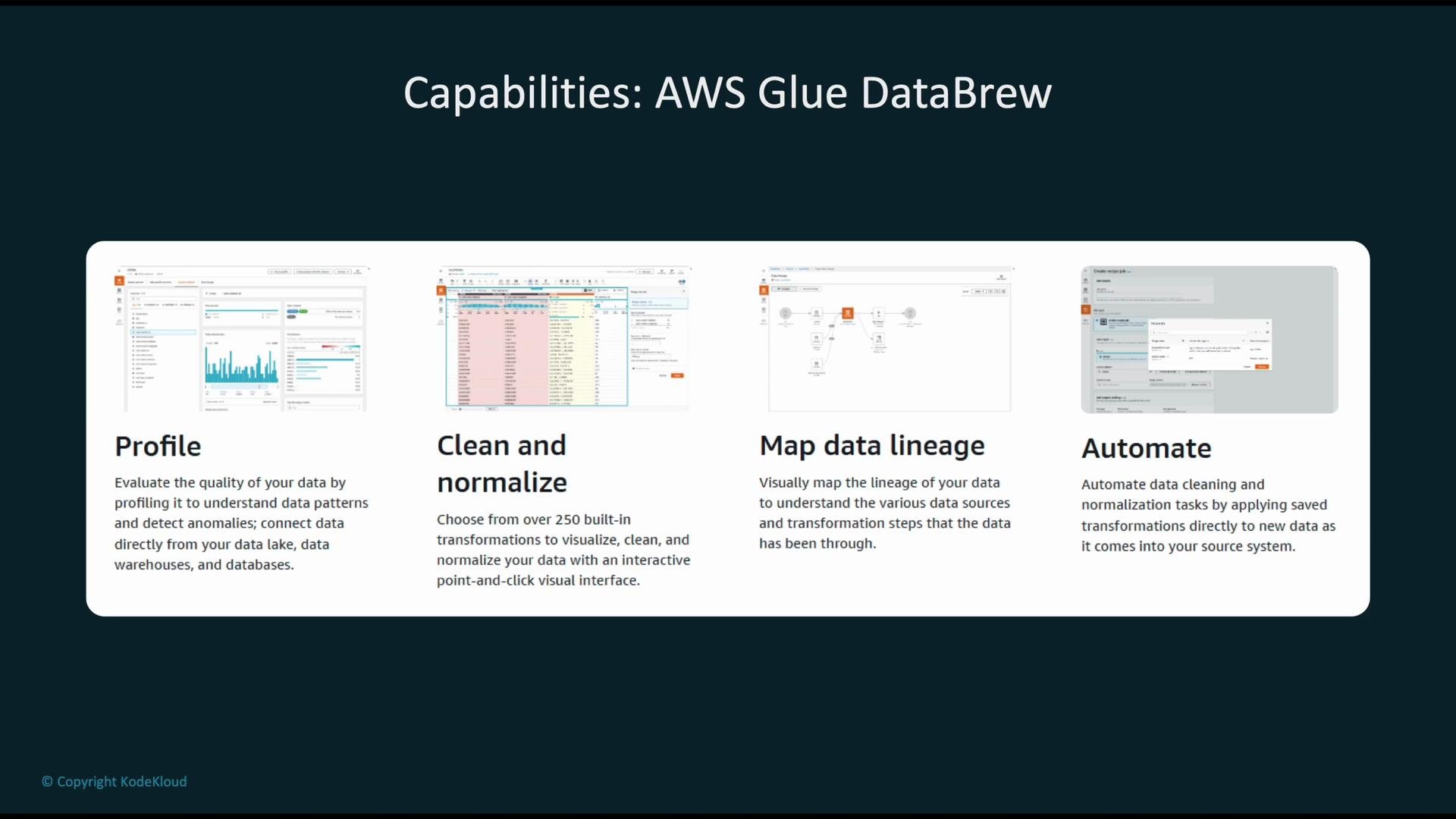
AWS Glue DataBrew is a visual, no-code/low-code tool for data profiling and interactive cleaning—ideal for analysts, data scientists, and data engineers who need rapid iteration.- Profiling: Quickly analyze distributions, detect anomalies, and assess data quality.
- Clean & Normalize: Apply prebuilt transformations (fill/drop missing values, normalize formats, parse/standardize dates).
- Map Lineage: Track every transformation step in a recipe for reproducibility and auditing.
- Automate: Reuse recipes and schedule jobs to run transformations automatically on new data.
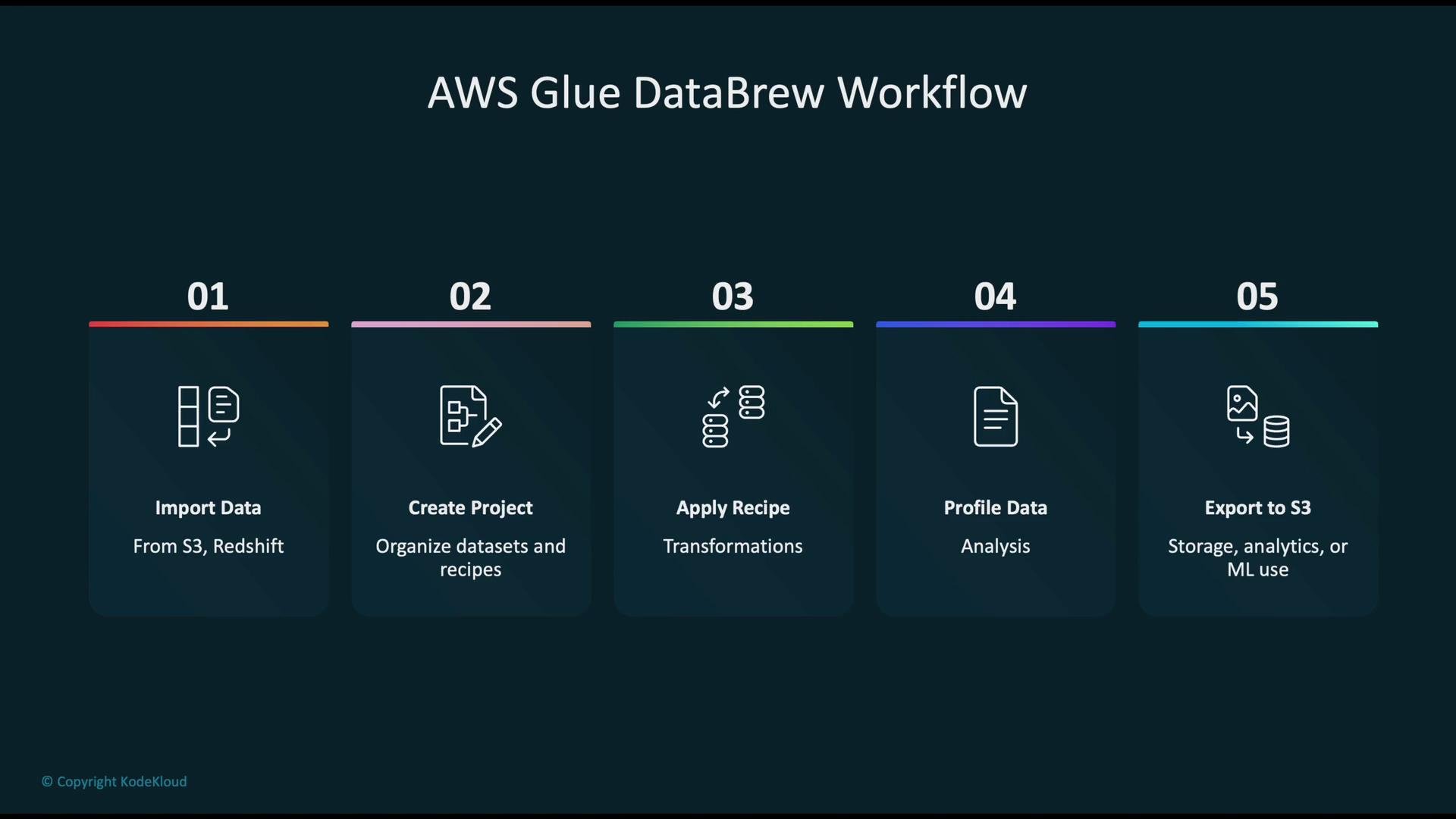
Typical DataBrew project workflow
A common DataBrew project follows these steps:- Import data from sources (Amazon S3, Amazon Redshift, databases).
- Create a project to manage datasets and recipes.
- Apply a recipe: a sequence of reusable transformation steps (formatting, deduplication, type conversions).
- Profile the data to identify distributions, outliers, and quality issues.
- Export the transformed dataset to Amazon S3 for analytics or ML.
Glue vs DataBrew — when to use which
Choose the tool based on team roles, scale, and production needs. The table below summarizes core differences and recommended use cases.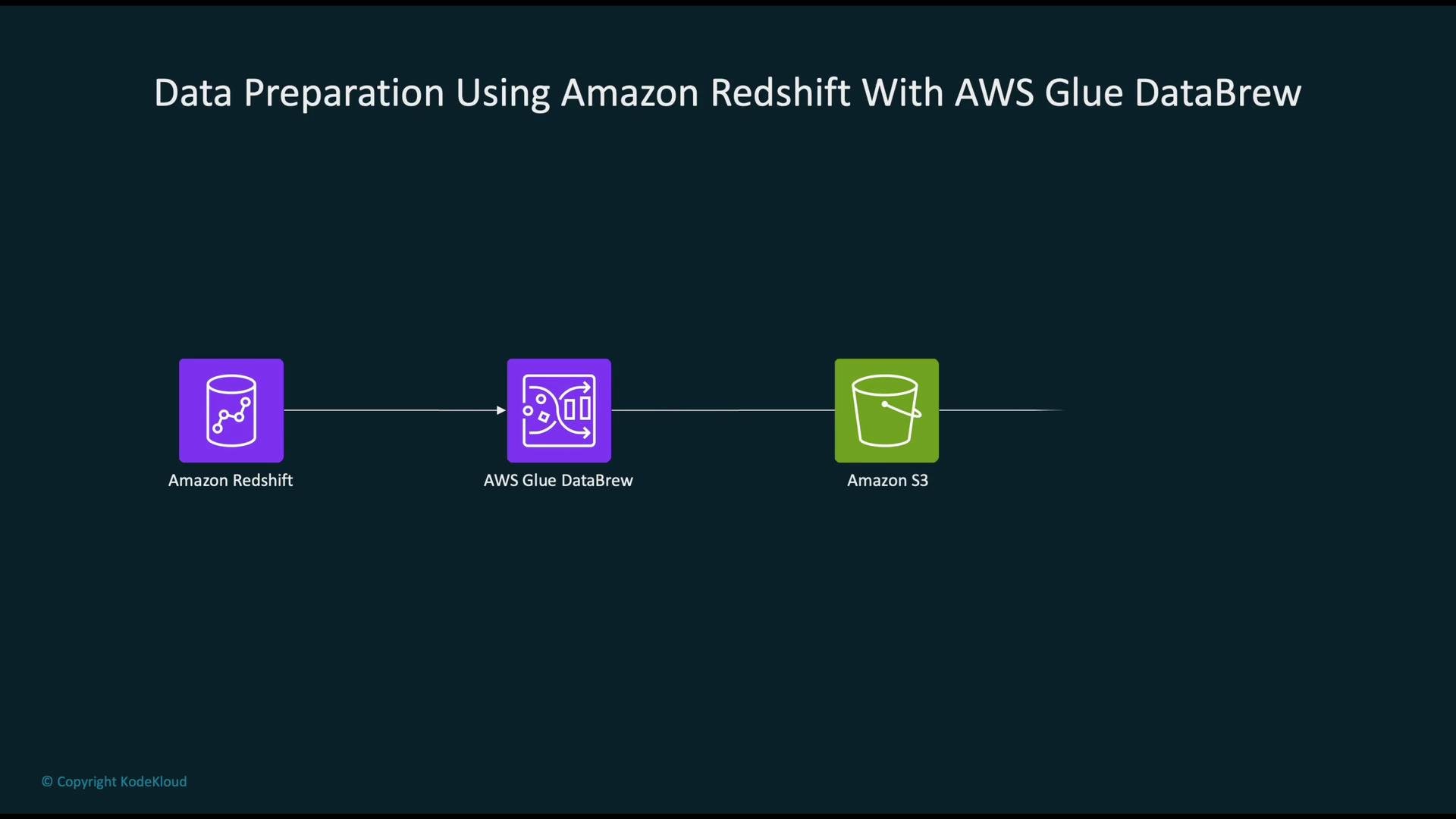
How Glue and DataBrew fit into an ML pipeline
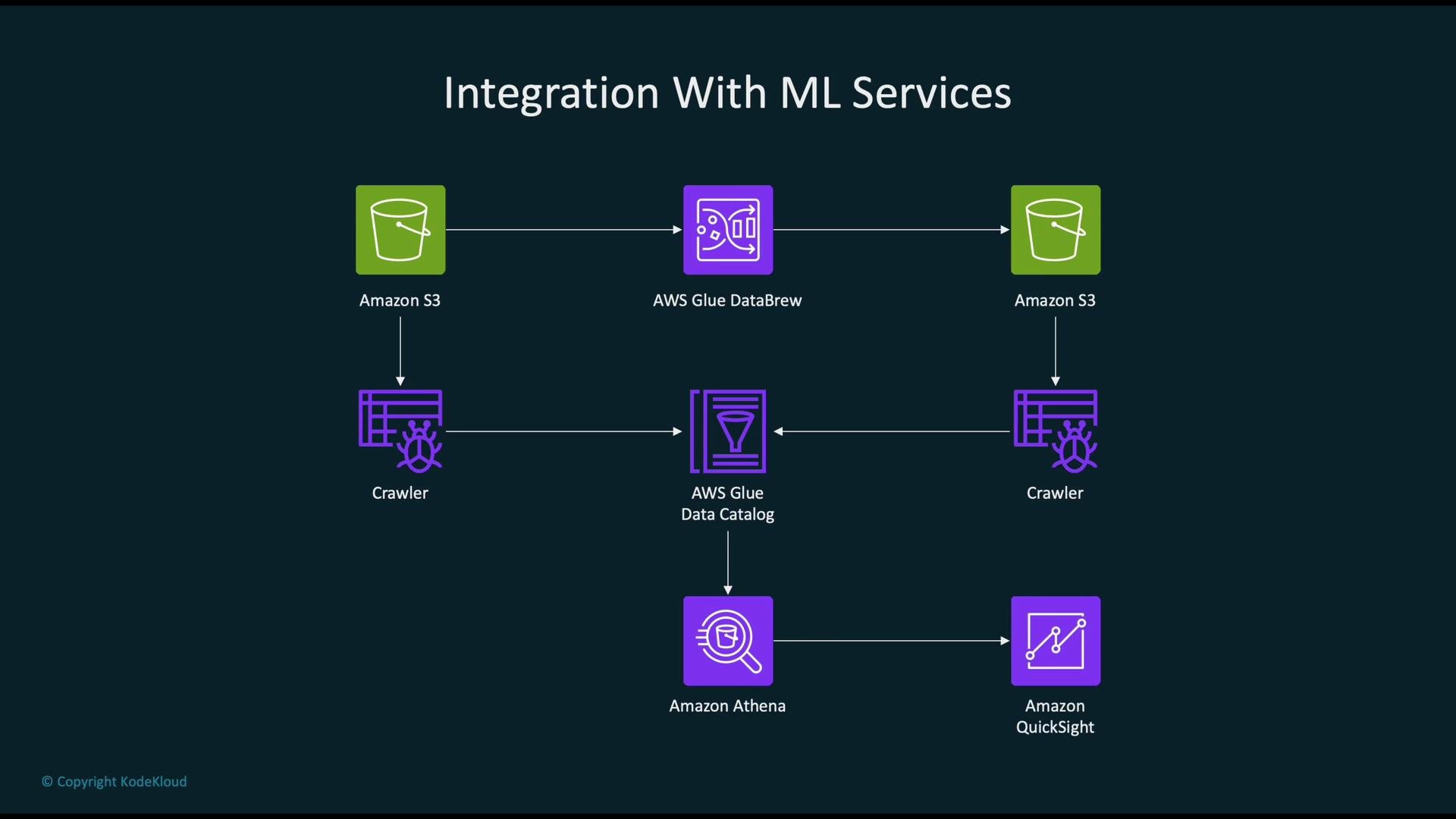
A typical ML data pipeline using Glue/DataBrew looks like:- Raw data in Amazon S3 (or other sources) is imported into DataBrew for exploration or processed by Glue ETL jobs for large-scale transformations.
- Recipes or ETL jobs implement the cleaning and feature-preparation steps.
- Clean datasets are exported to Amazon S3 or a data warehouse.
- Prepared data is consumed by AWS SageMaker for model training and inference; visualization and ad-hoc queries use Amazon QuickSight and Amazon Athena.
Common transformation tasks supported
Both services support typical data preparation steps required for ML pipelines:- Handling missing values: fill, impute, or drop rows/columns
- Normalizing and scaling numerical features
- Encoding categorical variables (one-hot encoding, label encoding)
- Parsing, normalizing, and standardizing dates/timestamps
- Filtering rows and validating value ranges or formats
- Aggregating and computing summary statistics (group-bys, sums, averages)
Cost considerations
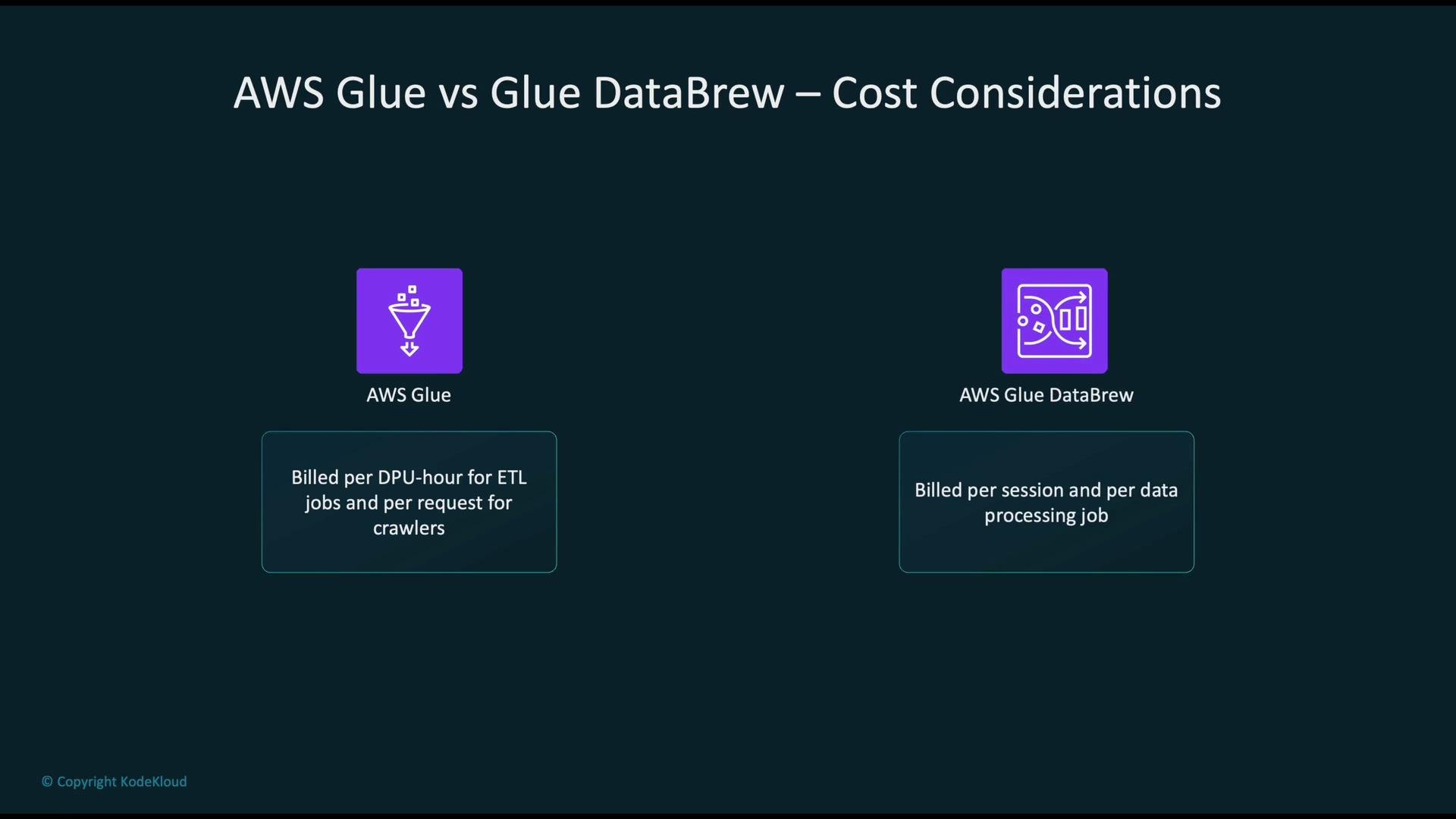
Both are pay-as-you-go but with different billing models:- AWS Glue: billed per DPU-hour for ETL job runtime and for crawlers. See AWS Glue pricing: https://aws.amazon.com/glue/pricing/
- AWS Glue DataBrew: billed per interactive session (per session-hour) and per data processing job run. See DataBrew pricing: https://aws.amazon.com/databrew/pricing/
Use AWS Glue when you require programmatic, reproducible, and highly scalable ETL (Spark-based jobs and scheduled pipelines). Use AWS Glue DataBrew for fast, visual exploration and cleaning where analysts need to prototype transformations and export recipes into production workflows.
References and further reading
- AWS Glue: https://aws.amazon.com/glue/
- AWS Glue DataBrew: https://aws.amazon.com/databrew/
- AWS SageMaker: https://aws.amazon.com/sagemaker/
- Amazon S3: https://aws.amazon.com/s3/
- Amazon Athena: https://aws.amazon.com/athena/
- Amazon QuickSight: https://aws.amazon.com/quicksight/