

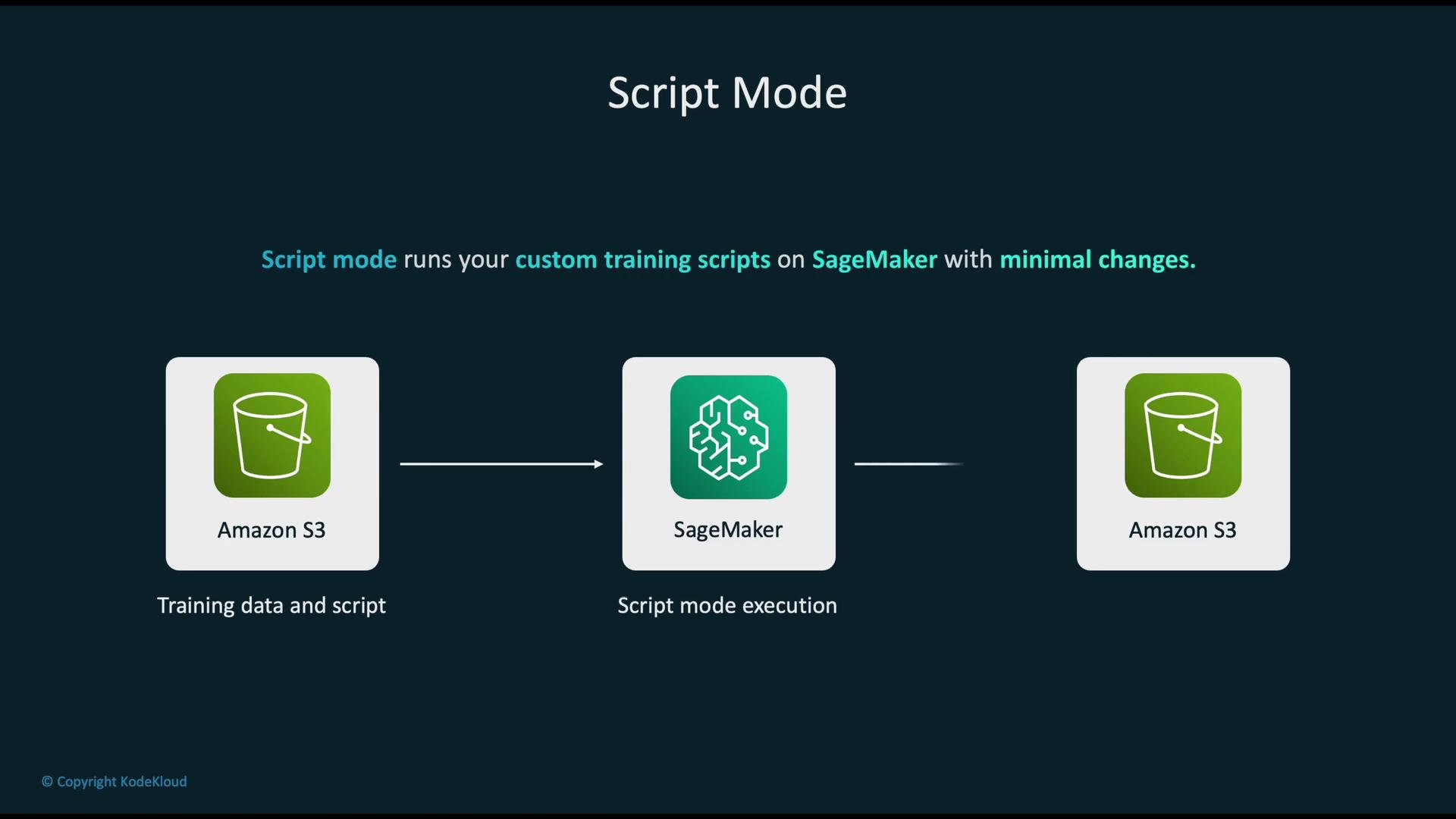
- Minimal code changes — keep your existing
train.pyand other modules. - Managed infrastructure — SageMaker handles instance provisioning and lifecycle.
- Scalability — run on CPU or GPU instances, and scale to distributed training.
- Experiment tracking — logs, metrics, and artifacts are collected automatically.
- Flexibility — include third‑party libraries and arbitrary training logic.
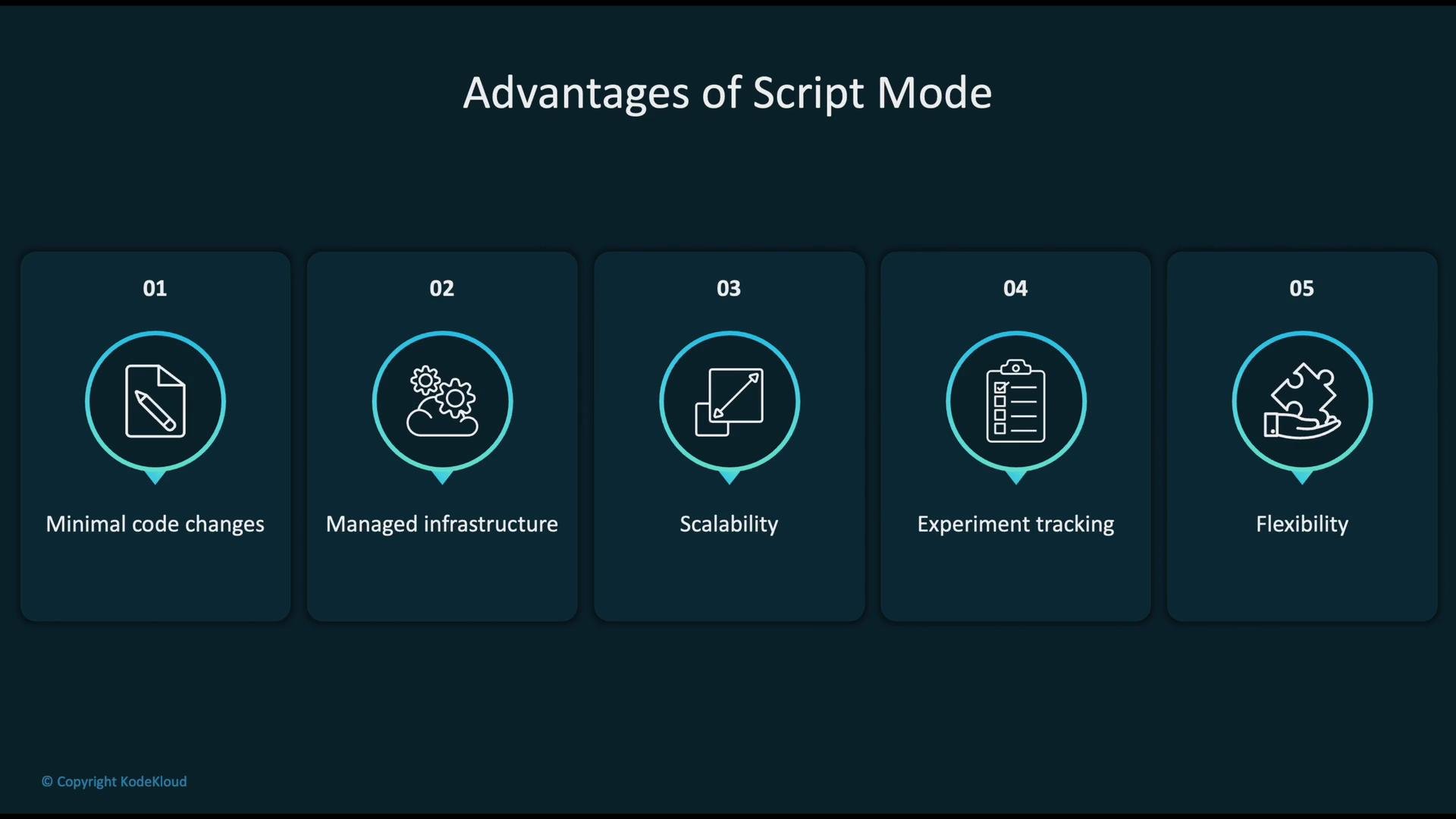
train.py) and SageMaker runs it inside a managed container that already includes the specified framework and Python runtime. Typically you provide:
train.py— required training entry pointinference.py— optional inference handler for deploymentrequirements.txt— optional list of additional Python packages
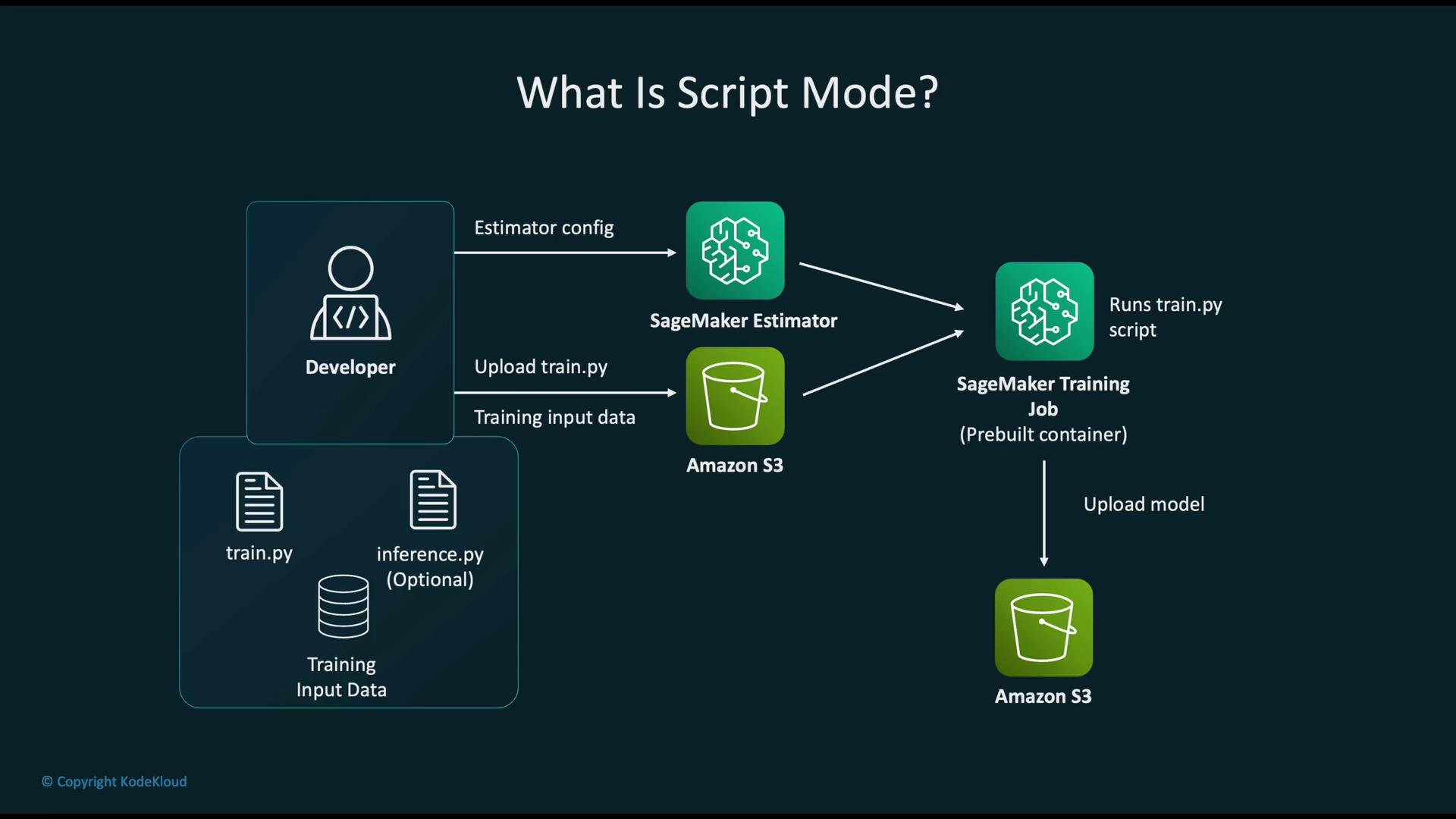
- Script to run (
entry_point) - Framework / container (e.g., TensorFlow, PyTorch)
- Compute resources (instance type and count)
- Data locations (S3 URIs for channels such as
trainandvalidation) - Hyperparameters (epochs, learning rate, batch size)
- IAM role (permissions to access S3 and other AWS services)
Example: launching a PyTorch training job using the SageMaker Python SDK
entry_point script and accept hyperparameters and environment variables. They support single-node and distributed training modes.
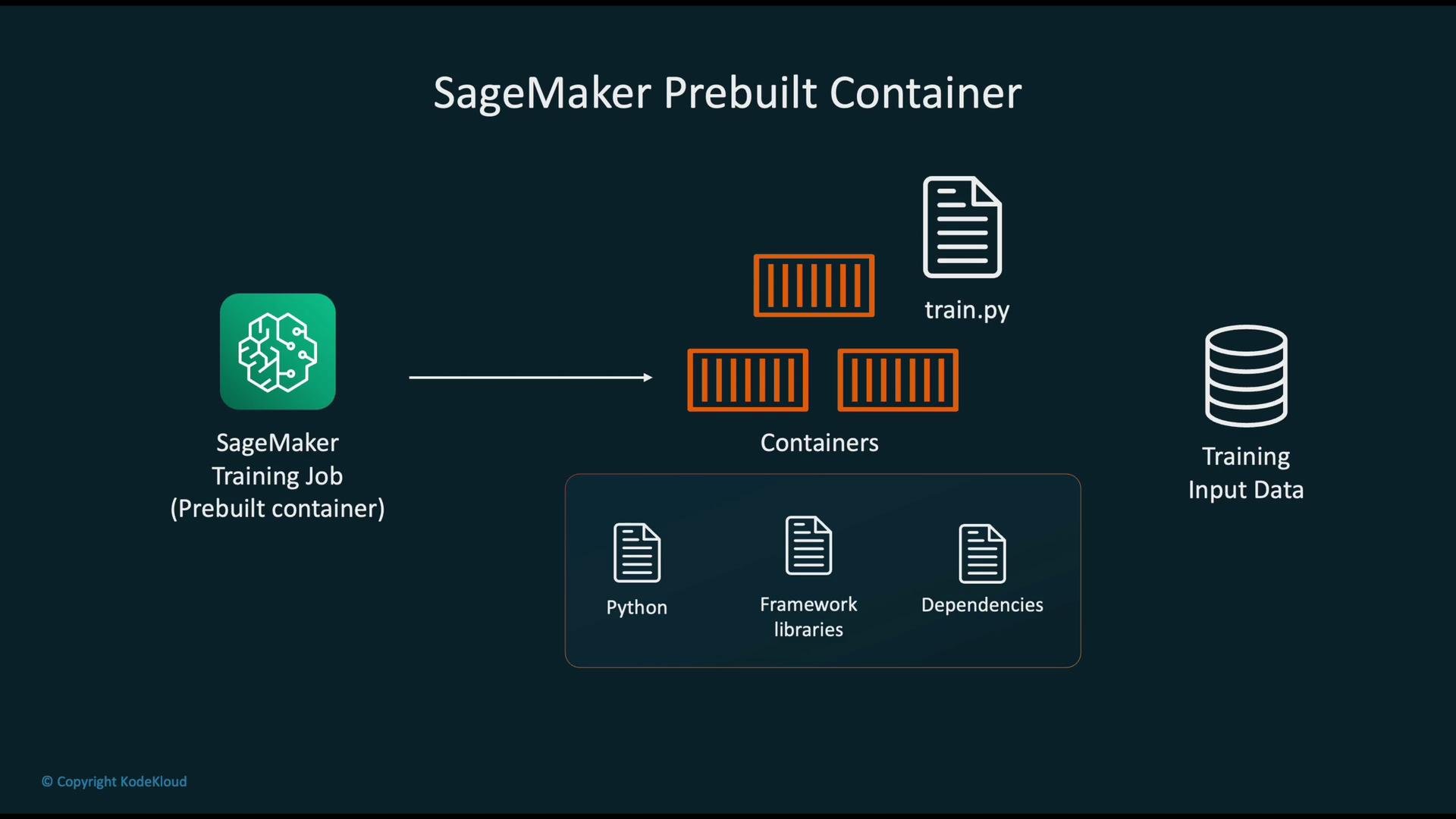
/opt/ml). Use these directories or provided environment variables in your training script to:
- Read input data from the mapped channel directories
- Write output artifacts (model files, logs, metrics)
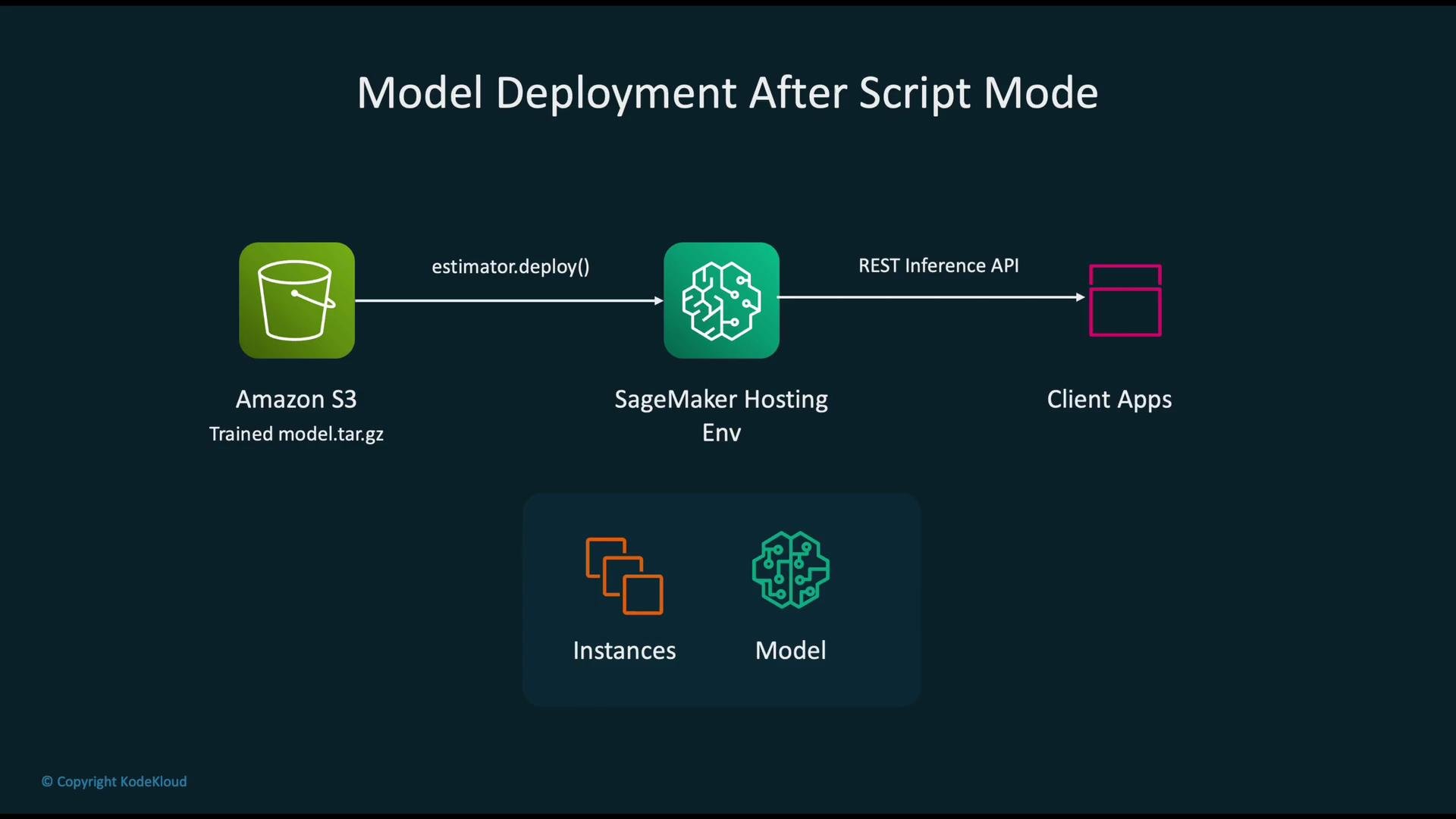
model.tar.gz or model.tar) and uploads it to Amazon S3.
Deploying trained models
With a single call to the Estimator’s deploy() method you can create a hosted endpoint. SageMaker will:
- Provision serving instances
- Load the model artifact from S3
- Start a scalable REST API endpoint for real-time predictions
Project layout example
Organize your project so the Estimator’s
source_dir contains the training script and any helper modules:
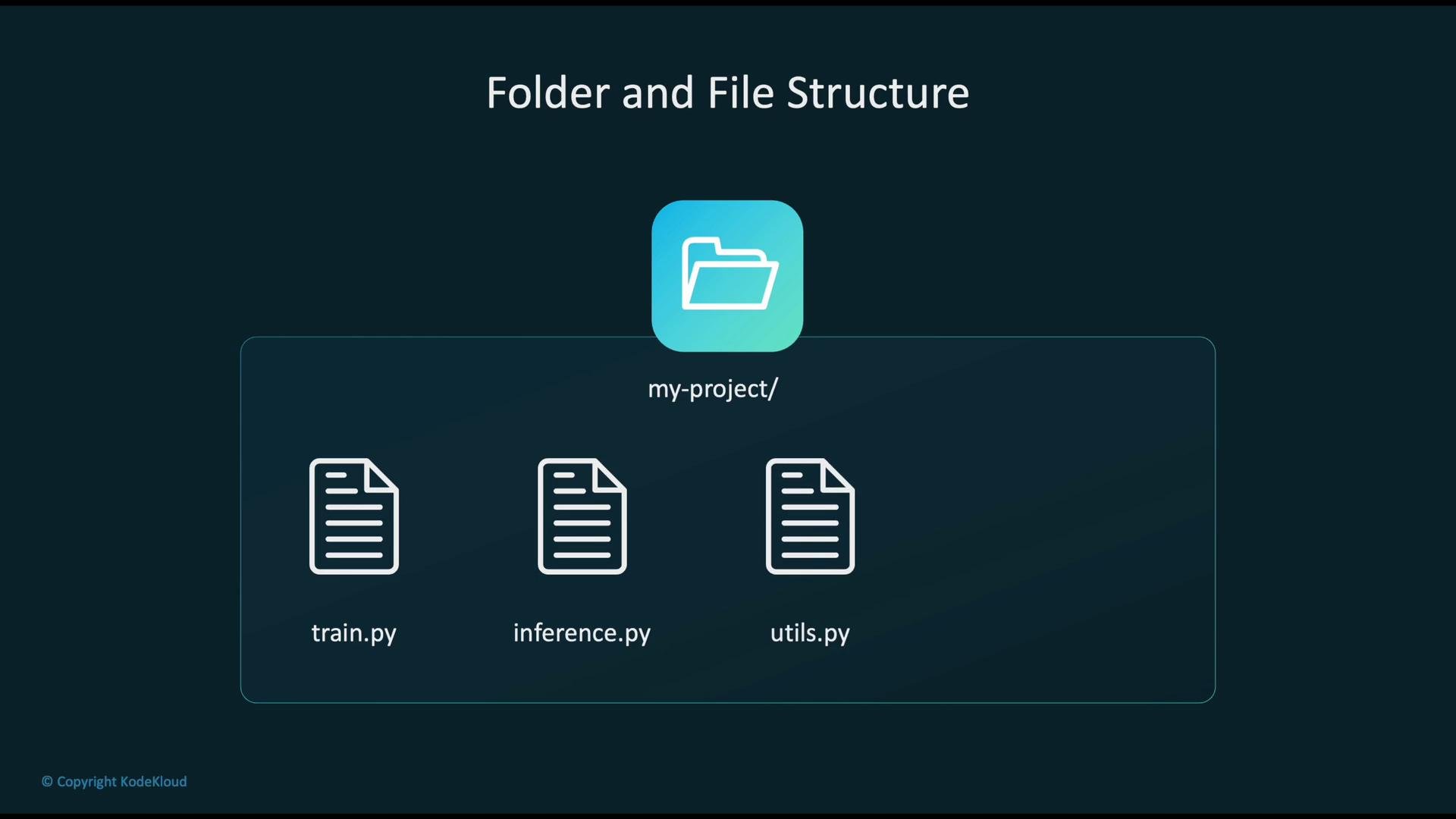
train.py— main training entry point (required)inference.py— optional handler for model serving (when deploying)utils.py— helper functions for training or inferencerequirements.txt— optional extra dependencies to install in the container
- Script Mode: Bring your script and use SageMaker’s pre-built container (fast to adopt, fewer maintenance tasks).
- Custom Container: Provide a full container image when you need system-level control, special OS packages, or unsupported runtimes.
Use Script Mode when your code and dependencies fit within a supported framework container. Choose a custom container only when you need dependencies or system-level customizations not available in the pre-built images.
- Amazon SageMaker Script Mode lets you run standard training and optional inference scripts using pre-built framework containers.
- Provide
train.py(required),inference.py(optional), and any additional dependencies. - SageMaker manages infrastructure, collects logs/metrics, stores model artifacts to S3, and provides easy deployment to managed endpoints.