

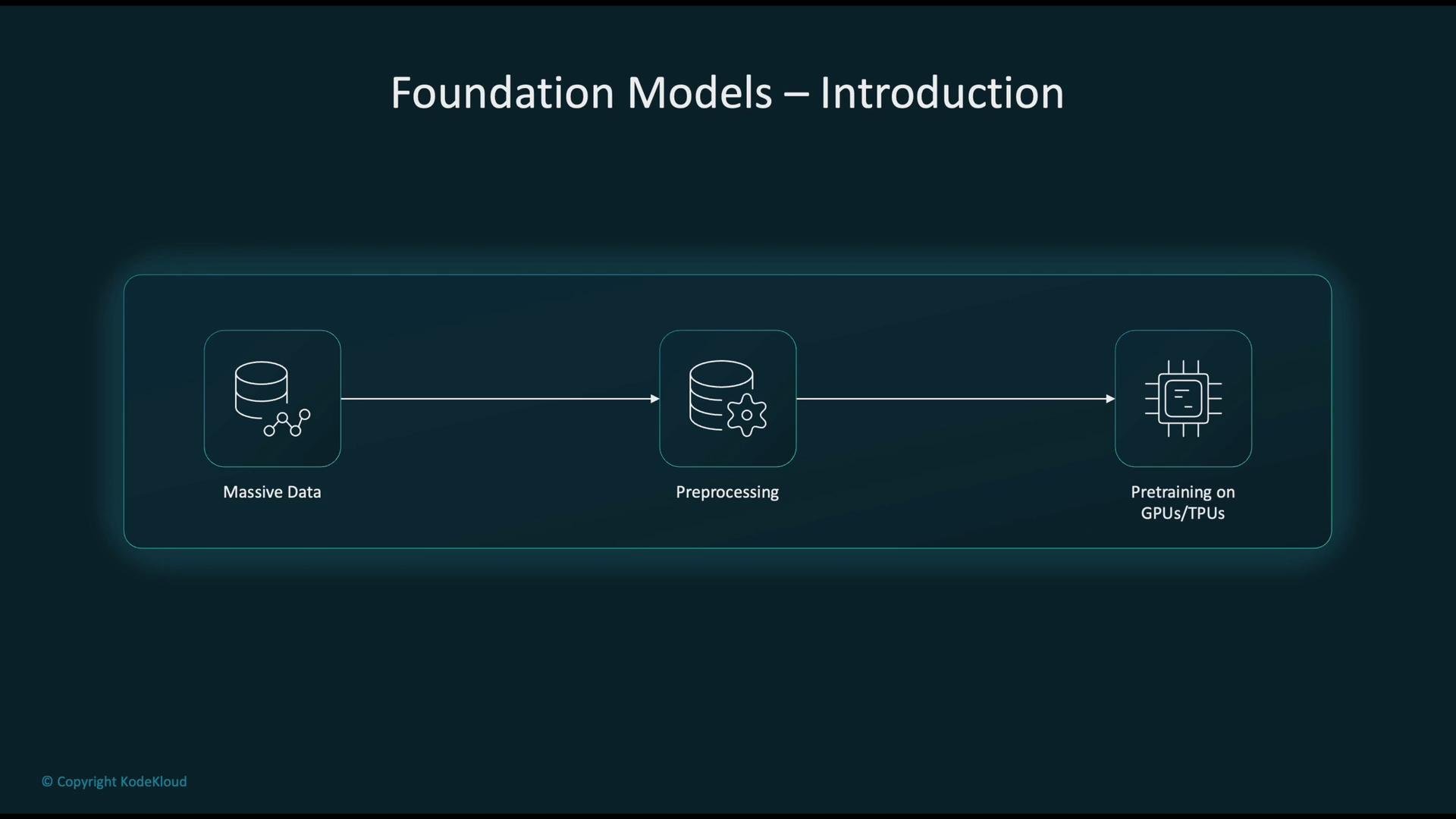
- Collect massive amounts of raw data from web crawls, books, code repositories, images, and other sources.
- Clean and preprocess this data to produce high-quality training corpora.
- Pre-train models at scale using high-performance accelerators (GPUs or TPUs).
- Adapt the pre-trained model for specific tasks via fine-tuning, prompt engineering, or few-/zero-shot techniques.
- Deploy the adapted model to production for inference in real-world applications.
- Conversational AI and chatbots that generate human-like responses.
- Text summarization to extract key insights from long documents.
- Computer vision tasks: image classification, object detection, and multimodal understanding.
- Semantic search that captures intent and context rather than keyword matches.
- Developer tools for code generation, completion, and debugging assistance.
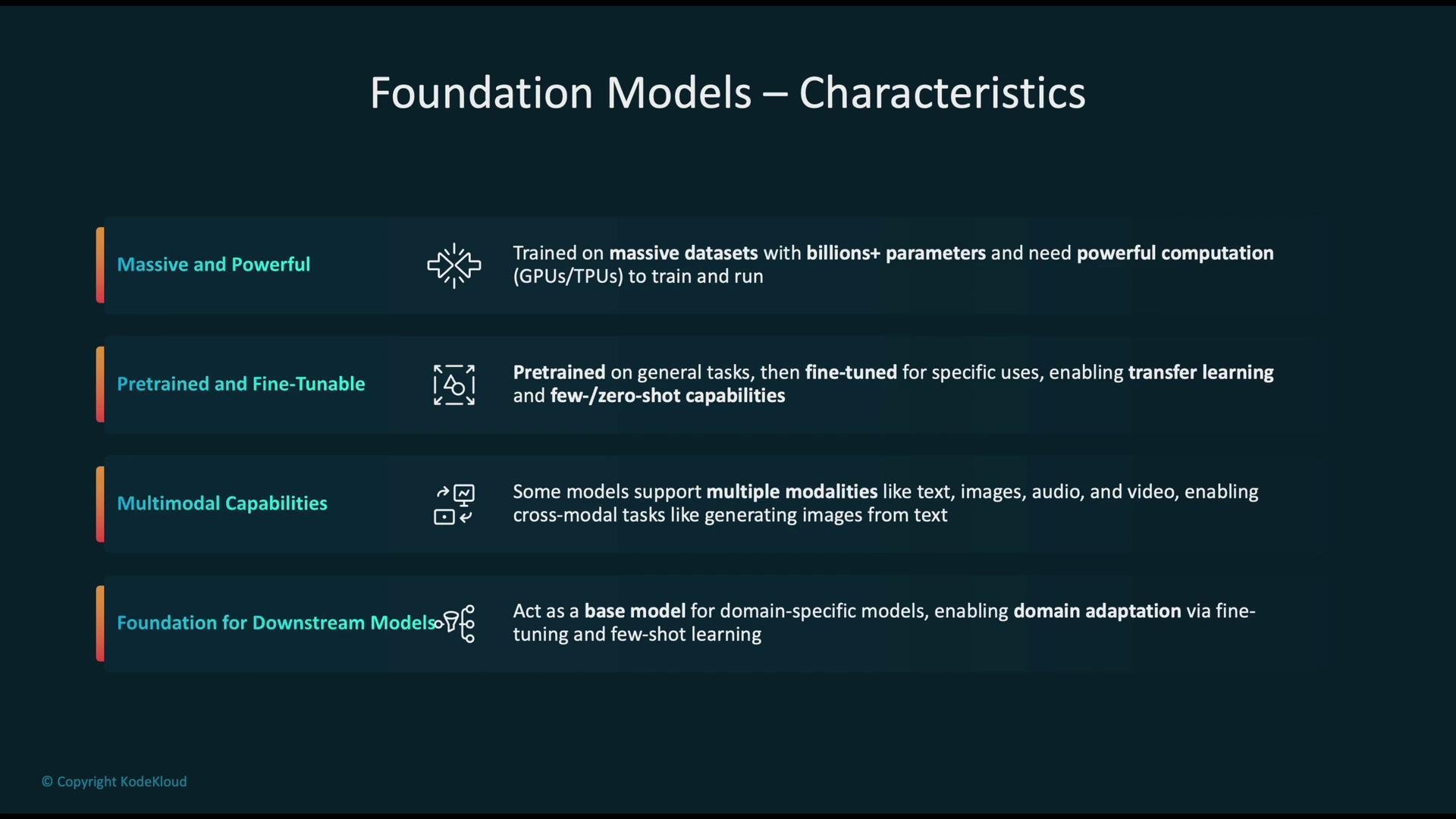
- Fine-tunable: Can be specialized for tasks such as summarization, translation, and image captioning.
- Large scale: Trained on data sources like
Common Crawl, book corpora, code, and images; model sizes range from billions to trillions of parameters. - High compute requirements: Training and many inference workloads benefit from GPU/TPU acceleration.
- Transfer learning: Support few-shot and zero-shot learning to accelerate adaptation to new tasks.
- Multimodal capabilities: Some models support text, image, audio, and video modalities enabling cross-modal generation and understanding.
- AI21 J2 (J2-Jumbo): https://www.ai21.com/
- Amazon Titan (via Amazon Bedrock): https://aws.amazon.com/bedrock/
- Anthropic Claude: https://www.anthropic.com/
- Cohere Command: https://cohere.ai/
- Meta LLaMA: https://ai.meta.com/llama/
- Mistral: https://mistral.ai/
- Stable Diffusion (multimodal image generation): https://stability.ai/
SageMaker JumpStart overview
SageMaker JumpStart is a curated model and solution hub inside Amazon SageMaker that accelerates prototyping by providing pre-trained models, solution templates, and example notebooks. JumpStart supports both open-source and commercial models and lets you evaluate and deploy models quickly using the SageMaker SDK or Studio UI.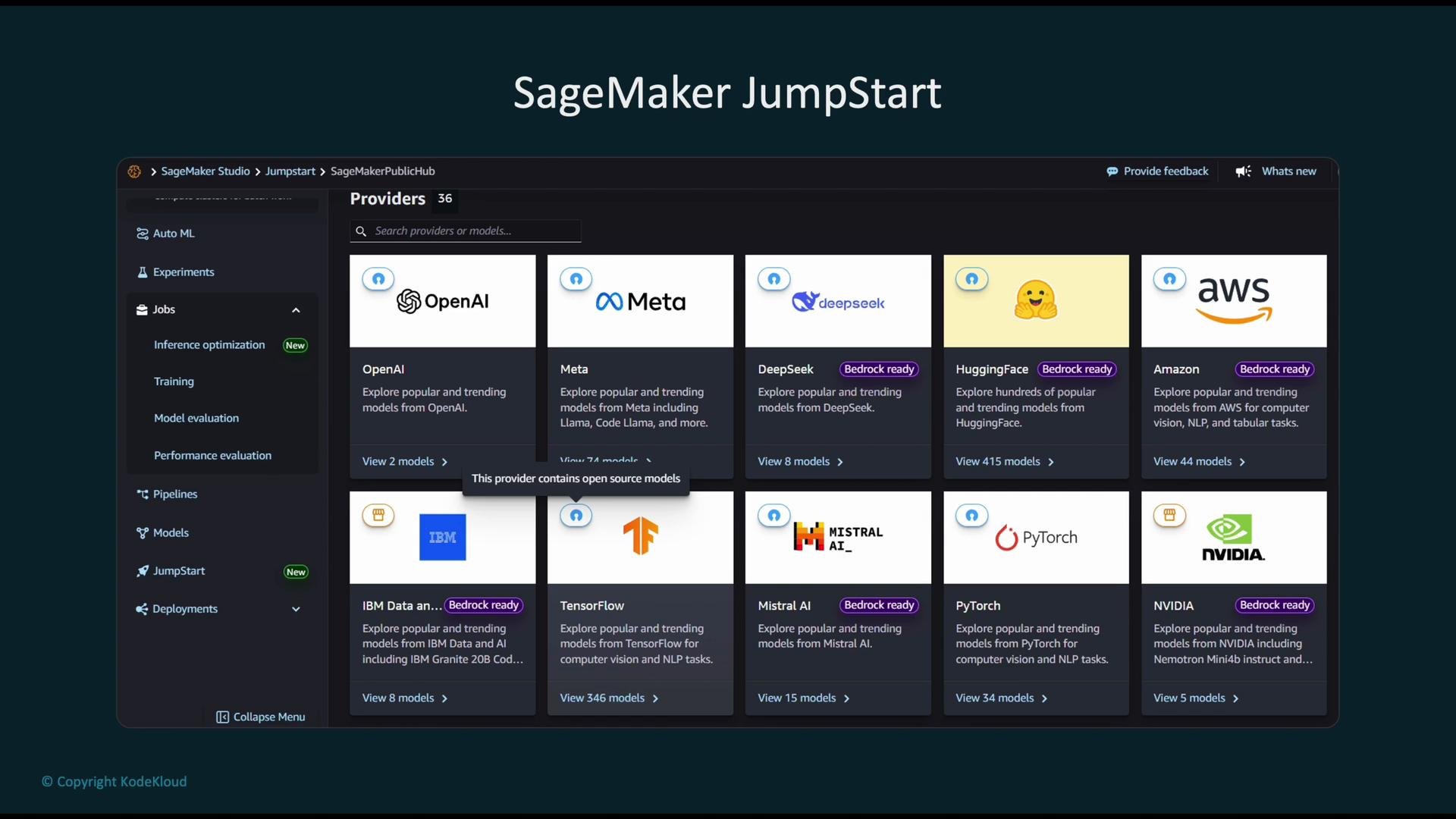
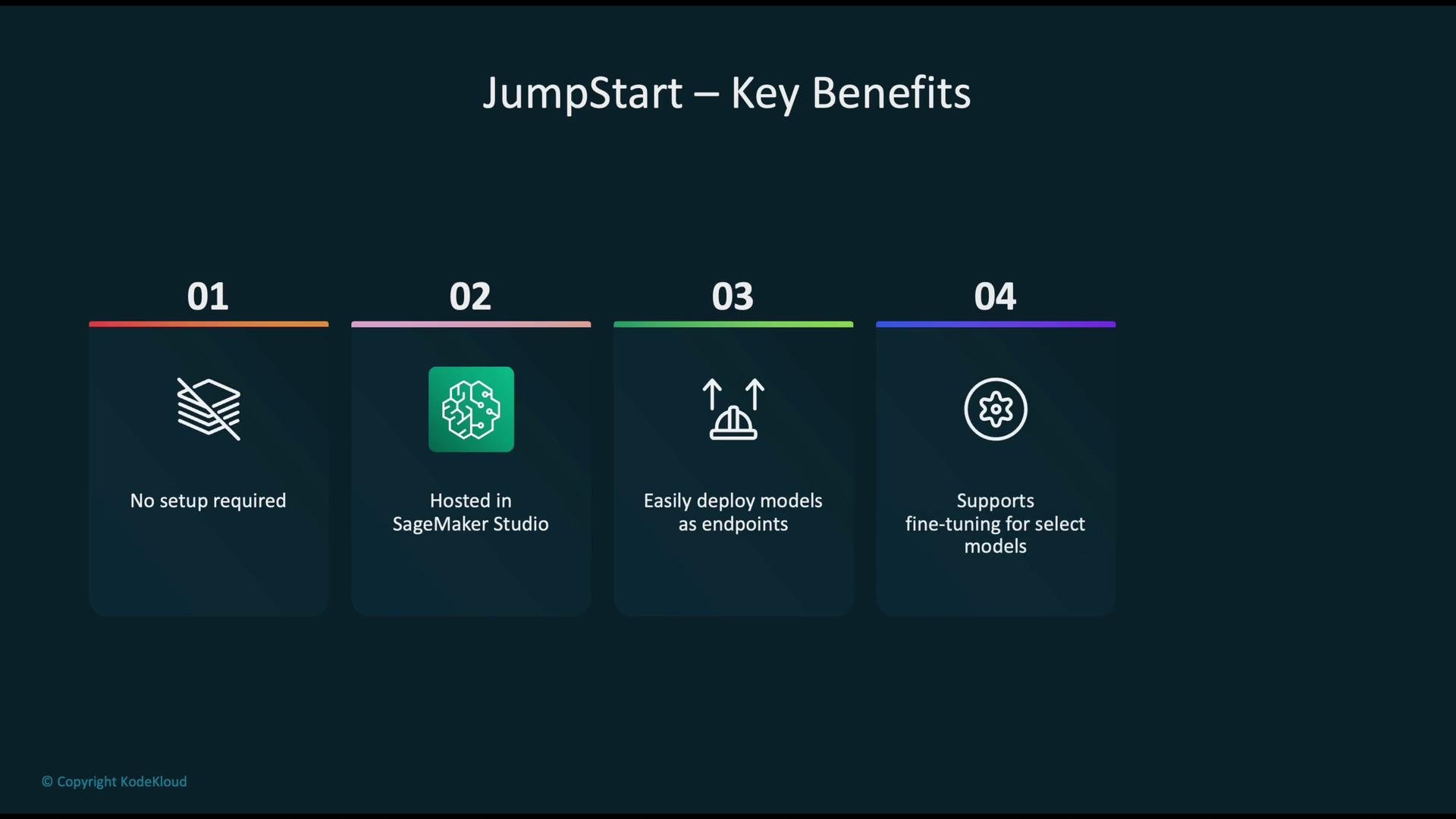
- Low-friction experimentation: no heavy setup required to start evaluating models.
- Seamless SageMaker Studio integration for interactive development.
- Simplified endpoint deployment for real-time inference.
- Fine-tuning support for customizing models to your data and tasks.
- Ready-made templates and solutions for common ML problems (fraud detection, churn prediction, sentiment analysis, etc.).
Browsing, selecting, and deploying models
From the JumpStart dashboard you can browse foundation-model listings, inspect model cards (which describe inputs/outputs, cost, and resource needs), and use example notebooks. When you choose a model you can deploy it to a SageMaker inference endpoint directly from Studio. The UI typically exposes settings such as endpoint name, instance type, and inference configuration (UI details may change over time).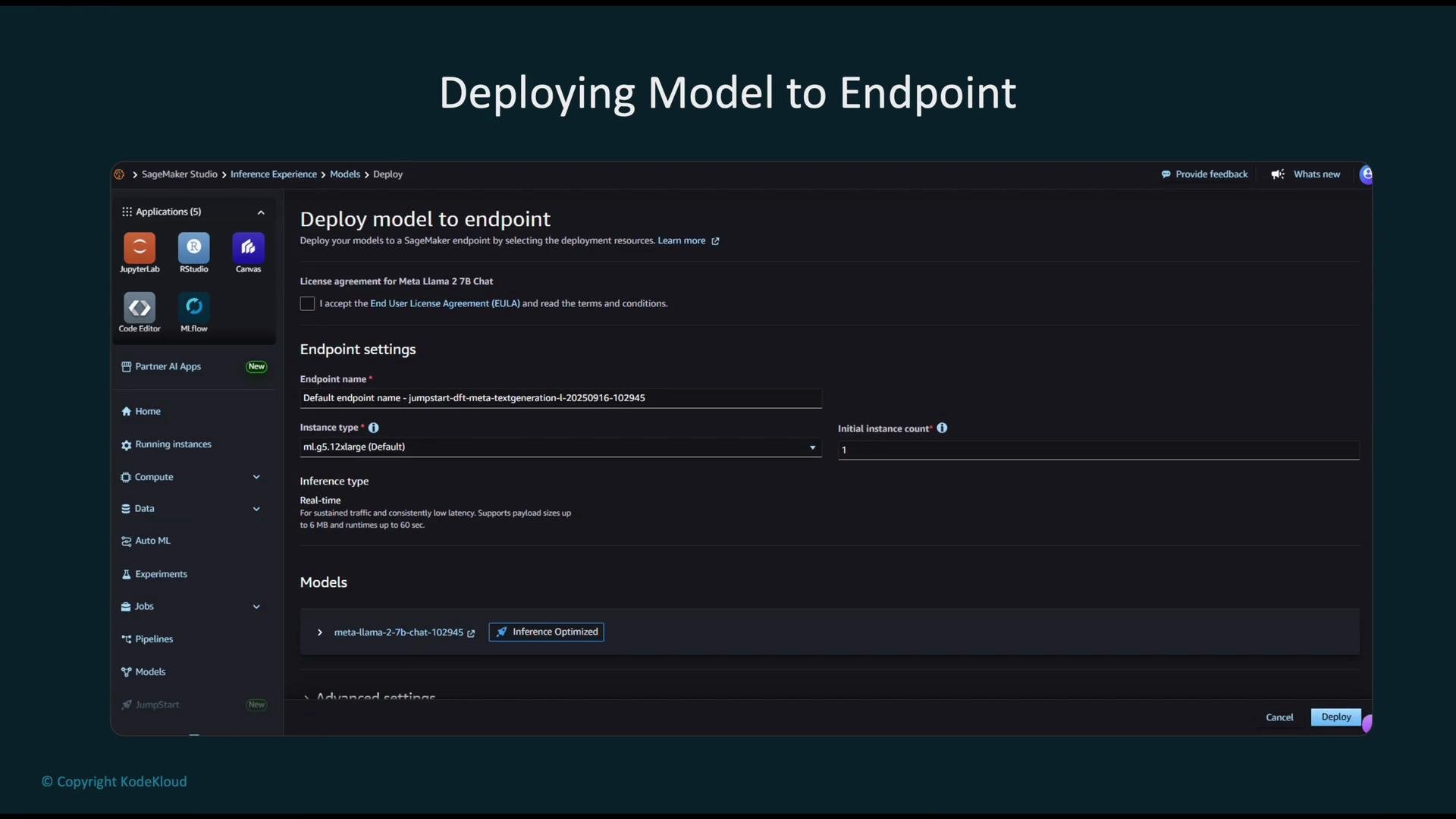
Example: load, deploy, and invoke a JumpStart model
A typical workflow using the SageMaker JumpStart SDK looks like this:- Ensure the
model_idexists in your AWS region and account — JumpStart model identifiers vary by region. deploy()supports deployment options such asinstance_typeandinitial_instance_count.- The
predict()request schema can vary by model family (text-generation vs. text-embedding vs. vision models); always consult the model card.
Before deploying a model, verify available
model_ids in your account/region and read the JumpStart model card to confirm input/output schema, latency expectations, and required compute resources.SageMaker JumpStart vs Amazon Bedrock
Use cases and trade-offs between the two services:Best practices and cost considerations
- Choose appropriate instance types and initial instance counts based on expected throughput and latency.
- Monitor endpoint usage and set autoscaling policies where applicable.
- Delete unused endpoints and snapshot large models when idle to avoid ongoing costs.
- Review model cards for memory and GPU requirements; some models need large GPUs (e.g.,
p4d,p5) or multiple GPUs.
Large foundation models can incur significant compute and storage costs during deployment and inference. Monitor usage, choose cost-appropriate instance types, and remove unused endpoints to prevent unexpected charges.
References and further reading
- SageMaker JumpStart — https://aws.amazon.com/sagemaker/jumpstart/
- Amazon Bedrock — https://aws.amazon.com/bedrock/
- Common Crawl — https://commoncrawl.org/
- SageMaker Studio — https://aws.amazon.com/sagemaker/studio/