

- Amazon EC2 provides flexible compute options including powerful GPU instances for demanding training jobs.
- AWS SageMaker is a fully managed service that streamlines model building, training, tuning, and deployment.
- AWS CloudWatch supplies metrics, dashboards, and alarms for monitoring and alerting so you can keep training and inference workloads healthy.
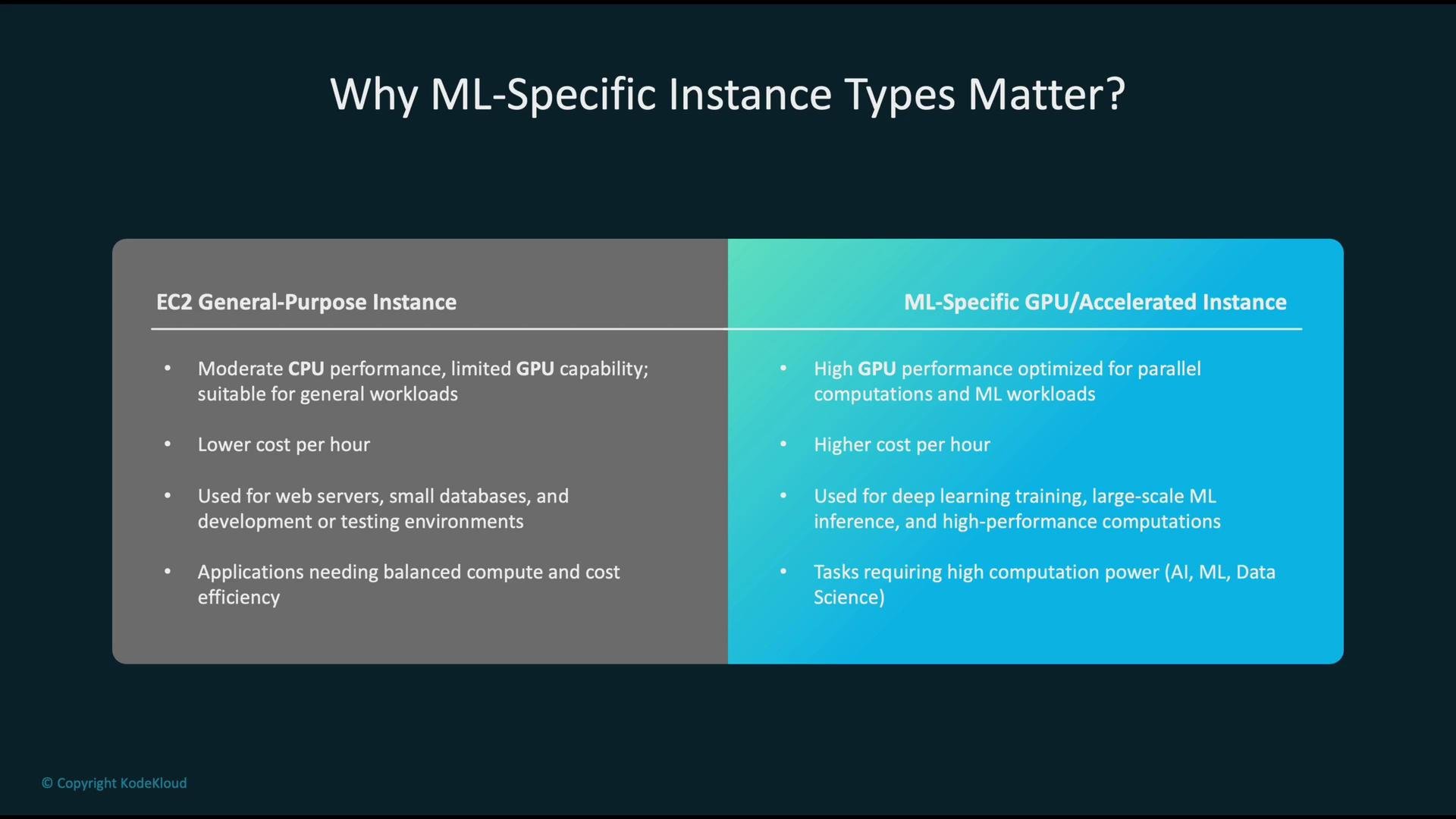
- EC2 general-purpose instances: balanced CPU, memory, and network. Cost-effective for web servers, small databases, preprocessing, and classical ML tasks that do not require GPU acceleration.
- ML-specific (accelerated) instances: optimized for GPU/accelerator throughput and parallel compute. Higher hourly cost but essential for deep learning training, large-scale inference, and high-performance workloads.
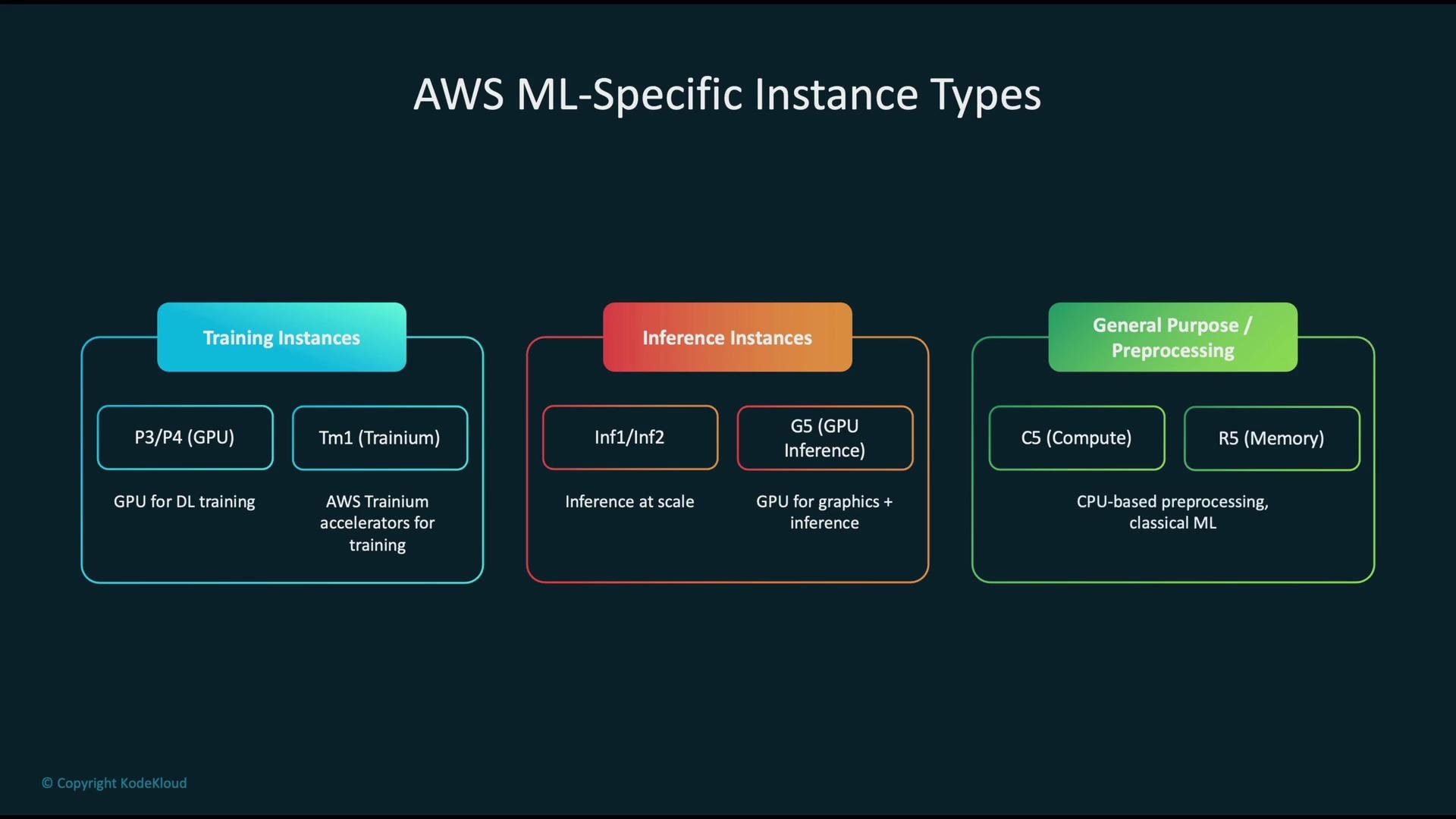
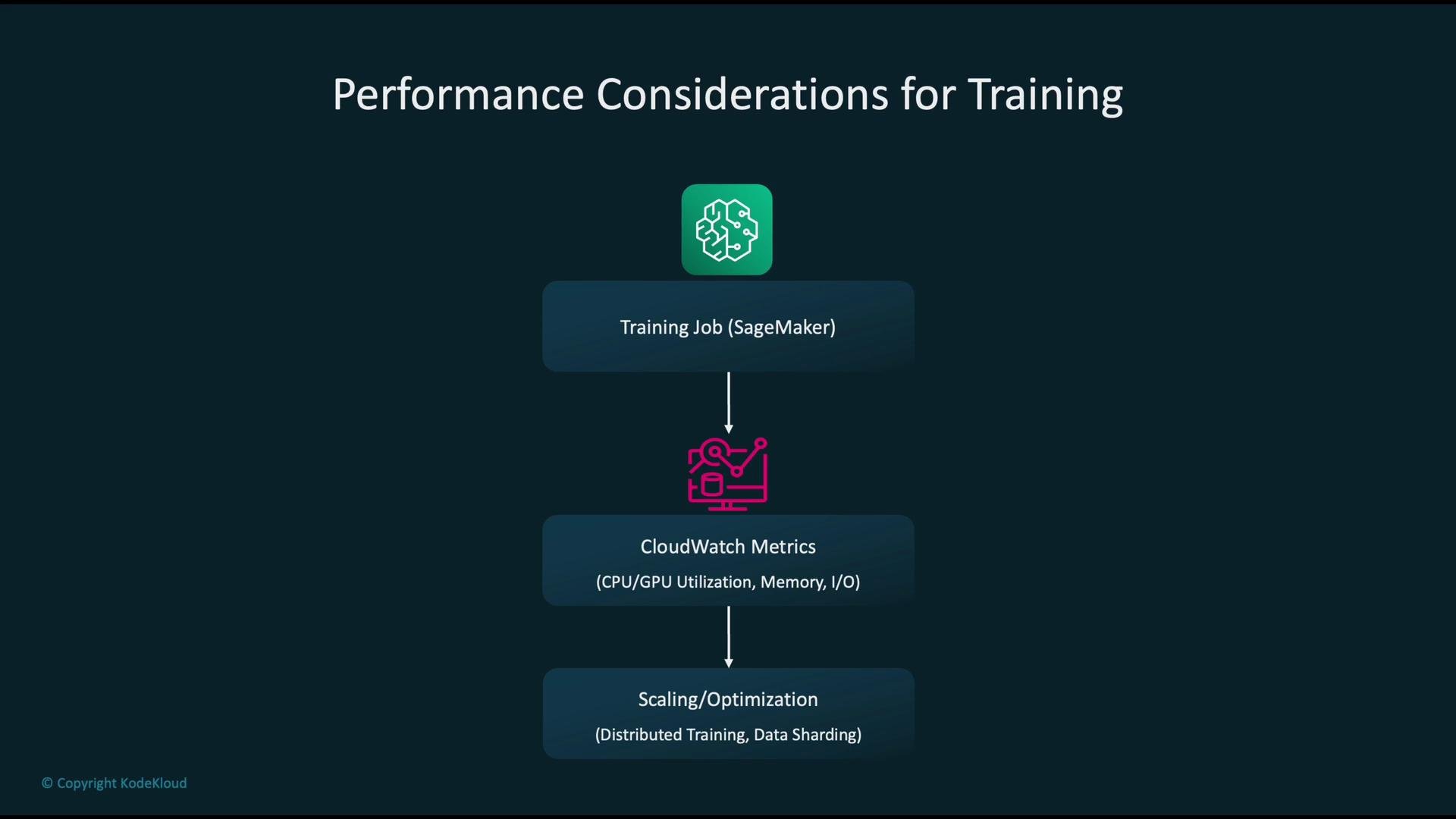
- Instrument: collect CPU, memory, GPU utilization, disk I/O, and network metrics via CloudWatch and SageMaker-provided metrics.
- Diagnose: identify bottlenecks—common patterns include GPUs idle due to slow data loading or CPUs overloaded with preprocessing.
- Optimize:
- Use distributed training patterns (data parallelism or model parallelism).
- Improve data pipelines: sharding, prefetching, caching, and streaming large datasets from S3 or local NVMe.
- Choose instances with higher network bandwidth or local NVMe storage if I/O is the limiting factor.
- Tune batch sizes and mixed-precision training to improve GPU throughput.
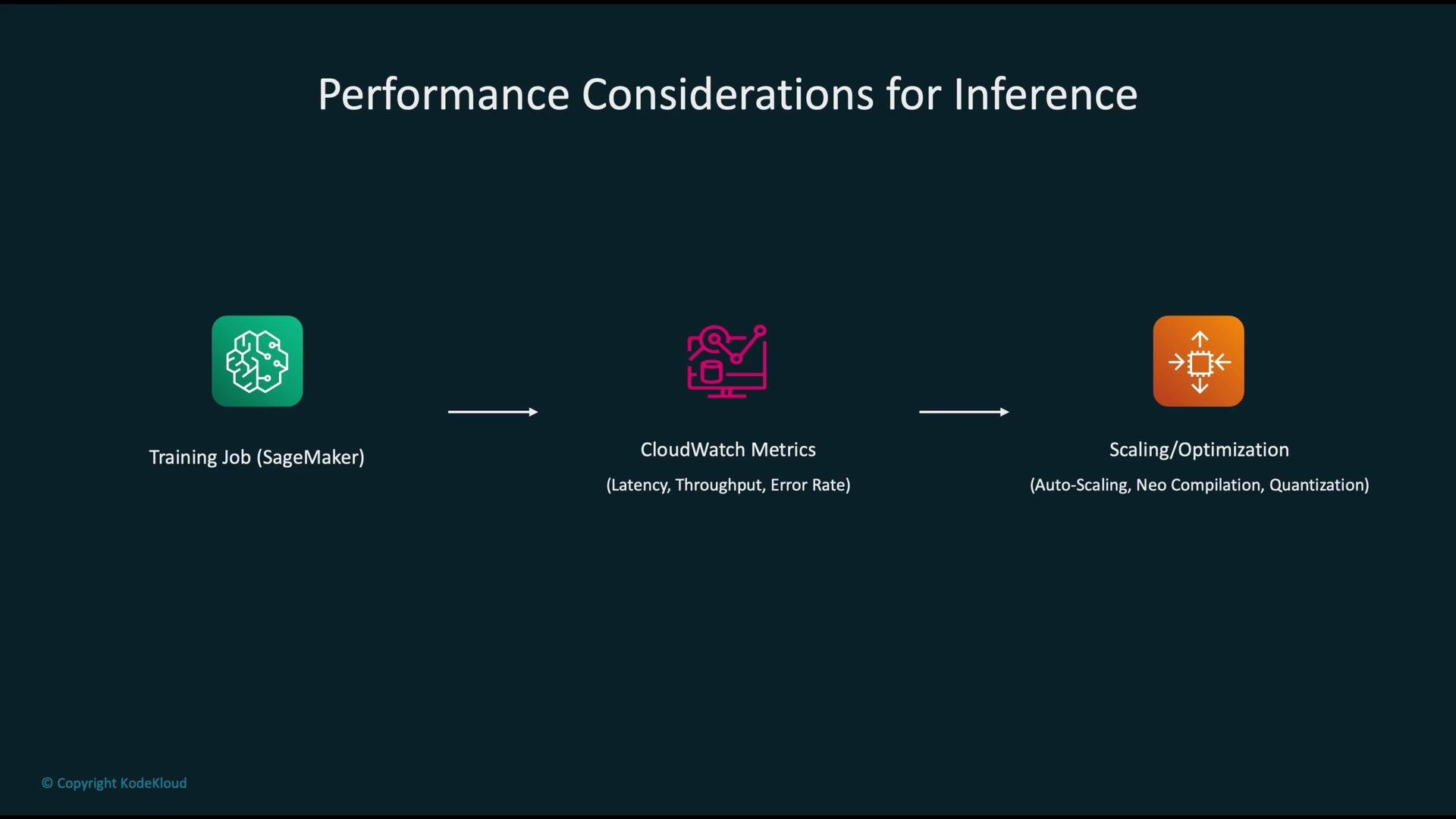
- Start from the trained model (SageMaker training job output).
- Deploy to an endpoint and monitor CloudWatch metrics for latency, requests/sec, and errors.
- Apply optimizations:
- Autoscale endpoints to match request patterns.
- Compile models with SageMaker Neo to optimize for target hardware: https://aws.amazon.com/sagemaker/neo/
- Use quantization or pruning to reduce model size and improve latency.
- Deploy on accelerator-optimized instances (Inf1/Inf2) for high throughput or low-cost inference.
- Re-measure, iterate, and profile per-model traffic patterns.
- Scale out (add instances) when traffic or latency spikes to maintain performance and availability.
- Scale in (remove instances) when demand drops to reduce costs.

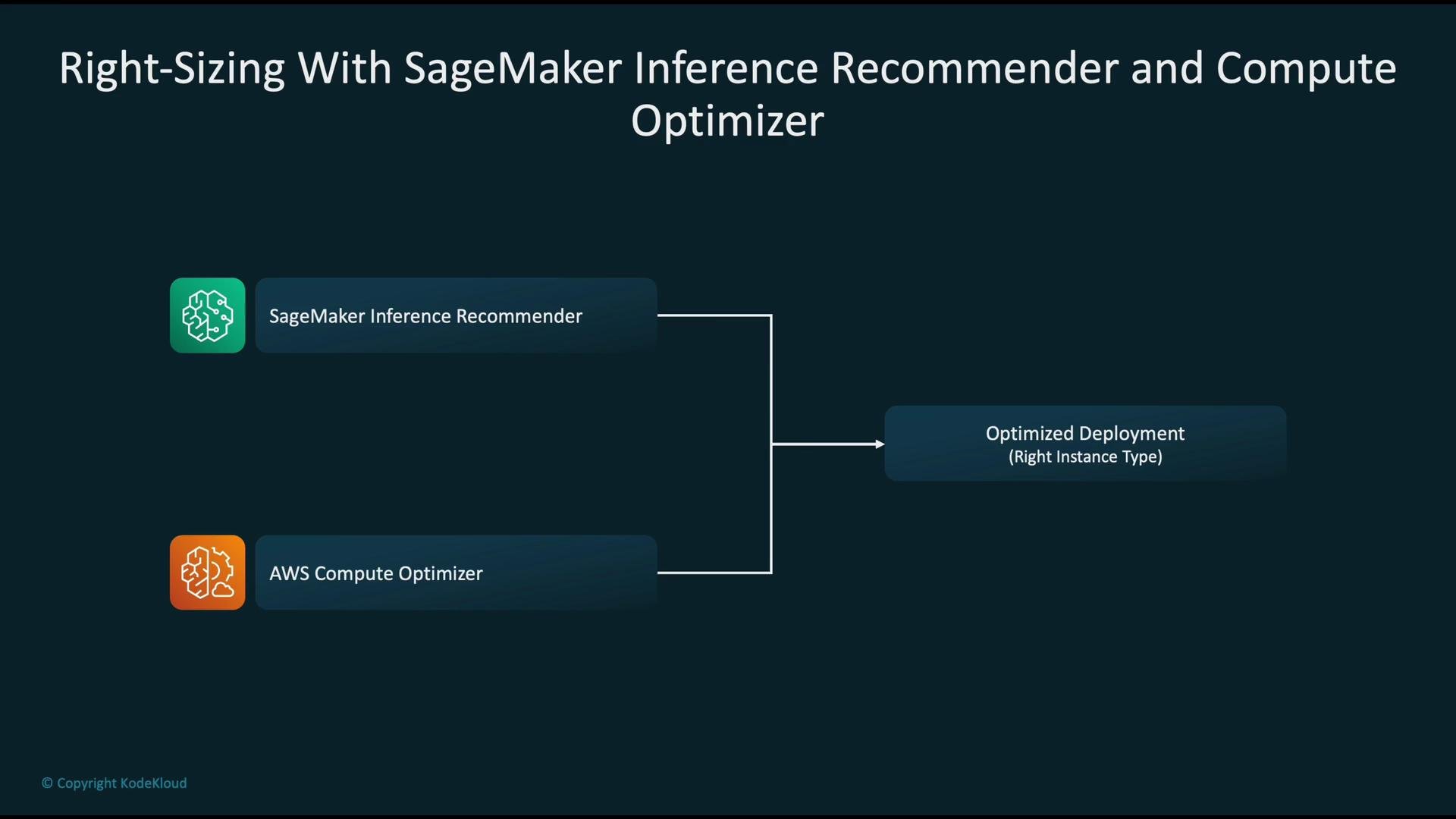
- SageMaker Inference Recommender: runs model-specific evaluations across instance types and configurations, returning recommendations tuned to your model and traffic profile. See the AWS docs: https://docs.aws.amazon.com/sagemaker/latest/dg/inference-recommender.html
- AWS Compute Optimizer: analyzes historical utilization across your account and suggests optimizations for EC2, Auto Scaling Groups, Lambda, EBS, and more: https://aws.amazon.com/compute-optimizer/
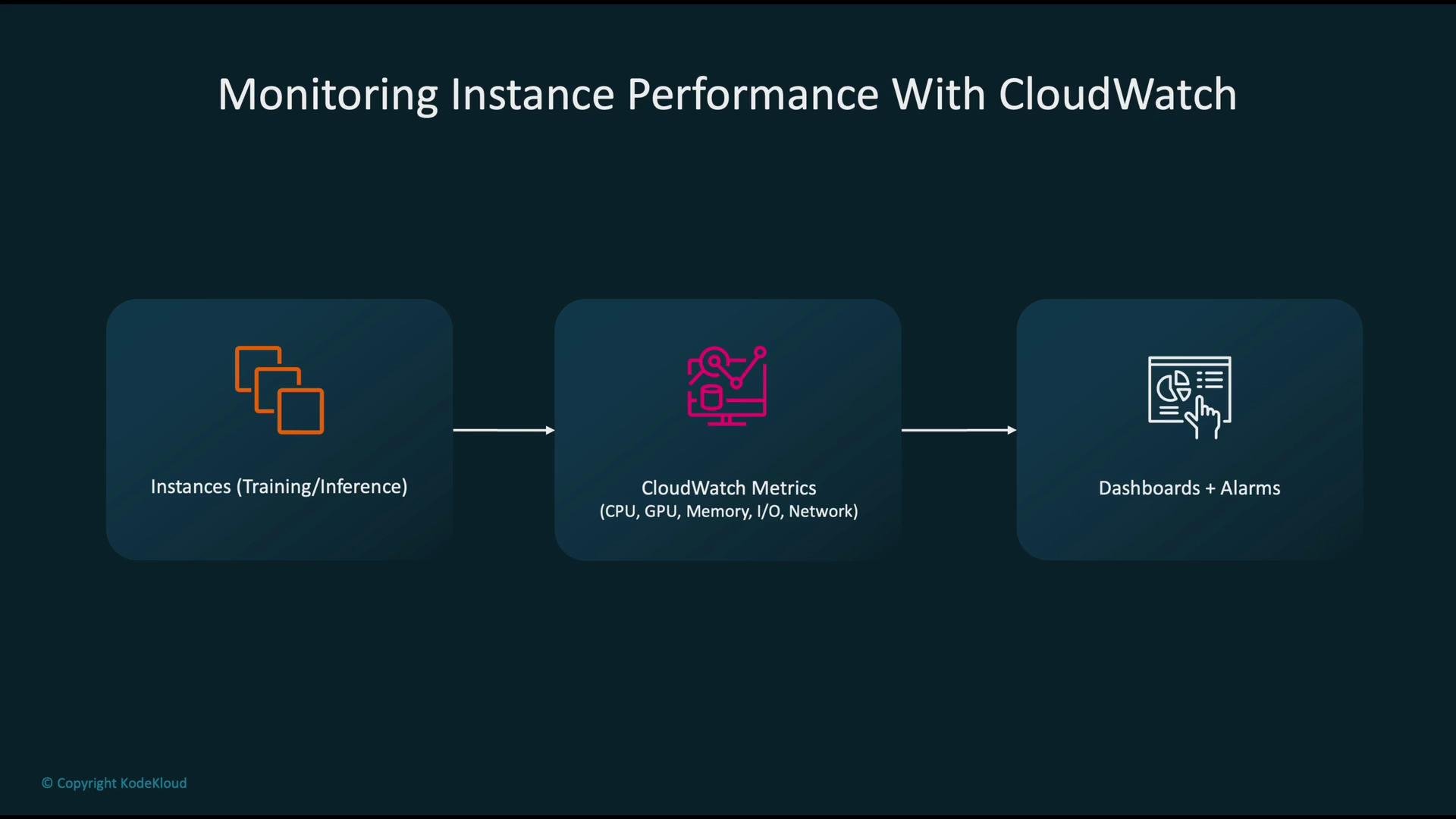
- Metrics to collect: CPU, memory (via agent or SageMaker), GPU utilization (via CloudWatch custom metrics or vendor plugins), disk I/O, and network throughput.
- Use cases:
- Dashboards for at-a-glance visibility.
- Alarms for threshold-based notifications (e.g., high latency, sustained GPU memory pressure, low disk space).
- Automated remediation actions triggered by alarms.
- CloudWatch alarm detects a threshold breach (e.g., high latency or error rate).
- Alarm publishes to an Amazon SNS topic.
- A Lambda function subscribed to the topic executes.
- Lambda actions can include:
- Adjusting SageMaker endpoint configuration (scale out/in, change instance weights).
- Disabling or rolling back a failing model variant.
- Sending notifications to operators (email, Slack, or an incident system).
When collecting GPU metrics, enable the appropriate CloudWatch agent or use SageMaker’s built-in GPU metrics. Some GPU metrics require CloudWatch custom metrics or vendor plugins to expose GPU memory and utilization.
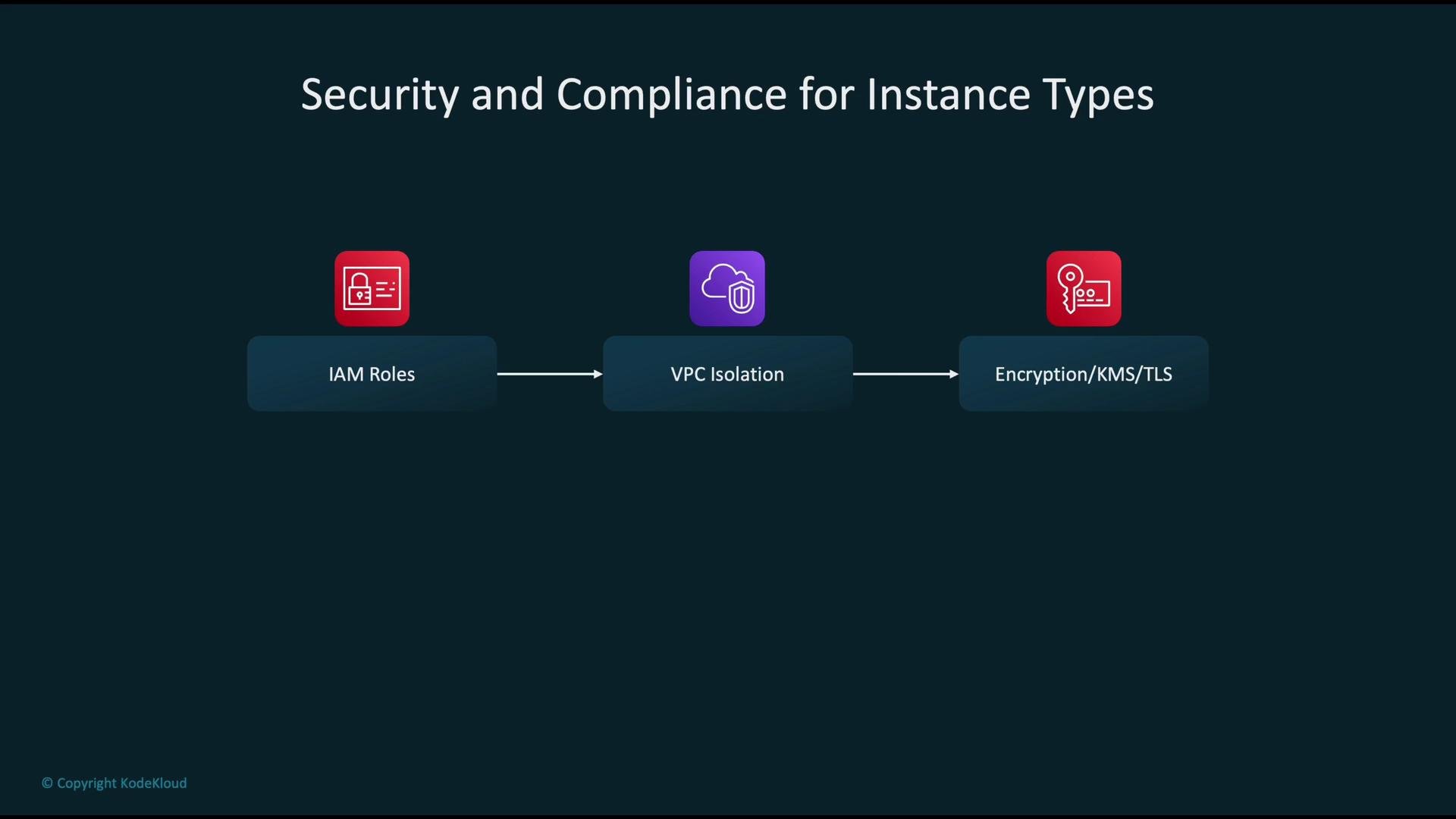
- IAM roles and least-privilege policies: grant only the permissions SageMaker jobs and endpoints require.
- VPC isolation: deploy training and inference resources inside a VPC with subnet segmentation and tightly scoped security groups.
- Encryption: use AWS KMS to encrypt data at rest (S3, EBS, model artifacts) and TLS for data in transit between services and clients.
- Audit & logging: enable AWS CloudTrail, VPC Flow Logs, and SageMaker logs for traceability and incident response.
- Training:
- Use Spot Instances (or SageMaker managed Spot training) to significantly reduce training costs—often up to ~90% savings—while architecting for interruptions with checkpointing and restart logic.
- Storage:
- Apply S3 lifecycle policies to transition older logs and artifacts to lower-cost classes (
S3 Glacier,Glacier Deep Archive) as appropriate.
- Apply S3 lifecycle policies to transition older logs and artifacts to lower-cost classes (
- Inference:
- Use multi-model endpoints (when suitable) to host multiple models on a single instance.
- Leverage SageMaker Inference Recommender to choose instance types that deliver the best cost/performance trade-off for your model.
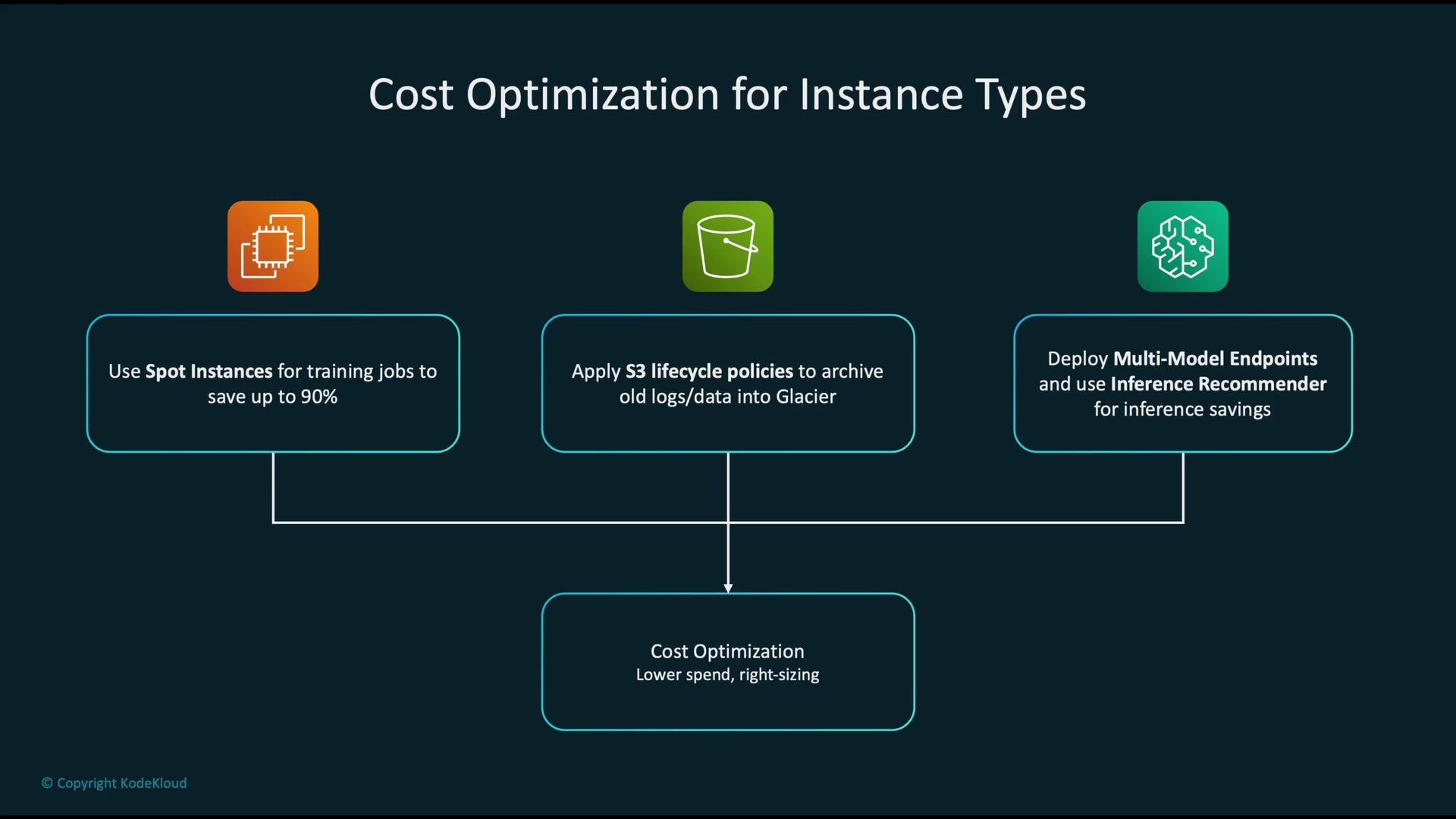
Spot Instances are cost-effective but can be interrupted. Ensure training jobs are checkpointed and tolerant to interruptions before relying on Spot for critical workloads.
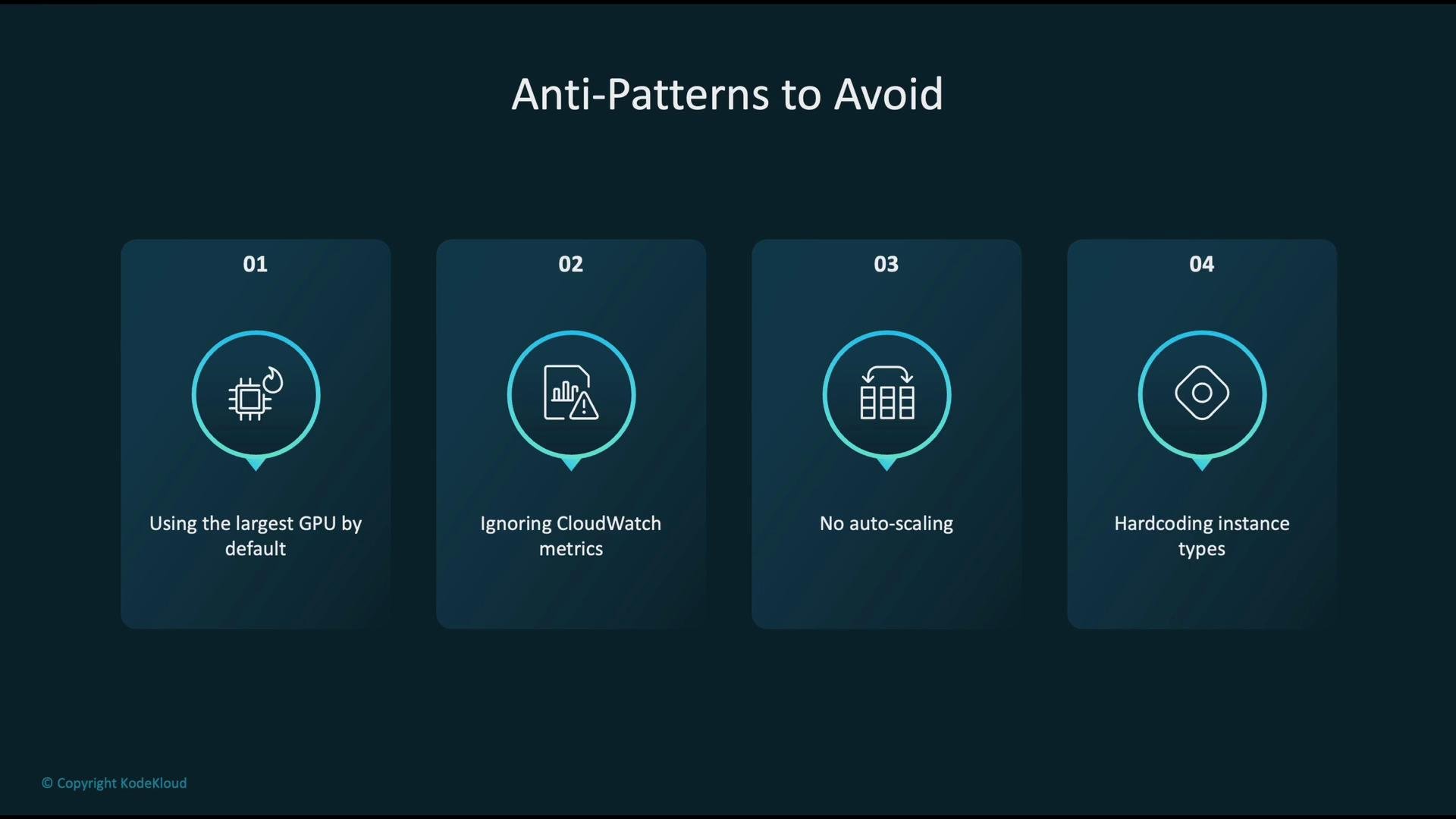
- Defaulting to the largest, most expensive GPU instance without benchmarking—this wastes budget.
- Ignoring CloudWatch metrics—without monitoring you cannot diagnose or fix bottlenecks.
- Not enabling autoscaling—leads to chronic over-provisioning or degraded service during traffic spikes.
- Hard-coding instance types into infrastructure code—reduces flexibility and complicates future instance-family changes.
- Match instance families to the pipeline stage: training, inference, or preprocessing.
- Monitor CPU, GPU, memory, I/O, network, latency, and throughput via CloudWatch and SageMaker metrics.
- Use SageMaker Inference Recommender and AWS Compute Optimizer to right-size resources.
- Secure workloads with IAM, VPC isolation, encryption, and auditing.
- Reduce costs with Spot Instances (with interruption handling), S3 lifecycle policies, and multi-model endpoints where applicable.
- Kubernetes Basics
- AWS SageMaker Neo
- SageMaker Inference Recommender docs
- AWS Compute Optimizer
- AWS KMS
- S3 lifecycle policies
- Amazon EC2
- AWS CloudWatch