

- Prepare — gather, label, clean, and explore data.
- Build — design data pipelines and select or implement models.
- Train & Tune — train models and optimize hyperparameters and performance.
- Deploy & Manage — deploy models to production, monitor, and retrain as needed.
SageMaker provides integrated tools across the ML lifecycle — from data labeling and preprocessing to managed training, tuning, deployment, monitoring, and model registry — helping teams move from prototype to production faster.
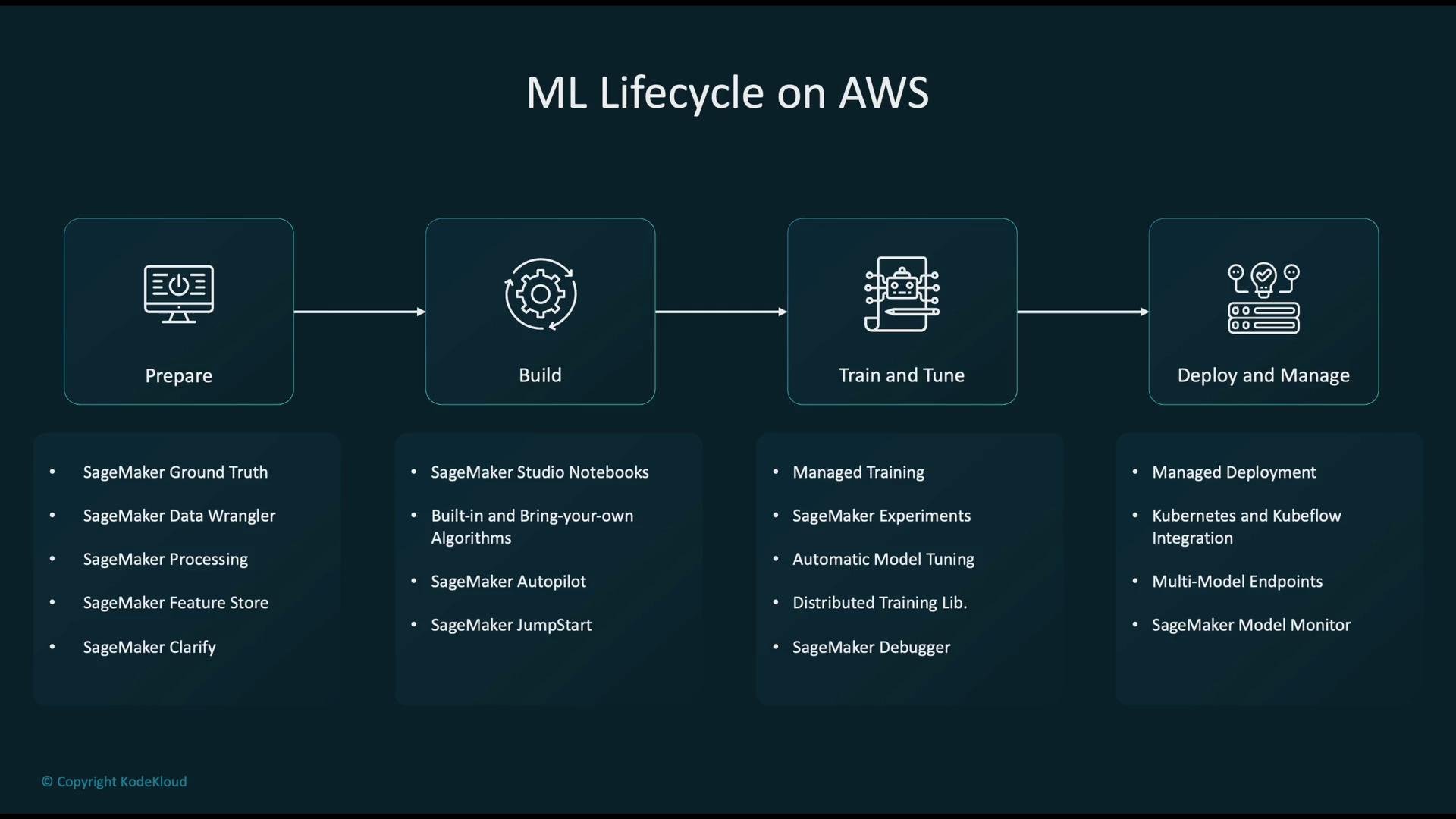
Stage-by-stage breakdown
Prepare- Collect data and labels, validate schema, identify and correct data quality issues, and detect dataset bias.
- Common SageMaker tools:
Ground Truth— managed data labeling (human/auto-labeling).Data Wrangler— interactive data cleaning and feature engineering.Clarify— bias detection, fairness checks, and explainability.
- Set up experimentation environments and create model prototypes.
- Options include:
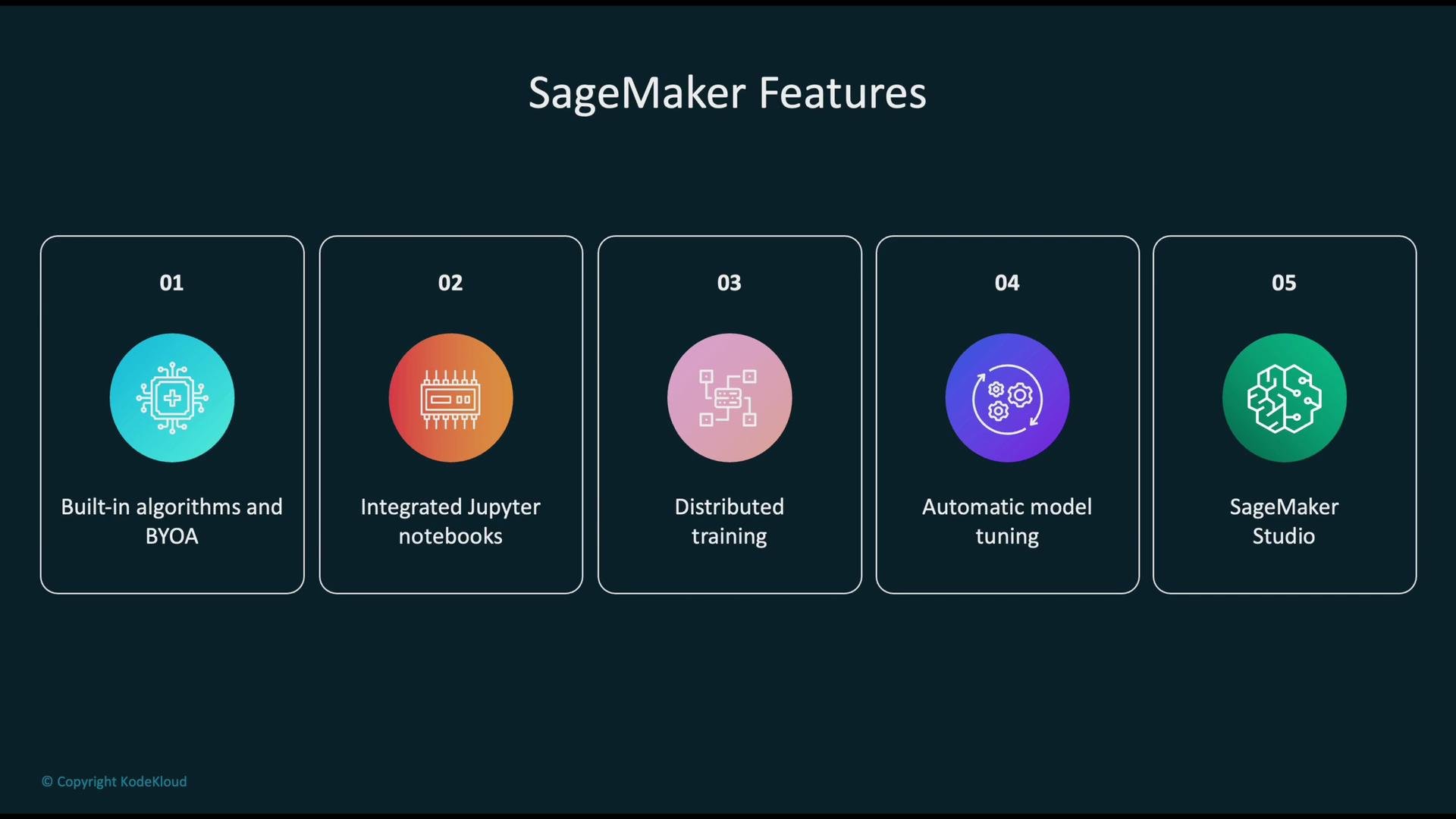
SageMaker Studioand Studio Notebooks for interactive development.- Bring-your-own-algorithms (BYOA) via containers.
SageMaker JumpStartandAutopilotfor pre-built solutions and automated model generation.- Built-in SageMaker algorithms or custom code with third-party libraries.
- Run managed training jobs with automatic provisioning, distributed and multi-node training, and managed spot instances for cost savings.
- Use
Hyperparameter Tuning(automatic model tuning) to search for optimal parameter configurations. - Debugging and profiling tools help diagnose performance bottlenecks and accuracy issues.
- Host models using SageMaker Endpoints (real-time or asynchronous) or integrate with Kubernetes-based serving.
- Use model monitoring, logging, drift detection, and automated retraining pipelines.
- Leverage the
Model Registryfor model versioning, approvals, and governance.
Quick mapping: lifecycle stage → common AWS/SageMaker services
SageMaker is a fully managed platform that reduces operational overhead — hosted Jupyter experiences, experiment tracking, managed training/inference infrastructure, model registry, and integrated debugging and profiling.
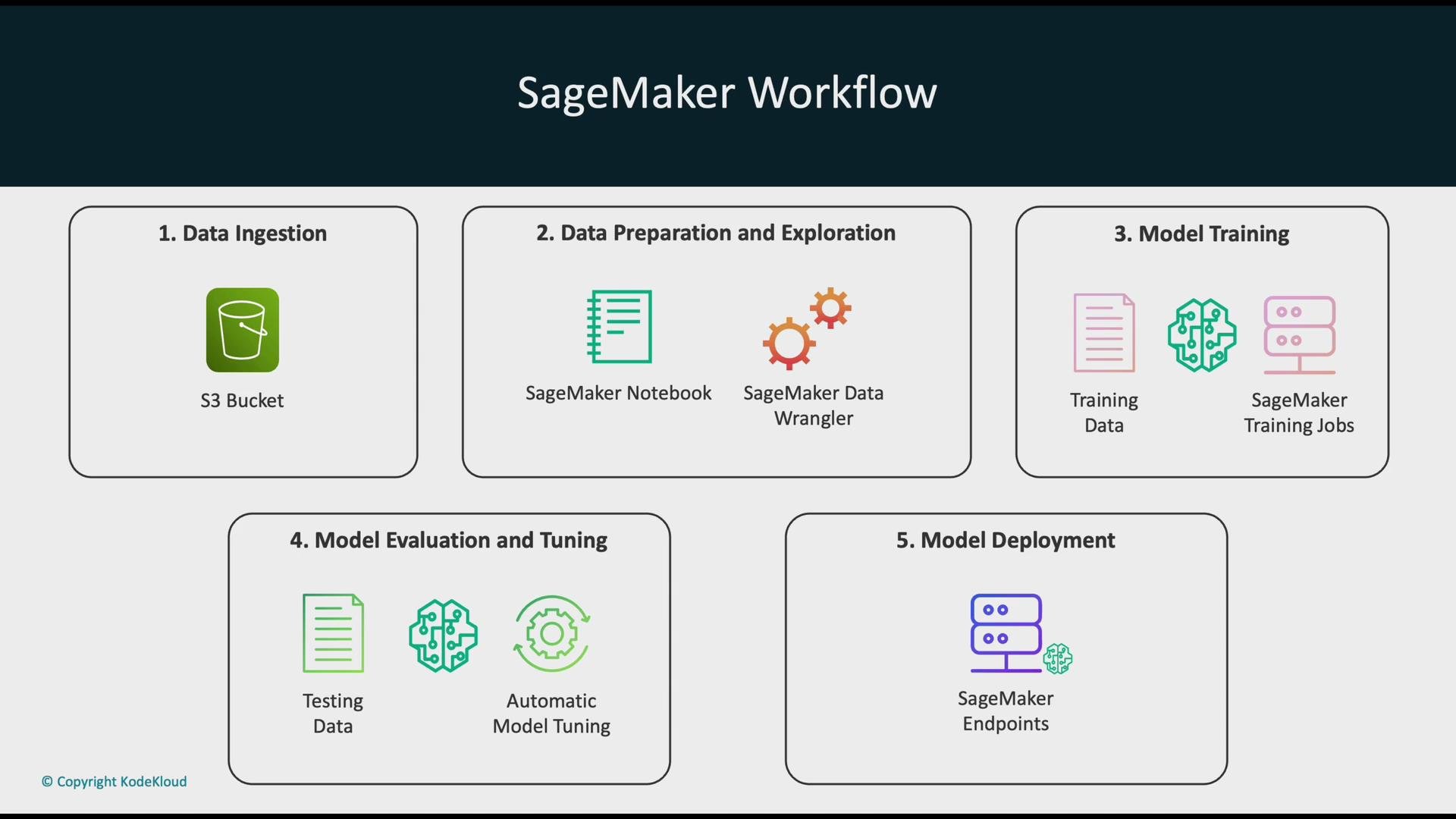
SageMaker workflow overview
- Data ingestion: Store raw and processed datasets in
Amazon S3buckets. S3 acts as the canonical data lake for training and inference inputs. - Data prep & exploration: Use Studio Notebooks or Data Wrangler to profile data, handle missing values, and engineer features.
- Model training: Launch SageMaker training jobs specifying instance types and counts. SageMaker manages provisioning and orchestration.
- Evaluation & tuning: Evaluate models on validation sets and run automated hyperparameter searches to improve performance.
- Deployment: Deploy the selected model artifact to real-time or asynchronous
SageMaker Endpointsfor production use.
Core SageMaker components
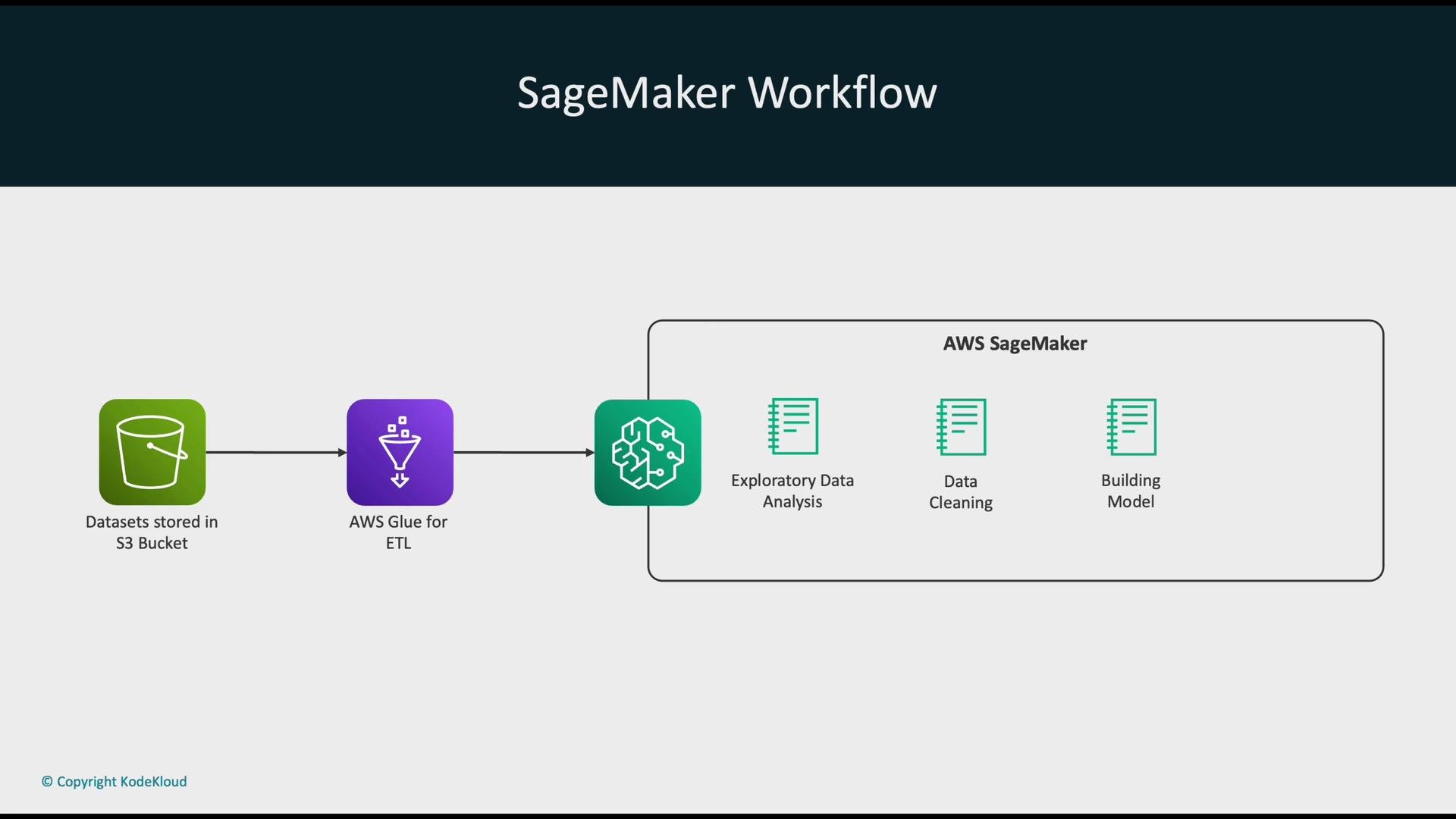
A common enterprise architecture uses
AWS Glue for ETL, storing cleaned datasets in Amazon S3 for consumption by SageMaker training and inference.
SageMaker Studio — an integrated ML IDE
SageMaker Studio is a browser-based IDE that consolidates notebooks, experiments, datasets, pipelines, models, and endpoints into a single visual interface. Studio helps you:- Track experiments and compare runs.
- Visualize metrics and debug training jobs.
- Integrate with
Model RegistryandSageMaker Pipelinesfor reproducible ML workflows.
Training vs. Inference
- Training phase: Ingest and prepare data, train models, validate performance, and perform hyperparameter tuning to find the best model artifact for deployment.
- Inference phase: Deployed model receives new inputs and returns predictions for real-time or batch scenarios.
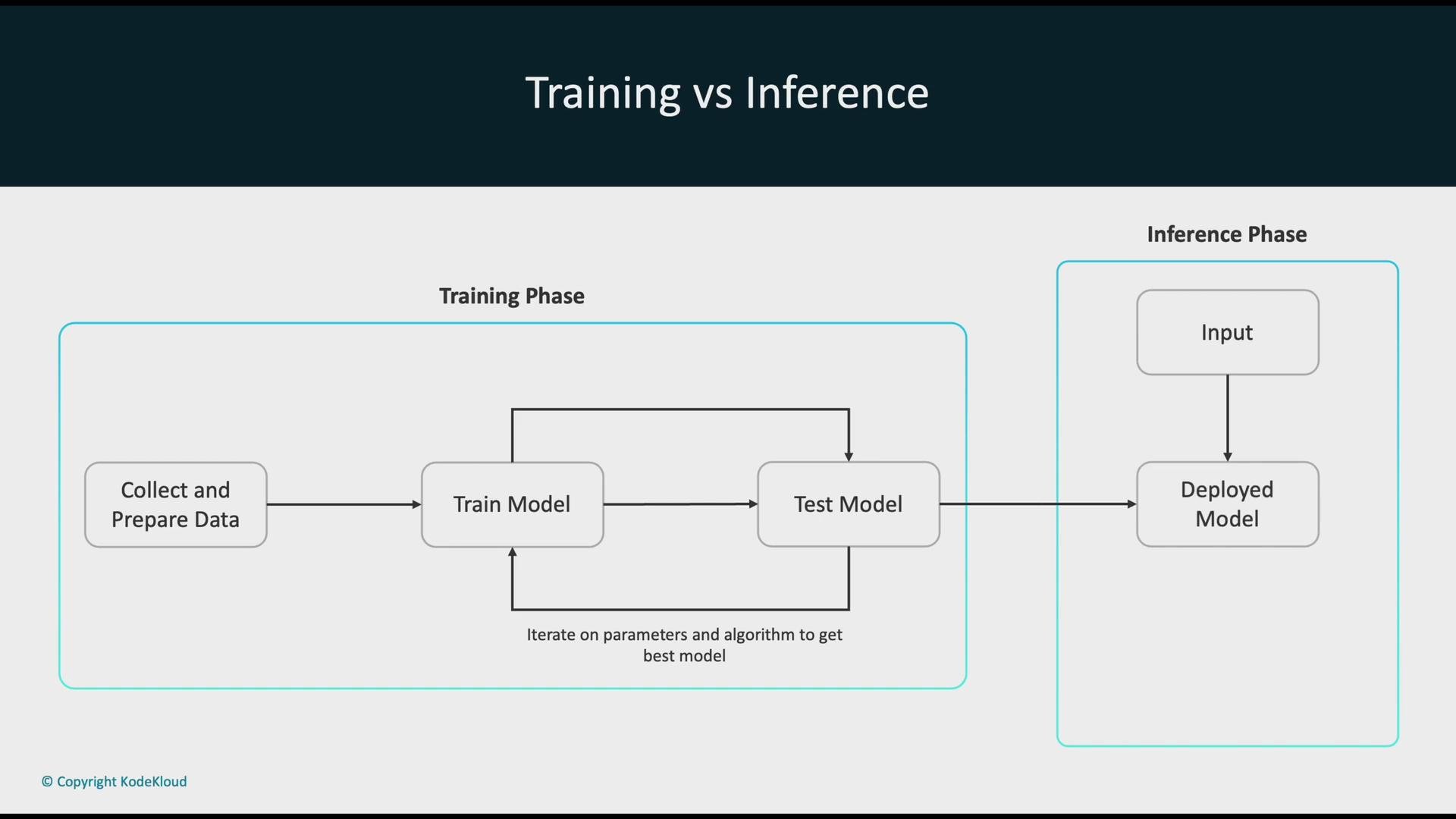
When moving to production, implement monitoring and drift detection (data and concept drift) and use the Model Registry and CI/CD pipelines to control model rollout, rollback, and governance.
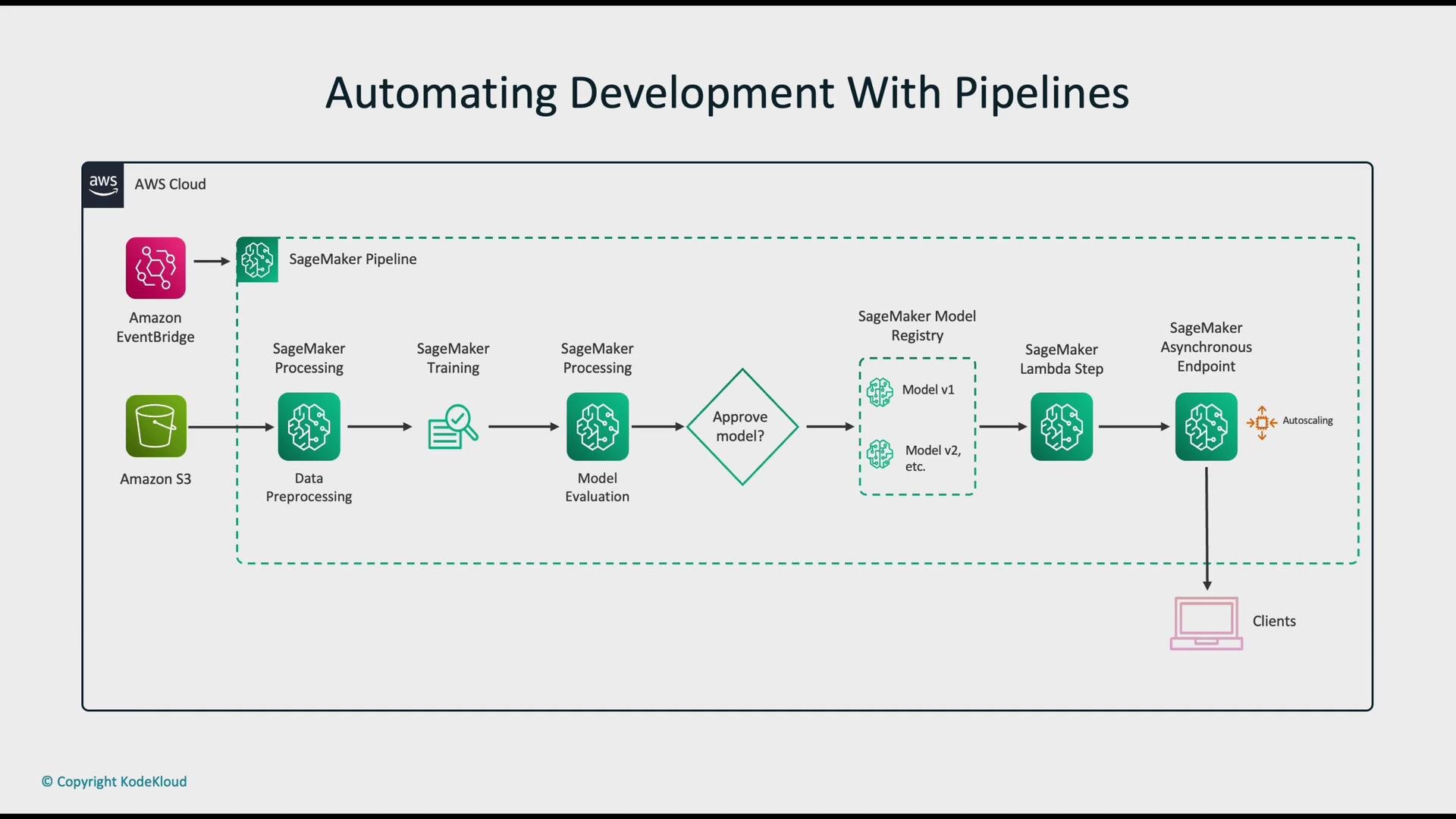
Automated SageMaker pipeline example
A typical automated pipeline orchestrates the following steps:- Data ingestion from
Amazon S3, often triggered by events (Amazon EventBridge). - Preprocessing via
SageMaker Processingjobs or Data Wrangler. - Training and evaluation steps that produce and validate candidate models.
- Registration to the
Model Registryfor versioning and approval workflows. - Deployment triggered by a Lambda step or pipeline action to an asynchronous or real-time endpoint.
- Serving and autoscaling to handle production traffic.
Further reading and references
- Amazon SageMaker Documentation
- Amazon S3 Documentation
- AWS Glue Documentation
- Amazon EventBridge
- AWS Lambda