

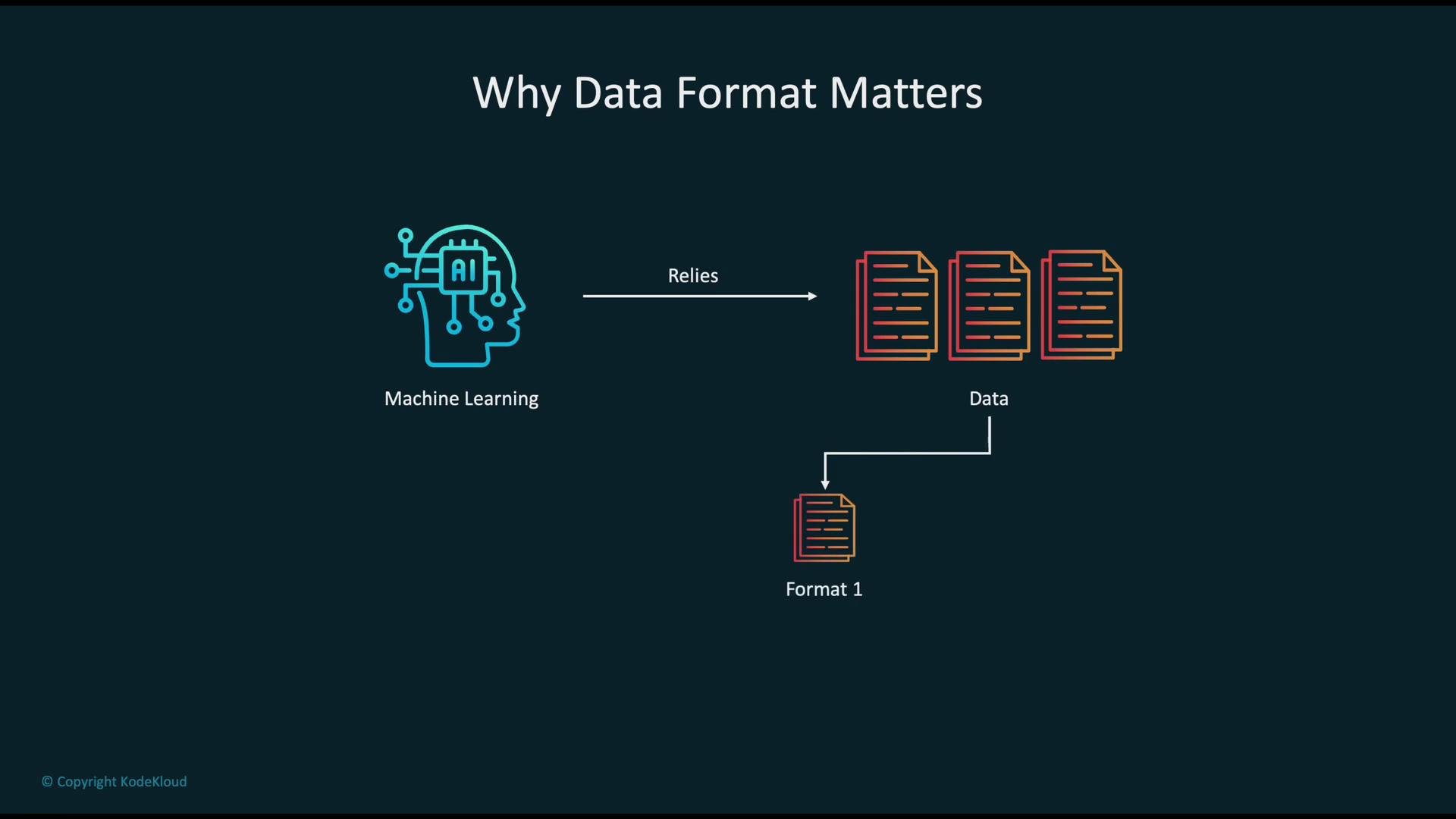
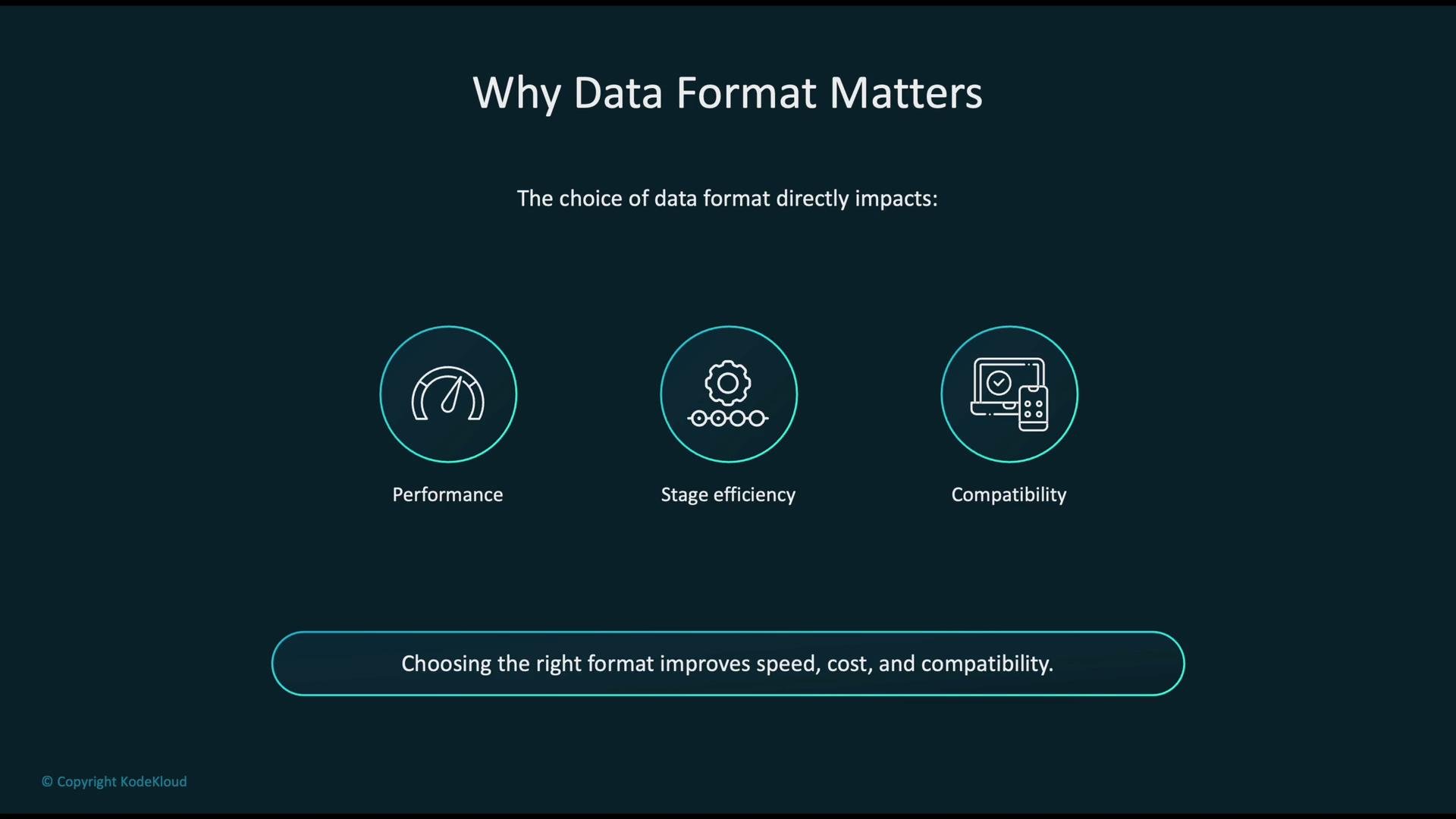
Match format to pipeline stage: use columnar compressed formats (Parquet/ORC) for analytics and feature stores, binary ML-native formats (TFRecord/RecordIO) for high-throughput training, and media-specific formats (JPEG/MP4/WAV) for raw multimedia inputs.
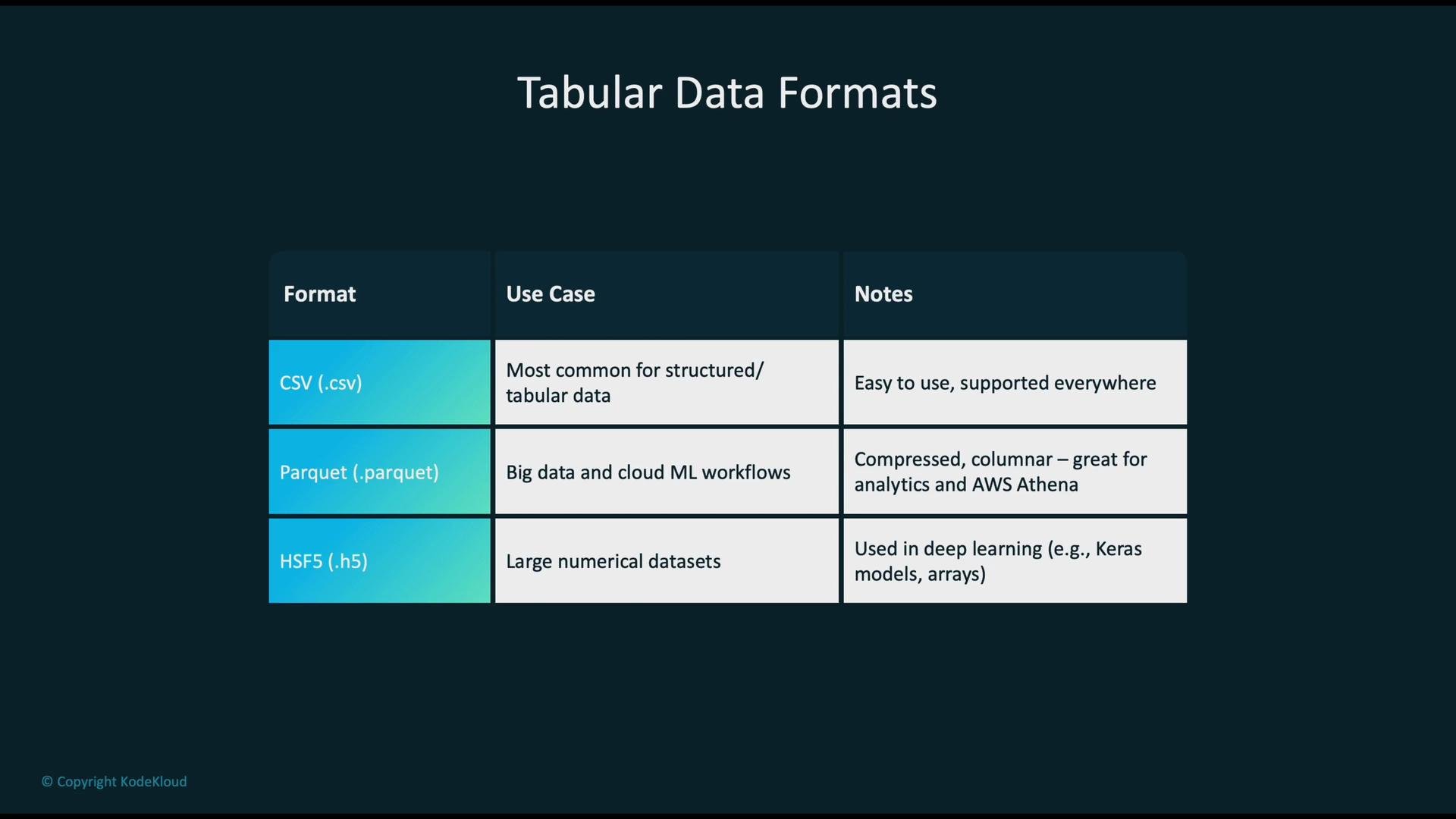
Tabular data formats
Common choices for structured/tabular data, ranked by typical usage:
Example: reading these formats with Python:
Text and NLP formats
- TXT: Plain text for raw corpora. Universal and simple; requires preprocessing (tokenization, normalization).
- JSON / JSONL: Structured text for annotations and nested metadata.
JSONL(one JSON object per line) is common for scalable ingestion and streaming. - Recommended patterns:
- Use
JSONLfor document-level metadata and per-example labels. - Use compressed archives (e.g.,
.gz) when transporting large text corpora.
- Use
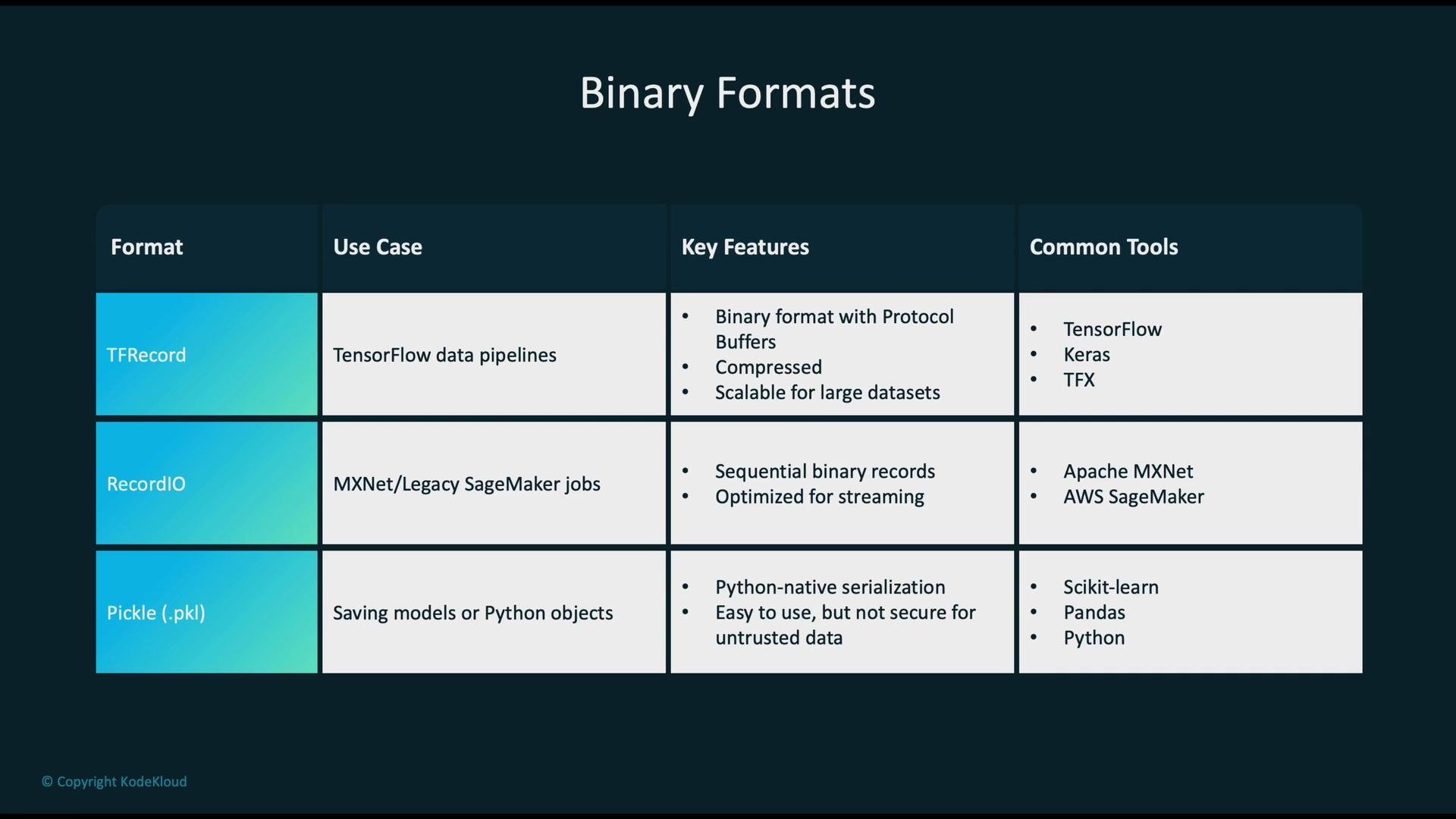
Binary ML-native formats
These formats optimize sequential reads, sharding, and integration with training frameworks:Pickles can execute arbitrary code on load. Do not unpickle data from untrusted sources. Prefer language-agnostic formats (TFRecord, Parquet, JSON) for shared datasets.
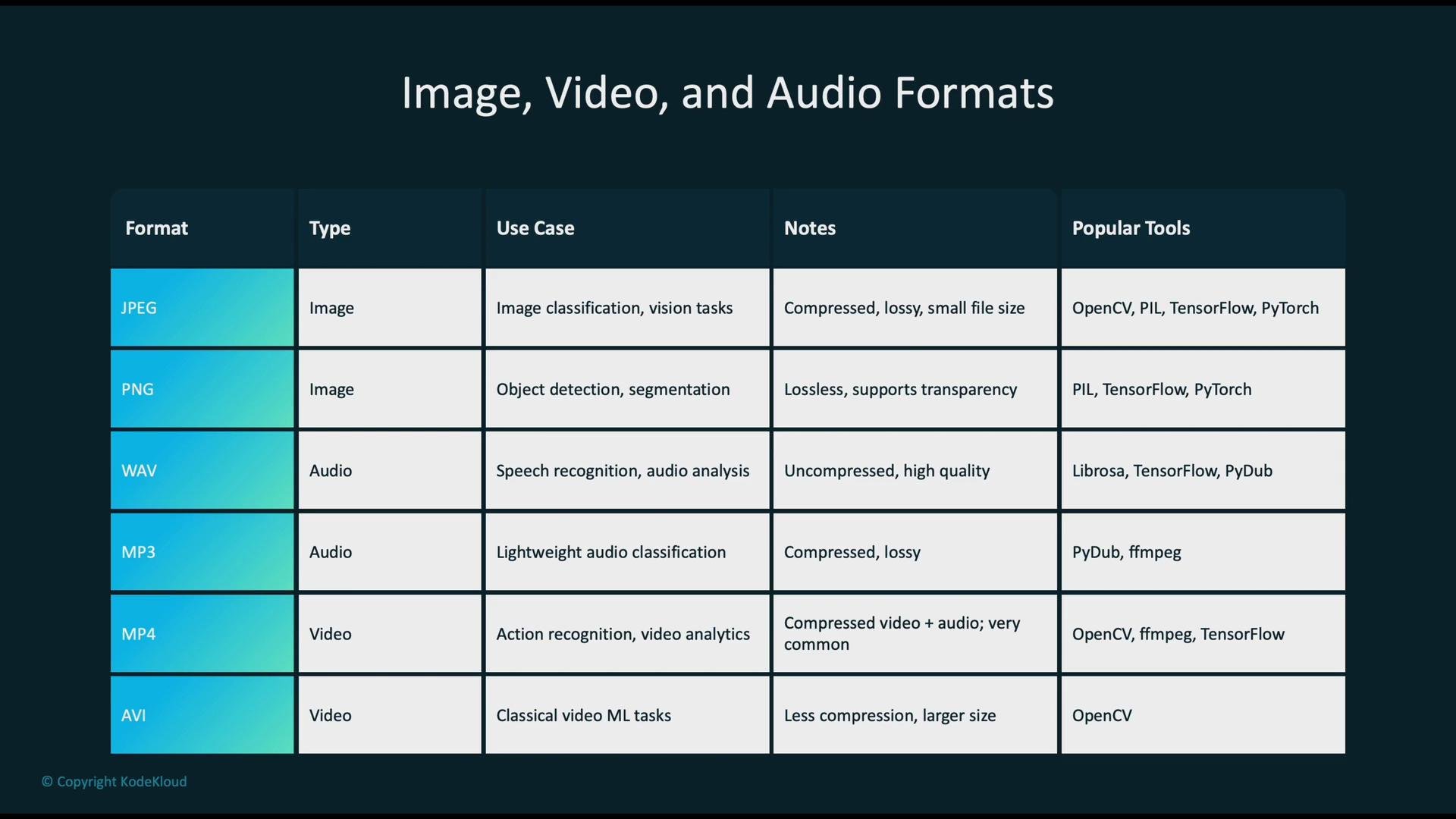
Image, audio, and video formats
Media formats depend on fidelity, compression needs, and downstream processing tools:- Images:
- JPEG — lossy, widely used for image-model training where compression is acceptable.
- PNG — lossless, useful for images requiring pixel-perfect fidelity.
- Audio:
- WAV — uncompressed, high quality; larger storage footprint.
- MP3 — compressed, lower size; good for distribution.
- FLAC — lossless compressed audio; good for speech datasets.
- Video:
- MP4 (H.264) — widely supported, good compression/quality balance.
- AVI — less compressed, larger files; sometimes used when minimal codec transformations are desired.
- Images: PIL / OpenCV / torchvision
- Audio: librosa / torchaudio / pydub
- Video: ffmpeg / OpenCV
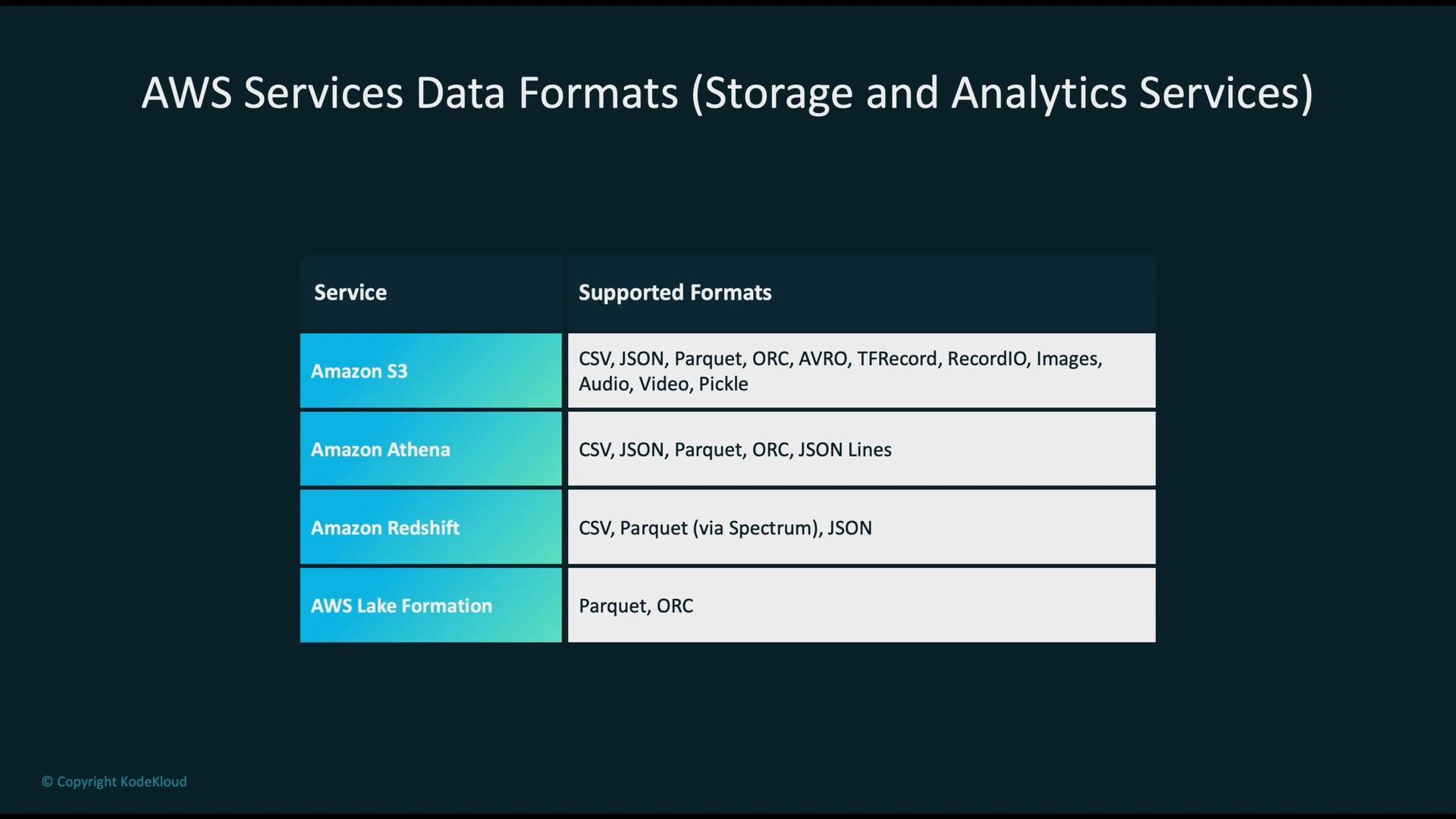
AWS storage and analytics: format recommendations
AWS supports many formats; choose based on workload patterns (scan-heavy analytics vs. sequential training reads):- Amazon S3 is the foundational storage layer for many pipelines. Use lifecycle policies and compression to control cost.
- Consider partitioning and file sizing (e.g., Parquet row groups ~128 MB) to optimize query and read performance.
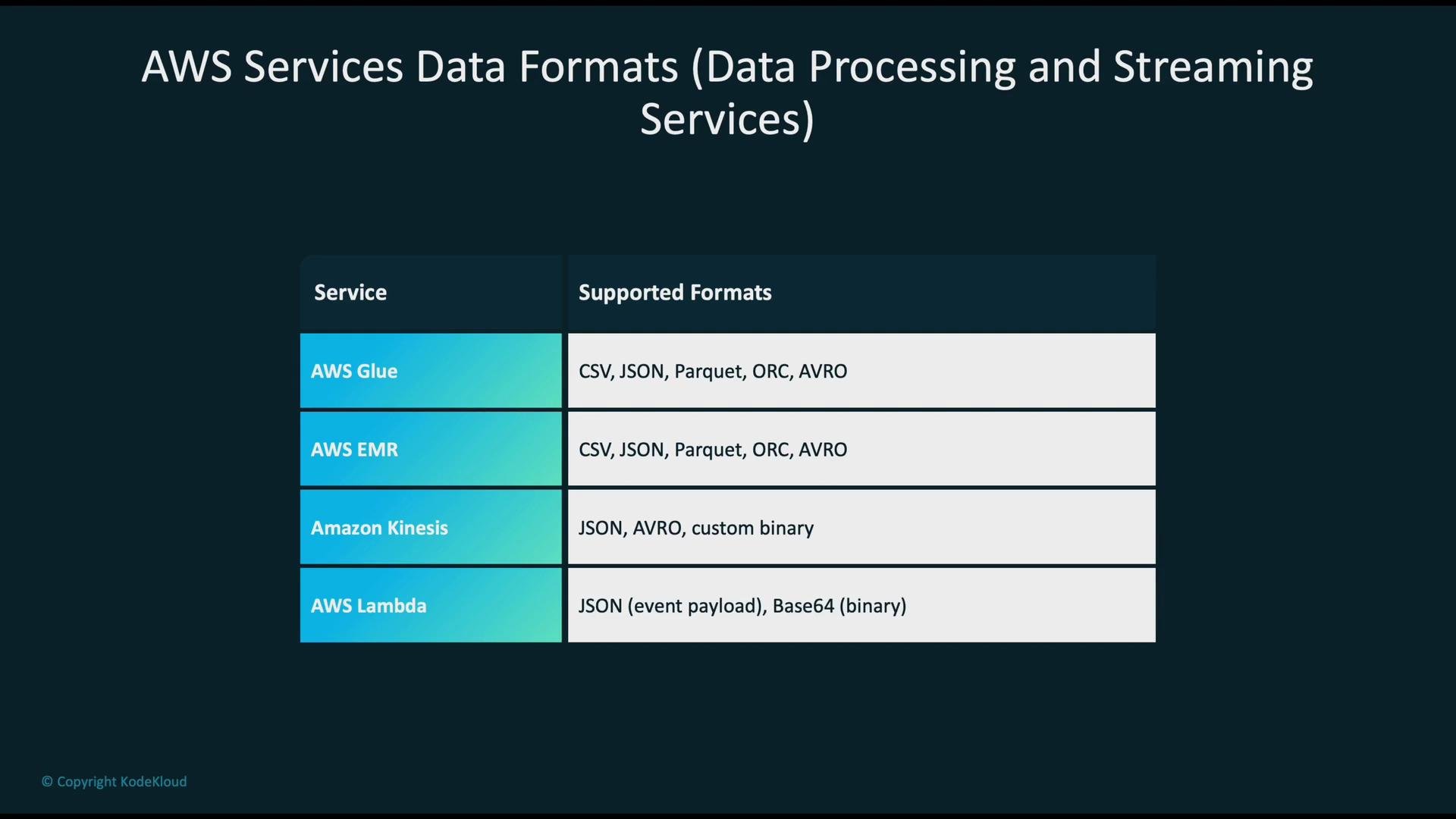
Processing and streaming on AWS
Match processing tools to data format and latency requirements:- AWS Glue: Serverless ETL; supports
CSV,JSON,Parquet,Avro, andORC. Good for schema discovery and format conversions.- Use Glue jobs or Glue Studio for converting CSV/JSON to Parquet for analytics.
- Amazon EMR (Spark/Hadoop): Read/write Parquet, ORC, Avro, sequence files. Ideal for large-scale transformations and feature engineering.
- Amazon Kinesis: Ingest streaming events (often JSON or binary protobufs); used for near-real-time use cases.
- AWS Lambda: Receives JSON payloads (and base64-encoded binary data). Suitable for lightweight transformations and event-driven processing.
- For streaming ingestion, keep messages small and schema-stable (e.g., Avro/Protobuf).
- Convert raw event streams to columnar formats in downstream storage for efficient analytics.
ML services and specialized formats
Common AWS ML services and their preferred input types:- Amazon SageMaker: Supports CSV, Parquet, TFRecord, images, audio, and pickled artifacts for training and hosting. Use SageMaker processing jobs to convert formats at scale.
- Amazon Transcribe: Accepts WAV, MP3, FLAC, and MP4 for speech-to-text.
- Amazon Rekognition: Works with standard image and video formats (JPEG, PNG, MP4) for computer vision tasks.
- Use columnar compressed formats (Parquet/ORC) for analytics and feature stores.
- Use binary ML-native formats (TFRecord/RecordIO) to maximize throughput for distributed training.
- Keep raw media in their native formats (JPEG/WAV/MP4) and extract features or convert to optimized formats only when necessary.
Summary checklist
- Use Parquet/ORC for analytics and feature engineering—columnar layout reduces I/O and improves query performance.
- Use TFRecord/RecordIO for high-throughput, sharded training pipelines.
- Keep media in standard containers (JPEG/PNG, WAV/FLAC, MP4) and preprocess with specialized libraries.
- Avoid insecure serialization formats (untrusted pickles) when sharing datasets across teams or services.
- Optimize file sizing, partitioning, and compression to balance read performance and storage cost.
Links and references
- Amazon S3
- Amazon Athena
- Amazon Redshift
- AWS Glue
- Amazon EMR
- Amazon Kinesis
- Amazon SageMaker
- Amazon Transcribe
- Amazon Rekognition