

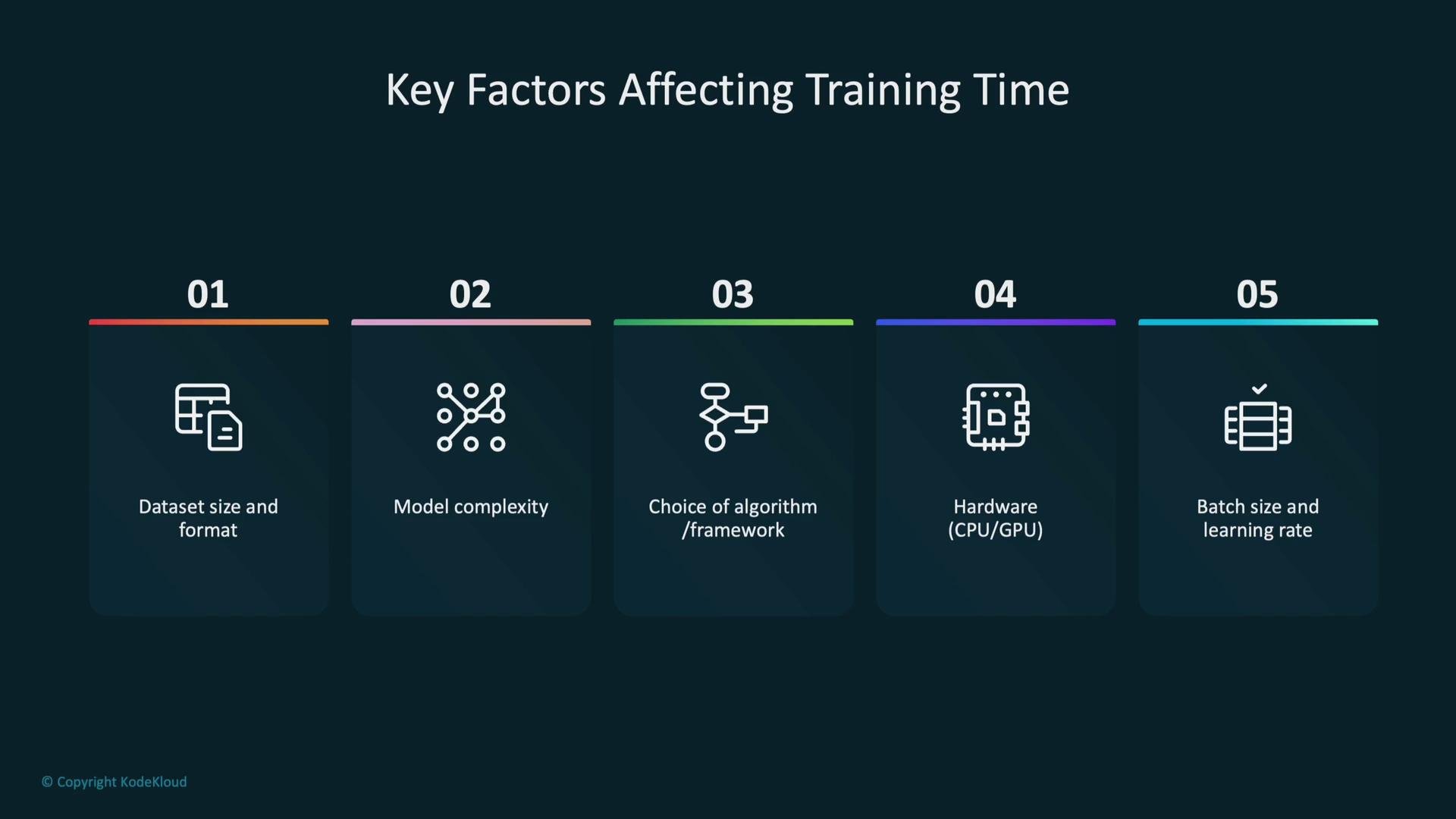
- Dataset size and format
- Model complexity
- Choice of algorithm and framework
- Underlying hardware (CPU/GPU, instance type)
- Hyperparameters such as batch size and learning rate
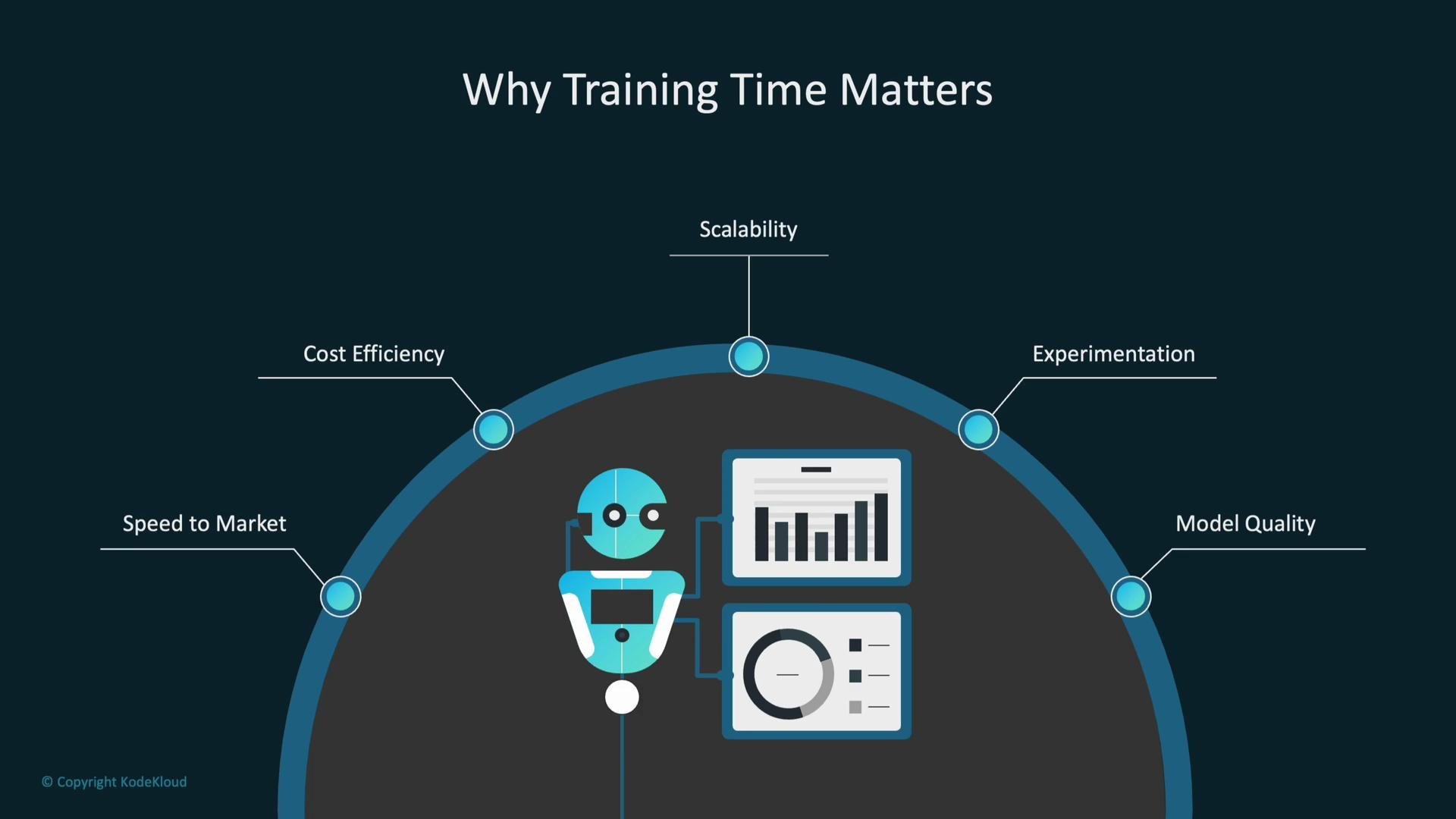
Start by profiling your data pipeline and a single training run. Identifying the dominant bottleneck (I/O, preprocessing, compute, or communication) lets you apply the most effective optimization first.
1. Data and preprocessing (low-hanging fruit)
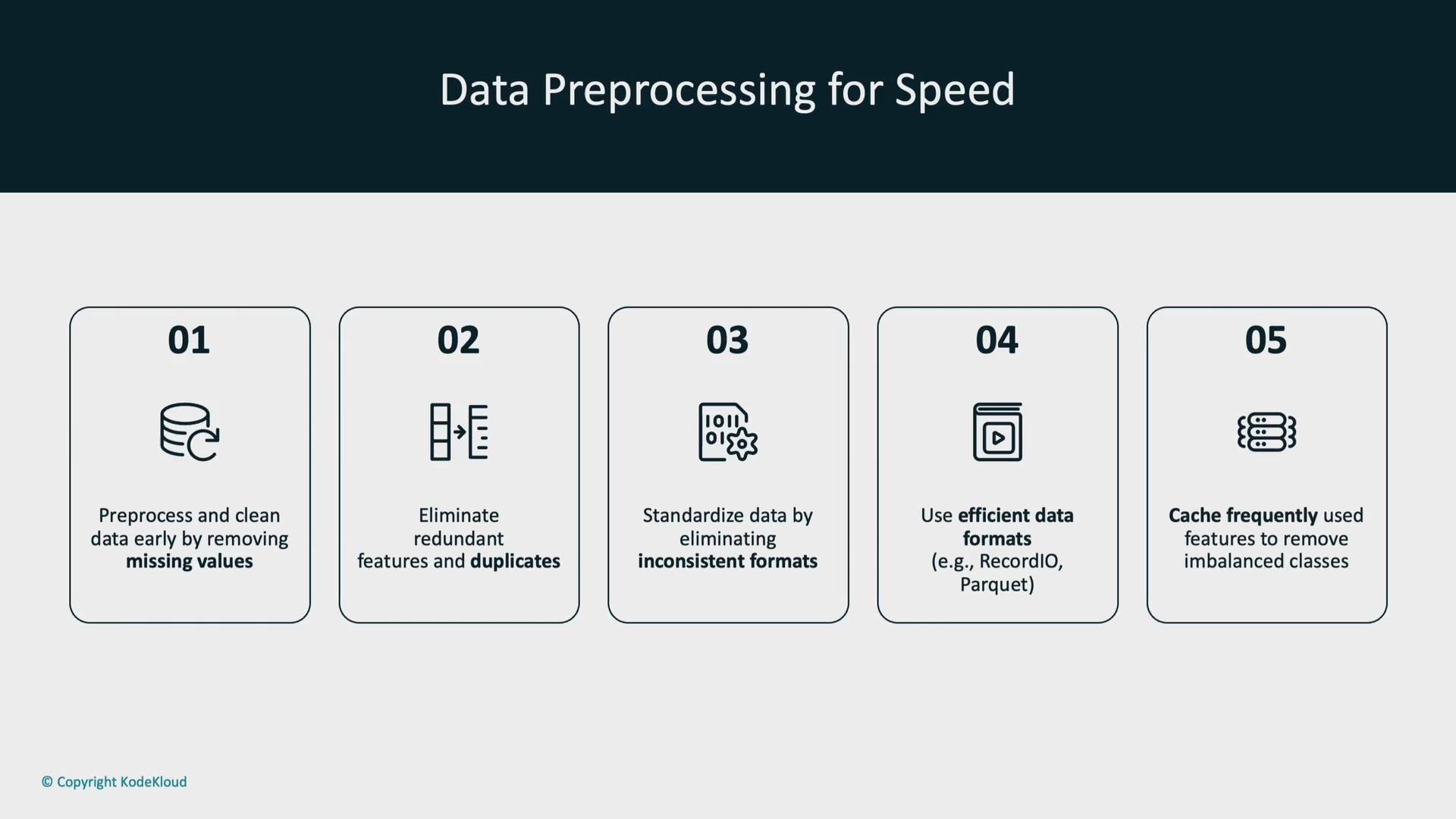
Efficient data preparation reduces wasted computation and speeds up convergence.- Clean and validate data early: remove duplicates, handle missing values, and drop irrelevant features.
- Standardize formats and encodings so training pipelines are deterministic.
- Use efficient storage and serialization formats for large datasets—examples: Parquet for columnar storage, and TFRecord for TensorFlow workflows.
- Cache expensive feature-engineering outputs or intermediate datasets to avoid recomputation.
- Partition large datasets and use sharding to improve parallel read performance.
- Remove or impute missing values.
- Eliminate duplicate records.
- Standardize formats and encodings.
- Store data in efficient, columnar formats.
- Cache and reuse computed features where practical.
2. Batch size, learning rate, and convergence
Batch size and learning rate strongly impact throughput and the number of optimization steps required.- Larger batch sizes can improve GPU utilization and per-step throughput, but often require a scaled learning rate or different optimizer to maintain convergence behavior.
- Larger batches increase memory usage—monitor for out-of-memory errors and tune batch size as a hyperparameter.
- Fewer, larger steps (bigger batches) vs. more, smaller steps (smaller batches) is a trade-off between wall-clock speed and statistical efficiency.
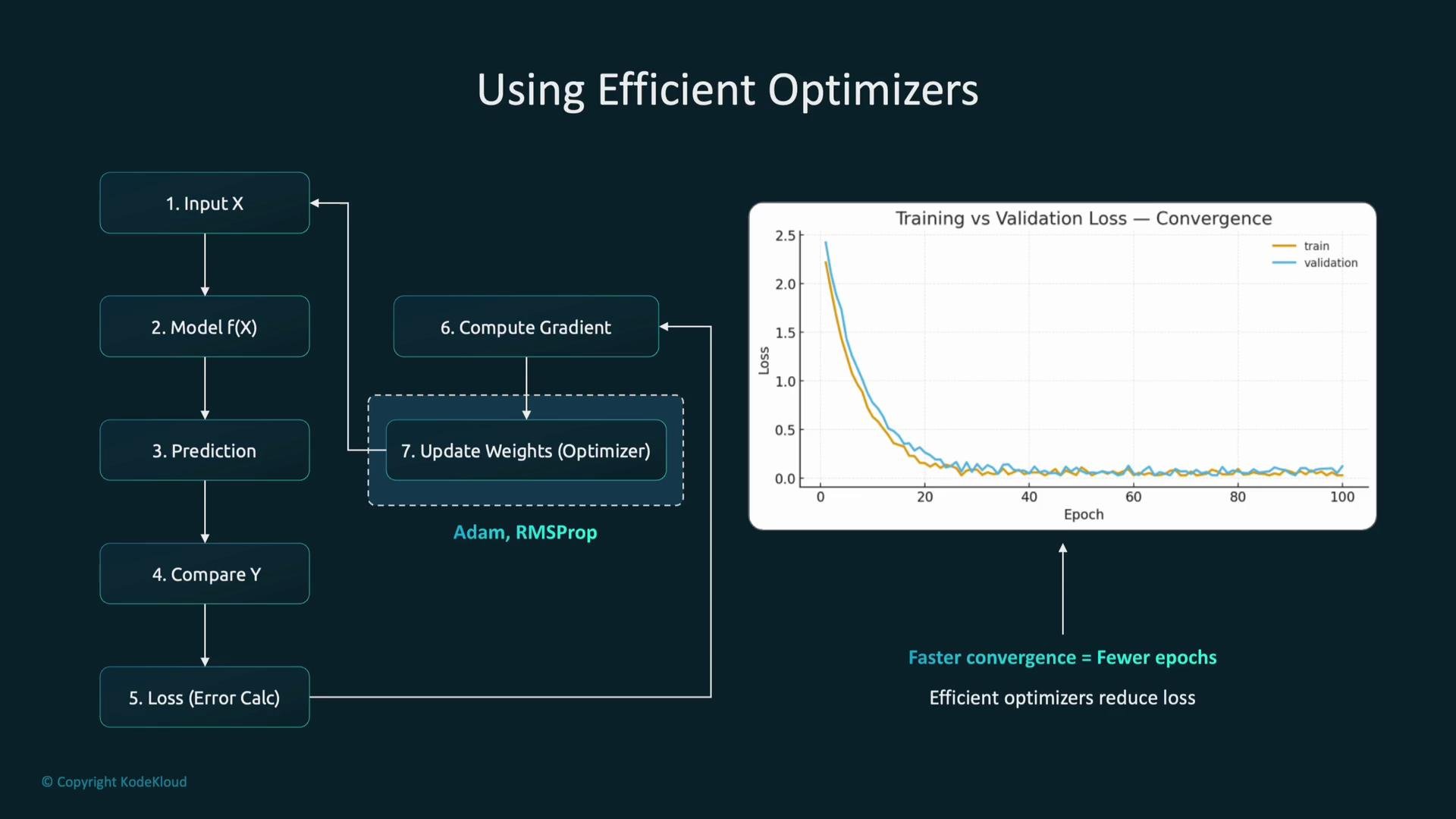
- Use learning-rate schedules (constant, decay, cosine annealing) or adaptive optimizers to accelerate convergence.
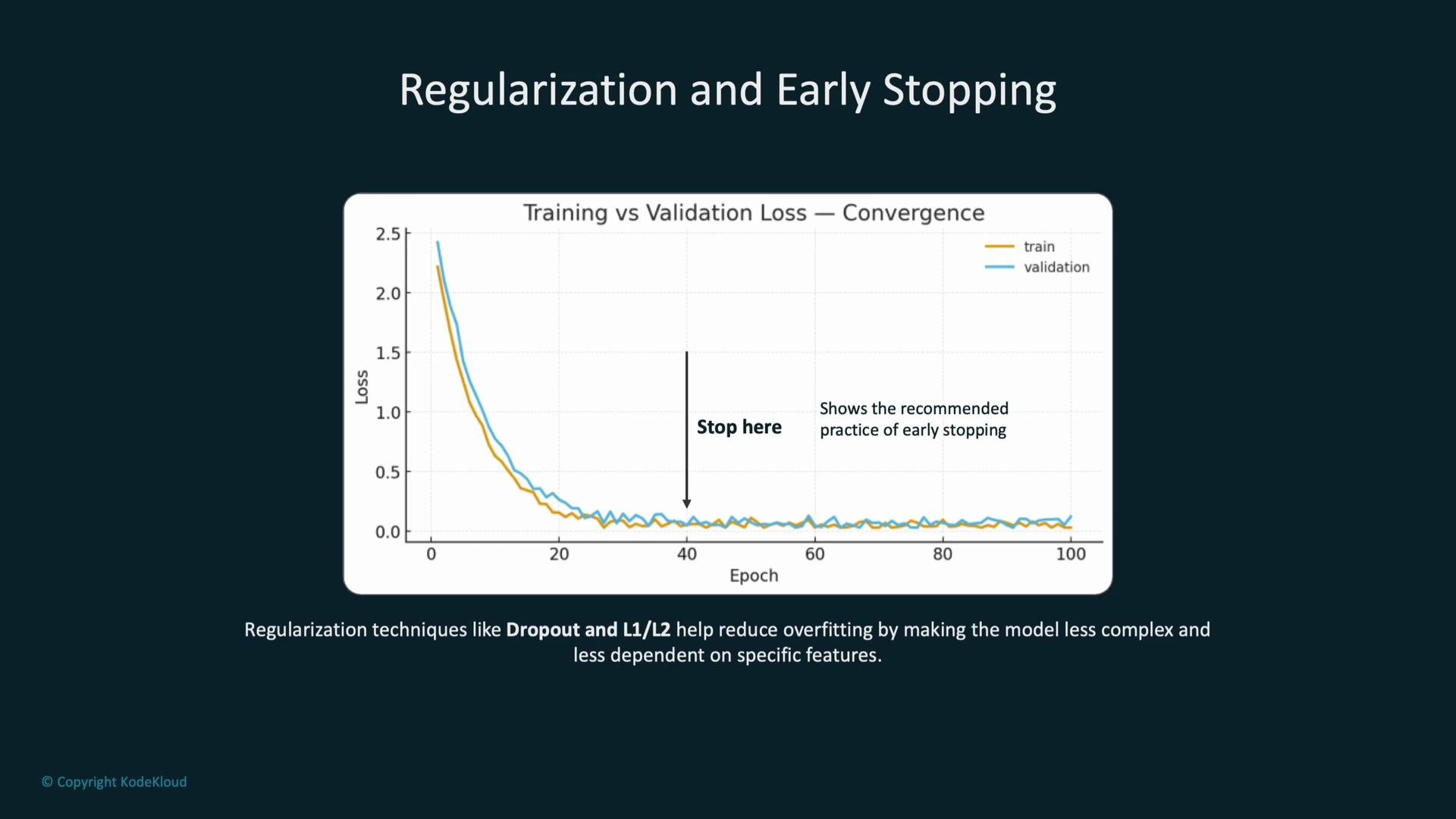
- Track convergence using validation metrics and stop when validation performance stabilizes.
3. Optimizers and regularization
Choose optimizers and regularizers to speed learning while avoiding overfitting.- Adaptive optimizers (Adam, RMSprop, AdaGrad) typically give faster initial progress than vanilla SGD; tune learning rate and weight decay for final performance.
- Use regularization (L1/L2, Dropout, data augmentation) to improve generalization and avoid wasted training cycles.
- Implement early stopping with a sensible
patiencevalue based on validation loss or a domain metric to halt once improvements plateau. - Save optimizer state in checkpoints so resumed training keeps the same convergence behavior.
4. AWS SageMaker-specific optimizations
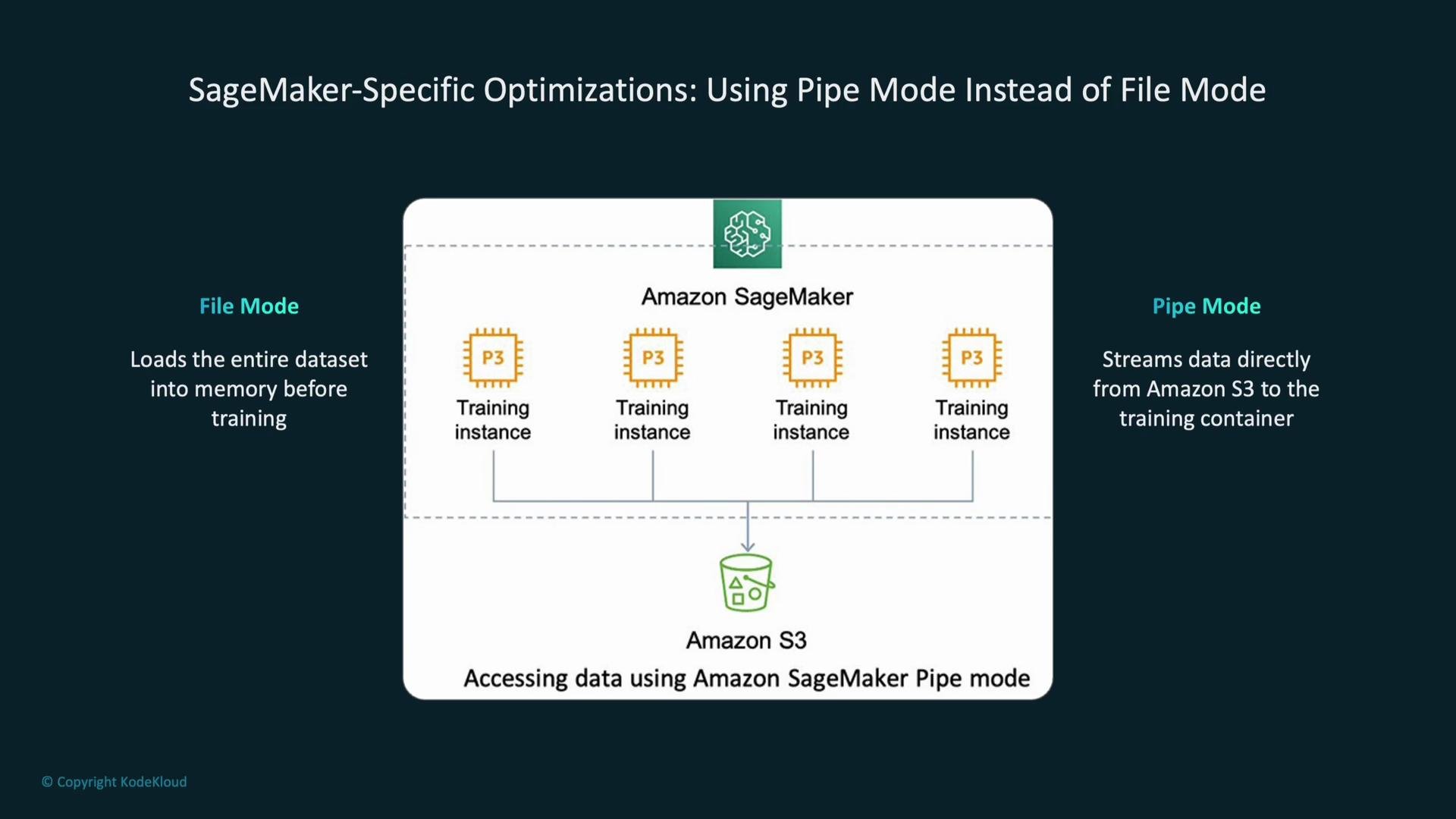
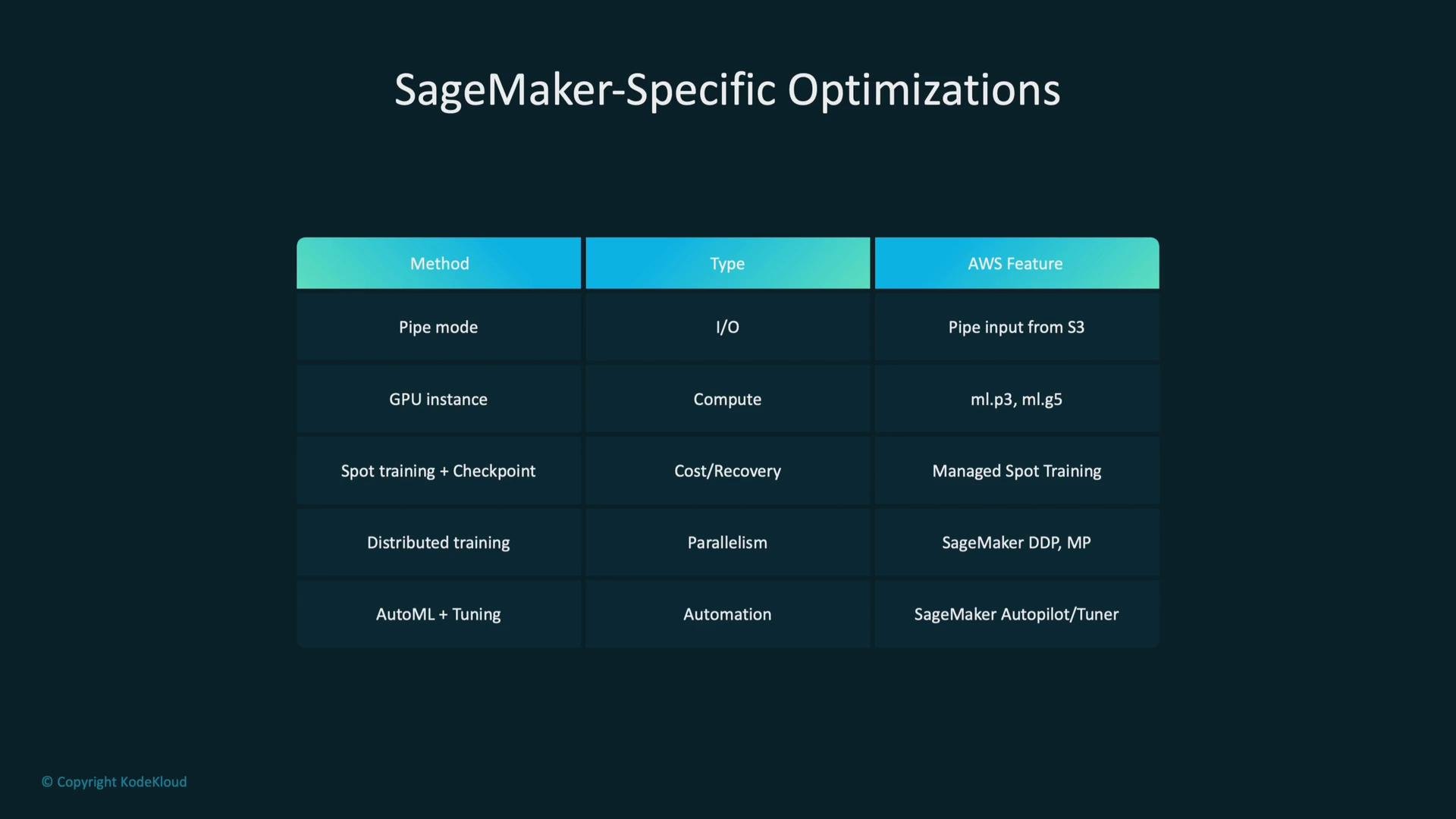
If you’re training on SageMaker, use platform features to reduce I/O and runtime.- File mode: loads dataset files into the container filesystem—useful for smaller datasets or when local read performance is required.
- Pipe mode: streams training data directly from S3 into the training container as the job runs—reduces I/O wait and is preferable for large datasets that don’t fit in memory.
- Choose instance types appropriate to the workload:
ml.p3/ml.g5for GPU-heavy deep learning;ml.m5for CPU-based training. - Use managed Spot training with checkpointing to lower cost (and with it, the risk of interruption).
- For cross-node scaling, use SageMaker Distributed Data Parallel (SMDDP) for data parallelism and SageMaker Model Parallel for very large models.
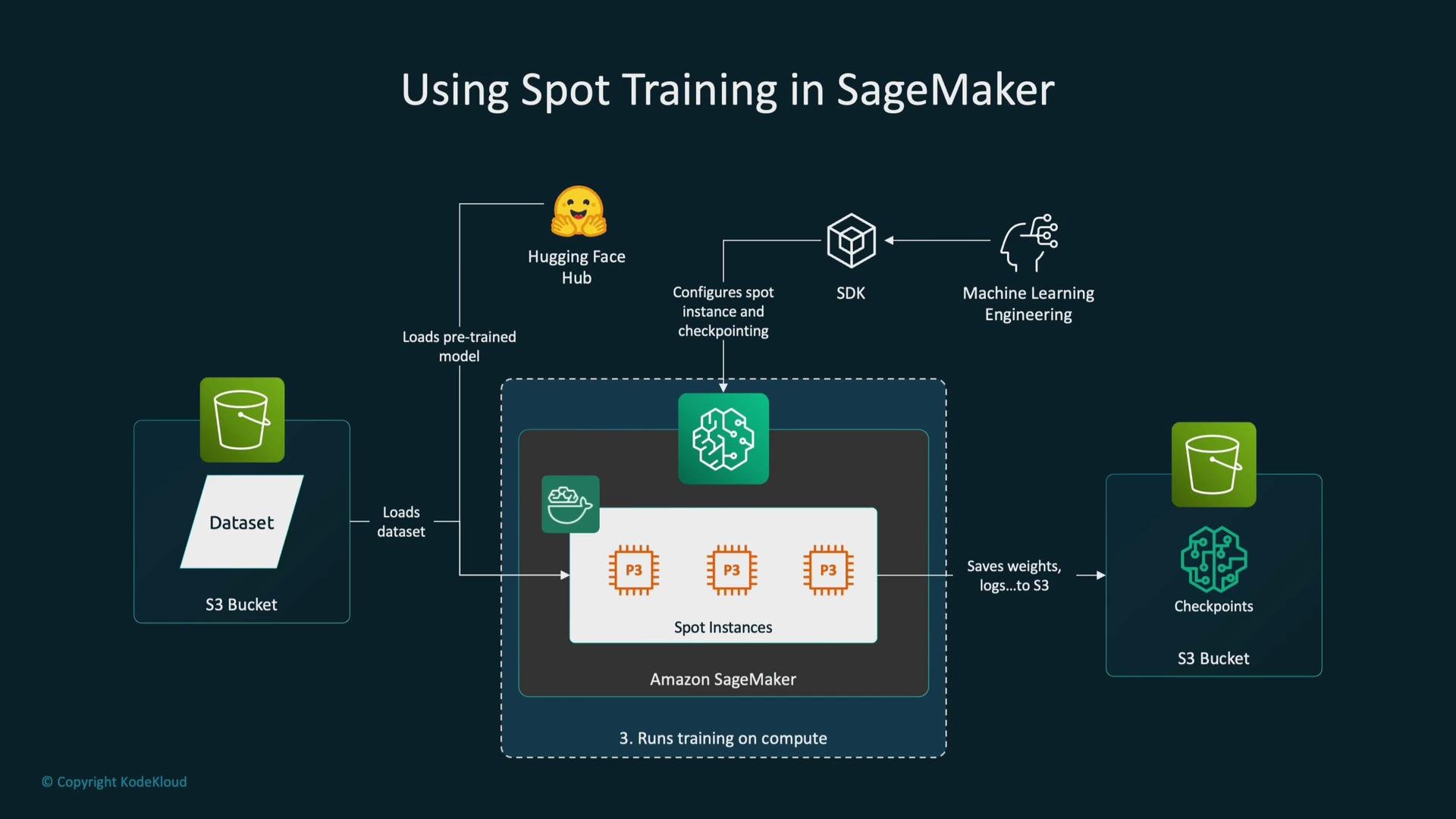
When using Spot Instances, always enable robust checkpointing (model + optimizer states) to durable storage such as S3 so interrupted jobs can resume without redoing prior work.
5. Spot Instances and checkpointing
Managed Spot Instances can dramatically reduce cost but introduce interruption risk.- Managed Spot Instances (e.g., on SageMaker) can reduce instance costs by up to ~90% compared to on-demand pricing, but interruptions can occur.
- Enable checkpointing and store model + optimizer state in S3 so training resumes from the last checkpoint.
- Combine Spot training with early stopping and automatic retries or orchestration to balance cost and reliability.
6. Choosing instance types and scaling
Match hardware selection to model and dataset characteristics.- For compute-heavy deep learning: use GPU-backed instances such as
ml.p3orml.g5. - For lighter or CPU-bound tasks:
ml.m5or similar CPU instances are more cost-effective. - Horizontal scaling (multiple machines) is effective for large datasets or models using distributed training.
- Larger single instances (more GPUs or memory) reduce communication overhead but cost more—balance based on your workload and budget.
7. Training paradigms: data vs model parallelism
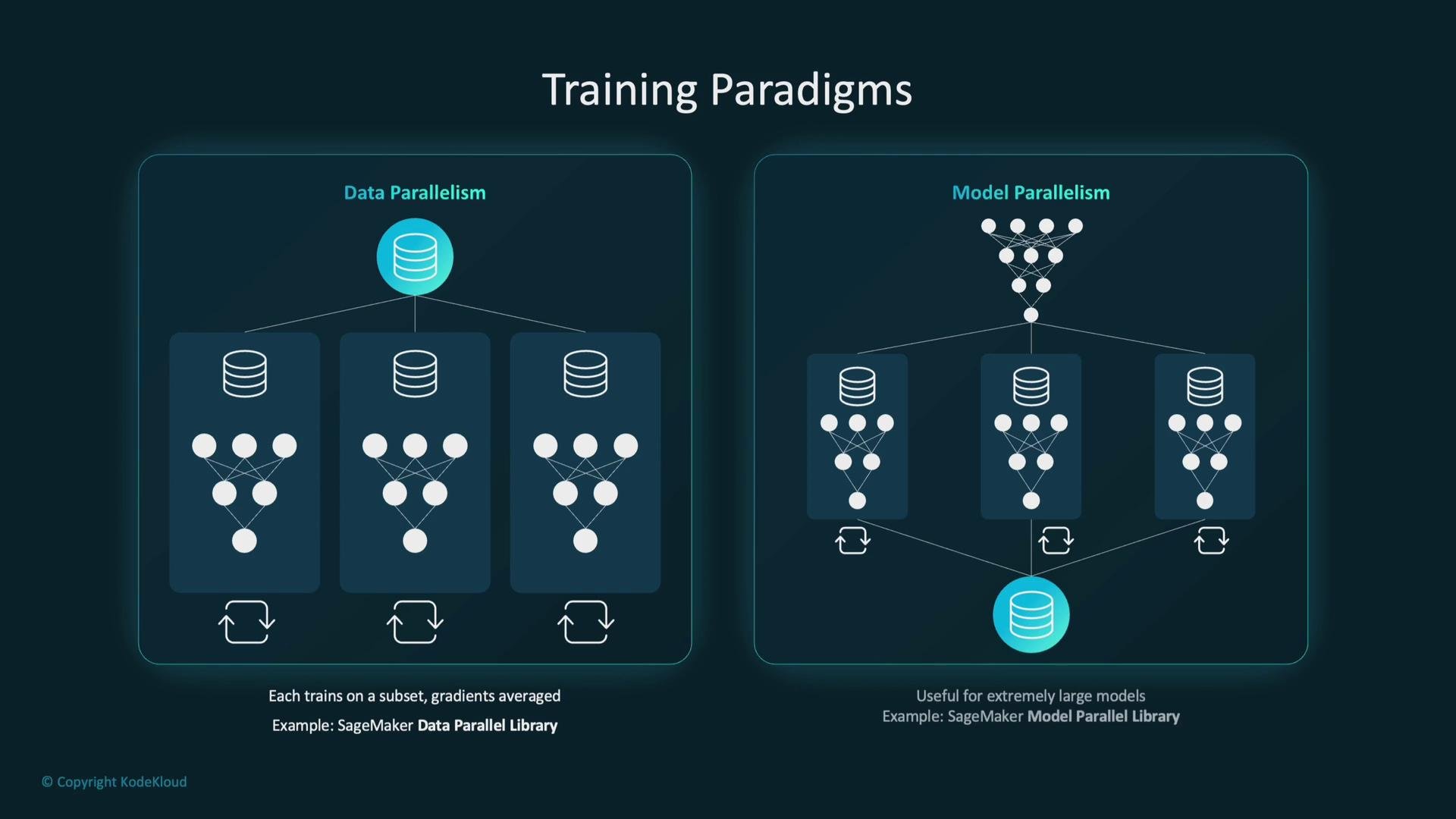
Select a parallelism strategy suited to your model size and resource constraints.- Data parallelism: each worker holds a full model replica and trains on a subset of data; gradients are synchronized (e.g., averaged). This is efficient when the model fits on each device. SageMaker Distributed Data Parallel (SMDDP) is an example.
- Model parallelism: split model parameters across devices so each device holds a portion—used for very large models that cannot fit on a single device. SageMaker Model Parallel implements this pattern.
Quick reference table: SageMaker optimizations
Actionable checklist to shorten training time
- Profile a single training run to identify bottlenecks (I/O, CPU/GPU, network).
- Optimize data storage (Parquet/TFRecord) and enable streaming (
Pipe modewhere appropriate). - Tune batch size and learning rate together; treat them as hyperparameters.
- Use adaptive optimizers and learning-rate schedules.
- Apply regularization and early stopping to avoid wasted epochs.
- Use appropriate instance types; prefer GPU instances for matrix-heavy workloads.
- When cost-sensitive, use Spot with checkpointing and resume logic.
- Consider distributed training when datasets or models exceed a single machine’s capacity.
Useful links and references
Use these practices together—good preprocessing, sensible hyperparameter tuning, efficient optimizers, early stopping, and the right infrastructure choices (instance types,Pipe mode, Spot + checkpointing, and distributed training)—to significantly shorten training time without sacrificing model quality.