

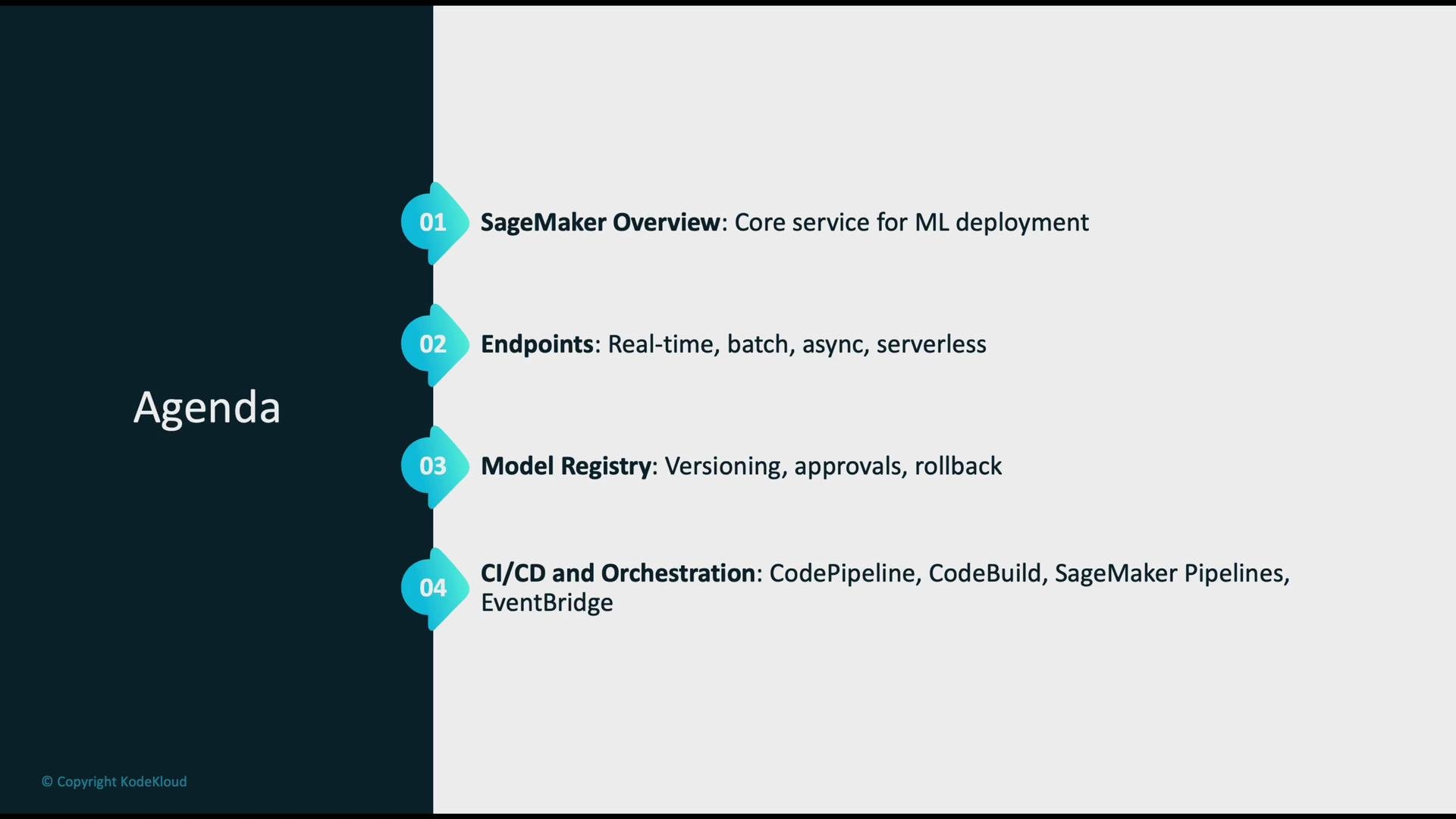
- Quick SageMaker overview as a core ML deployment service.
- Endpoint options: real-time (synchronous), asynchronous, serverless, and batch.
- Model Registry: versioning, approval workflows, and rollback.
- CI/CD and orchestration: CodePipeline, CodeBuild, SageMaker Pipelines, and EventBridge.
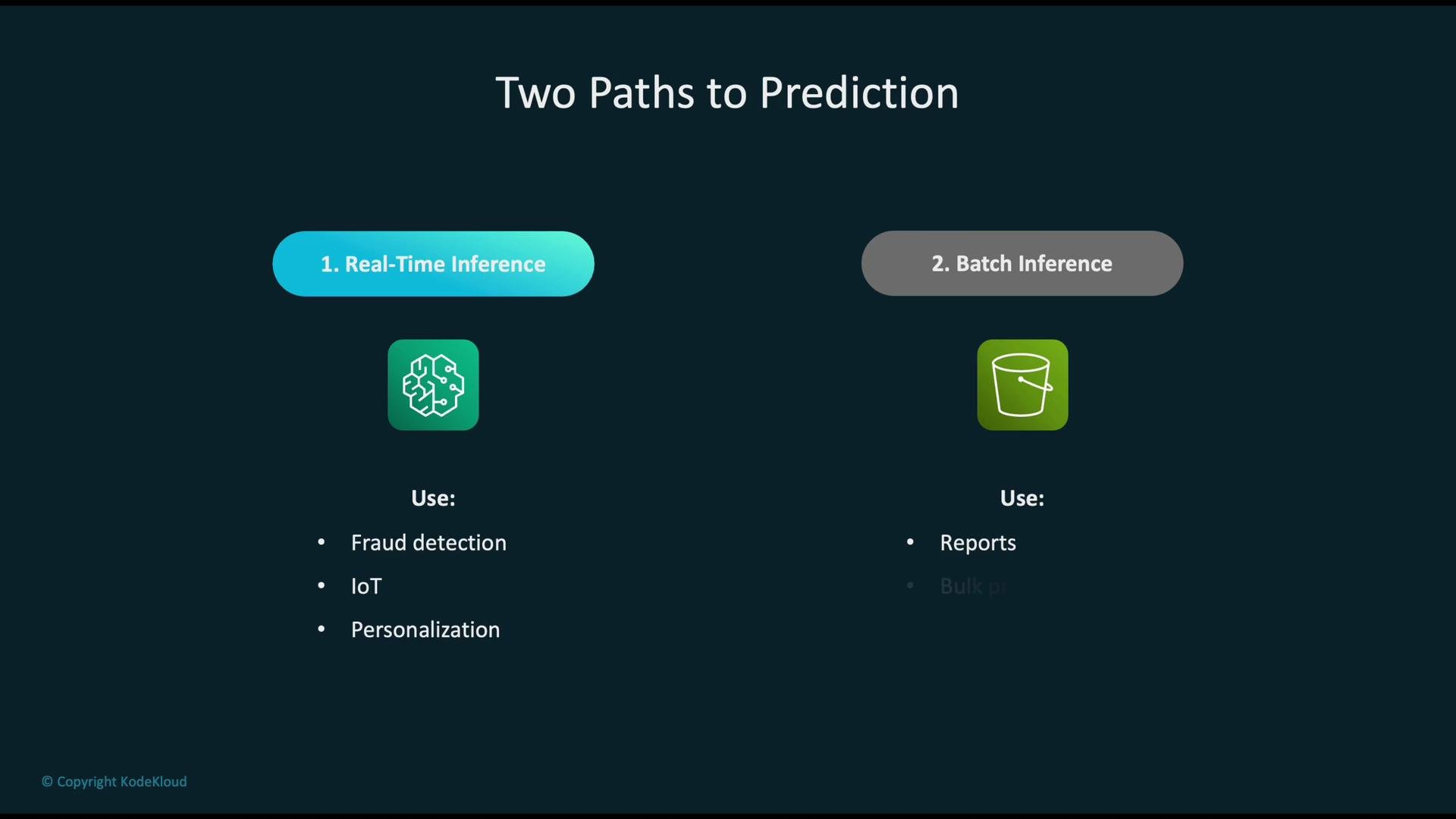
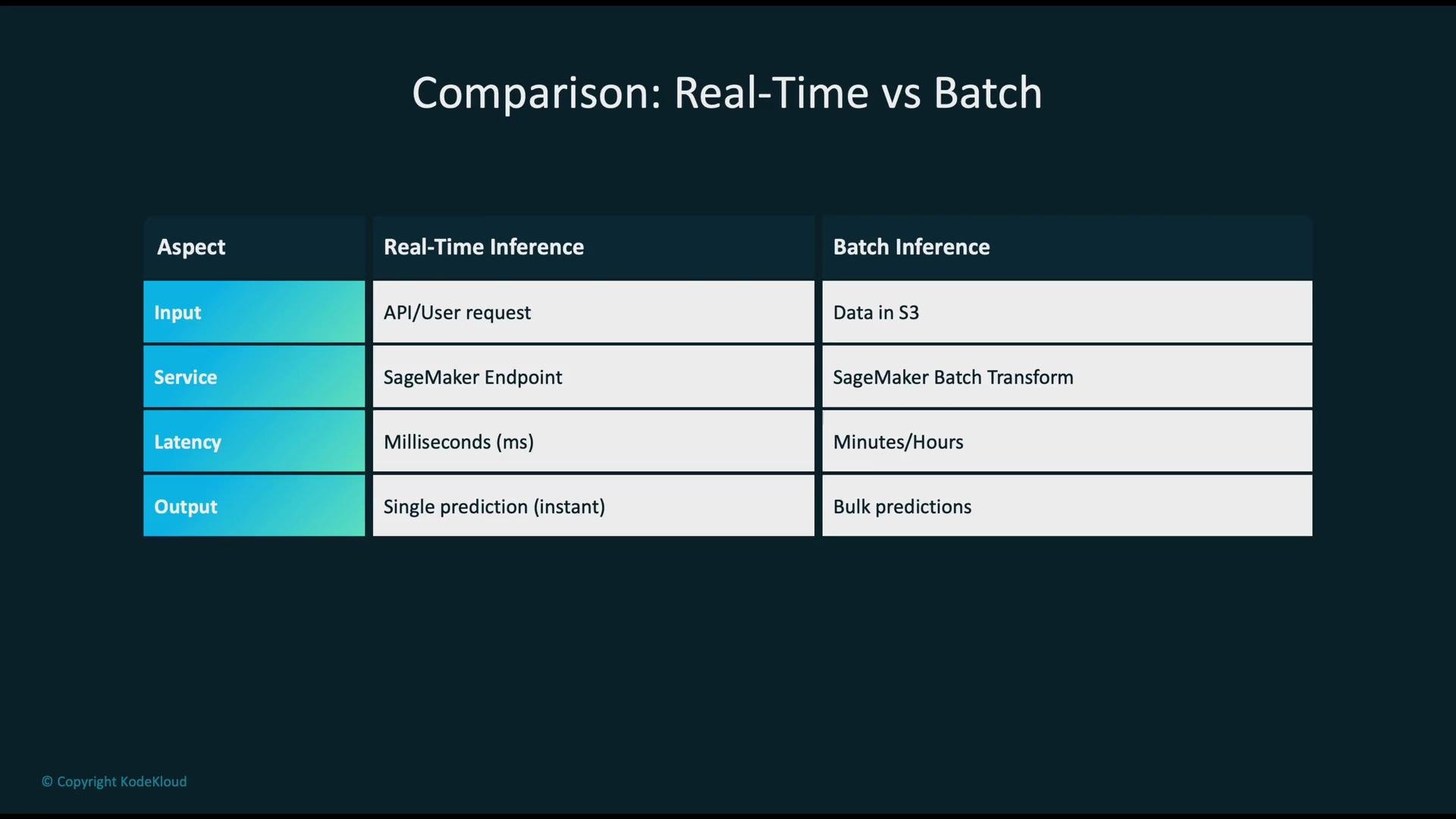
- Real-time (online) inference — handle single requests and return immediate predictions.
- Batch (offline) inference — process many records at once and return bulk outputs.
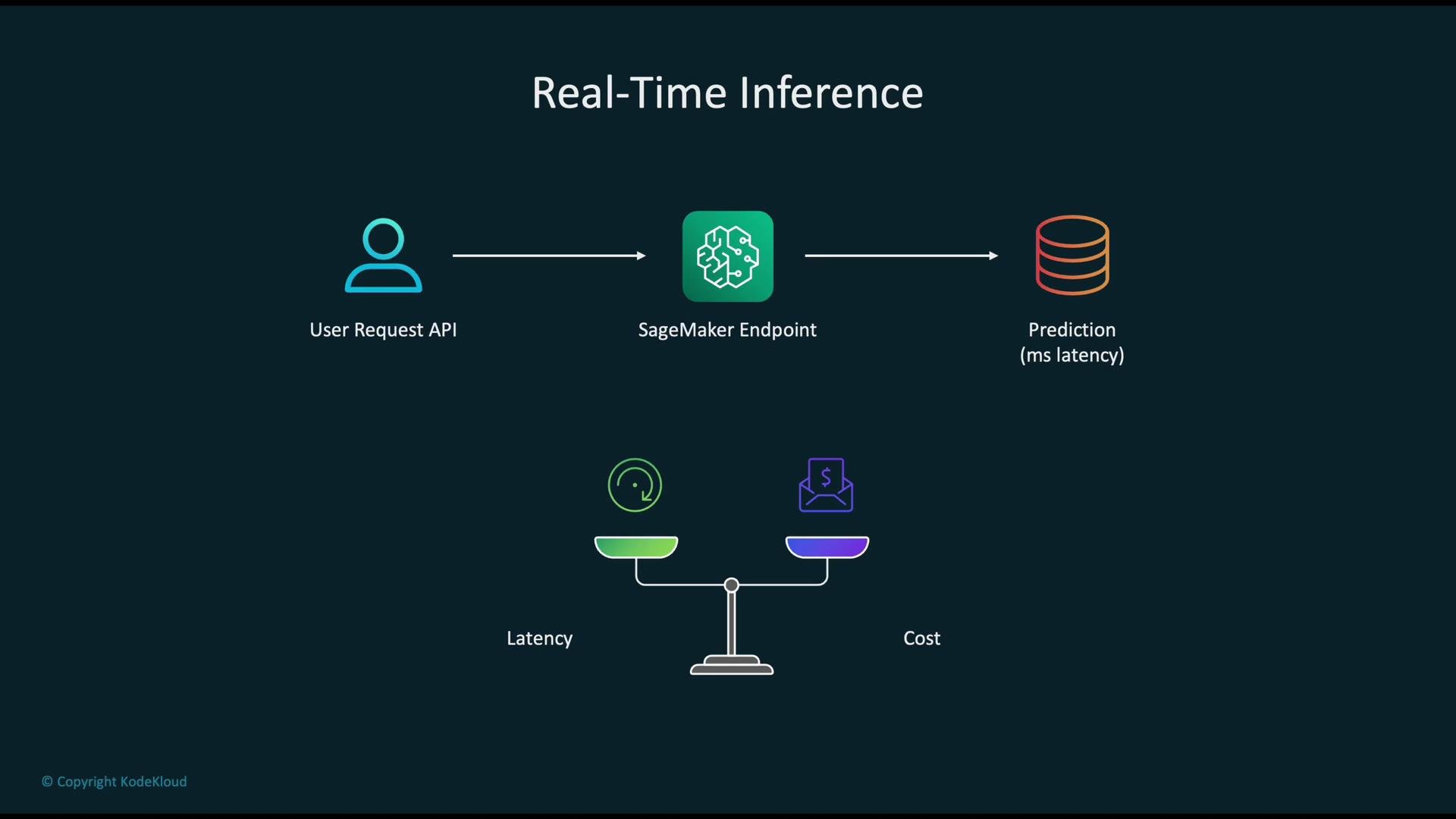
- How it works: client sends an API request → request routes to a live SageMaker endpoint → hosted model returns a prediction with low latency.
- Typical use cases: fraud detection, live personalization, IoT telemetry processing, online recommendation engines.
- Trade-offs: low latency and high availability typically require always-on compute (higher cost). You must tune instance type and count, autoscaling policies, and consider cold-start behavior (especially for serverless).
- SageMaker deployment options:
- Real-Time Endpoints (synchronous) — best for sub-second responses.
- Serverless Inference — ideal for spiky or low-throughput workloads to avoid always-on costs.
- Asynchronous Inference — decouples request submission and result retrieval for long-running inference.
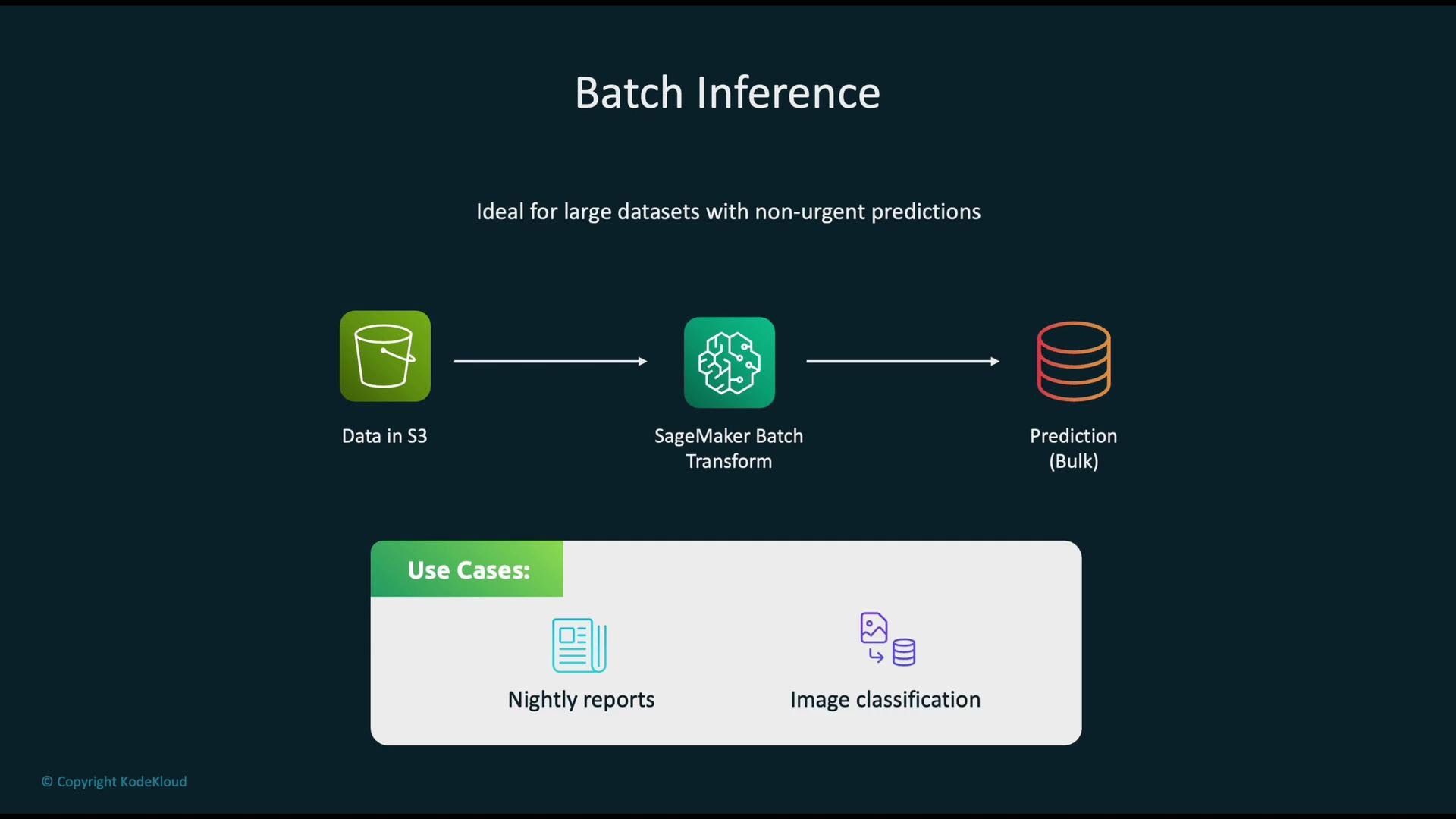
- How it works: input data sits in S3 → start a SageMaker Batch Transform job (or other batch processor) → job processes the dataset in parallel and writes bulk predictions back to S3.
- Typical use cases: nightly aggregation and reporting, batch scoring of a customer base, large-scale image classification, or labeling pipelines.
- Trade-offs: run times can be minutes to hours depending on data size and parallelism, but batch is cost-efficient for large, non-time-sensitive workloads.
- SageMaker batch options:
- Batch Transform — optimized for large, parallel, stateless inference jobs.
- For heavy pre/post processing, integrate Batch Transform with EMR or Glue in your pipeline.
- Real-time:
- SageMaker real-time endpoints for consistently low-latency needs.
- Serverless Inference for intermittent traffic and to reduce always-on costs.
- Asynchronous endpoints when inference runs long and clients can poll or receive callbacks.
- Batch:
- SageMaker Batch Transform for large parallel inference.
- Combine with EMR or Glue when distributed pre/post processing is required.
- Containerized custom serving:
- Run model-serving containers on Fargate or ECS when you require full control over the serving stack or custom dependencies.
- Lightweight/event-driven:
- Use Lambda for small, fast inference or as orchestration glue (be mindful of Lambda’s time and memory limits).
- Monitoring:
- Use Amazon CloudWatch to capture latency (p95/p99), invocation counts, error rates, CPU/GPU utilization, and memory.
- Record application-level signals such as model confidence distributions, prediction drift, and feature distribution changes.
- Scaling:
- Real-time endpoints: configure Application Auto Scaling policies using CloudWatch metrics (e.g.,
InvocationsPerInstance, custom latency metrics). For GPU-backed workloads, scale by instance count and consider multi-model or multi-container endpoints for density. - Batch jobs: tune instance type, instance count,
split_type, andmax_concurrent_transformsto meet throughput goals.
- Real-time endpoints: configure Application Auto Scaling policies using CloudWatch metrics (e.g.,
- Cost optimization:
- Choose lower-cost families for batch (compute-optimized, memory-optimized as needed).
- Use Spot Instances for preprocessing or training where allowed.
- Use serverless inference for low or spiky load and multi-model endpoints when serving many small models from a single instance.
- Principle of least privilege: assign narrowly scoped IAM roles and policies for each service and workflow.
- Encryption:
- Encrypt data at rest (S3 SSE-KMS or SSE-S3) and in transit (HTTPS/TLS).
- Use AWS KMS for key management and audit key usage.
- Network controls:
- Place endpoints in VPCs when possible; use VPC endpoints for S3 to keep traffic off the public internet.
- Apply security groups and NACLs to restrict network access.
- Secrets and credentials:
- Store keys and secrets in AWS Secrets Manager or Systems Manager Parameter Store — not in code or images.
- Audit and compliance:
- Enable CloudTrail for API auditing and ensure log retention and monitoring meet compliance requirements.
- Amazon SageMaker documentation
- SageMaker Batch Transform
- SageMaker Real-Time Inference
- Serverless Inference
- Amazon EMR
- AWS Glue
- Amazon CloudWatch
- AWS KMS
- AWS Secrets Manager
- Application Auto Scaling
Choose real-time inference for low-latency, user-facing scenarios and batch inference for cost-effective, large-scale scoring. Consider serverless or asynchronous options when you want to reduce always-on costs or handle long-running requests.