

- Fine-grained access control (read, write, delete, list, etc.).
- Time-limited access to reduce risk.
- Option to delegate via Azure AD (user-delegated SAS) to avoid using account keys.
A SAS URL has two parts: the resource endpoint (the storage resource to access) and the SAS token (query string describing permissions, allowed times, IPs, protocols, and the cryptographic signature). The signature is generated by signing the token with an account key (service/account SAS) or a user delegation key obtained after authenticating with Azure AD (user-delegated SAS).
- Resource endpoint — the base URL of the target resource, for example:
- SAS token — query parameters specifying permissions, scope, duration, and signature. Common parameters include:
Example SAS token (appended to a resource URL):
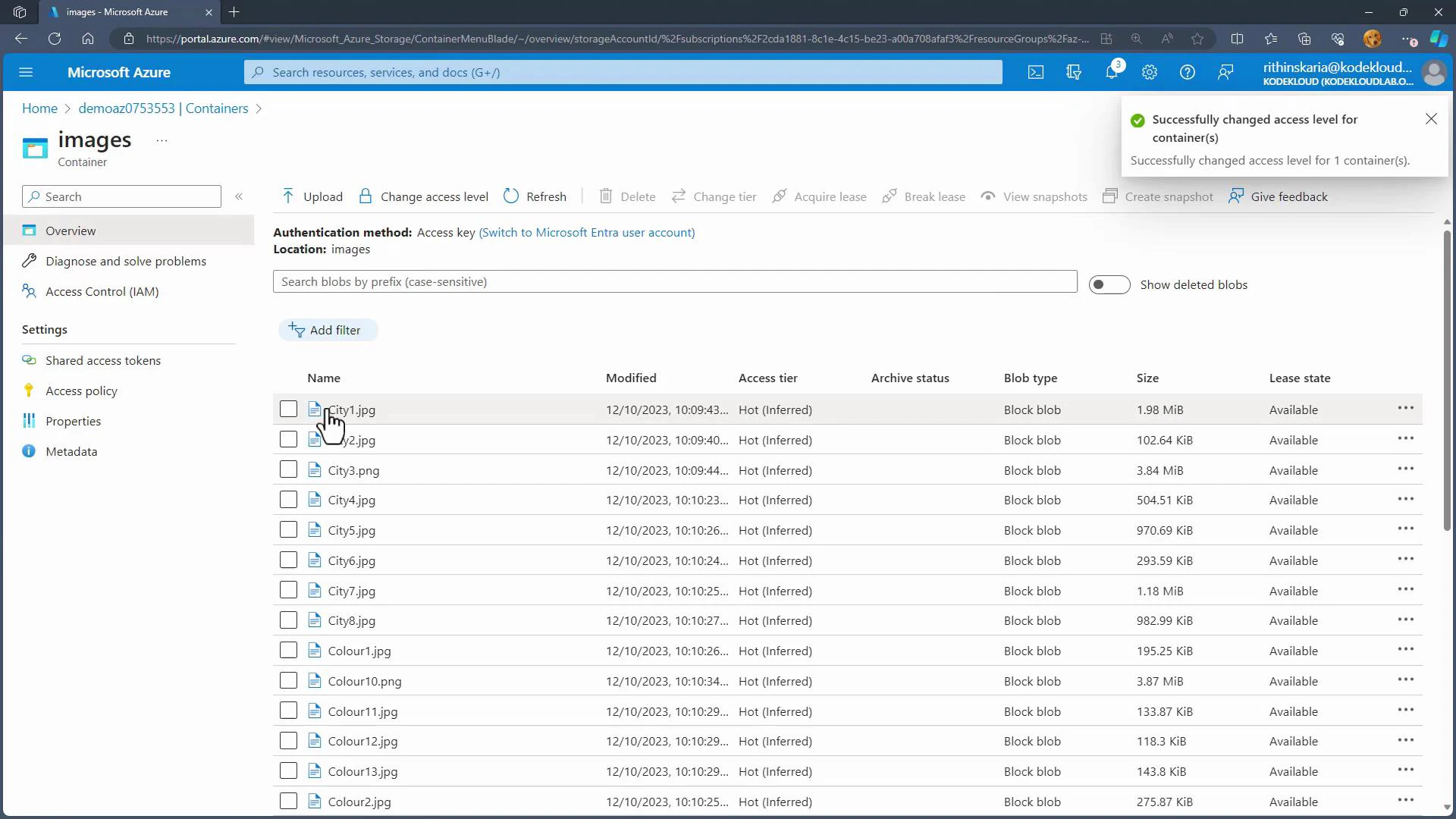
- Change container access level
- To avoid public exposure, set the container to Private and use SAS for controlled access. In the Azure portal you can also allow anonymous public access (Blob or Container) if that is explicitly required.
-
Generate a SAS token from the storage account
- In the Azure portal: Storage account -> Security + networking -> Shared access signature.
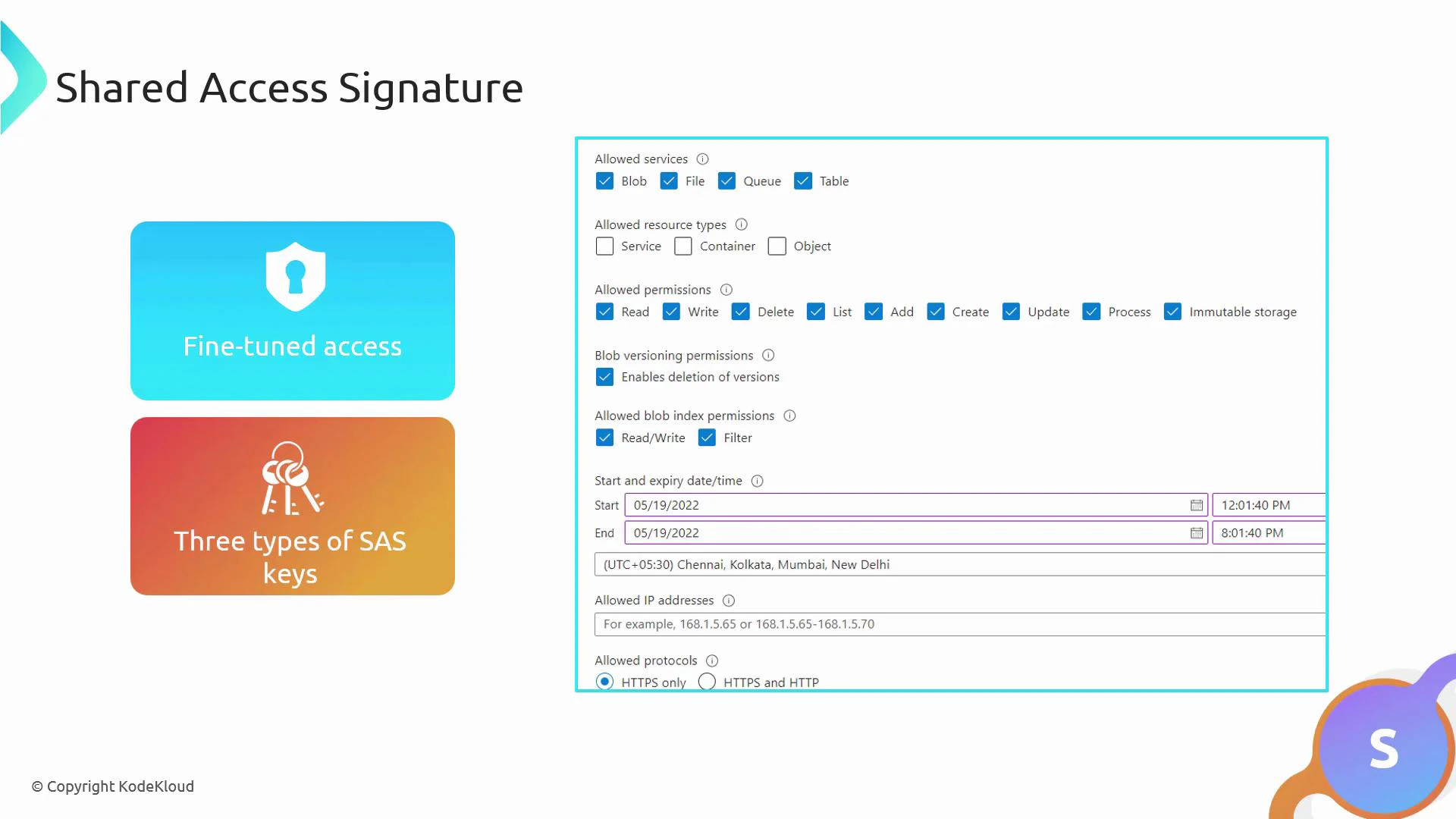
- Select services (e.g., Blob), resource types (service/container/object), and permissions (Read, Write, etc.).
- Configure start and expiry times, optional allowed IP ranges, and allowed protocols (HTTPS recommended).
- Choose the signing key (Key1 or Key2) to sign the SAS token. The portal will display the generated SAS token and the full URL(s) for access.
- For improved security and key-rotation resilience, prefer user-delegated SAS with Azure AD when possible.
-
Use the SAS URL
- Append the SAS token to the blob or container URL and access it from a browser or client. The SAS enforces exactly the permissions and constraints you specified.
- Key rotation impact: If you regenerate an account access key (Key1 or Key2), any SAS tokens that were signed with that key become invalid.
Regenerating an account key will invalidate SAS tokens signed with that key. User-delegated SAS tokens (issued via Azure AD) are not affected by account key regeneration. Plan key rotation carefully to avoid service interruptions.
- Security best practices:
- Use the least privilege: grant only the necessary permissions and the shortest practical time window.
- Restrict allowed IP ranges when possible.
- Use HTTPS-only (spr=https) to protect tokens in transit.
- Prefer user-delegated SAS (Azure AD) for enterprise scenarios and better lifecycle management.
- Monitor and log SAS usage using Azure Storage analytics and diagnostic logs.
- Azure SAS provides flexible, time-bound access to storage without exposing account keys.
- Choose the SAS type that fits your scenario: Service SAS for resource-level access, Account SAS for cross-service scenarios, or User-delegated SAS for Azure AD-based delegation.
- Configure permissions, duration, IP ranges, and protocols carefully to minimize risk.
- Remember: regenerating account keys invalidates SAS tokens signed by those keys; user-delegated SAS follows Azure AD lifecycle rules.