

Edition overview
- Premium P2 — The most comprehensive Entra ID plan. It includes everything in lower tiers plus advanced identity protection and governance. P2 provides Privileged Identity Management (PIM) for securing and managing privileged accounts, and tools to detect and remediate identity risks across users and sign-ins.
- Premium P1 — A strong enterprise baseline that adds Conditional Access, multifactor authentication (MFA), and advanced group management. P1 helps enforce access policies and require additional verification for sign-ins. Note: risk-based adaptive policies that evaluate user and sign-in risk depend on Identity Protection capabilities found in higher tiers.
- Microsoft Entra ID Governance (Governance edition) — A focused offering for identity lifecycle and governance. It delivers entitlement management, automated provisioning for users and groups, regular access reviews, and other lifecycle controls that complement privileged access features such as PIM.
- Free — Provides foundational capabilities for small organizations: self-service account management (password reset and profile updates), basic single sign-on (SSO) for core cloud apps, and essential identity and access management.
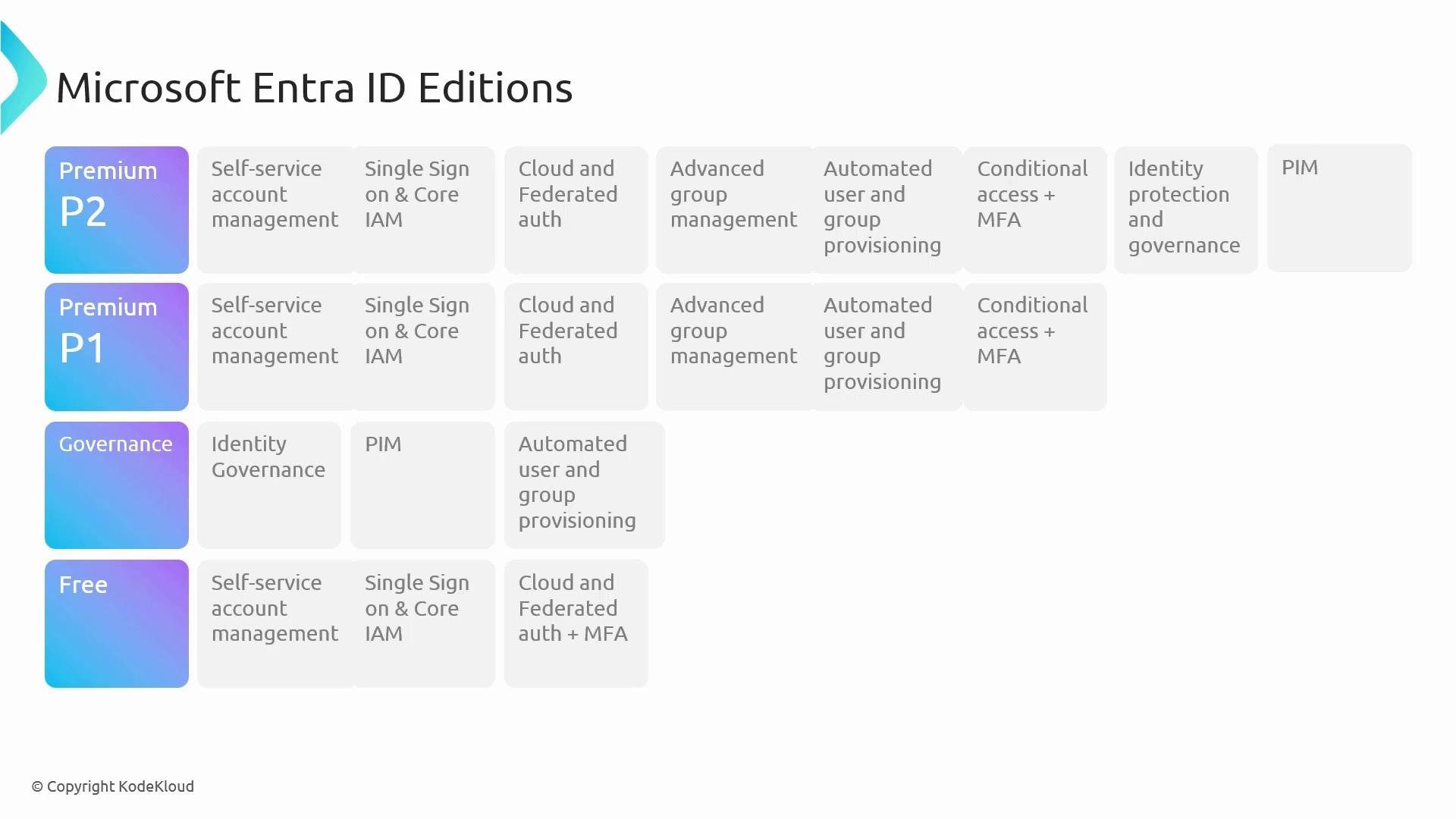
How the editions relate
Each higher edition builds on the lower ones to deliver progressively stronger security, management, and governance controls. When choosing a license, evaluate:- Compliance and audit requirements (Do you need formal access reviews, entitlement management, or separation of duties?)
- Risk posture and threat detection needs (Do you require identity protection and risk-based adaptive access?)
- Lifecycle automation (Do you need automated provisioning and entitlement workflows?)
- Privileged access controls (Do you require PIM and advanced privileged access governance?)
Always consult the official Microsoft Entra plans and pricing documentation for the most up-to-date feature lists and licensing options. Product capabilities and licensing names can change over time, and the documentation provides the definitive breakdown of what each license includes.
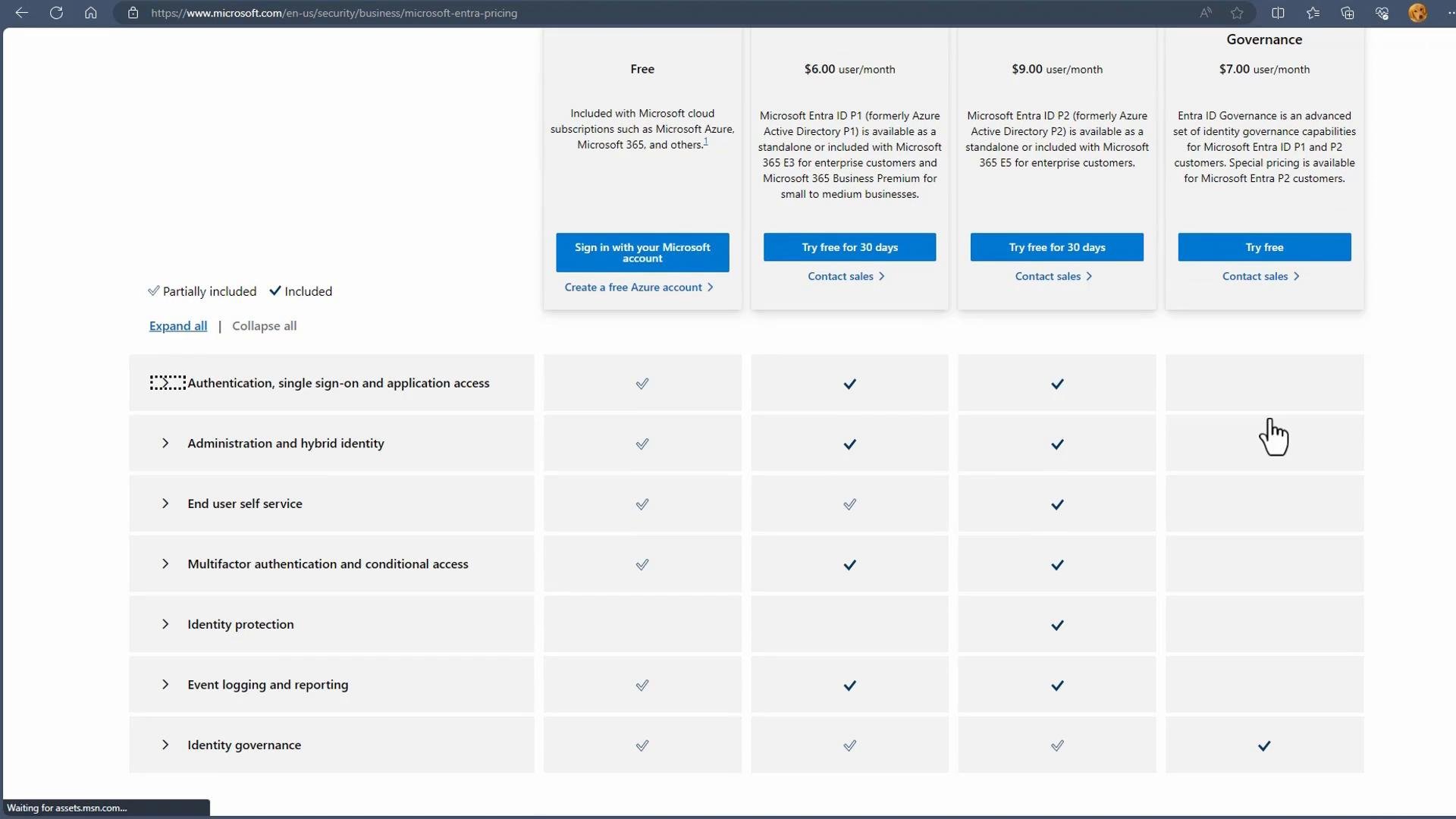
Quick comparison table
Related Entra products
Microsoft is expanding the Entra portfolio; these products address specific identity and permissions scenarios:- Entra Verified ID — Decentralized identity and verifiable credentials.
- Entra Permissions Management — Permissions visibility and governance for cloud resources.
- Entra Workload ID — Identity and authentication for workloads and applications.
Links and references
- Microsoft Entra ID licensing and pricing: https://learn.microsoft.com/azure/active-directory/enterprise-users/licensing-overview
- Microsoft Entra product pages: https://www.microsoft.com/security/business/identity