

Replication options overview
Locally Redundant Storage (LRS)
When you write data to an LRS storage account, Azure stores three copies of that data within a single data center. These copies are placed across independent fault domains — physical hardware groups with separate power, cooling, and networking — so a hardware or drive failure in one fault domain is tolerated automatically. LRS is the most cost-effective option, but because replication is confined to one data center, it does not protect against a complete data-center outage. Key points:- 3 copies within the same data center.
- Protects against local hardware failures.
- Lowest cost, limited to single-data-center durability.
Zone-Redundant Storage (ZRS)
ZRS replicates data across multiple availability zones within the same Azure region. Availability zones are physically separated, each with independent power and network infrastructure. Azure writes copies across three zones so that if one zone becomes unavailable, the remaining zones can serve data. ZRS protects against data-center (zone) failures but not region-wide outages.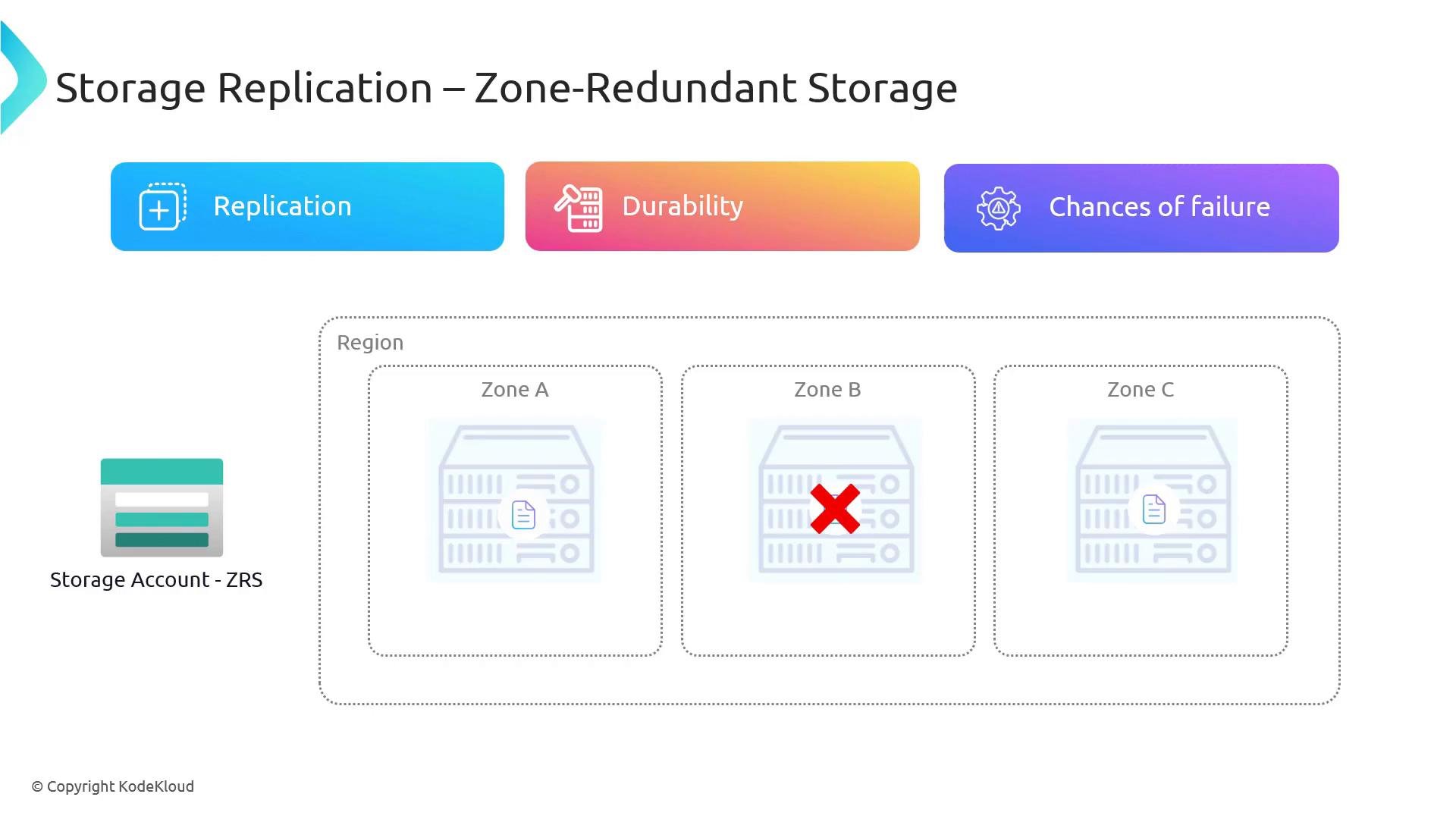
Geo-Redundant Storage (GRS)
GRS protects against a complete region outage by asynchronously replicating data from the primary region to a paired secondary region. How GRS works:- Azure keeps three copies in the primary region (LRS within the primary).
- Changes are asynchronously replicated to the paired secondary region, where three copies are stored.
- The secondary is a disaster-recovery target and is normally read-only until a failover is performed.
- Replication to the secondary is asynchronous — there can be a replication lag.
- The secondary region is typically read-only and becomes writable only after a failover.
- Failover can be initiated by Microsoft during a region-wide outage or by the customer for planned/emergency operations.
- During a primary-region outage, if your app must continue to accept writes, you need an application-level strategy (for example, buffering writes in a queue or switching to a separate writeable storage account) because the secondary is read-only unless you fail over.
Read-Access Geo-Redundant Storage (RA-GRS)
RA-GRS provides the same replication topology as GRS, but the secondary region is available for read operations even while the primary remains online. This is useful for read-heavy scenarios that can tolerate slightly stale data or for disaster recovery testing.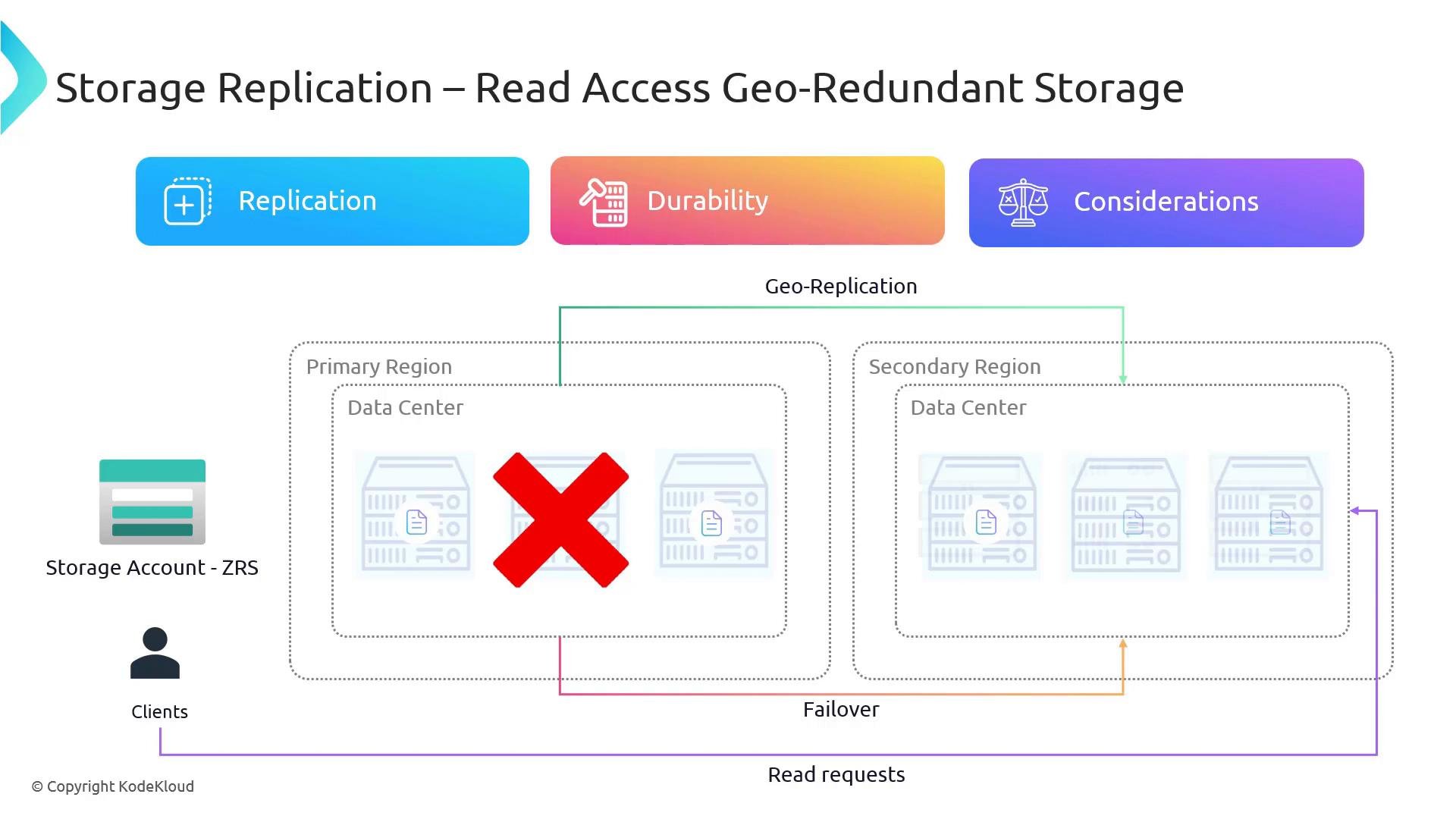
Geo-Zone-Redundant Storage (GZRS) and RA-GZRS
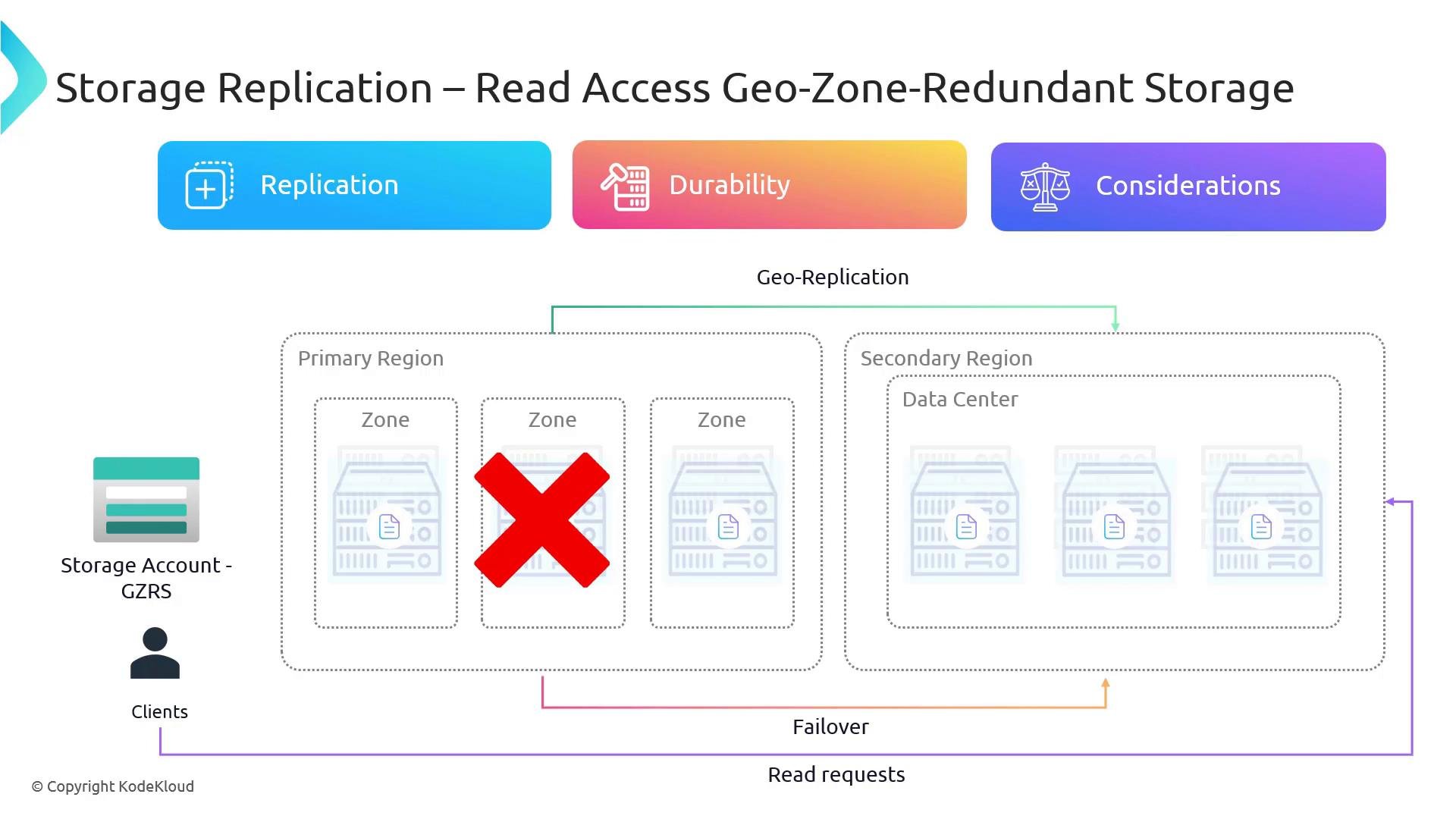
GZRS combines zone redundancy in the primary region with geo-replication to a secondary region. Functionally, think of it as ZRS in the primary region plus async geo-replication to a secondary region that stores three copies.- GZRS: secondary becomes available only after a failover (like GRS).
- RA-GZRS: secondary is readable even without a failover (like RA-GRS).
Choosing where reads go
Storage SDKs and client libraries typically provide settings to control read routing:- Read from primary endpoint only
- Read from secondary endpoint where available (RA-GRS / RA-GZRS)
- Use a preference/fallback list (primary preferred, secondary fallback)
Portal: creating and configuring a storage account
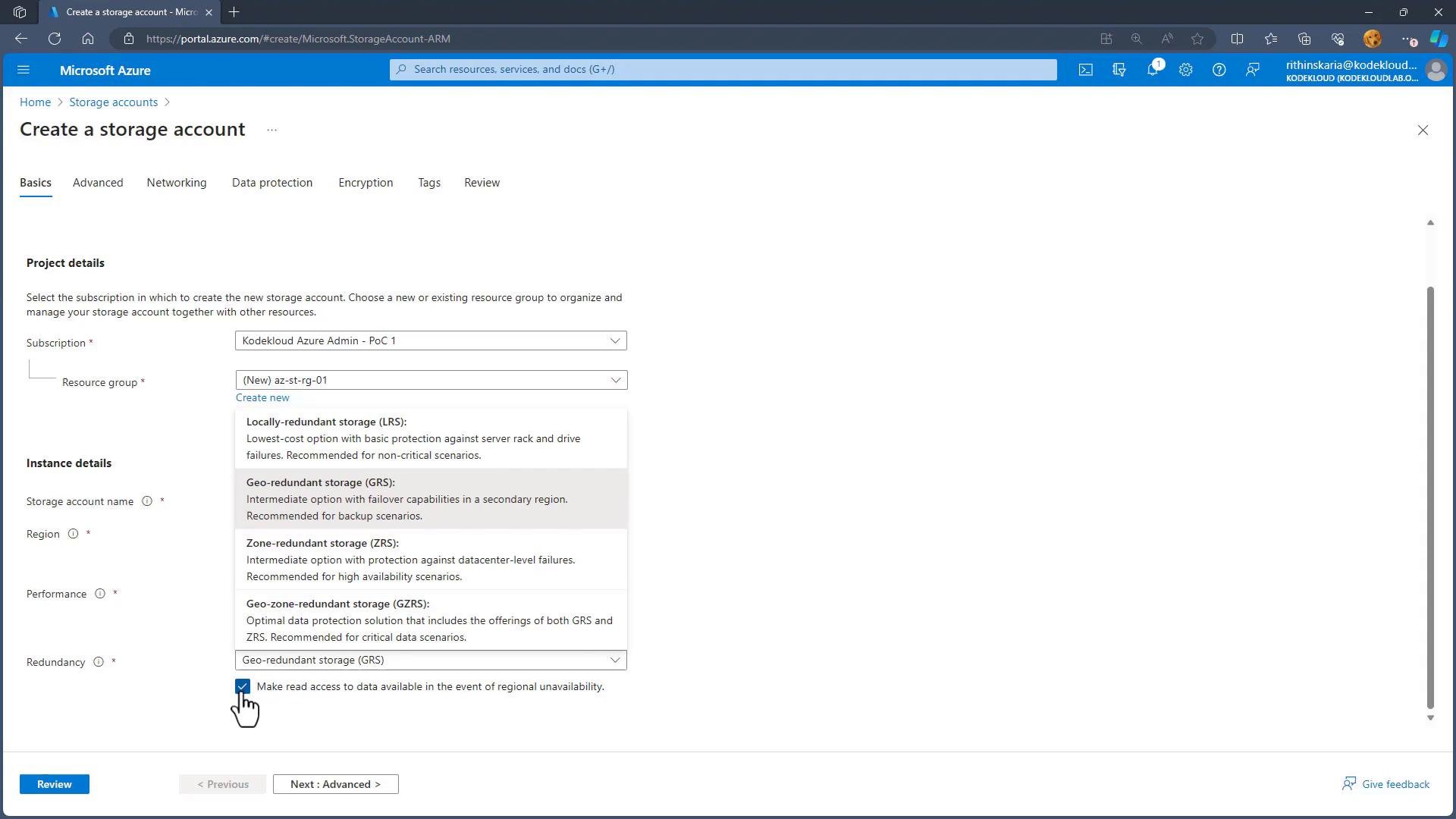
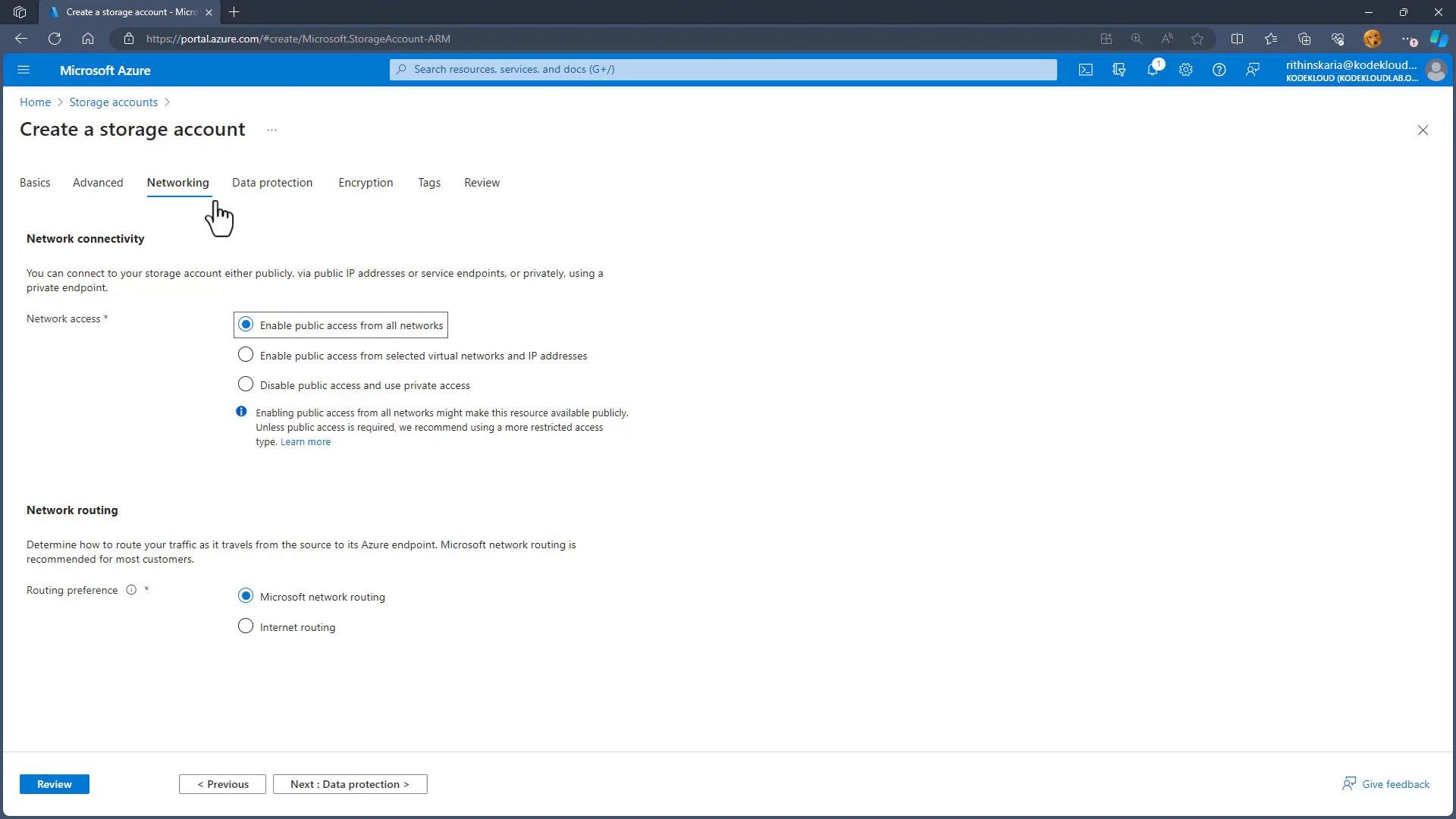
You select the redundancy option during storage account creation in the Azure portal. Keep in mind the naming constraints for storage accounts: names must be globally unique and use only lowercase letters and numbers, between3 and 24 characters.
Storage account names must be globally unique and follow naming rules (3–24 characters, lowercase letters and numbers). Plan your naming convention ahead of time to avoid conflicts.
- Subscription and resource group
- Storage account name (global uniqueness required)
- Region
- Performance tier (Standard/HDD or Premium/SSD)
- Redundancy option (LRS, ZRS, GRS, GZRS, RA-GRS, RA-GZRS)
- Networking and other advanced settings
Changing redundancy after creation
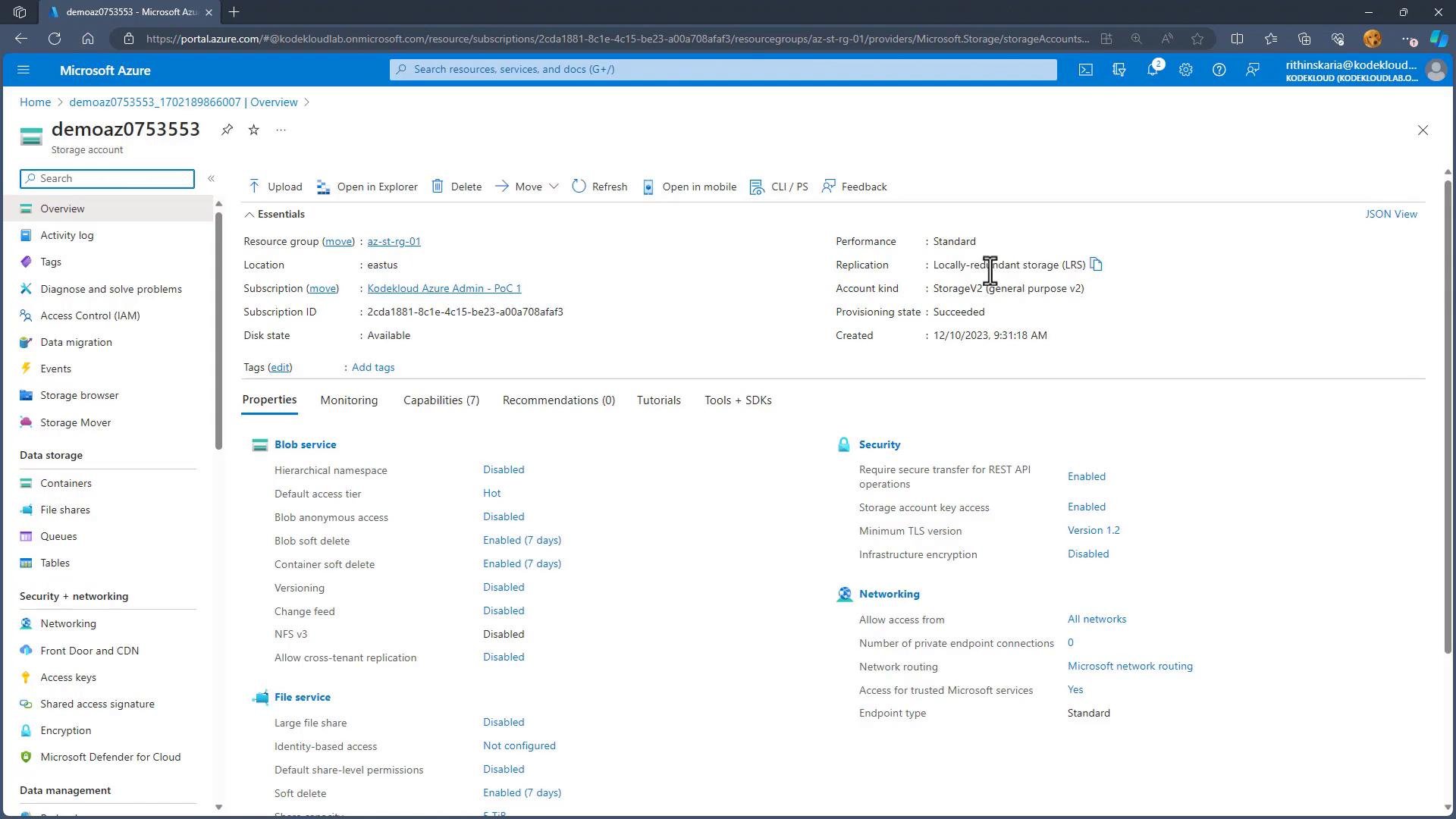
You can change the replication option from the storage account’s settings, subject to supported upgrade/downgrade paths and Azure constraints. Before changing redundancy:- Review the supported migration paths in Azure documentation.
- Consider cost, durability, latency, and failover behavior.
- Test read patterns if switching to or from read-access variants.
Quick decision guide
- Choose LRS when cost-sensitivity is primary and protection against local hardware failures is sufficient.
- Choose ZRS when you need protection from zone outages within a region.
- Choose GRS or RA-GRS when you need protection from region-wide disasters; use RA-GRS if you want read access to the secondary.
- Choose GZRS or RA-GZRS for the strongest protection in the primary region (zone-level resilience) plus geo-failover capability.
Links and references
- Azure Storage redundancy documentation: https://learn.microsoft.com/azure/storage/common/storage-redundancy
- Azure regions and availability zones: https://learn.microsoft.com/azure/availability-zones
- Azure Storage account naming rules: https://learn.microsoft.com/azure/storage/common/storage-account-overview