

- Network failures, power outages, or host hardware problems.
- Software bugs or misconfigurations.
- Planned maintenance (host updates or patching).
Availability set
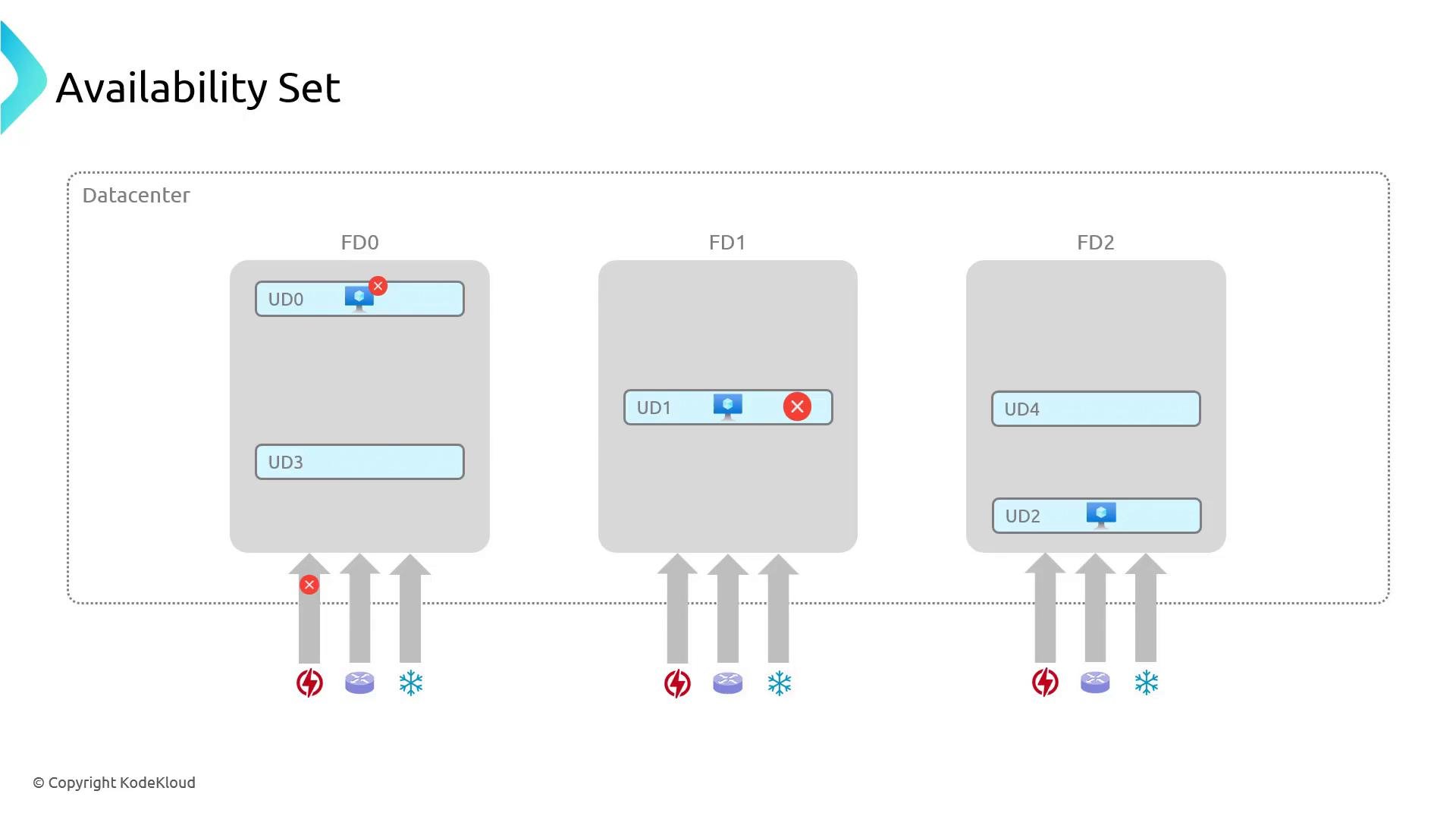
An availability set is a logical grouping that instructs Azure how your application is deployed so it can provide redundancy. Availability sets use two key concepts:- Fault domain (FD): a physical isolation boundary (similar to a rack). Different fault domains do not share the same power or network switches. If one fault domain experiences a hardware failure, VMs in other fault domains continue to run.
- Update domain (UD): a logical grouping used during platform updates and reboots. Azure updates one UD at a time so not all instances are rebooted simultaneously.
- If you deploy three VMs to an availability set, Azure distributes them across available FDs and UDs (for example, FD0/UD0, FD1/UD1, FD2/UD2). If FD0 loses power, VMs in FD1 and FD2 continue serving traffic. If Microsoft updates UD1, VMs in UD0 and UD2 remain available while UD1 is updated.
- Update domains: up to 20 (default varies by resource type).
- Fault domains: typically up to 3 in a classic availability set; edge cases and region-specific limits may vary.
- Spread at least two VMs across different fault domains to avoid a single point of hardware failure.
- Use a load balancer in front of the VMs to route traffic to healthy instances.
Creating an availability set and deploying VMs (portal)
You can create an availability set before or while provisioning VMs. Steps (portal):- In the Azure portal, start creating a new VM.
- Under Availability options choose “Availability set”.
- Select an existing availability set or create a new one.
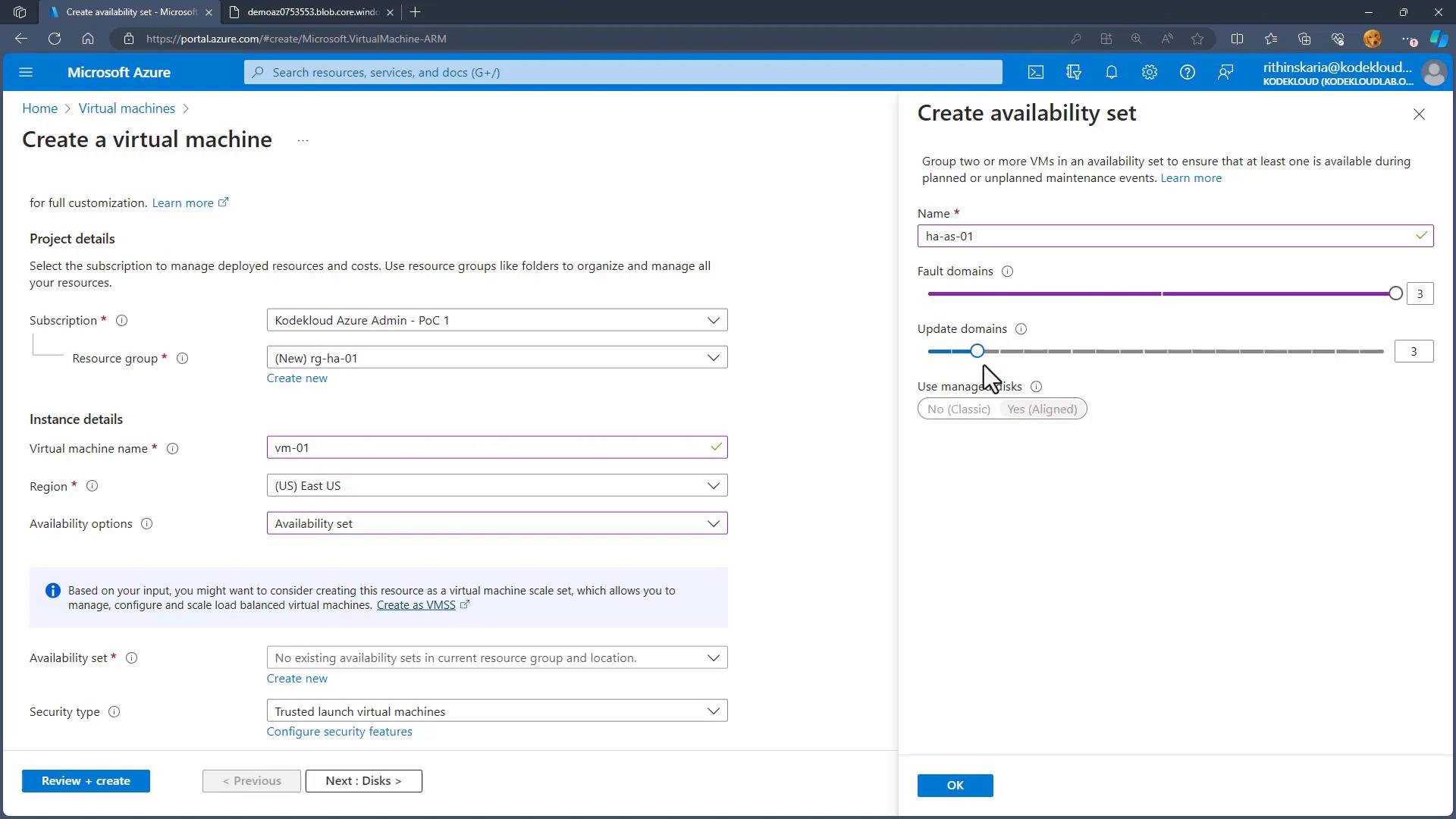
- When creating the availability set, configure the number of fault domains and update domains (for example, 3 FDs and 3 UDs).
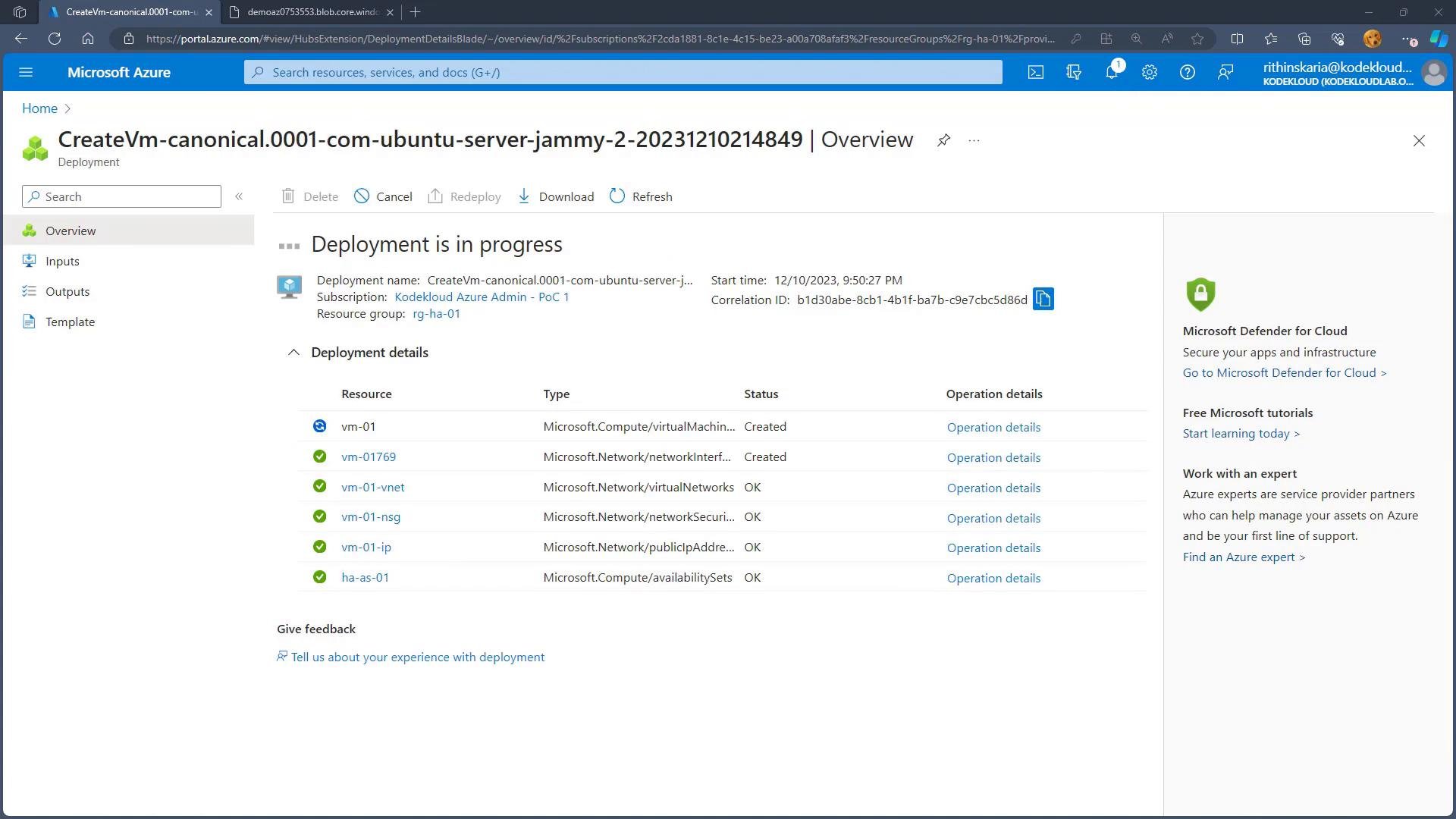
- Finish VM provisioning; Azure will distribute VMs across the configured FDs and UDs.
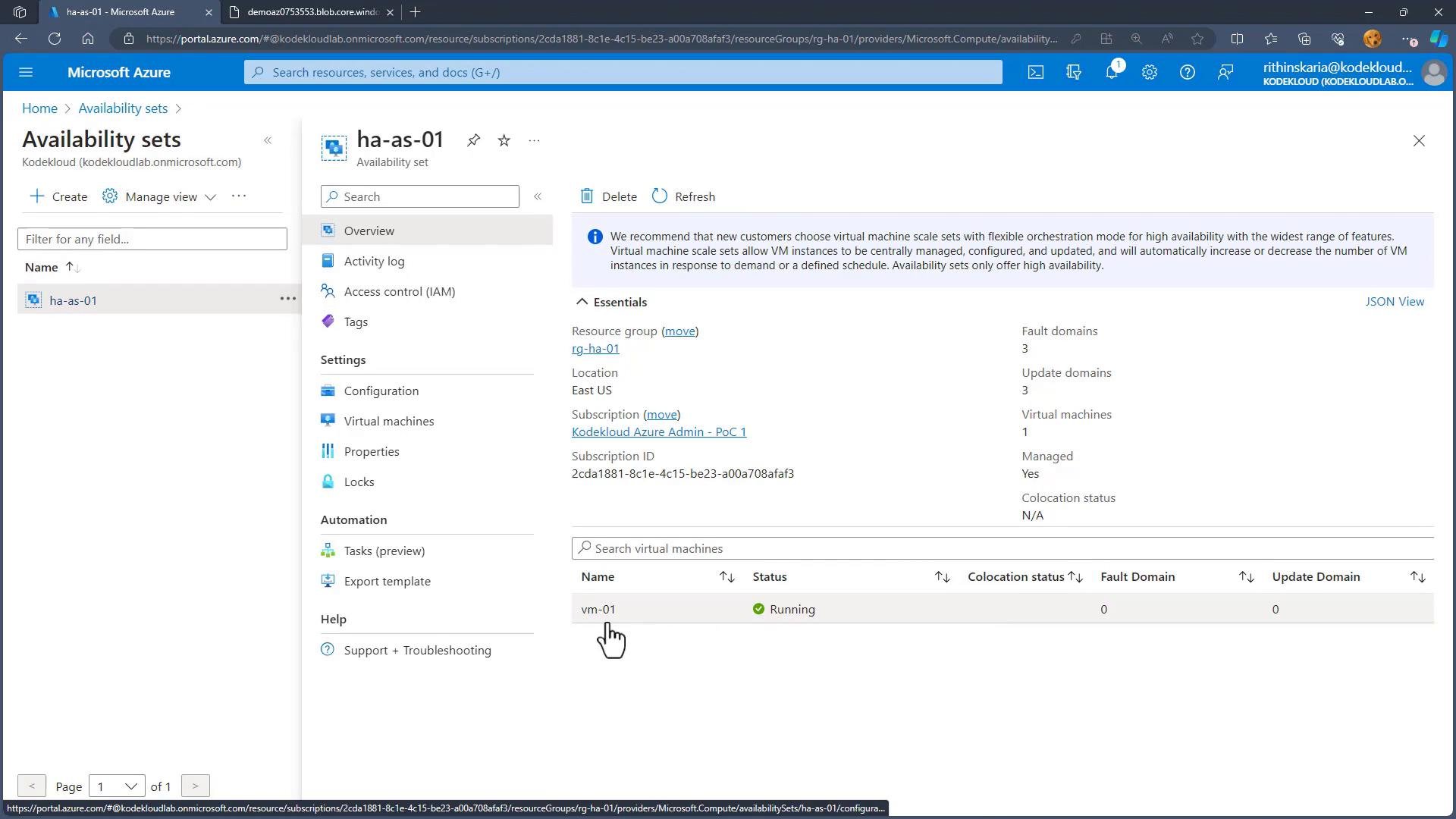
- The first VM added to an availability set is typically placed in
FD0/UD0. Subsequent VMs are placed in different combinations to maximize isolation. - After deployment you can inspect the availability set to see which FD/UD each VM occupies and verify distribution.
Availability zones
Availability sets protect against rack-level failures and host updates within a single datacenter or fault boundary. To guard against datacenter-level outages (for example, a serious power outage or natural disaster), use availability zones. Availability zones are physically separate locations within an Azure region. Each zone has independent power, networking, and cooling. Most regions provide three zones.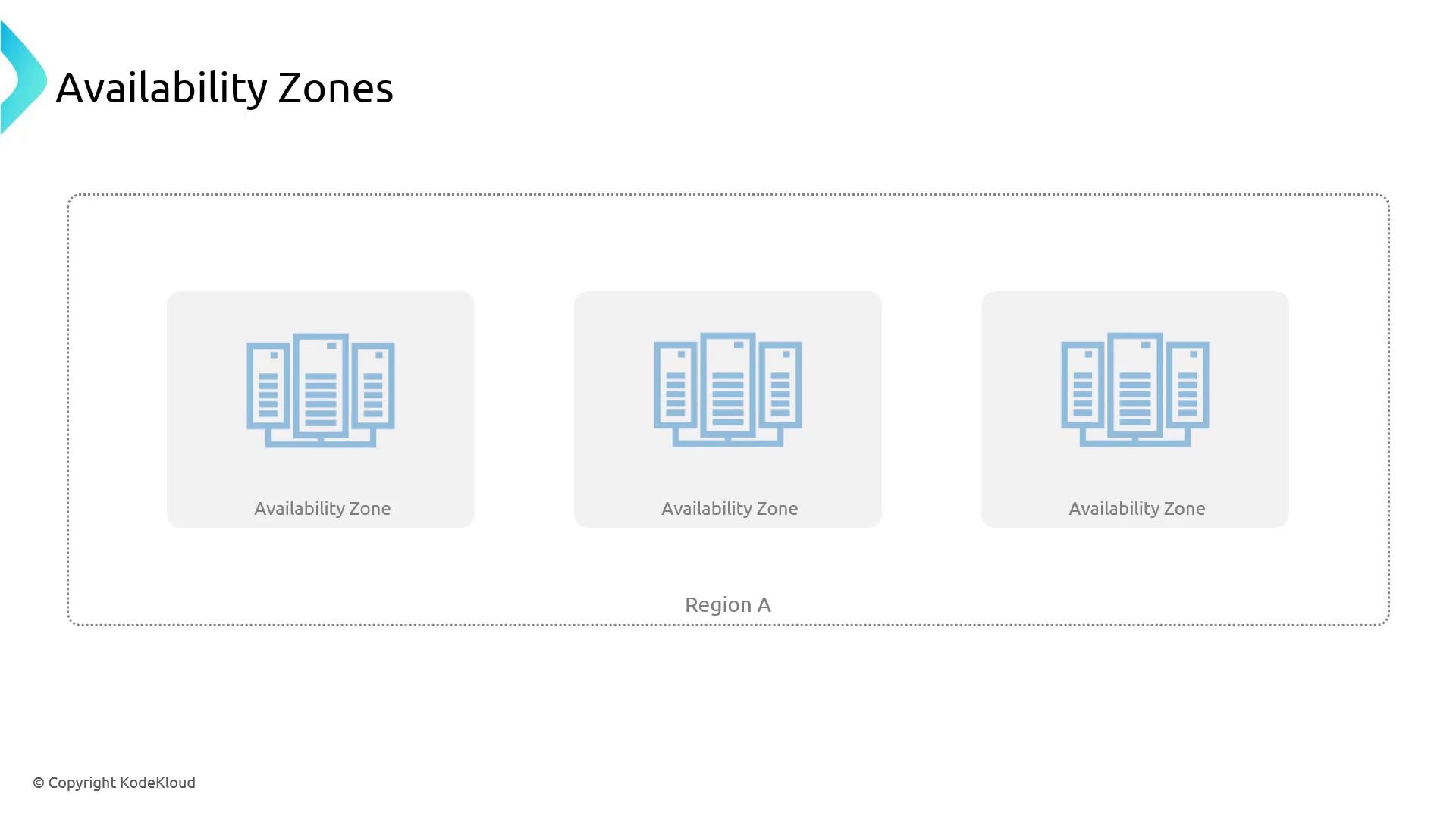
Deploying VMs across availability zones (portal)
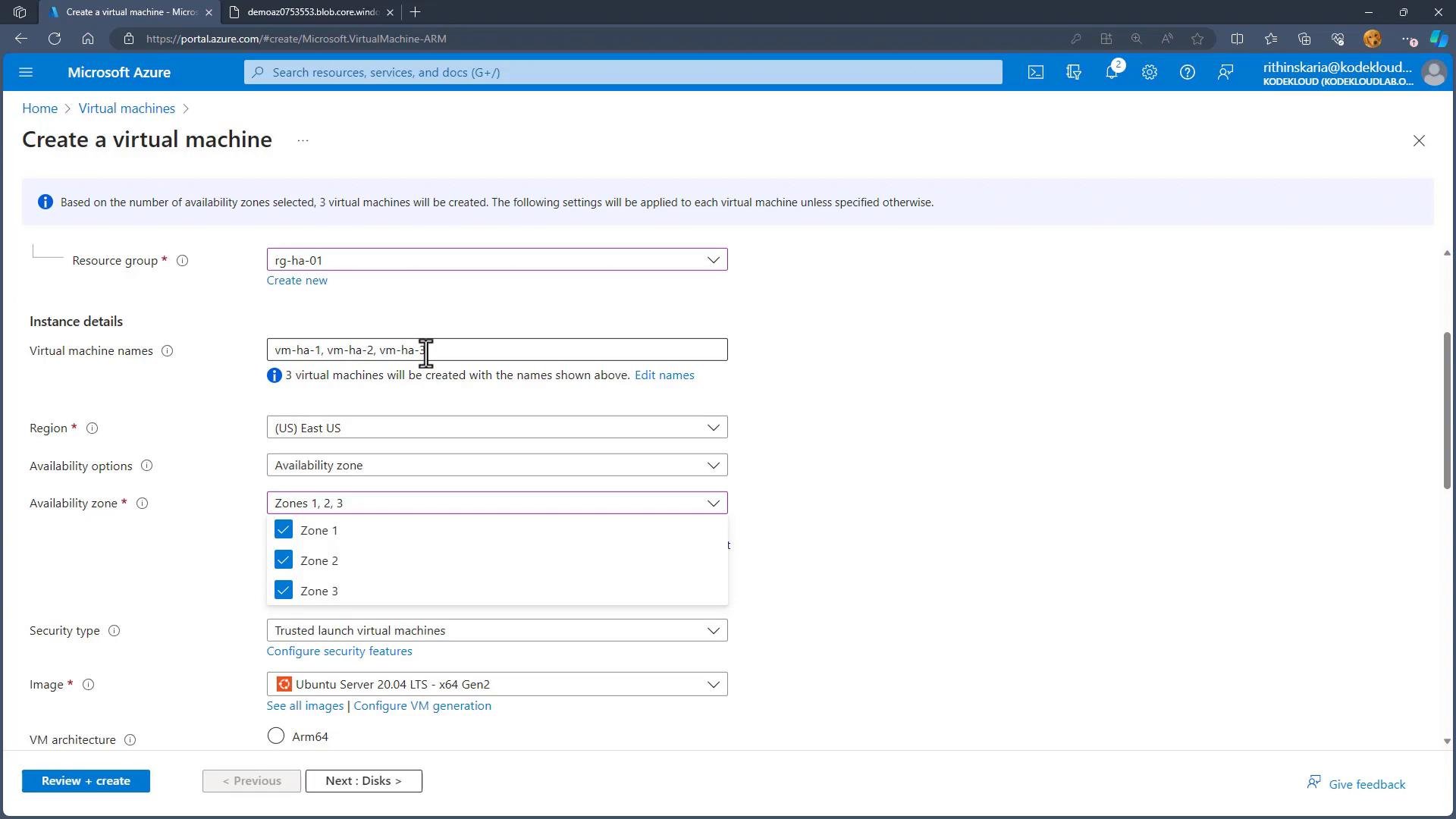
When creating a VM:- Under Availability options choose “Availability zones”.
- Select the target zone(s) in the region (for example, Zone 1, Zone 2, Zone 3).
- Create individual VMs per zone or use zone-aware Virtual Machine Scale Sets (VMSS) to span zones automatically.
- Place a zone-redundant load balancer or Traffic Manager in front of your VMs so traffic fails over to healthy zones.
Comparison: Availability set vs. Availability zones
Best practices
- Combine platform redundancy with application-level redundancy (stateless app instances, session management, databases with geo-replication).
- Use an Azure Load Balancer or Application Gateway to distribute traffic across instances in sets or zones.
- For critical workloads, prefer zone-redundant designs or pair zones with zone-redundant services.
- Test failover scenarios periodically to validate your application’s behavior under failure conditions.
- Monitor resource placement (FD/UD, zone) after deployment to ensure expected distribution.
Summary
- Availability sets provide isolation inside a datacenter using fault domains and update domains to minimize impact from hardware failures and orchestrated updates.
- Availability zones provide isolation across physically separate datacenters in a region to protect against zone-level outages.
- Use load balancers, zone-aware VM scale sets, and zone-redundant services to build resilient systems.
Availability sets provide isolation within a datacenter (via fault and update domains); availability zones provide isolation across datacenters within a region. Choose the option that matches the level of redundancy your application requires.
Links and references
- Microsoft Azure — Availability sets: https://learn.microsoft.com/azure/virtual-machines/availability
- Microsoft Azure — Availability zones: https://learn.microsoft.com/azure/availability-zones
- Azure Virtual Machine Scale Sets: https://learn.microsoft.com/azure/virtual-machine-scale-sets
- Azure Load Balancer documentation: https://learn.microsoft.com/azure/load-balancer