

What is Azure Backup Center?
Azure Backup Center is a centralized management plane focused on a data-source-centric model. Rather than managing individual vaults, administrators operate against data sources (VMs, databases, file shares), enabling consistent policy application, targeted reporting, and simplified operations at scale. Key capabilities:- Centralized inventory and monitoring of backup instances and jobs.
- Policy-based management for retention and protection schedules.
- Role-based access and governance controls across subscriptions.
- Native integrations with other Azure services to automate and scale backups.
- Granular reporting and compliance visibility for audits.
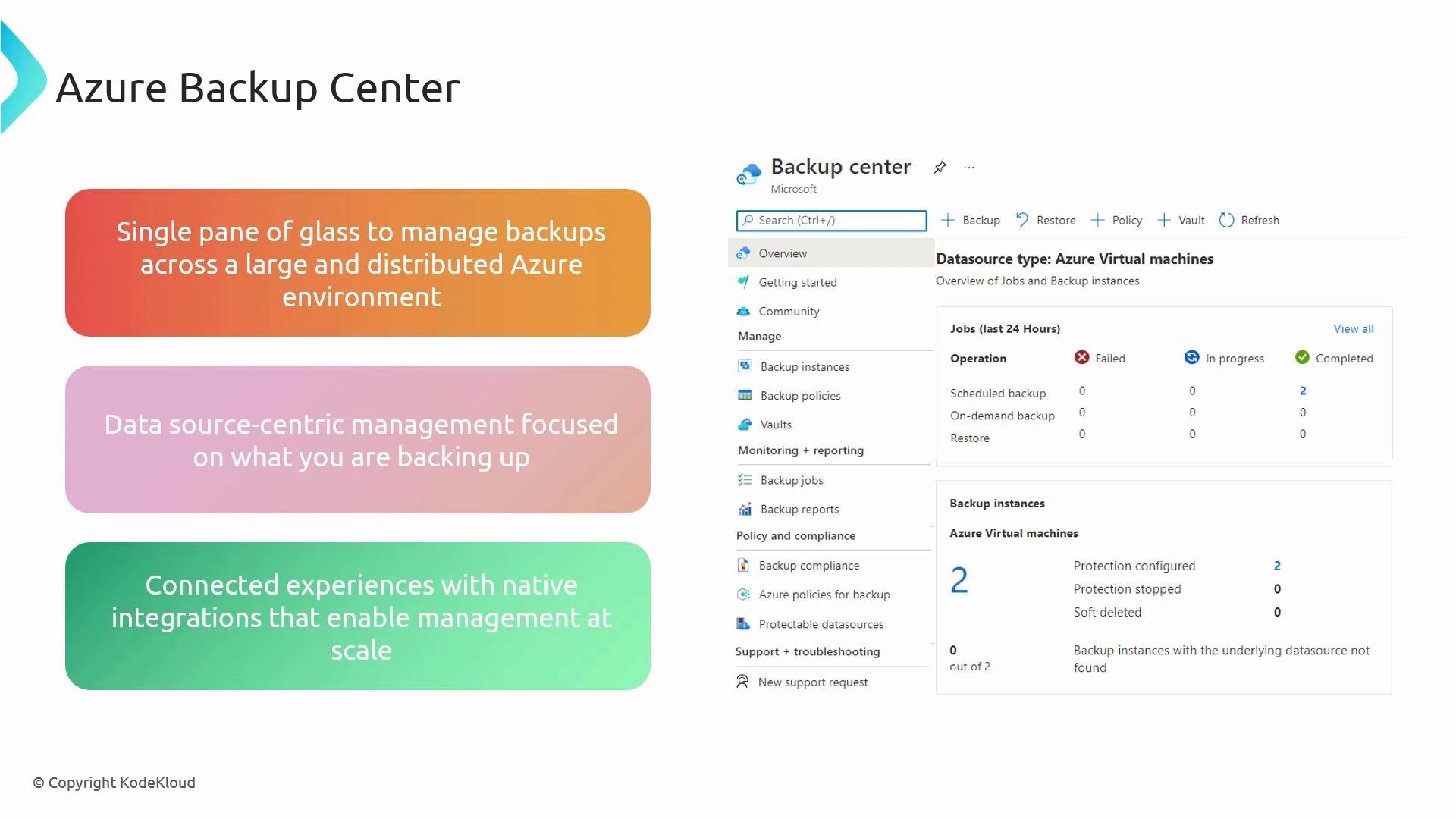
How it works: data-source-centric management
Azure Backup Center shifts the management perspective from vaults to the data being protected:- Inventory: Discover and list all protected instances across subscriptions.
- Policies: Define protection policies per data source type and apply them consistently.
- Jobs & Monitoring: Track backup and restore jobs centrally, with filtering and aggregated health views.
- Recovery: Initiate restores and view point-in-time recovery options directly from the centralized console.
Supported data sources and use cases
Integrations and automation
Azure Backup Center integrates natively with:- Azure Policy and role-based access control (RBAC) for governance.
- Azure Monitor and Log Analytics for alerting and detailed telemetry.
- Automation tools (Azure Automation, Logic Apps, Functions) for scheduled management and remediations.
Azure Backup Center is free to use as a management experience in the Azure portal. Backup storage, protected instances, and data transfer are billed separately; see Azure Backup pricing for details.
Benefits
- Simplified operations: manage backup inventory, jobs, and recoveries from one place.
- Consistent policy enforcement: apply standardized protection across environments.
- Improved visibility: centralized dashboards and reports for auditing and compliance.
- Scalability: design policies and automations to cover large, distributed estates.
Getting started / next steps
If you open Backup Center before configuring any backups, the workspace will appear empty. A recommended workflow:- Configure demo or production backups for file-and-folder and VM scenarios.
- Return to Backup Center to explore inventory, jobs, alerts, and recovery options.
- Create and apply protection policies to your data sources.
- Integrate with Azure Monitor and set up alerts for failed jobs or policy non-compliance.
Links and references
- Azure Backup Center (Azure portal): https://portal.azure.com
- Azure Backup pricing: https://azure.microsoft.com/en-us/pricing/details/backup/
- Azure Backup documentation: https://learn.microsoft.com/azure/backup