

- the operation performed,
- the caller who initiated it,
- the timestamp,
- the operation status and related metadata useful for auditing and troubleshooting.
Activity Log records control-plane events (actions against Azure resources). It does not capture guest OS, application, or diagnostic logs from inside VMs—those are collected via diagnostic settings and agents (for example, the Azure Monitor agent) and are separate from Activity Logs.
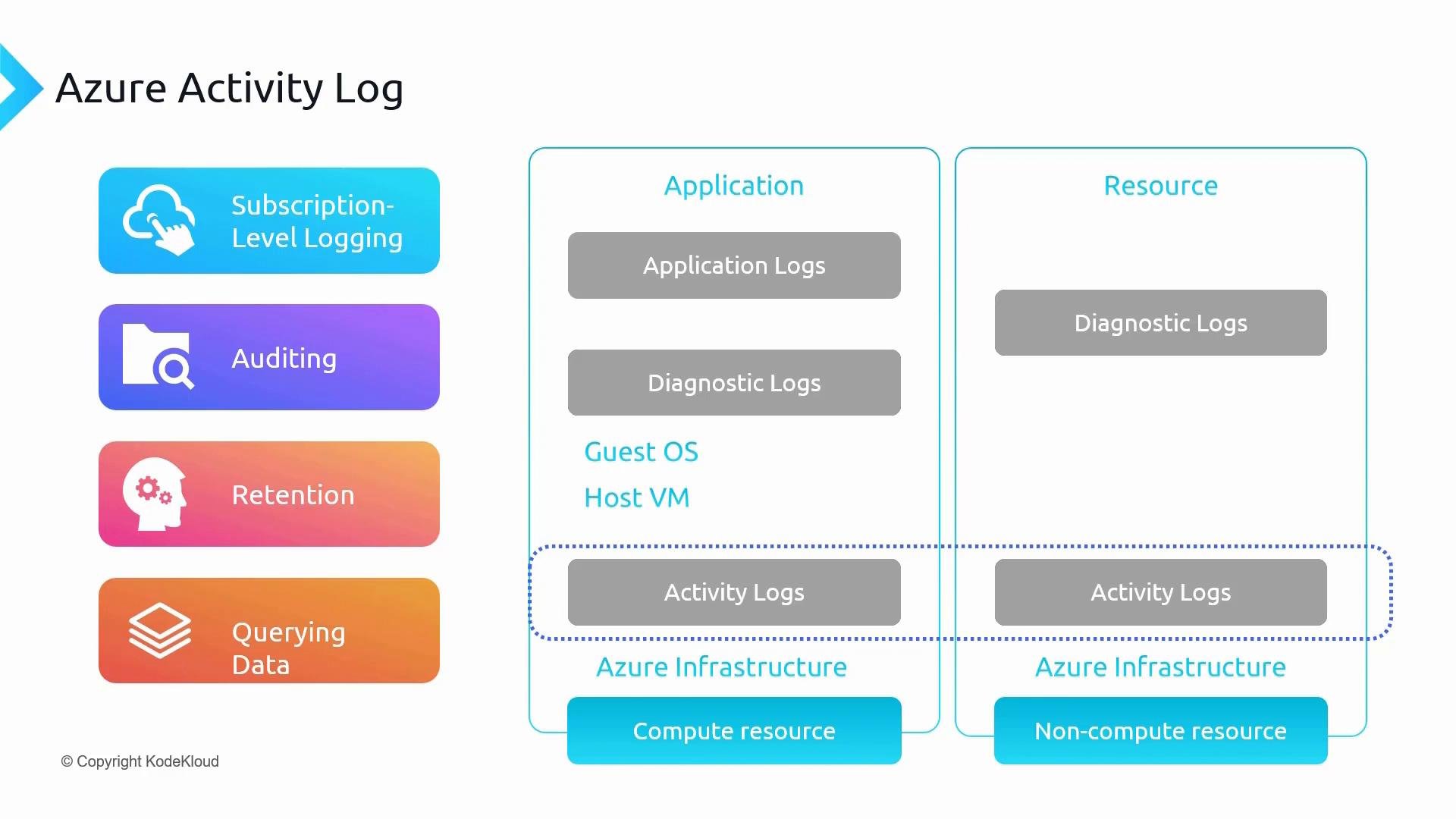
- Application logs — application or guest OS logs produced by your code or services.
- Diagnostic logs / guest metrics — host/VM and application diagnostics (often via agents or VM Insights).
- Activity Log — Azure control-plane operations executed through Resource Manager (resource creation, updates, deletes, policy evaluations, service health events).
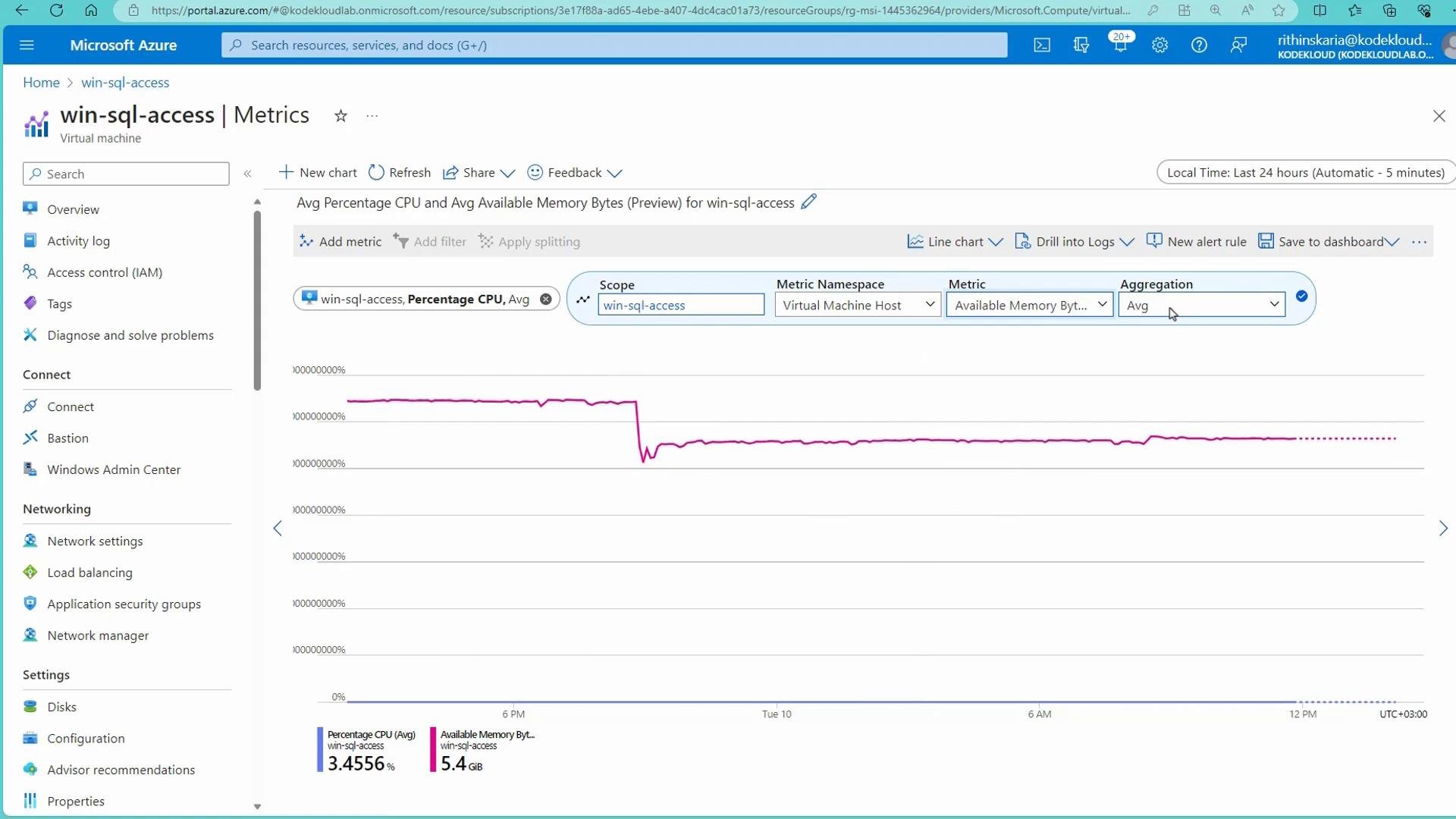
- Platform metrics for resources (for example, a VM’s CPU or network metrics) are available in the Azure portal blade for that resource under Monitoring > Metrics.
- Activity Log entries for a resource are available in the same resource blade under Activity Log.
- Some guest OS or application metrics (for example memory) require the Azure Monitor agent or VM Insights to be enabled before they appear in Metrics Explorer.
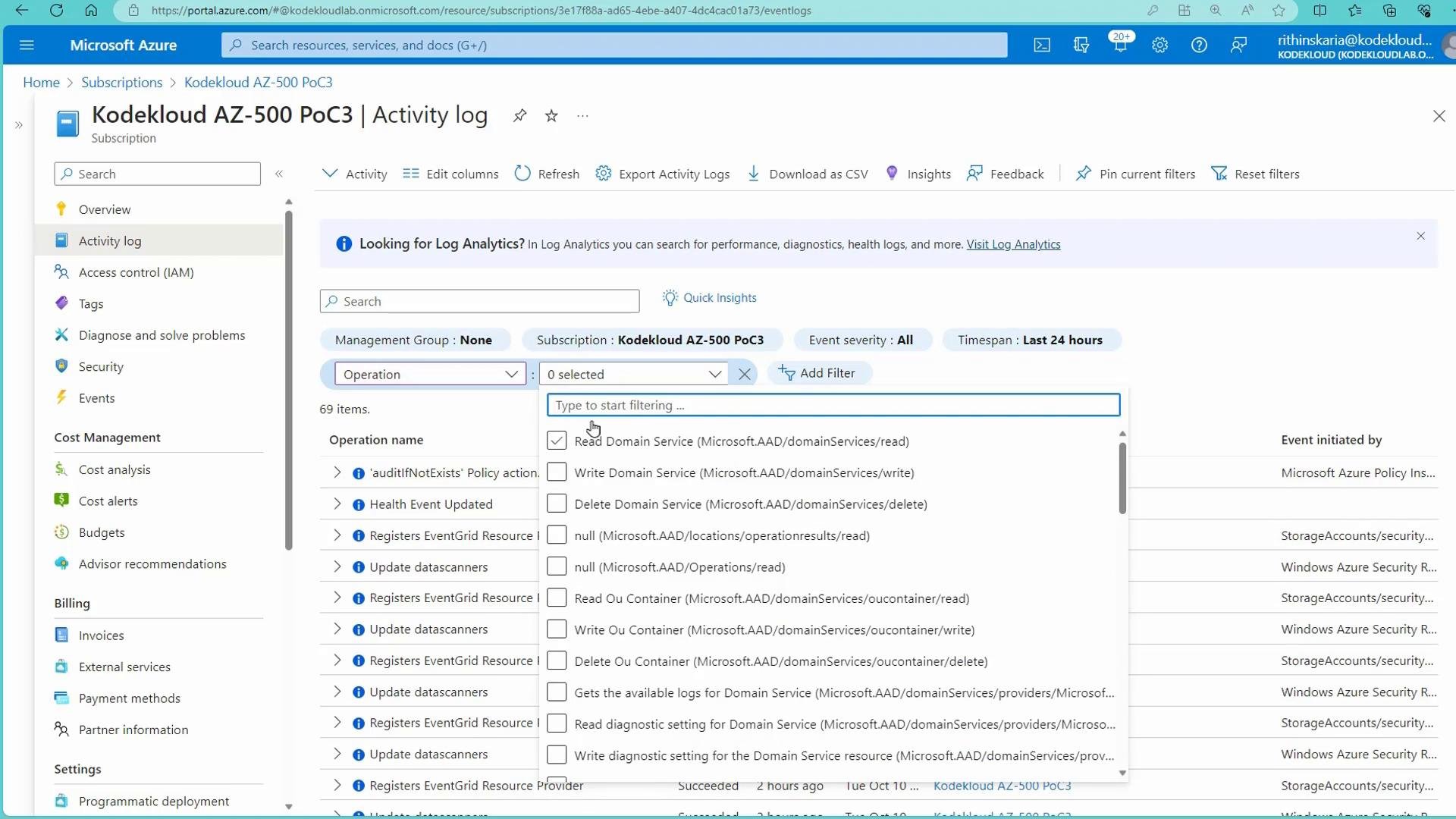
- Subscription
- Time range
- Severity
- Resource group / Resource
- Event initiated by (user or service principal)
- Operation name
- Event category
- Search keywords
Example: filter by Event category “Administrative” and then use “Event initiated by” to find actions by a specific user or service principal.
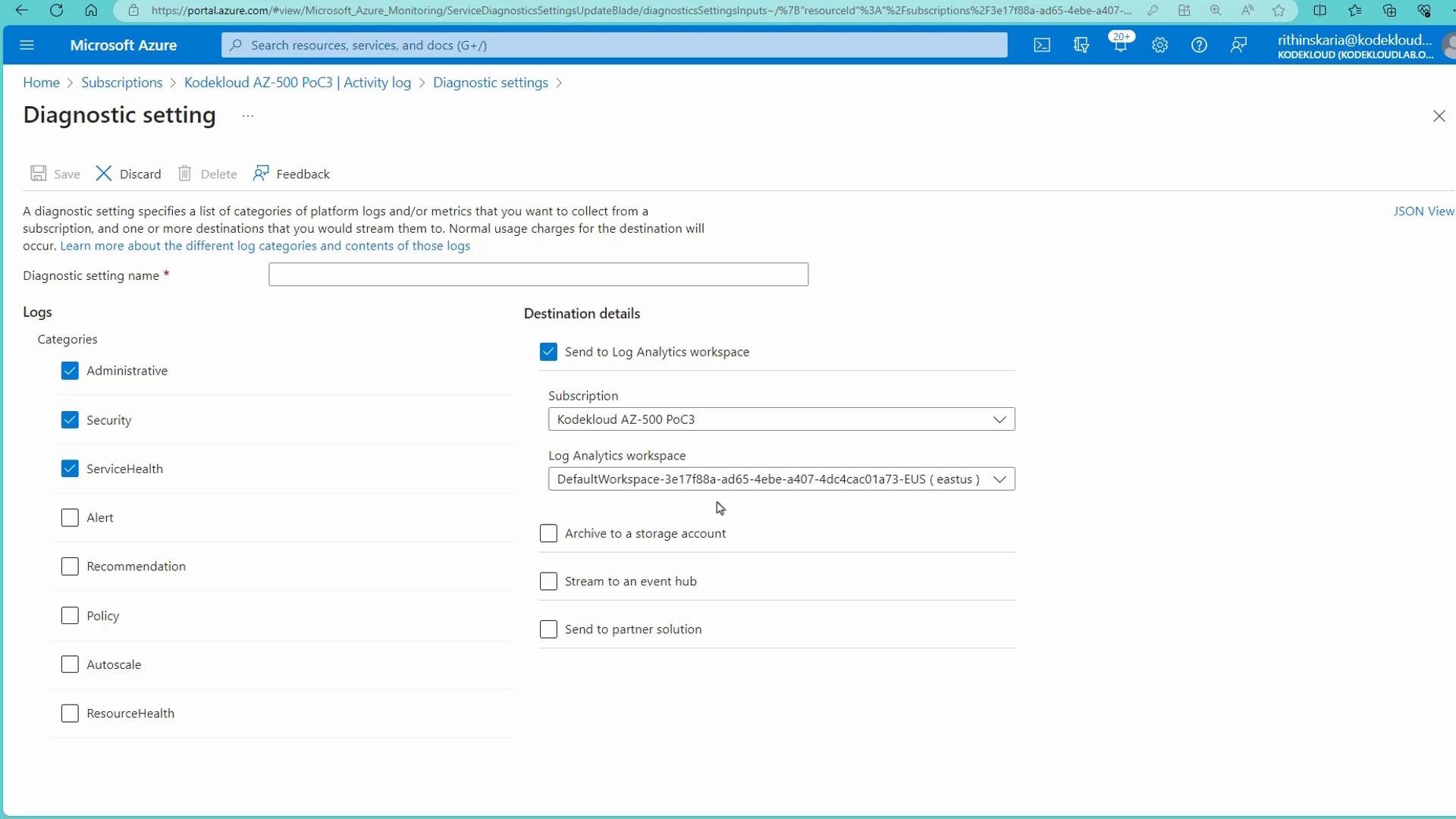
When you configure diagnostic settings for the Activity Log, you can choose which categories to export (Administrative, Security, ServiceHealth, etc.) and multiple destinations. Logs sent to a Log Analytics workspace adhere to that workspace’s retention policy.
- Short-term/quick checks: use the Activity Log blade and its filters in the Azure portal.
- Advanced or long-term analysis: export Activity Logs to a Log Analytics workspace and query with Kusto Query Language (KQL). Exported Activity Log records are typically stored in the
AzureActivitytable.
Microsoft.Insights/diagnosticSettings/* permissions) are required.
Retention and access considerations: the Activity Log default retention is 90 days. If you need longer retention for compliance, ensure you export logs to Storage or Log Analytics and verify access controls and retention policies for those destinations.
- Azure Activity Log = subscription-level control-plane audit trail for Azure Resource Manager operations.
- Activity Log is enabled by default and retained free for 90 days.
- Use diagnostic settings to export Activity Logs to Storage Accounts (archive), Log Analytics (querying/alerts), or Event Hubs (SIEM/streaming).
- Activity Log does not capture guest OS or application-level logs — use diagnostic logs and agents (Azure Monitor agent / VM Insights) for those.
- Azure Activity Log documentation
- Diagnostic settings overview
- Log Analytics and Kusto Query Language (KQL)