

- Create logical groups representing application tiers (for example:
web,logic,db). - Attach an ASG to a VM’s network interface (NIC) from the VM Networking blade.
- Reference the ASG by name in NSG inbound/outbound rules as the
SourceorDestination.
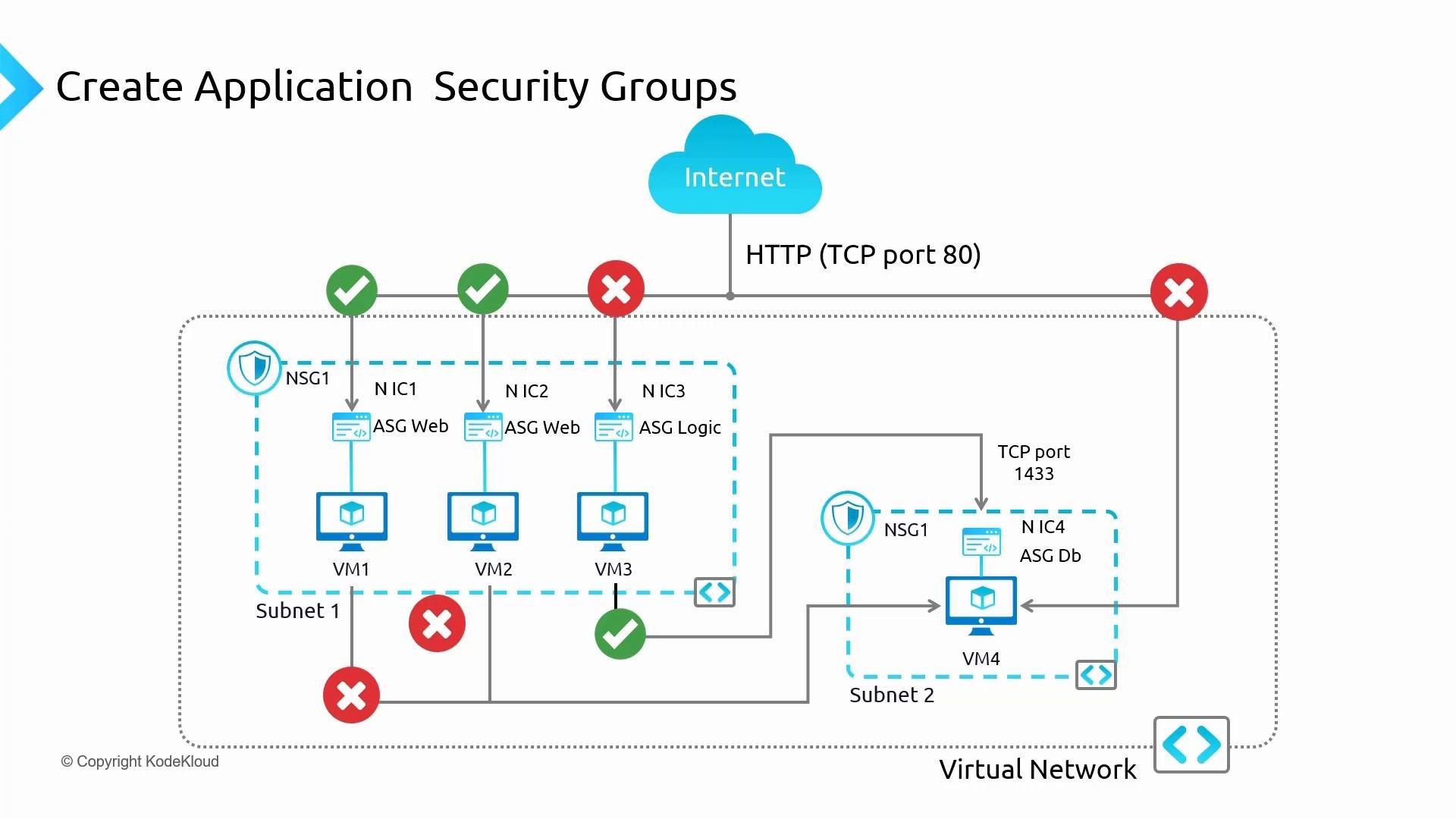
Key networking behavior to remember
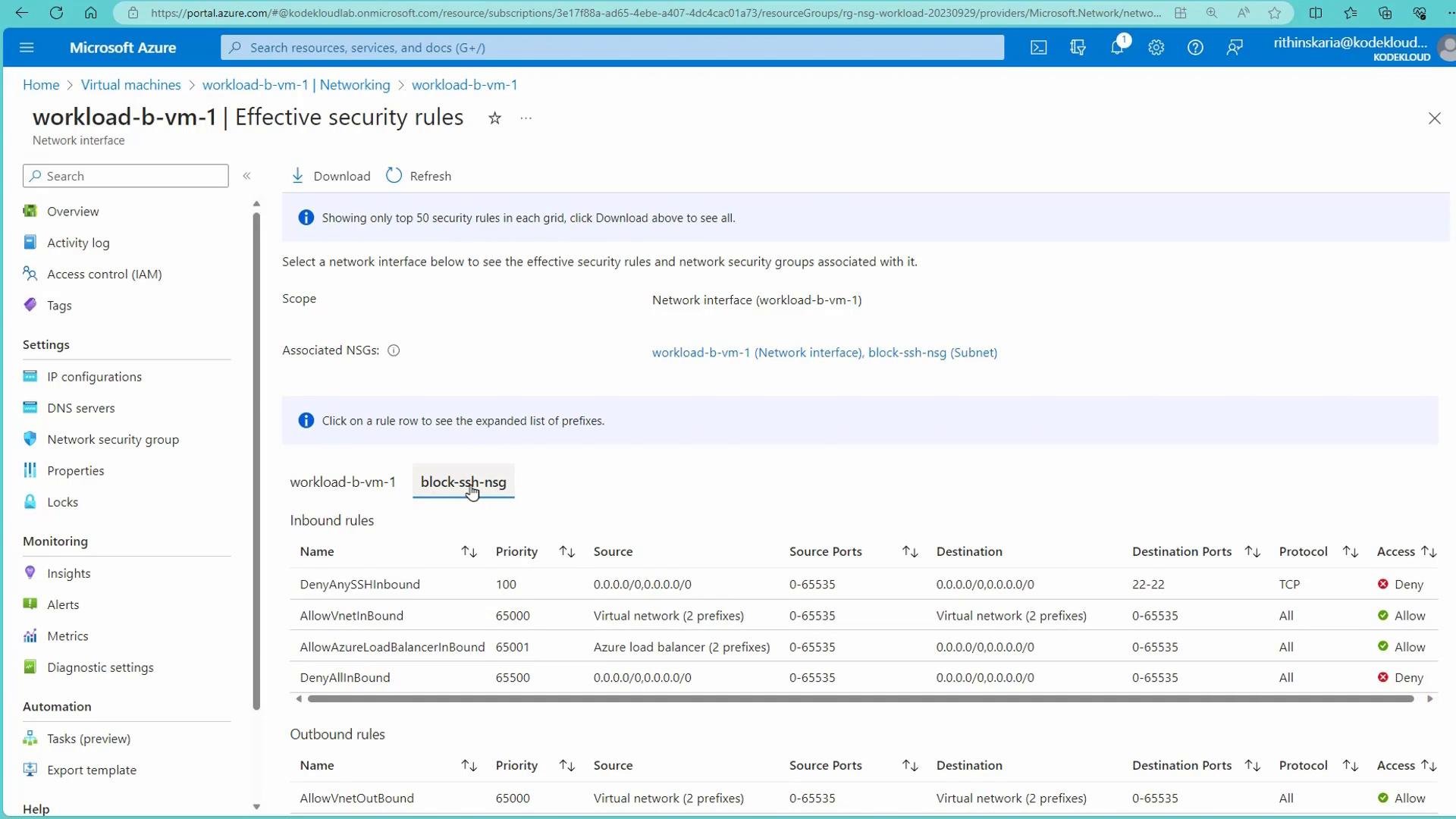
- NSGs can be applied at the subnet level and/or NIC level. Azure evaluates both sets of rules together. A higher-priority deny will block traffic even if another rule allows it.
- ASG membership is managed from the VM/NIC blade (you attach the ASG to the NIC). The Application Security Groups resource page is used to create ASG objects but not to attach NICs.
ASGs represent groups of NICs for use in NSG rules. After attaching an ASG to a VM’s NIC, you can select that ASG as the source or destination when adding NSG rules in the portal. Check a VM’s “Effective security rules” to see how subnet and NIC NSGs combine in practice.
- Create Application Security Group resources:
- In the Azure portal, go to Application Security Groups and create ASGs (for example
BVMsandNonWebBVMs) in the desired resource group and region.
- In the Azure portal, go to Application Security Groups and create ASGs (for example
- Attach ASGs to VMs (NICs):
- Go to Virtual Machines → select a VM → Networking → Application security groups.
- Select the ASG(s) to attach to that VM’s NIC and save. This action makes the NIC a member of the ASG.
- Note: Manage membership from the VM/NIC blade; the ASG blade is only for creating ASG objects.
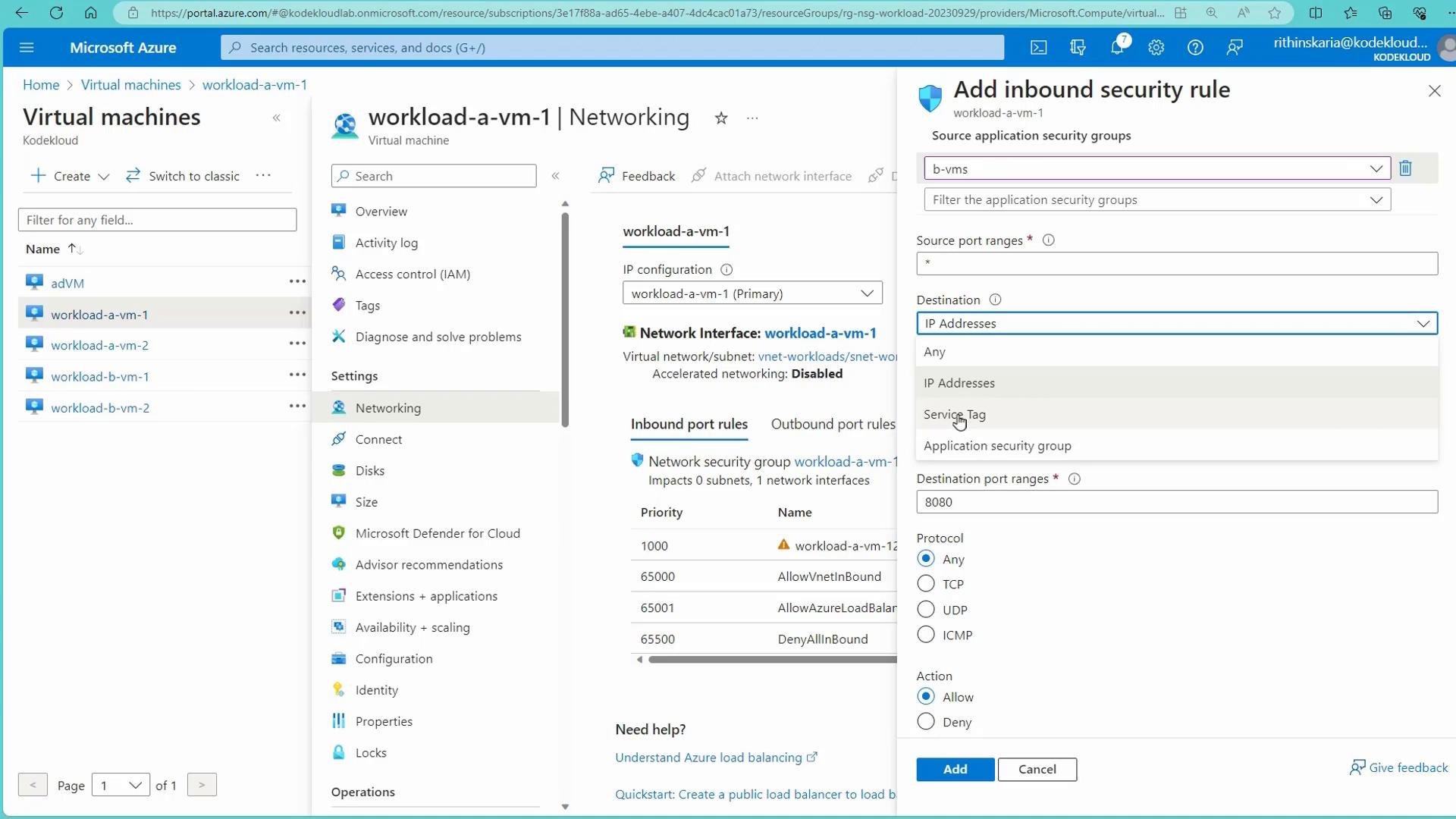
Source or Destination = Application security group, then select the ASG. You can also pick a predefined service (e.g., HTTP) or provide a custom port (for example 80 or 8080).
- In the demo,
BVM1(member of ASGBVMs) successfully curls VM1 (IP192.168.1.4) because an NSG rule allows traffic from theBVMsASG. - Removing a VM from an ASG immediately excludes it from ASG-based NSG rules. However, other allow rules (for example default
AllowVnetInBound) may still permit traffic. To actively block the VM immediately after removing it from an ASG, create a higher-priority deny rule that targets the VM (NIC or subnet).
Removing a VM from an ASG does not automatically block traffic if other NSG rules allow it. Because NSG rules are priority-based, add a higher-priority deny rule targeting the specific VM/NIC/subnet if you need to prevent access immediately.
Summary
Application Security Groups let you define network policies against logical groups of resources, reducing operational overhead as your environment scales. Use ASGs to simplify NSG rules, control tier-to-tier access, and keep your security model aligned with application roles.
Further reading and references
- Azure Application Security Groups documentation
- Network security groups overview
- Understand effective security rules in Azure