

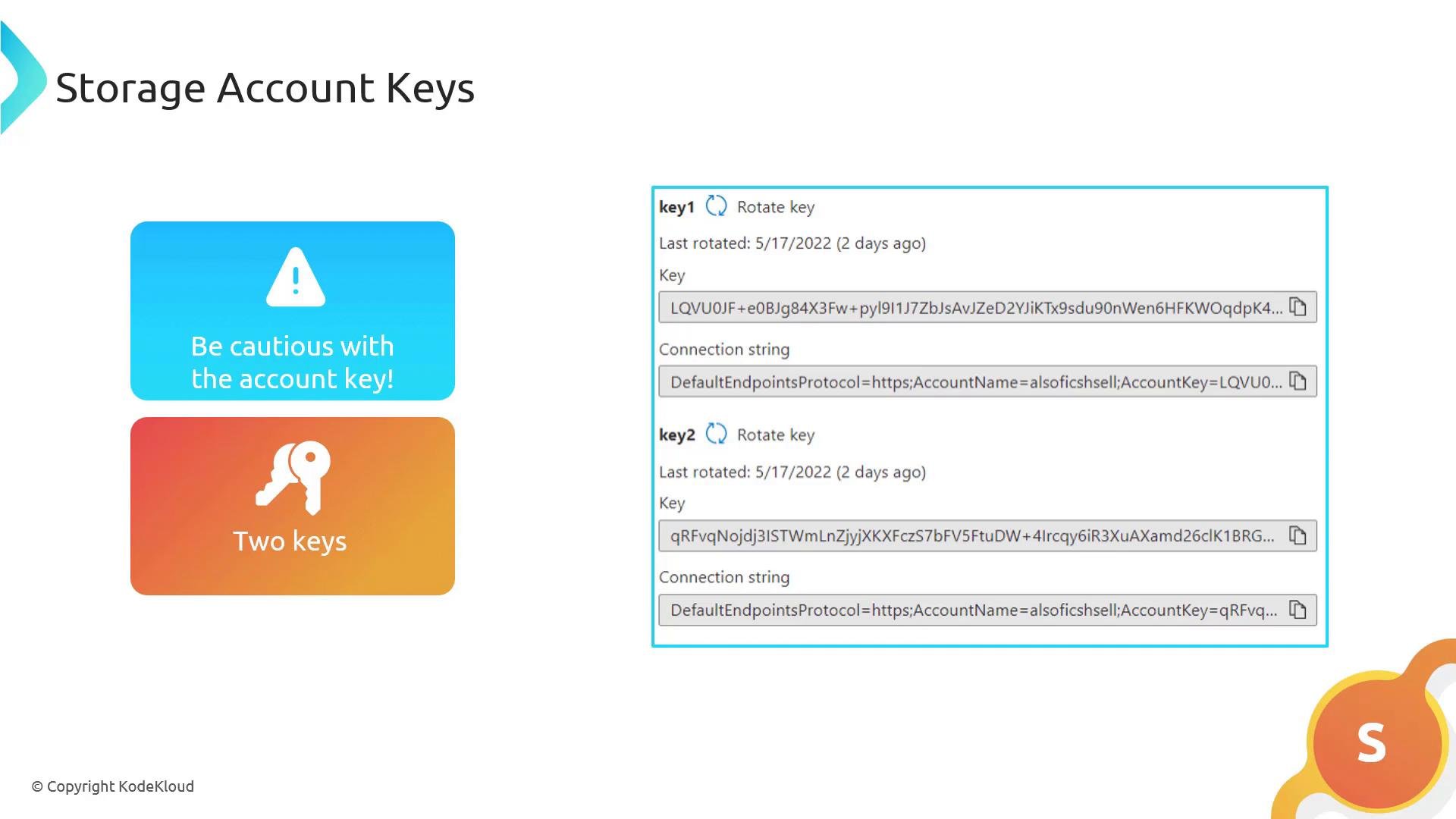
Why storage account keys are sensitive
- Keys allow full account-level control (read, write, delete) across all storage services.
- Keys are long-lived by default; leakage carries high impact.
- Azure provides two keys (primary and secondary) to enable rotation with zero downtime.
Two-key rotation — recommended workflow
Use the two-key pattern to rotate keys without interrupting services that rely on them:- Regenerate the secondary key (Key2) using the Azure Portal, CLI, or PowerShell.
- Update your applications and services to use the new secondary key.
- Regenerate the primary key (Key1) once all usage of the old primary key has been replaced.
- Azure Portal: Storage account -> Access keys
- Azure CLI:
az storage account keys renewand related commands — see Azure CLI docs - Azure PowerShell: commands under the Storage module — see Azure PowerShell docs
Rotate keys in a staged manner: always create a replacement key, switch clients to it, then rotate the other key. This minimizes downtime and avoids service interruptions.
Safer alternatives to sharing account keys
Store and rotate secrets securely
- Store keys and other secrets in Azure Key Vault rather than in source code or config files. See Azure Key Vault.
- Automate rotation and secret updates using Azure Automation, Azure Functions, or your CI/CD pipelines.
- For high-security scenarios, combine Key Vault with Managed Identities so services fetch secrets at runtime.
Never publish storage account keys or commit them to source control. Treat keys as highly sensitive credentials.
Quick reference summary
- Storage account keys grant full control and must be protected.
- Use the two-key rotation pattern to avoid downtime during regeneration.
- Prefer SAS, Azure AD (RBAC), and Managed Identities over distributing account keys.
- Store keys in Azure Key Vault and automate rotation via scripts or CI/CD.
Links and references
- Manage storage account keys (Microsoft Learn)
- Shared Access Signatures (SAS) overview
- Azure Active Directory (Azure AD)
- Role-based access control (RBAC)
- Managed Identities for Azure resources
- Azure Key Vault overview
- Azure CLI documentation
- Azure PowerShell documentation