Storage Service Encryption (SSE)
Storage Service Encryption (SSE), also known as Server Side Encryption, automatically encrypts data as it is stored in Azure. This built-in service applies to Azure Disk, Blob, File, Queue, and Table services, ensuring that data is encrypted at rest and transparently decrypted when accessed.Key Benefits of SSE
- Protection: All data stored in Azure is encrypted by default, ensuring that data at rest remains secure.
- Compliance: Organizations can meet strict security and regulatory requirements without developing custom encryption solutions.
- Robust Security: SSE employs 256-bit AES encryption along with automatic key and data management by the Storage Service.
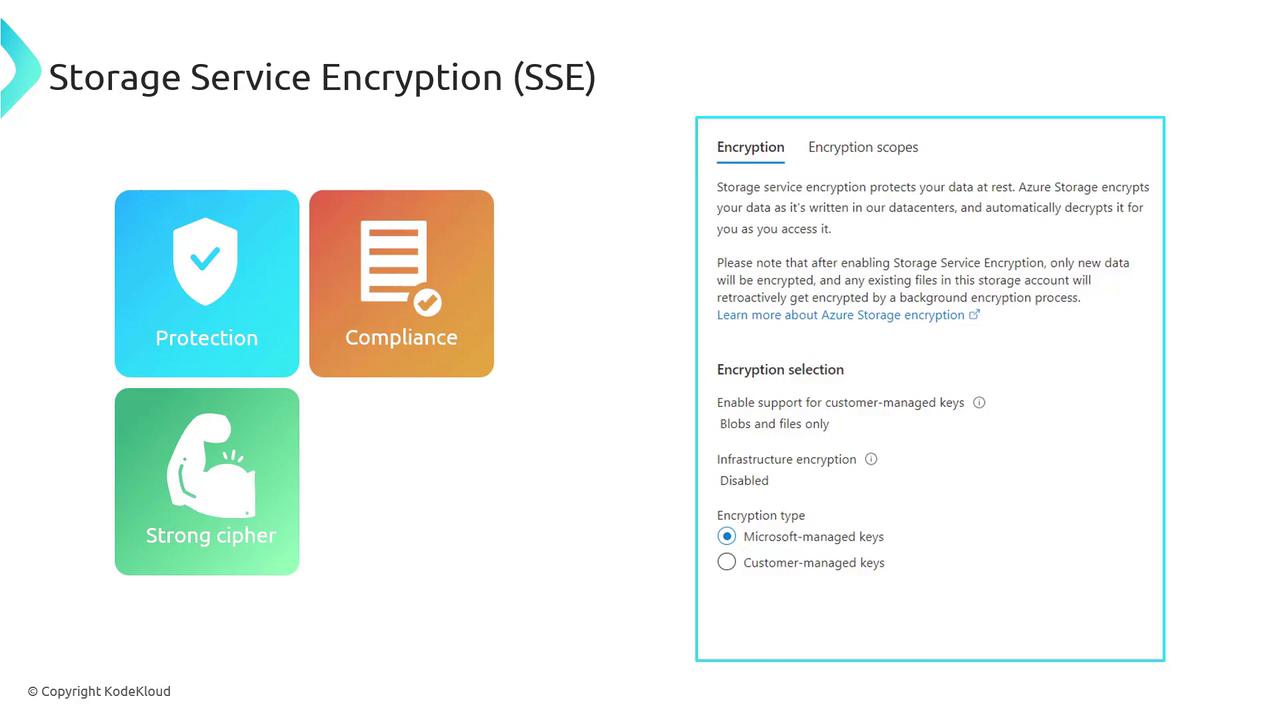
By default, SSE is enabled on all storage accounts, and this setting cannot be disabled, ensuring consistent data protection.
Bring Your Own Keys (BYOK)
If you require full control over your encryption keys and their rotation, Azure supports the Bring Your Own Keys (BYOK) model. Simply create an Azure Key Vault to securely store your keys, and then configure your Storage Service to use these Customer Managed Keys for both encryption and decryption.Azure Disk Encryption (ADE)
Azure Disk Encryption (ADE) secures the disks of your virtual machines (VMs) by encrypting both operating system (OS) and data disks. Without ADE, a snapshot VHD could be attached to another VM, potentially exposing sensitive information. ADE mitigates this risk by ensuring the disk is encrypted.Key Features of ADE
- Comprehensive Coverage: ADE encrypts both OS and data disks for Windows and Linux VMs.
- Encryption Mechanisms: Utilizes BitLocker for Windows and dm-crypt for Linux.
- Key Management: Encryption keys are securely stored in Azure Key Vault.
- Access Control: Only the VM owner can access the encrypted data. If a VHD is downloaded and attached elsewhere without the corresponding keys, the data remains inaccessible.
- Backup Security: When using Azure Backup, encryption keys are backed up in the Recovery Services Vault, ensuring that all backups are also encrypted.
- Encryption Standard: Implements robust 256-bit encryption.
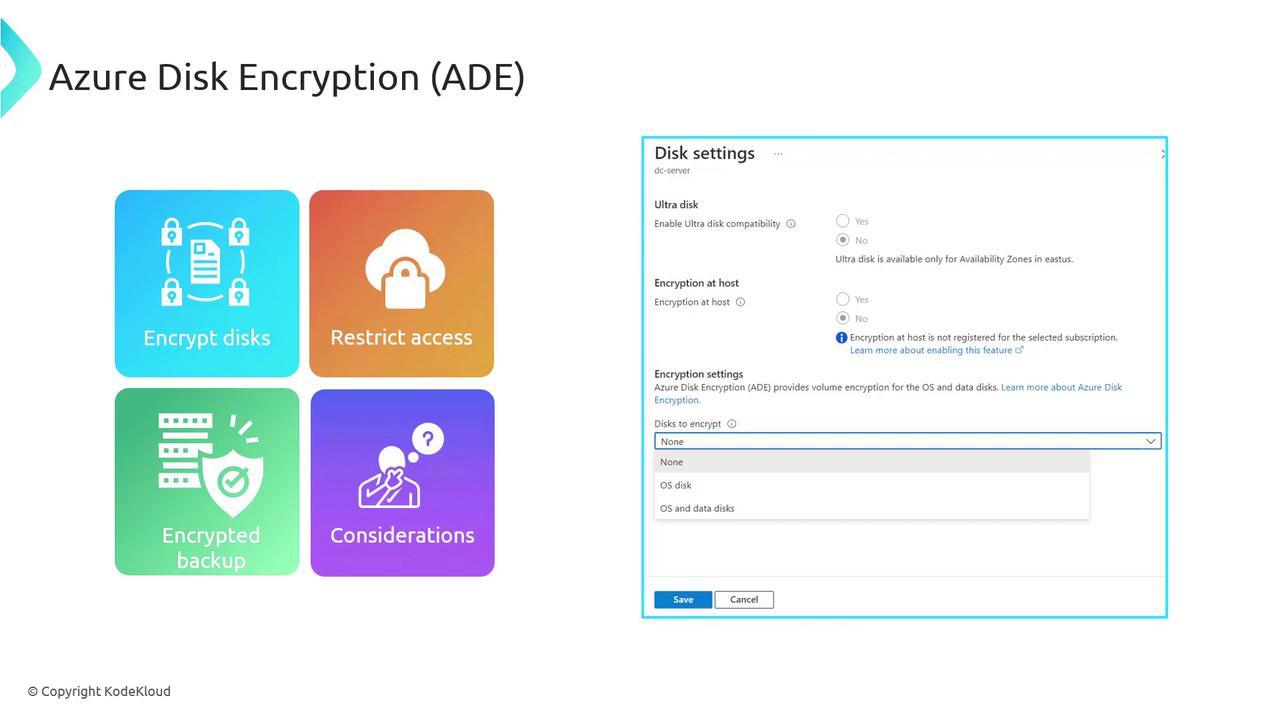
Encrypting both OS and data disks may cause a slight performance impact due to the encryption and decryption overhead. In CPU-intensive scenarios, consider encrypting only the data disk to optimize performance. Also, note that if “Encryption at Host” is enabled, ADE cannot be used because host-level encryption relies solely on platform-managed keys.
Configuring Encryption in the Azure Portal
Azure provides a straightforward interface for configuring both SSE and ADE. Follow the steps below to set up encryption:Configuring SSE for Storage Accounts
- Navigate to your Storage Account in the Azure Portal.
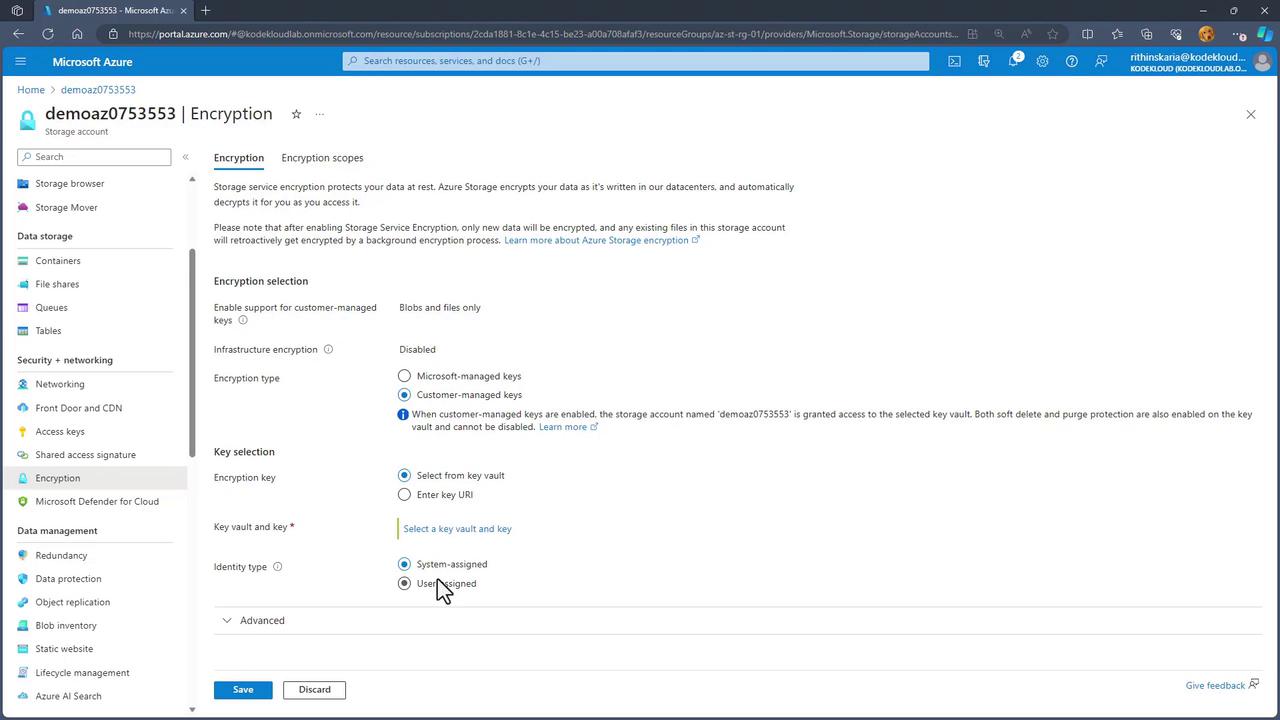
- Select the “Encryption” option to view the current encryption model.
- By default, Microsoft Managed Keys are used. If you prefer to use Customer Managed Keys for Blobs and Files, select your Azure Key Vault and assign the keys accordingly.
Enabling ADE on Virtual Machines
- Open your Virtual Machine settings in the Azure Portal.
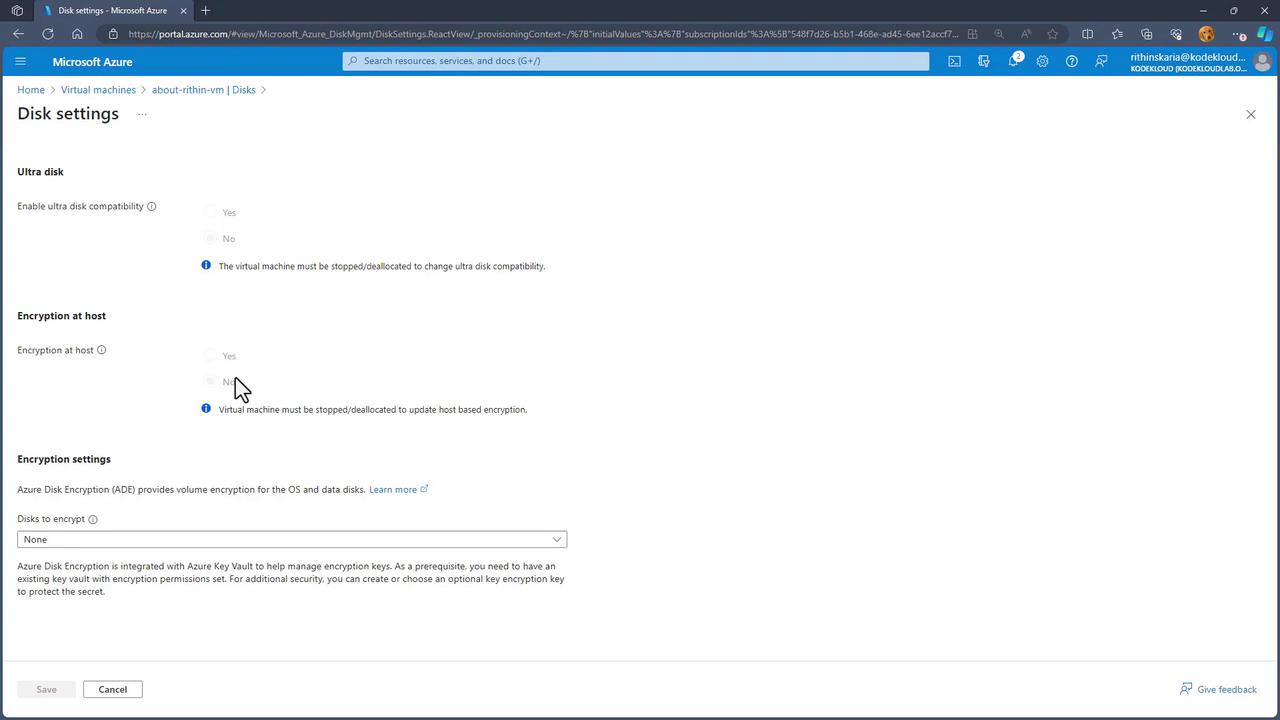
- Navigate to Disk > Additional Settings.
- Enable Azure Disk Encryption (ADE) and choose whether to encrypt the OS disk, data disk, or both.
- Note that updating the Azure Active Directory (AAD) configuration for your VM requires a reboot.
- If you wish to enable “Encryption at Host,” ensure the VM is properly shut down during configuration.