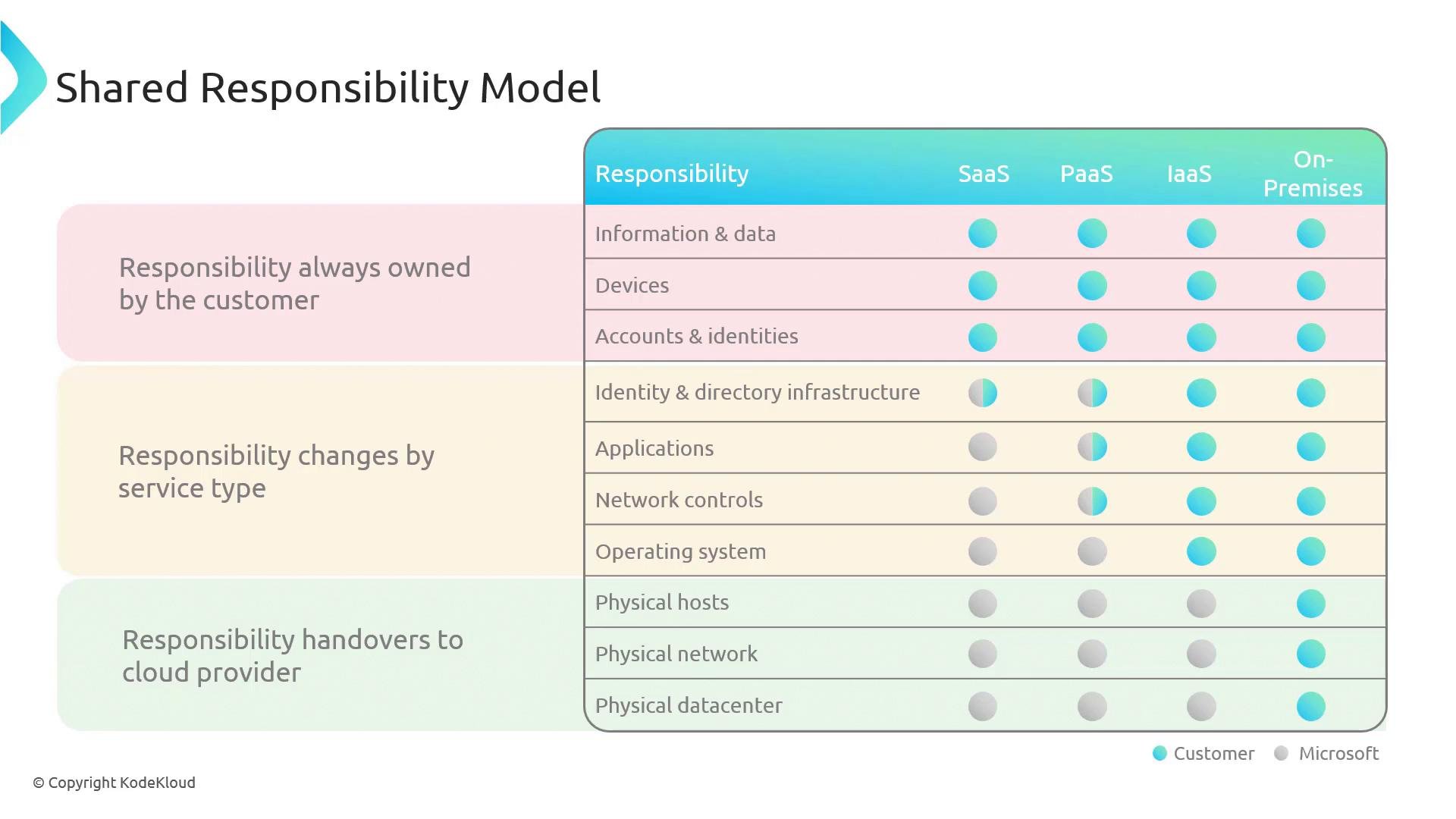
Never assume all security is handled by the cloud provider — for IaaS VMs you remain responsible for the guest OS, installed software, patching, endpoint protection, and data governance. Confirm responsibilities before deploying.
Key planning areas for Azure VMs
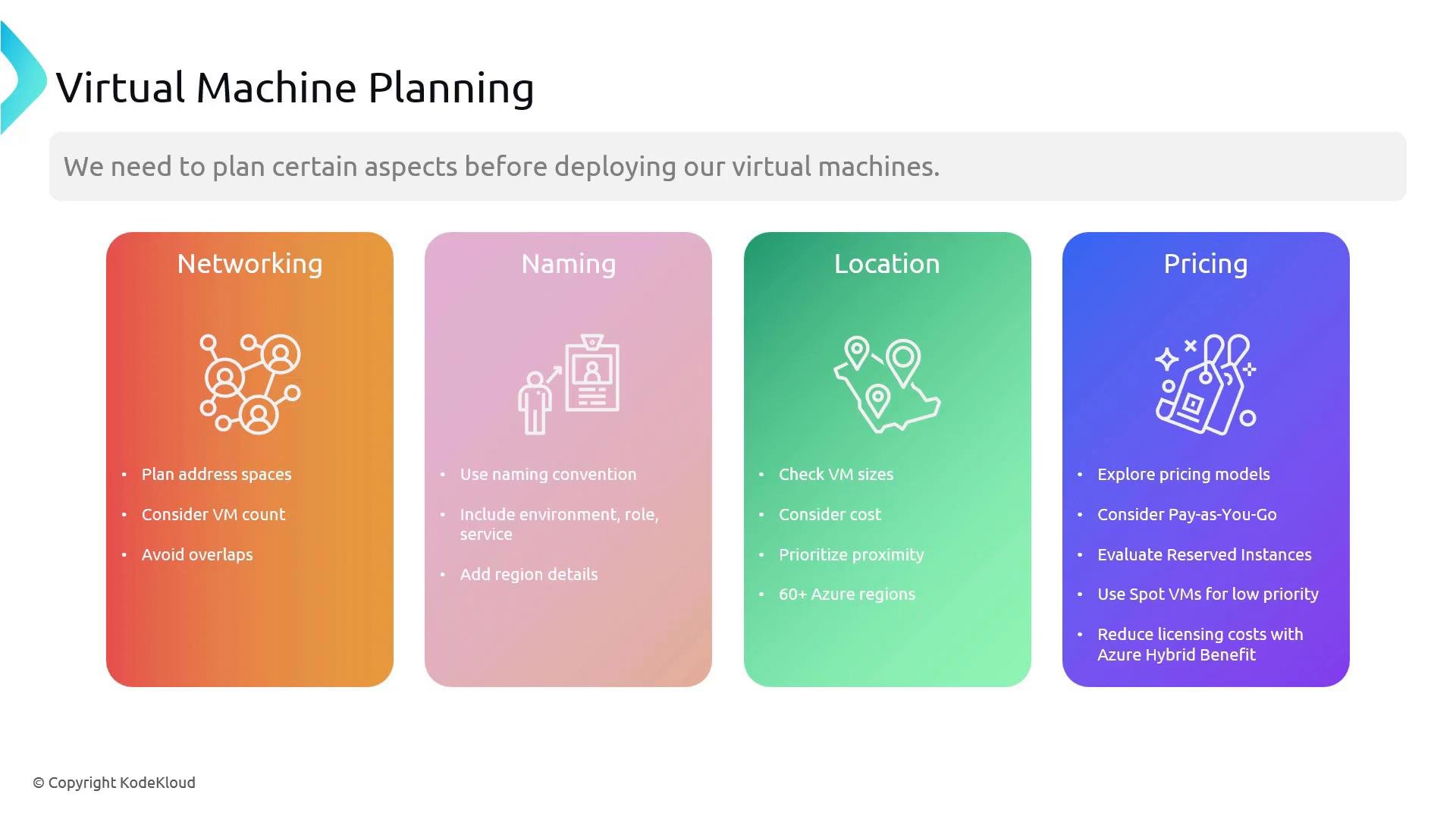
When planning VMs in Azure, focus on the areas below. These will guide design decisions to meet performance, availability, and cost objectives.- Networking
- Design the virtual network (VNet) and subnets for current and future scale.
- Avoid overlapping IP ranges with on-premises networks or peered VNets to prevent routing conflicts.
- Choose connectivity patterns (VPN, ExpressRoute, VNet Peering) and design routing and security (Network Security Groups, Azure Firewall, user-defined routes).
- Naming
- Create a consistent naming convention that includes environment (dev/test/prod), role (web/db), service, and region.
- Consistent names simplify automation, billing, policy enforcement, and troubleshooting.
- Location (Region)
- Verify that required VM sizes and Azure services are available in your chosen region.
- Consider latency-sensitive user proximity and data residency or compliance requirements.
- Be aware that pricing and capacity can vary by region.
- Pricing and cost optimization
- Understand pricing models and select the best fit:
- Pay-as-you-go for flexibility.
- Reserved Instances (or Azure Reserved VM Instances) for steady-state workloads.
- Spot VMs for interruptible, non-critical tasks with deep discounts.
- Use Azure Hybrid Benefit to apply eligible on-premises Windows Server or SQL Server licenses to reduce costs.
- Monitor and control costs with Azure Cost Management and budgeting tools.
- Understand pricing models and select the best fit:
Avoid overlapping IP address ranges with on-premises networks or other VNets you intend to connect. Overlaps can prevent successful routing and complicate network design.
VM planning checklist
The table below summarizes practical actions to take when planning VM deployments.Additional resources
- Azure Virtual Machines documentation: https://learn.microsoft.com/azure/virtual-machines/
- Shared responsibility model: https://learn.microsoft.com/azure/architecture/framework/security/shared-responsibility
- Azure pricing and calculators: https://azure.microsoft.com/pricing/
- Azure Hybrid Benefit: https://learn.microsoft.com/azure/virtual-machines/windows/hybrid-use-benefit-licensing