

Private IP addresses and subnets
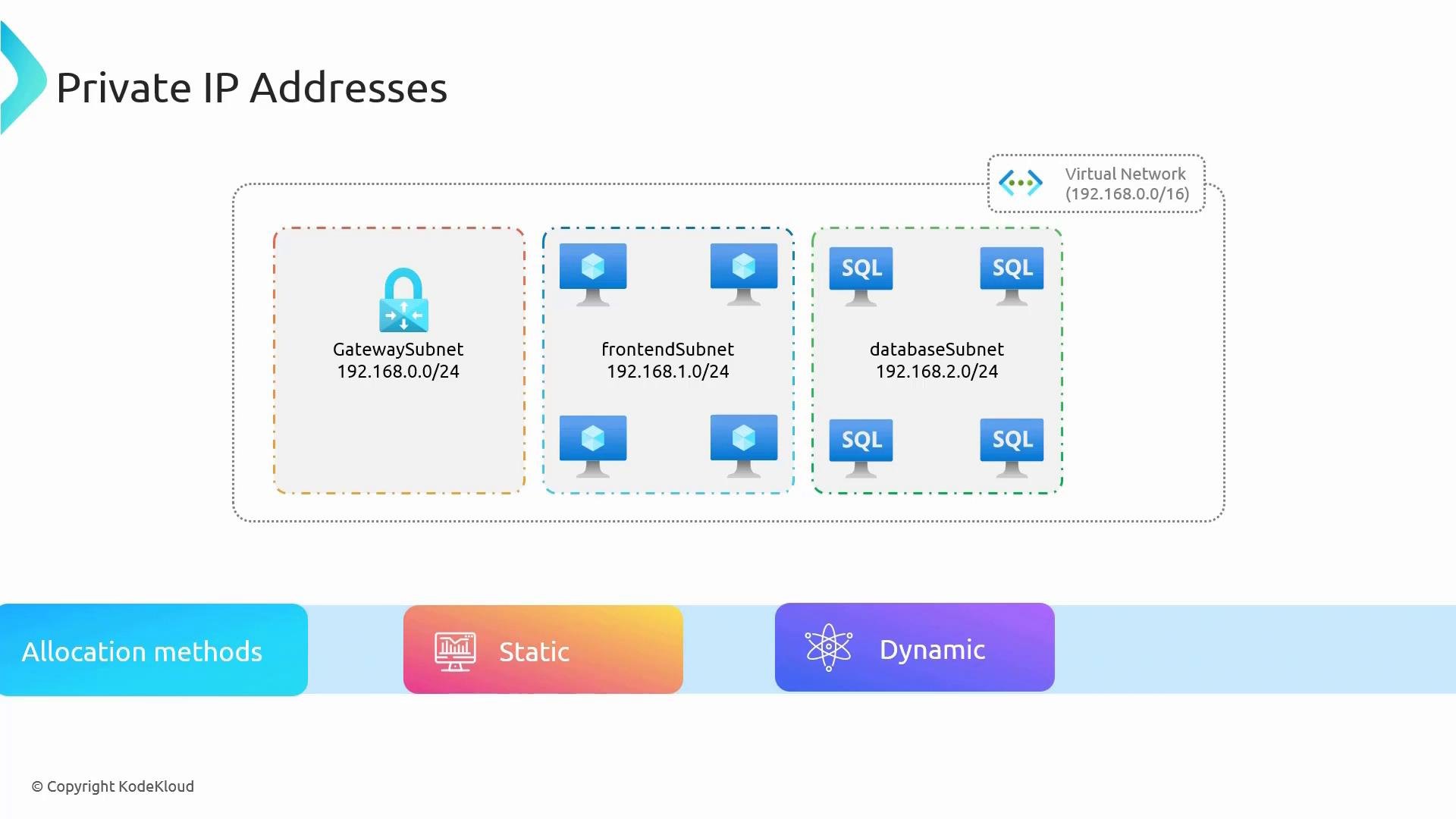
When you create a virtual network (VNet) you define an address space using CIDR notation, for example192.168.0.0/16. That address space becomes the private IP pool for resources attached to the VNet. Inside the VNet you divide the address space into subnets (for example 192.168.0.0/24 for a gateway, 192.168.1.0/24 for frontend VMs, 192.168.2.0/24 for databases). Every network interface attached to a subnet receives a private IP from that subnet’s range. Private IP addresses are used for internal traffic: VM-to-VM, cross-VNet peering, and on-premises connections over VPN or ExpressRoute.
There are two private IP allocation methods:
- Static: You assign a specific private IP to a resource. The address persists across reboots and deallocations. Use static private IPs for domain controllers, DNS servers, critical internal services, and some load balancer backends.
- Dynamic (default): Azure allocates an available IP from the subnet pool. The IP may change if the resource is deallocated and the original address is no longer available. This behavior is similar to DHCP.
When choosing between static and dynamic, prefer static for services that require a stable internal endpoint (DNS, AD, stateful services). For ephemeral workloads or autoscaling VM pools, dynamic allocation simplifies management.
Public IP addresses
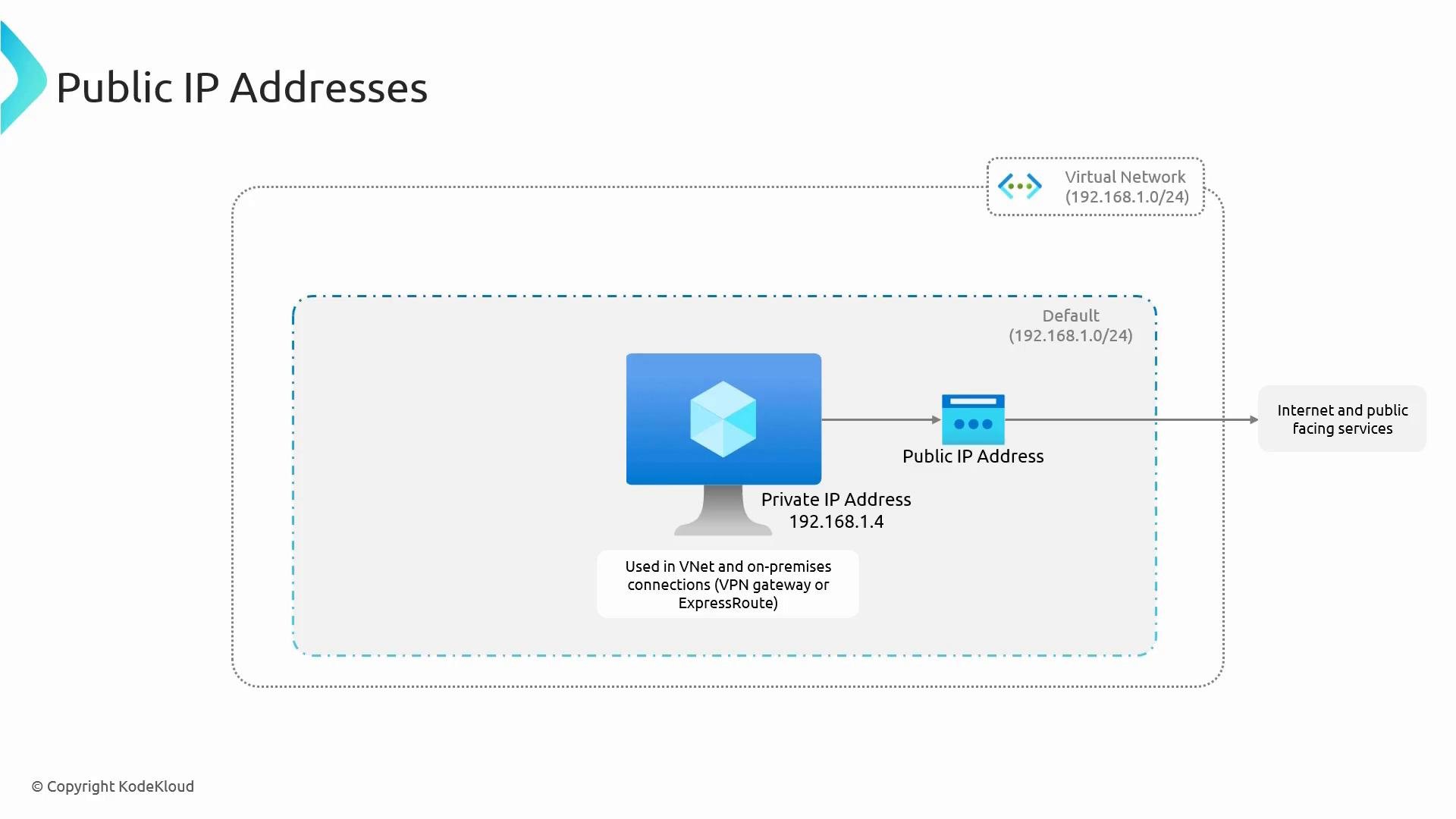
Private IP addresses (for example192.168.1.4) are not routable on the public Internet. To publish a service (for example a web server) you map incoming Internet traffic to a private IP using a public IP address. This mapping occurs via NAT (for instance on a virtual machine with an associated public IP), or more commonly via load balancers, NAT gateways, or application gateways.
Best practices:
- In production, avoid assigning public IPs directly to VMs. Instead front public traffic with a firewall, application gateway, or load balancer to provide inspection, TLS offload, Web Application Firewall (WAF), and centralized access control.
- For labs and testing, assigning a public IP directly to a VM can be acceptable for SSH/RDP access, but secure those endpoints with NSGs and strong authentication.
- Static public IP: The address remains fixed and will not change.
- Dynamic public IP: The address can change (for instance, if the resource is deprovisioned and later a different address is assigned).
Microsoft is deprecating the Basic public IP SKU; new deployments should use Standard public IPs and you should plan migrations for existing Basic IPs according to Microsoft’s guidance.
Create a virtual network and subnets (Azure portal and CLI)
Follow these steps in the Azure portal to create a VNet and subnets:- In the Azure portal, go to Virtual Networks and click Create.
- Select your subscription and a resource group (for example
M4), or create a new resource group. - Enter a name for the virtual network and choose a region.
- Azure suggests an address space (for example
10.0.0.0/16). Replace it with your planned CIDR such as192.168.0.0/16if required. - Add subnets. Some services require dedicated subnets:
GatewaySubnet(VPN gateway),AzureFirewallSubnet(Azure Firewall),AzureBastionSubnet(Bastion),RouteServer(Route Server). For workloads, create subnets likeworkloads-fewith192.168.1.0/24. The portal auto-suggests ranges when adding multiple subnets. - Review and create the VNet.
Inspecting and managing a VM’s network configuration
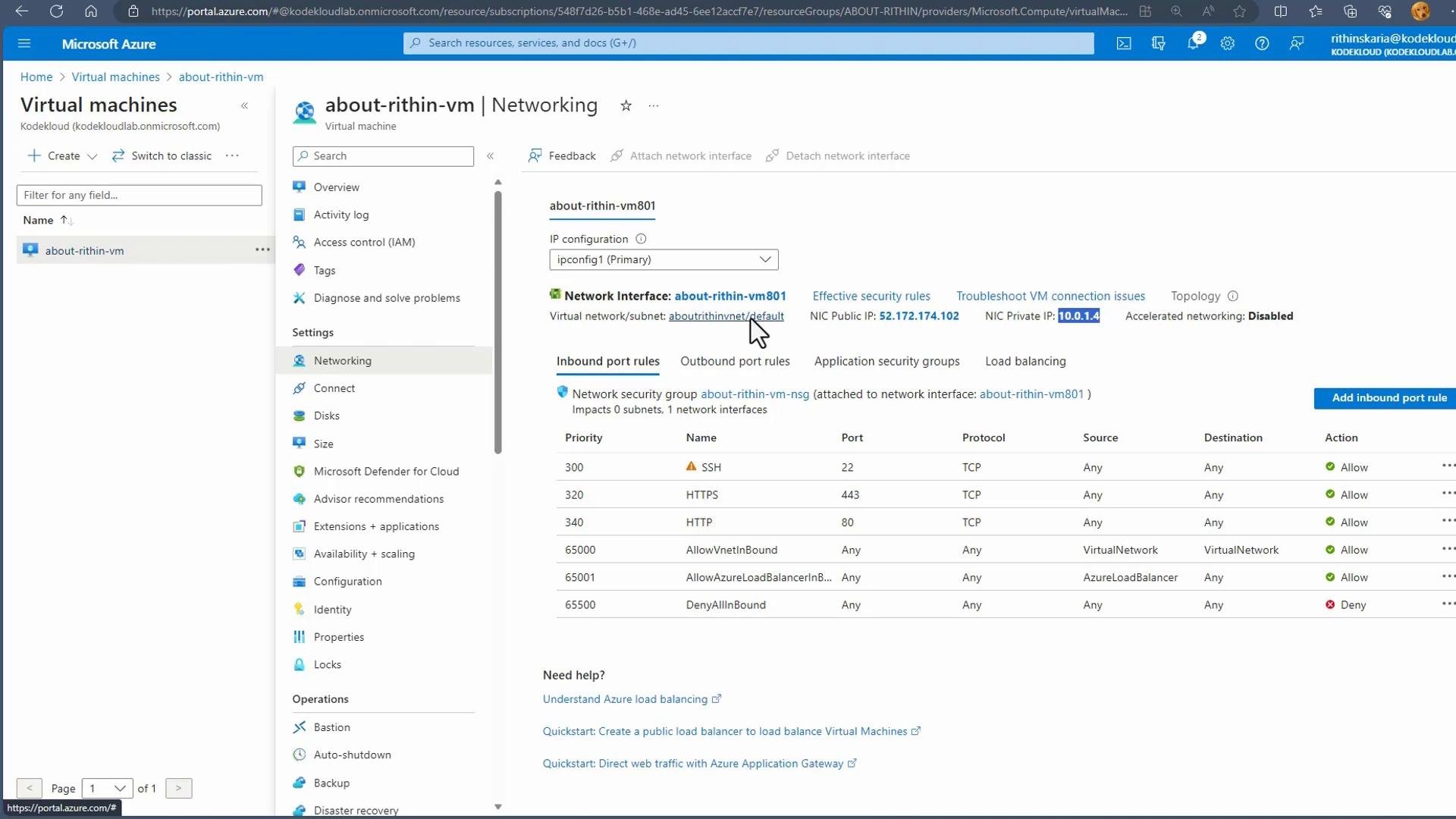
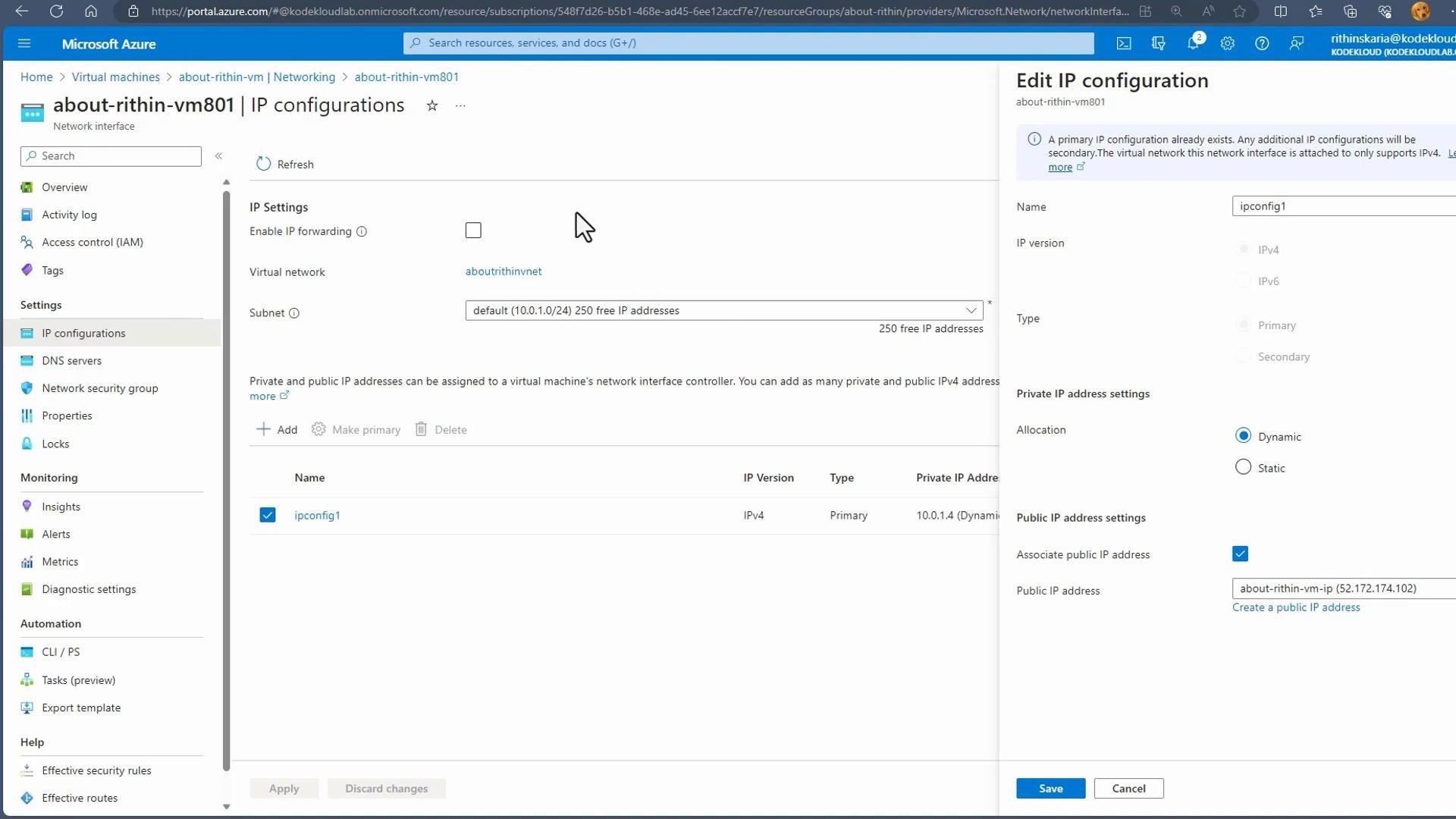
After you create a VM, view its Networking blade in the portal to inspect private and public IPs and any associated NSG rules. The network interface (NIC) attached to the VM has IP configurations that show:- The subnet the NIC is connected to
- The private IP allocation method (dynamic or static)
- Any associated public IP address
- Change the private IP allocation to static and set the desired IP
- Create or associate a public IP
- Add additional IP configurations for multiple private/public IPs (subject to VM size and OS limitations)
- Attach additional NICs to the VM if you need separate network interfaces with their own IPs
Summary
- Private IPs are assigned from a VNet’s address space and used for internal communication. Use static private IPs for critical internal services; dynamic is suitable for ephemeral workloads.
- Public IPs expose services to the Internet and map to private IPs via NAT, load balancers, or gateways. Route public traffic through a firewall, application gateway, or load balancer for production security and inspection.
- Public IP SKUs (Basic vs Standard) differ in allocation options, default security posture, and zone redundancy. Basic is being deprecated — use Standard for new deployments and follow Microsoft migration guidance.
- Manage IP allocation and public IP associations from a VM’s network interface in the Azure portal or via Azure CLI/PowerShell.
Links and references
- Azure Virtual Network documentation
- Azure Public IP address overview
- Microsoft guidance for migrating Basic to Standard public IPs: https://learn.microsoft.com/en-us/azure/virtual-network/migrate-basic-to-standard-public-ip
- ipcalc: https://ipcalc.org/