

Accessibility and protocols
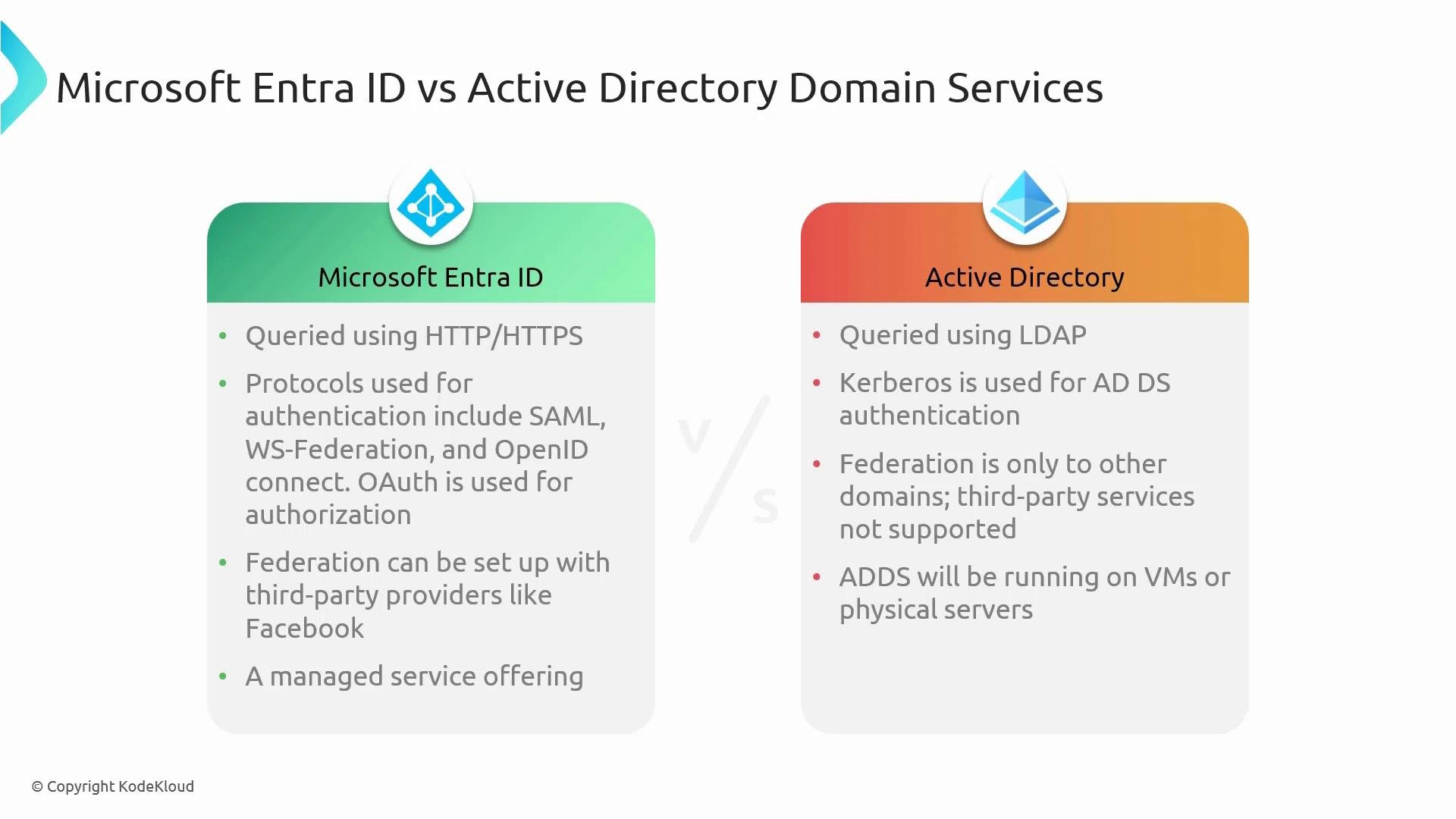
- Microsoft Entra ID is a cloud-native identity service accessed over the web via HTTP/HTTPS, making it ideal for remote users, SaaS applications, and internet-connected scenarios.
- Active Directory Domain Services was built for on-premises networks and commonly uses LDAP for directory queries. AD DS is optimized for devices and services inside a corporate network or connected via VPN.
Authentication and authorization protocols
Microsoft Entra ID uses modern web-standard protocols commonly required by cloud applications:- OpenID Connect and OAuth 2.0 for modern authentication and authorization flows.
- SAML and WS-Federation for federation with enterprise and legacy apps.
Federation and third-party integration
- Microsoft Entra ID supports federation with a broad range of identity providers and social providers (Google, Facebook, etc.) and can act as a central identity broker for SaaS apps and external partners.
- AD DS federation is typically limited to relationships with other Windows domains or requires AD FS to connect to external identity providers, adding complexity when integrating with many third-party services.
Managed service vs on-premises infrastructure
- Microsoft Entra ID is delivered as a managed cloud service, reducing operational overhead — no domain controllers to deploy or maintain, no patching of directory infrastructure.
- AD DS requires deploying domain controllers (on physical servers or VMs), networking configuration, and ongoing maintenance, which remains the natural choice for organizations that need on-premises authentication, Group Policy, Kerberos-based domain join, or LDAP binds for legacy apps.
Single sign-on and user experience
- Microsoft Entra ID delivers consistent SSO across cloud services (for example, Microsoft 365 and many SaaS apps) because it natively supports modern protocols — resulting in a more seamless user experience for external and internal applications.
- AD DS can provide transparent SSO for domain-joined devices on the corporate network. Achieving the same seamless SSO for external web apps typically requires federation services (AD FS) or additional integration.
Hybrid identity and synchronization
Many organizations use a hybrid approach: keeping AD DS on-premises while adopting cloud services. Microsoft provides synchronization tools to link on-premises AD with Microsoft Entra ID, enabling a single identity for cloud and on-premises resources while allowing the on-prem directory to remain authoritative when required.To connect on-premises Active Directory with Microsoft Entra ID, use the Microsoft synchronization and sign-in configuration tool. It supports password hash synchronization, pass-through authentication, and federation with AD FS as needed.
- Password hash synchronization (one-way sync of password hashes to Entra ID).
- Pass-through authentication (validates passwords against on-prem AD).
- Federation with AD FS for advanced scenarios.
- Optional features like password writeback and device writeback.
Quick comparison
Links and references
- Microsoft Entra ID documentation: https://learn.microsoft.com/azure/active-directory/
- Active Directory Domain Services overview: https://learn.microsoft.com/windows-server/identity/active-directory-domain-services
- Azure AD Connect (synchronization tool): https://learn.microsoft.com/azure/active-directory/hybrid/how-to-connect-install-prerequisites
Summary
- Microsoft Entra ID is a cloud-native, managed identity service built for internet-scale authentication and authorization using modern protocols (OpenID Connect, OAuth 2.0, SAML, WS‑Federation).
- Active Directory Domain Services is a proven on-premises directory platform using LDAP and Kerberos, ideal for domain-joined networks and legacy applications.
- For hybrid scenarios, use Azure AD Connect to synchronize identities and enable a unified sign-on experience across on-premises and cloud resources.