

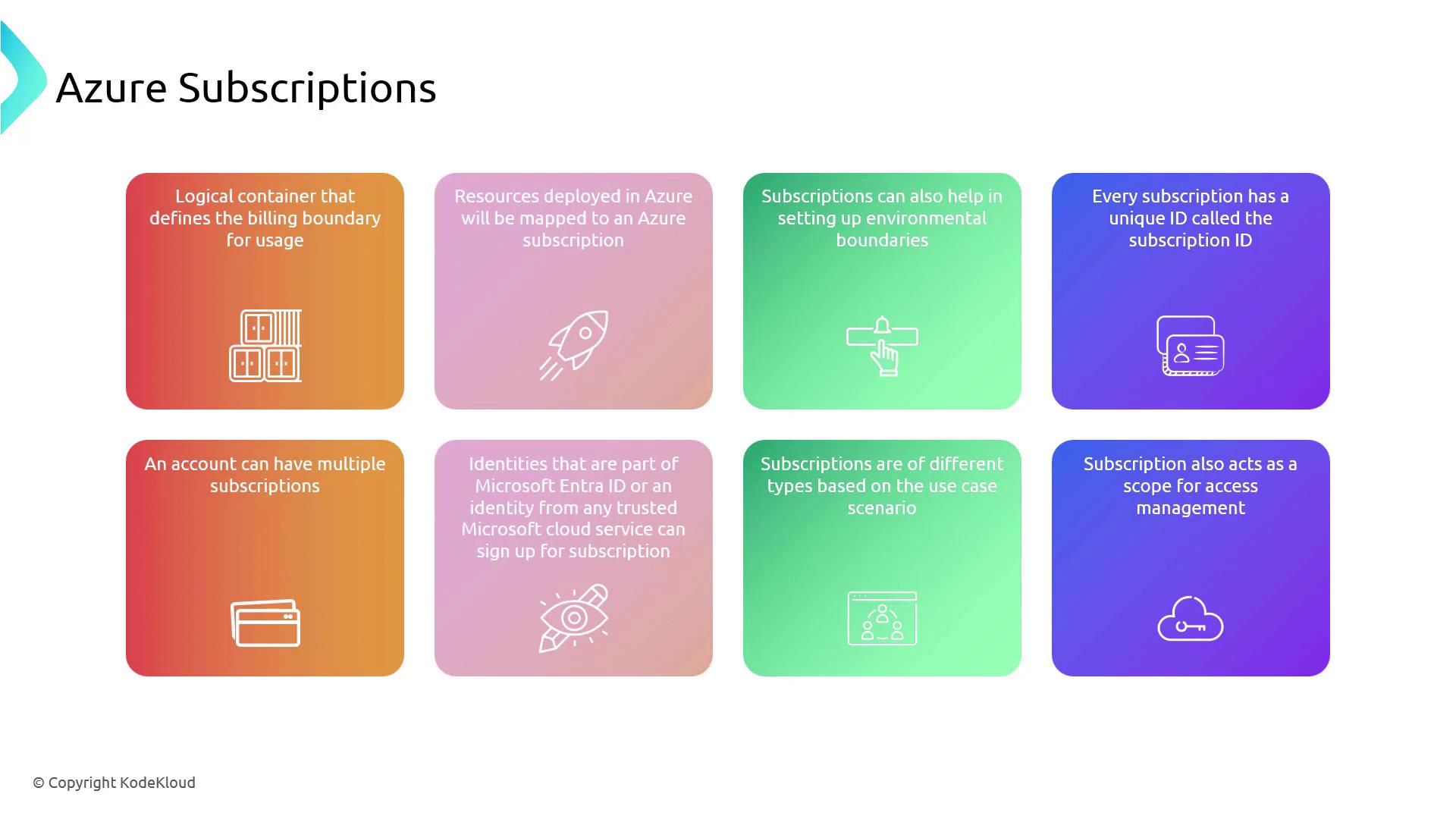
Every subscription is assigned a unique identifier, known as a subscription ID, which ensures that every transaction or service used is traceable to your account for better management and security.
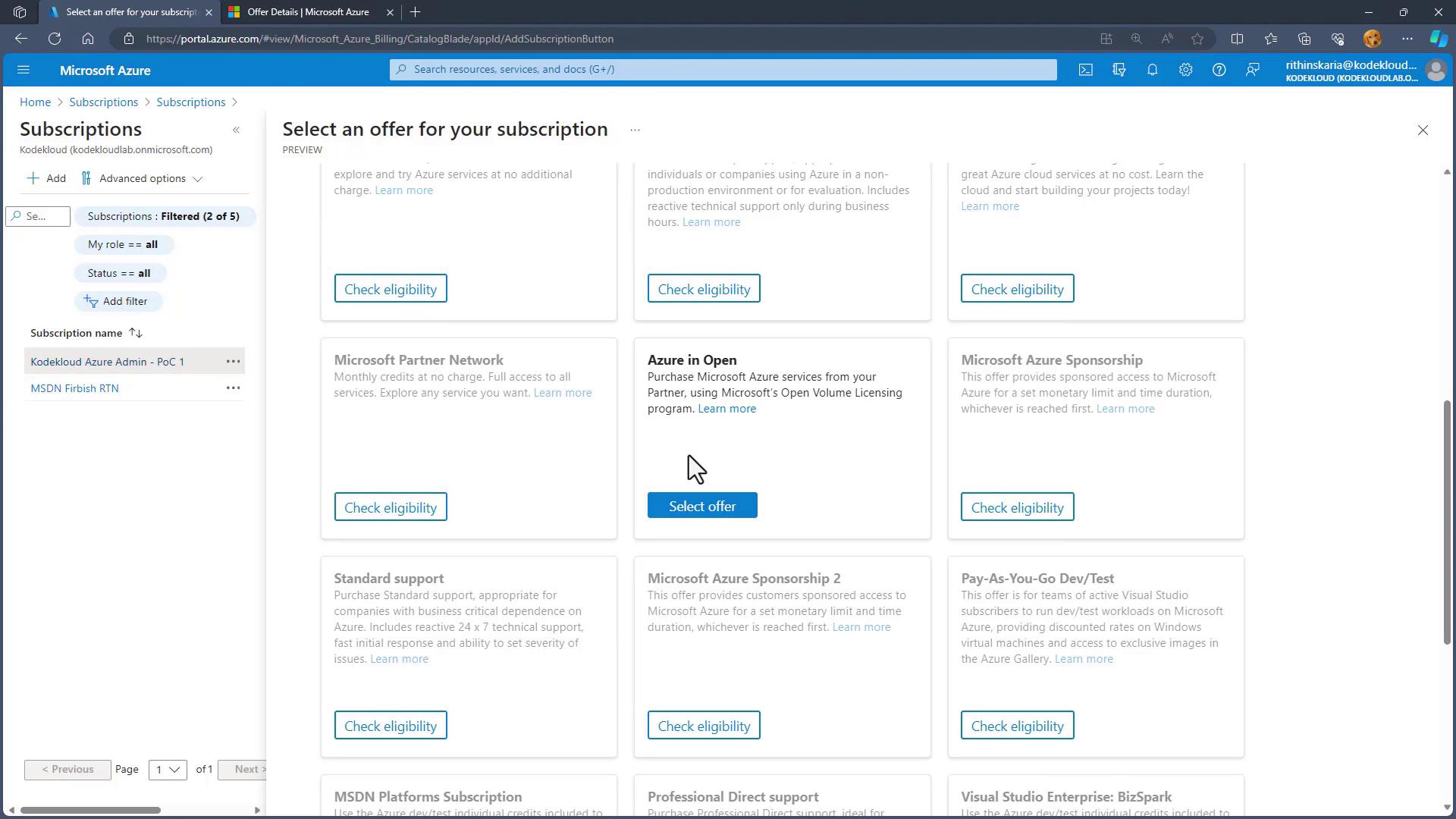
Subscription Offer Types
Azure provides a variety of subscription options to cater to the needs of diverse users, from large enterprises to individual developers.Enterprise Agreements
Enterprise Agreements are tailored for large organizations needing comprehensive solutions with volume pricing. These agreements simplify the management of cloud services across entire enterprises by offering flexible pricing that scales with your business. Organizations often commit to a predetermined consumption level—such as 5 million, or $10 million—paying the cost upfront.Pay-As-You-Go
The Pay-As-You-Go model offers maximum flexibility with no long-term commitment. You pay only for the resources you consume, allowing you to scale your usage up or down as needed while maintaining full control over your cloud spending.Cloud Solution Provider (CSP)
The Cloud Solution Provider (CSP) program allows businesses to partner with experts who create custom solutions. Instead of paying Microsoft directly, you purchase a subscription from a partner—often at a cost lower than the Pay-As-You-Go option—as the partner adds their own markup for the service.Free Trial
For new users eager to explore Azure, the Free Trial subscription provides a risk-free opportunity. This option lets you experiment with Azure’s capabilities without any initial financial commitment, making it perfect for learning and prototyping.Azure for Students
Azure for Students is designed to empower students by offering free access to Azure resources and credits. This subscription enables students to develop real-world skills and experiment with cloud technologies, usually verified by a student ID or an academic email address.Visual Studio Subscription
The Visual Studio subscription is ideal for developers, combining cloud resources with the powerful development tools of Visual Studio. Purchasing a Visual Studio Professional or Enterprise subscription includes an MSDN or Visual Studio subscription that offers a recurring monthly credit (for example, 150 depending on the license type).
Navigating Subscriptions in the Azure Portal
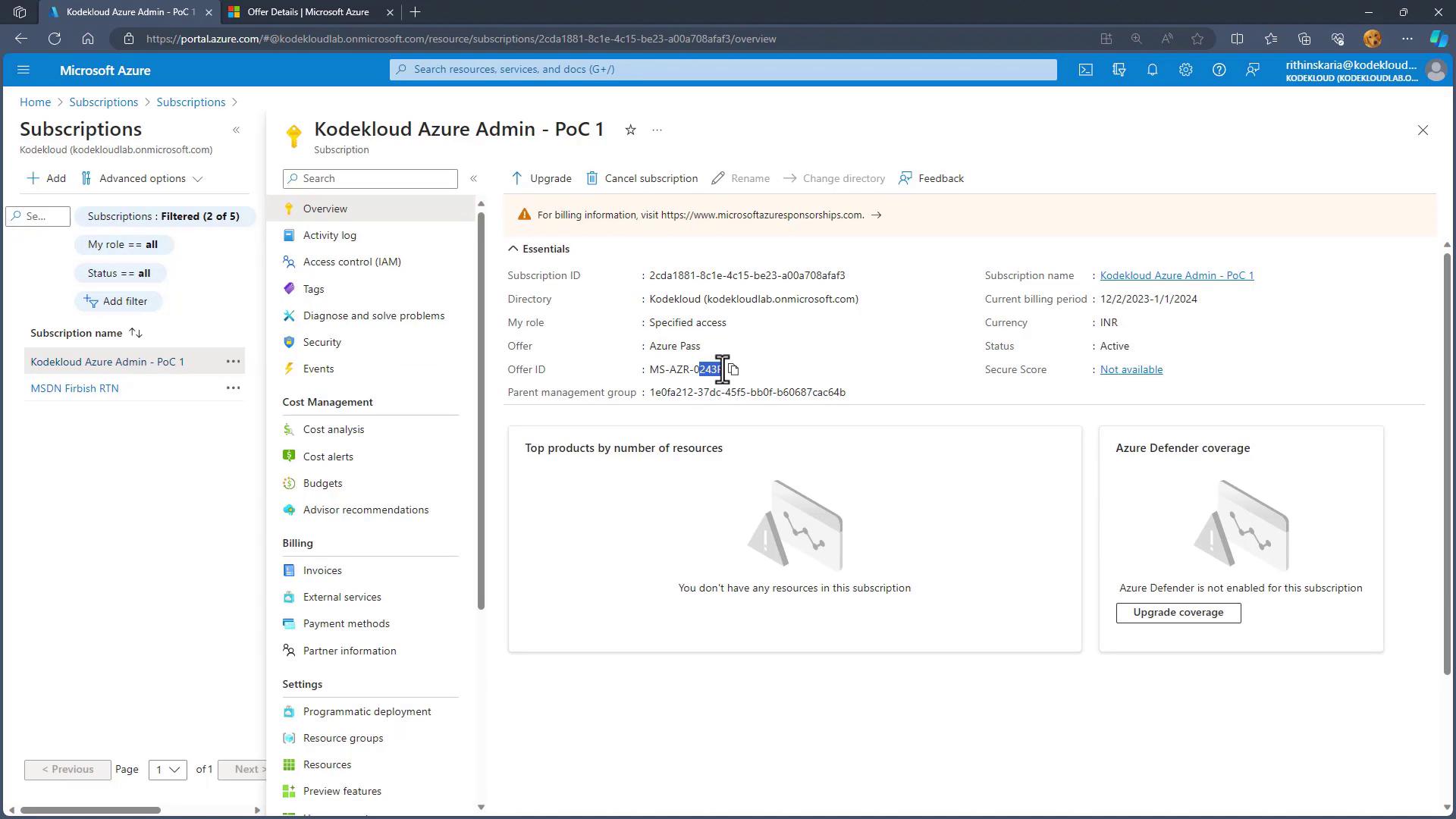
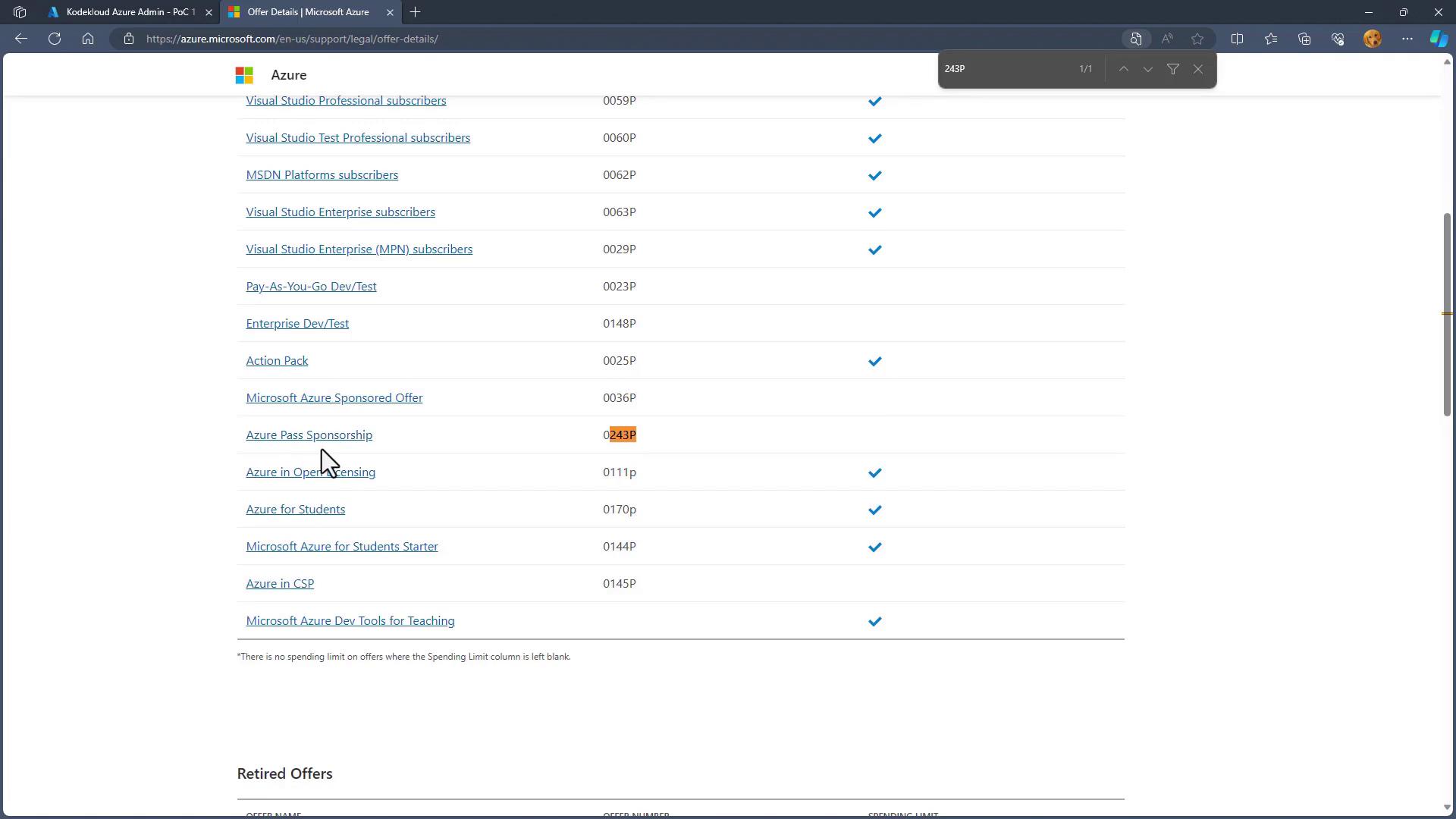
When you log into the Azure Portal, you can easily view all your subscriptions. A search for “subscriptions” will display entries with details such as the offer ID, helping you identify and manage each one. For example, consider a Visual Studio subscription that provides monthly credits for development and testing. In the portal, notifications might display an available balance of 6,000 rupees alongside the subscription details. Offer IDs, such as “62P” for platform subscriptions or “243P” for sponsorship-based subscriptions, help further distinguish them.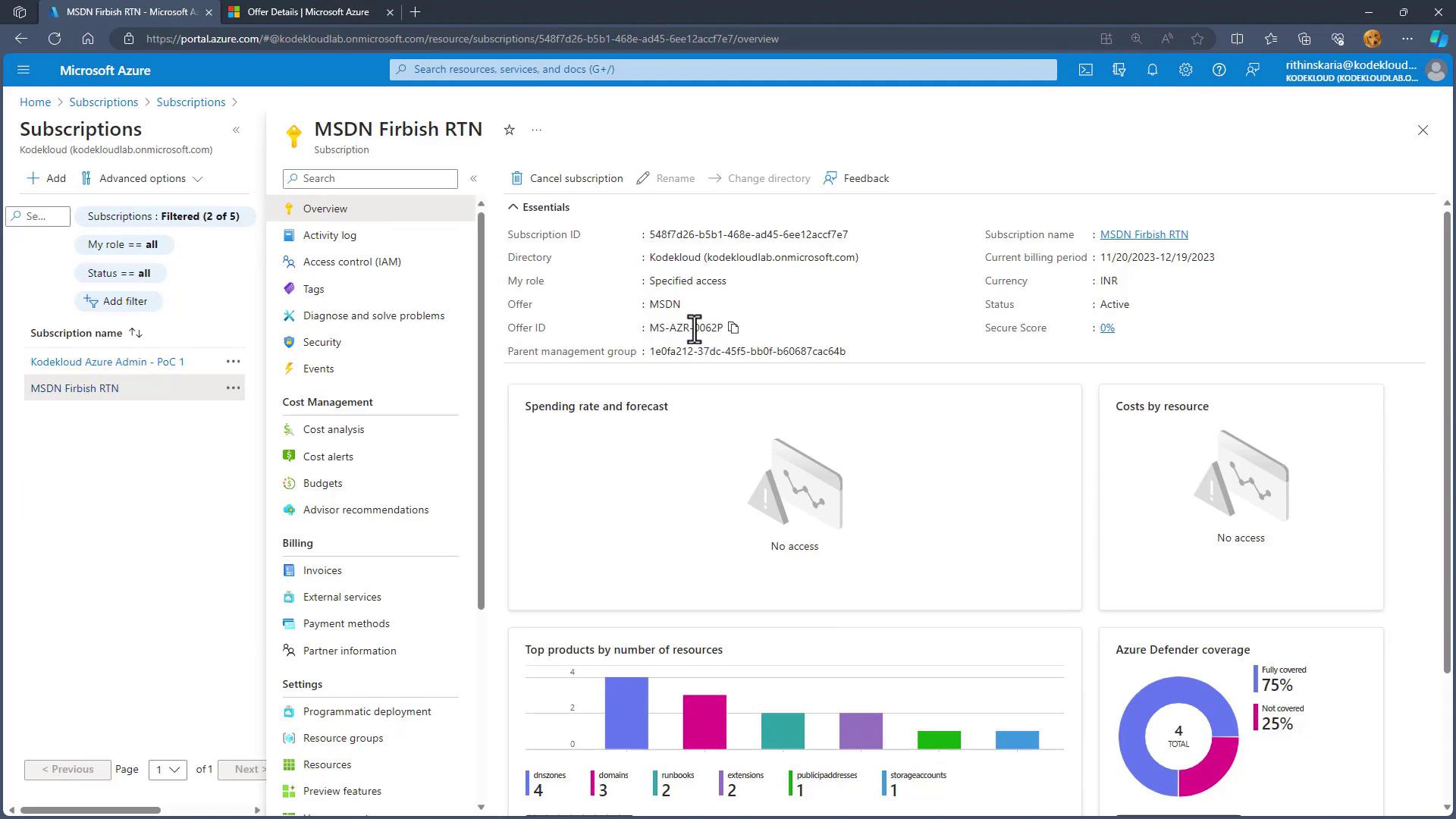
With a clear understanding of Azure Subscriptions and their various offer types, the next step is to focus on managing Resource Groups and Resource Limits, which further streamline resource organization and ensure operational efficiency. For more insights on Azure resource management, consider exploring additional resources such as Azure Documentation. Happy cloud managing!