

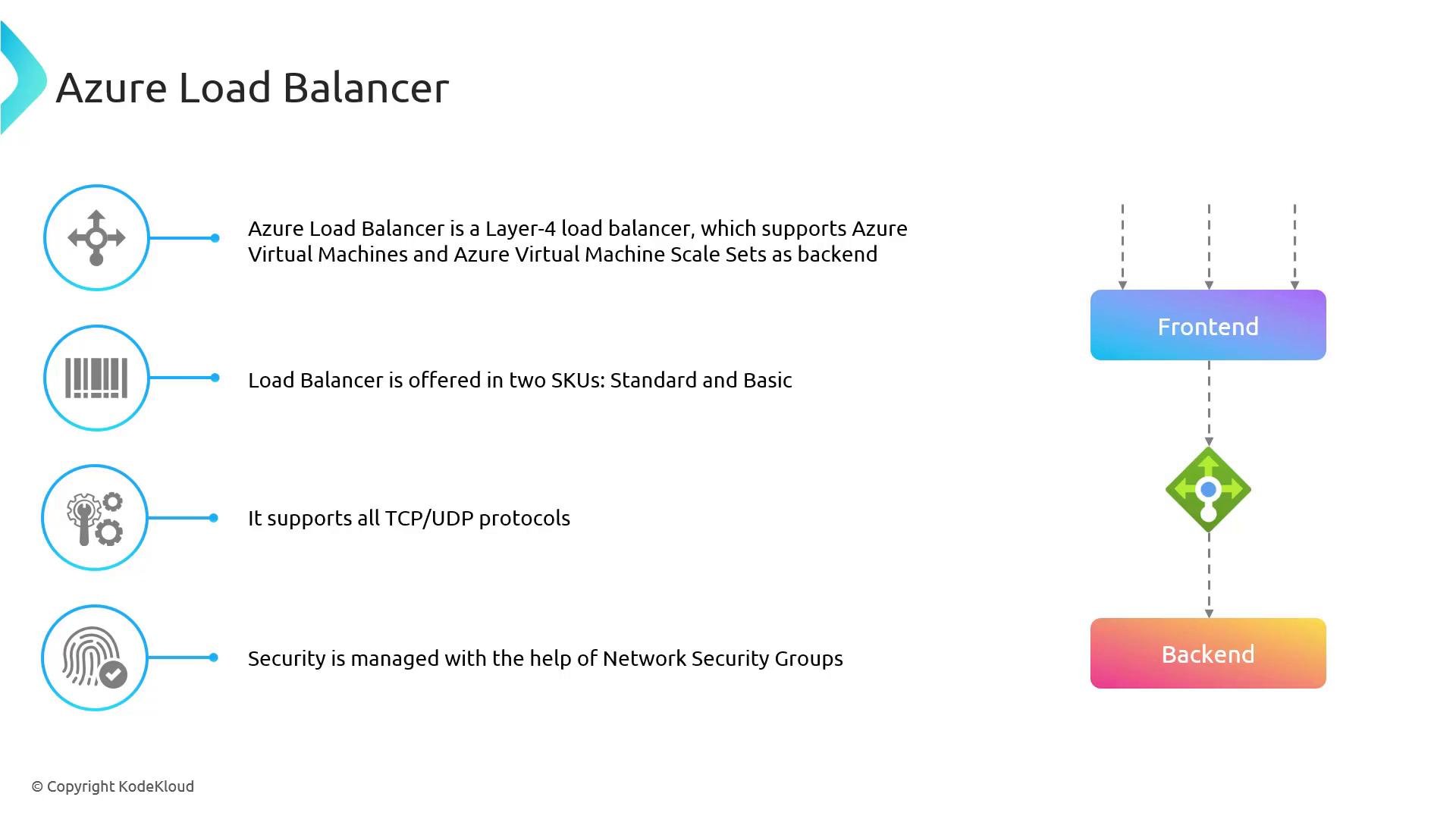
- Layer 4 TCP/UDP load balancing for VMs and VM scale sets
- Health probes (TCP/HTTP/HTTPS) to determine instance health
- Frontend IP configurations (public or private)
- Integration with Network Security Groups (NSGs) for access control
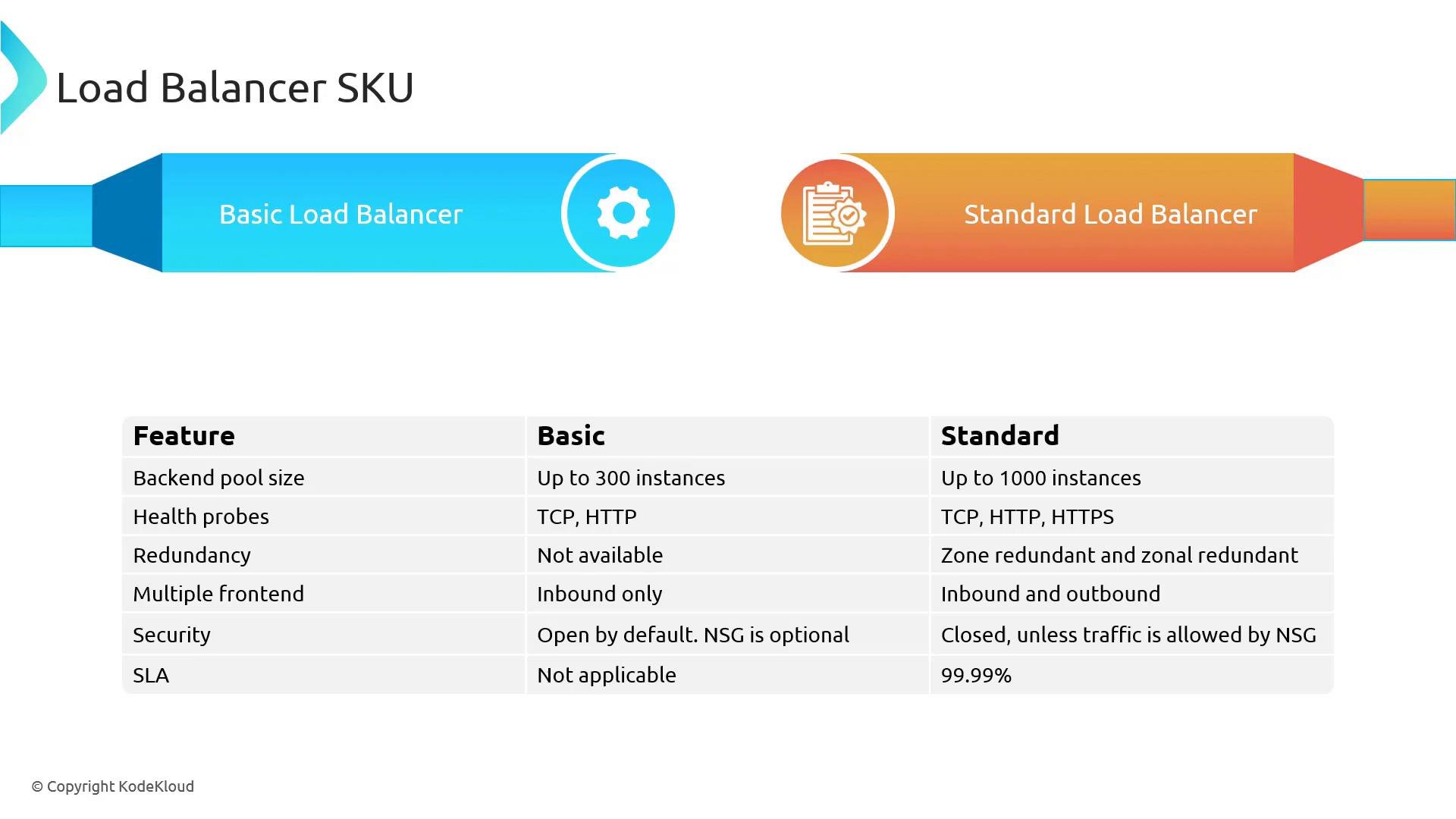
Load Balancer SKUs
Azure provides two Load Balancer SKUs: Basic and Standard. Choose the SKU based on scale, resiliency, security posture, and production SLA requirements.For production and internet-facing services, the Standard SKU is recommended because it provides higher scale, zone redundancy, stricter security defaults, and an SLA. Use Basic for small dev/test workloads where cost is the primary concern.
Implementations: Public and Internal (Private) Load Balancer
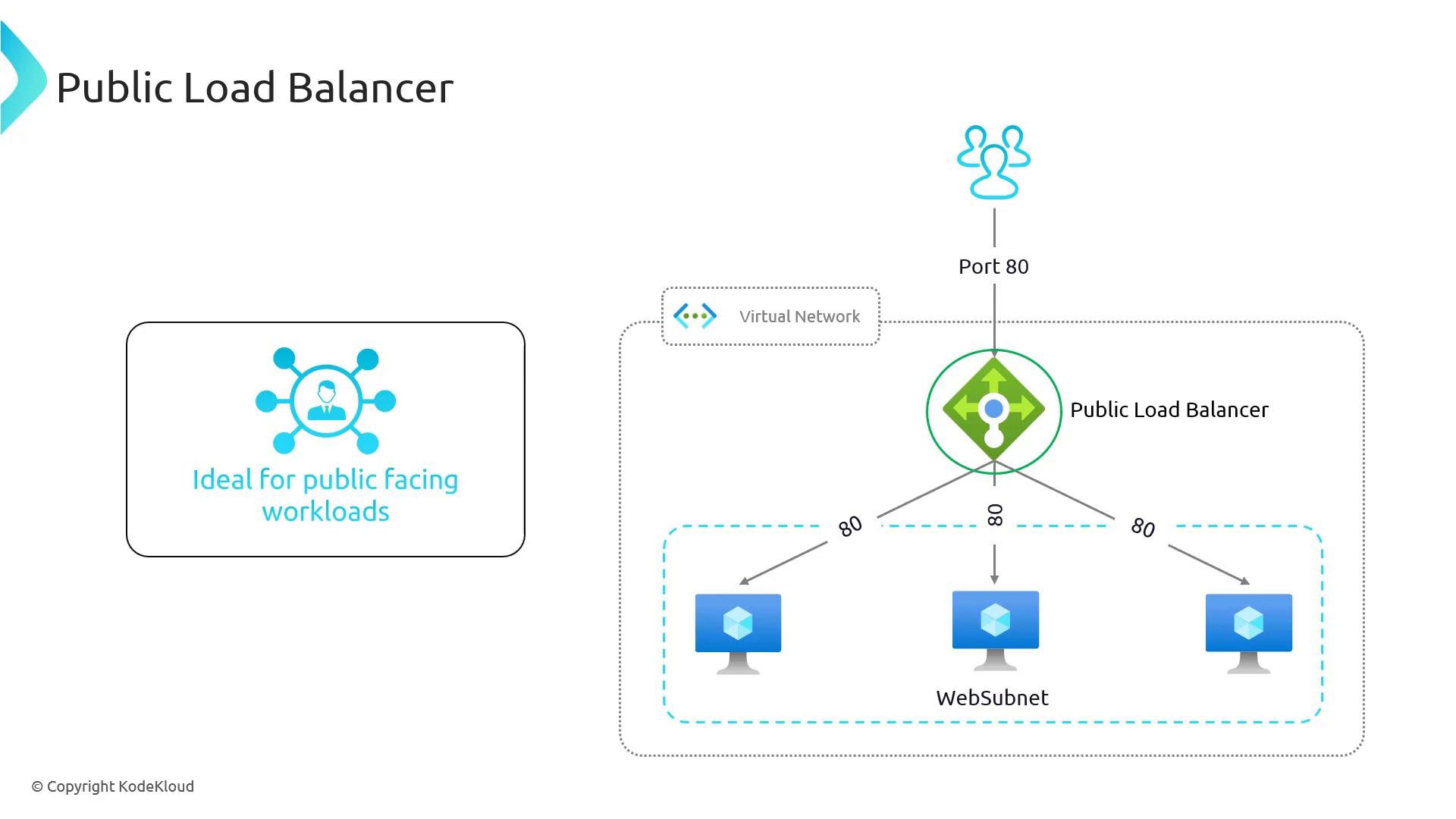
Azure Load Balancer can be deployed as either Public (internet-facing) or Internal (private) depending on whether the frontend IP is a public IP address.Public Load Balancer
A Public Load Balancer provides inbound connectivity from the internet to resources inside your virtual network. Typical usage:- Expose web-facing services (HTTP/HTTPS) to internet clients
- Use a public frontend IP and one or more load-balancing rules to map client ports (e.g., 80/443) to backend pool ports
- Health probes monitor backend VMs and take unhealthy instances out of rotation
Internal (Private) Load Balancer
Internal Load Balancers (ILBs) use a private frontend IP and are intended for internal communications within a virtual network or across peered VNets. Typical scenarios:- Load-balance traffic between application tiers (e.g., web → app → database)
- Isolate back-end services from the public internet
- Support stateful backends, availability groups, and private APIs
Ensure you configure NSG rules to explicitly allow traffic for Standard SKUs. The Standard SKU is locked down by default and will block traffic unless NSGs permit it. This is a common cause of misconfigured load balancing in production.
Core Load Balancer Concepts
Best Practices
- Use Standard SKU for production workloads to gain SLA, scale, and zone redundancy.
- Configure health probes (HTTP/HTTPS preferred when applicable) that reflect real application endpoints so the load balancer can detect unhealthy instances accurately.
- Apply NSGs to subnets or NICs to control access, and ensure rules explicitly allow required traffic when using Standard SKU.
- For multi-zone resilience, deploy Standard Load Balancer with zonal or zone-redundant configuration.
- Monitor diagnostics and metrics (via Azure Monitor) to track probe failures, rule hits, and backend health.
Links and references
- OSI model — Wikipedia
- Azure Load Balancer custom probe overview
- Network Security Groups overview
- Azure availability zones overview