

Virtual Network Overview
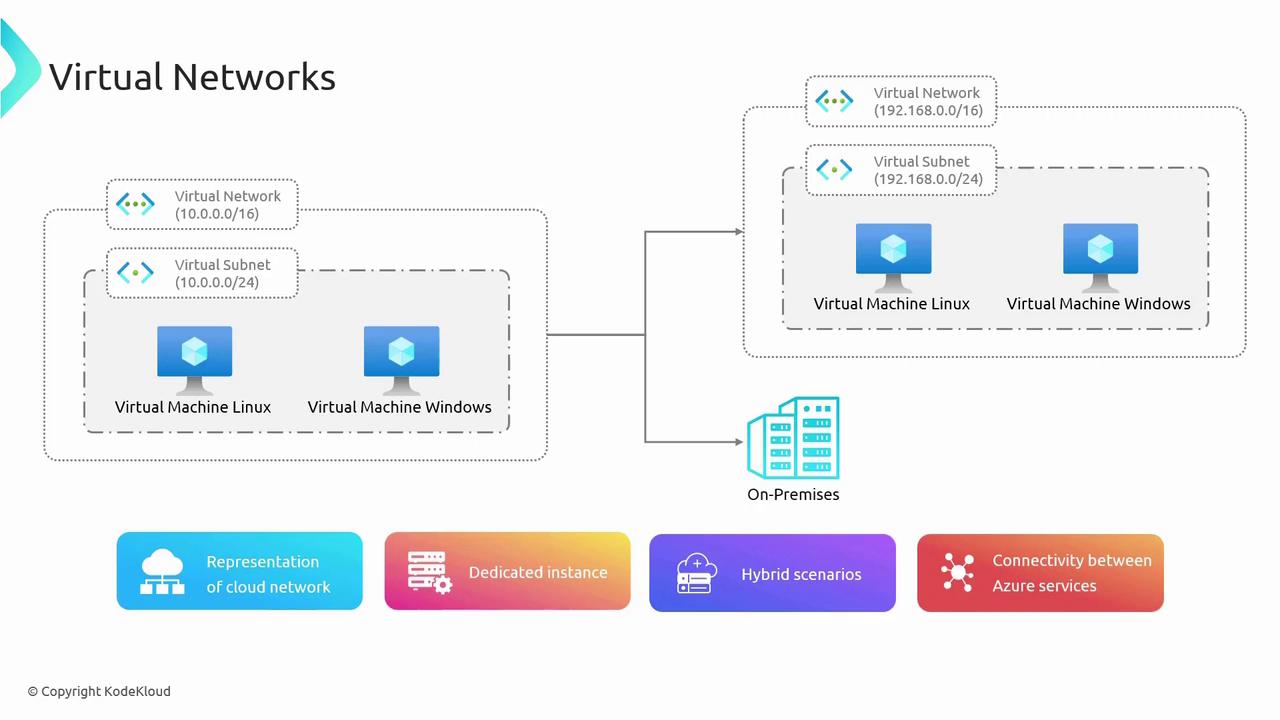
A virtual network in Azure is a logical construct that mirrors an on-premises network, yet it exists entirely in the cloud. Each Azure VNet is private and dedicated, with IP addresses drawn from RFC 1918 private ranges (for example, 10.0.0.0/8). Consider it similar to a home router setup, where your devices (PCs, tablets, smartphones) are assigned IP addresses by a router. Even if adjacent networks use the same default IP range, they remain isolated and independent. In the context of VNets, this separation is maintained even when identical IP ranges are in use across different networks, unless you deliberately establish connectivity through VPN Gateways or similar methods. VNets enable connectivity for Azure Virtual Machines and services, providing access to both the internet and on-premises networks. The diagram below visually represents these concepts: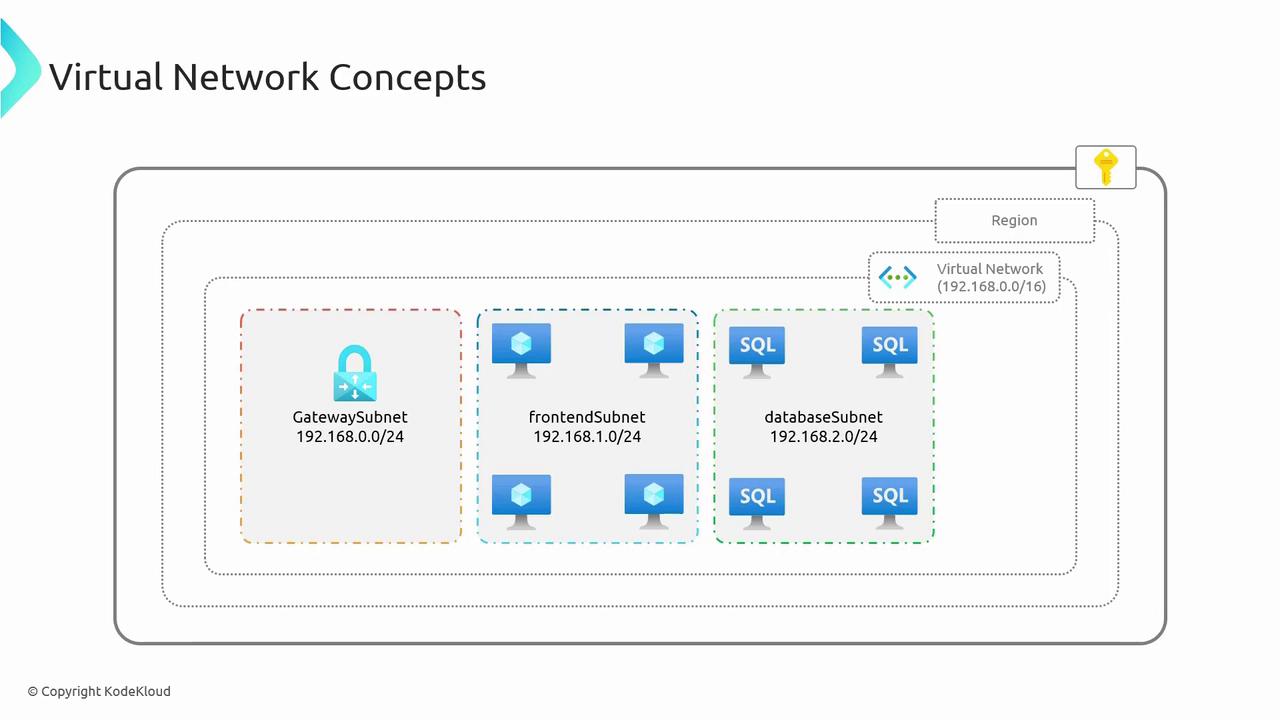
Key Concepts in Virtual Networks
1. Azure Subscription and Regions
Before creating a VNet, you must have an Azure Subscription. Azure services are generally deployed regionally, with each region hosting multiple data centers organized into availability zones to ensure redundancy and high availability. Deploying VNets within a specific region not only maintains data sovereignty but also helps you meet regional regulatory standards.2. Address Space and Subnets
Every VNet in Azure comes with an address space defined by public or more commonly by private IP addresses (typically adhering to RFC 1918). It is crucial to ensure that the VNet’s address space does not overlap with those of other VNets or your on-premises network, as overlapping can lead to routing conflicts. Subnets are logical subdivisions of a VNet, allowing you to partition network resources into manageable segments. You can allocate a portion of the VNet’s IP address range to each subnet and designate them for specific functions—for example:3. VNet Connectivity
VNets not only facilitate internal secure communication between Azure services but also enable connectivity to on-premises networks and even other cloud providers. This is most often achieved using VPN Gateways or ExpressRoute. While a deep dive into ExpressRoute is available in advanced materials, it is helpful to grasp its basic role in linking cloud resources with on-premises infrastructure.When planning your network configuration, ensure that the address space and subnet divisions are carefully designed to avoid overlaps and potential routing conflicts.
- Facilitating secure communication between Azure Virtual Machines and services.
- Enabling Azure VMs to access the internet securely.
- Supporting connectivity between cloud-based resources and on-premises networks.