

-
Hot tier
- Optimized for frequently accessed data with low latency.
- Higher storage cost but lower read/write (access) costs — suitable for transactional files, active datasets, and logs.
-
Cool tier
- For less-frequently accessed data that still needs reasonably fast retrieval.
- Lower storage cost than Hot but higher access costs. Recommended for data retained at least 30 days (e.g., monthly reports, short-term backups).
-
Archive tier
- For rarely accessed, long-term retention where retrieval can tolerate hours of delay.
- Lowest storage cost but highest retrieval/rehydration cost and longer access times. Ideal for compliance archives or historical records.
When using Cool or Archive tiers, pay attention to minimum retention periods and early deletion charges. Archive objects must be rehydrated (which can take hours) before they are readable. Use lifecycle management to avoid unexpected retrieval or deletion fees.
Account-level vs object-level tier configuration
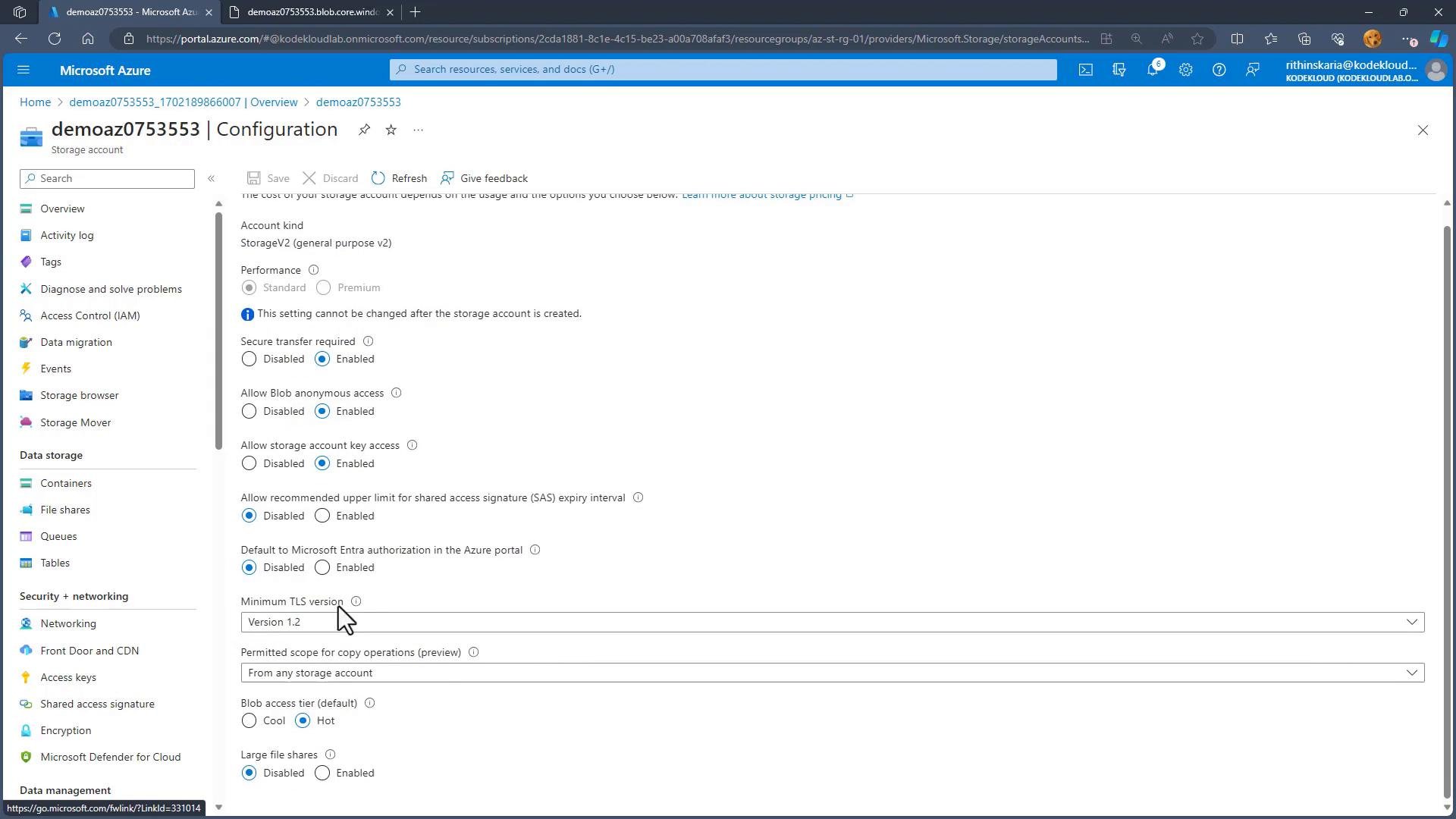
- Account default (General-purpose v2 or Blob Storage): you can set a default access tier of Hot or Cool. This applies to newly created blobs unless explicitly overridden.
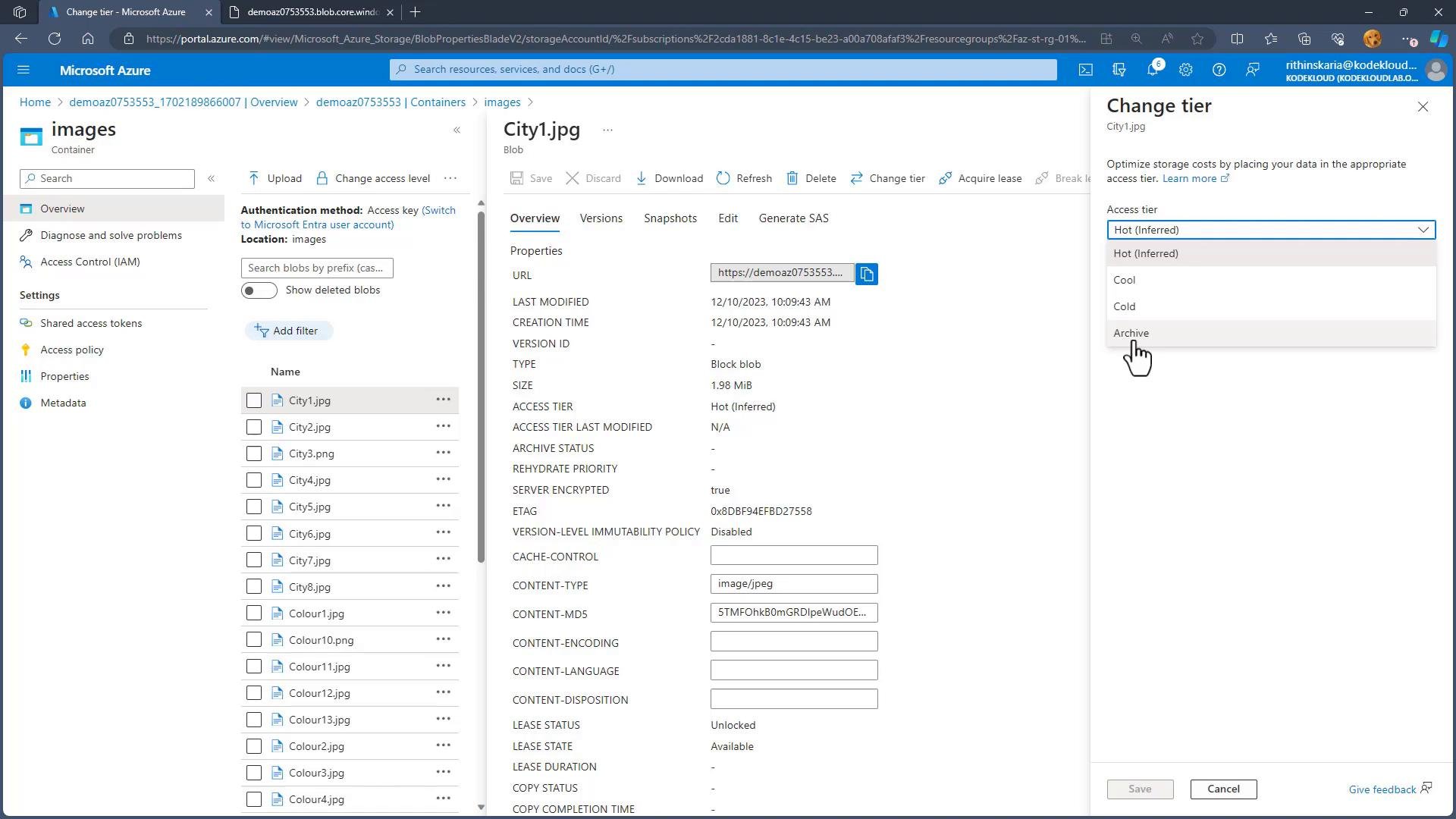
- Object (blob) level: Archive can only be set per blob — you cannot make Archive the account default.
- Lifecycle management: Use lifecycle rules to automatically move blobs between tiers based on age, last modified date, or other conditions (e.g., move to Cool after 30 days, Archive after 365 days). This reduces manual effort and helps control costs.
- Rehydration: Restoring an Archive blob to an online tier requires a rehydration operation that takes time and incurs retrieval charges. Plan rehydrations ahead if you expect occasional access.
- Minimum retention and early deletion: Cool and Archive tiers often have minimum retention windows. Deleting or moving data before that window can result in early deletion charges — monitor lifecycle rules and retention policies.
- Cost trade-offs: Transitioning to lower-cost tiers reduces storage fees but can increase access and retrieval fees. Model expected access patterns and costs before automating mass transitions.
Summary
- Hot: frequent access, low latency — higher storage cost, lower access cost.
- Cool: infrequent access, moderate retrieval speed — lower storage cost, higher access cost; best for ≥ 30 days retention.
- Archive: long-term, rarely accessed — lowest storage cost, highest retrieval cost and latency (rehydration required).
- Set account-level default to Hot or Cool; apply Archive at the blob level. Use lifecycle management to automate tiering and control costs.