

VNet-to-VNet overview
VNet-to-VNet connectivity is implemented using virtual network gateways deployed in each VNet. Unlike VNet peering (which is a platform-level private connection and does not require gateways), a VNet-to-VNet connection requires a VPN gateway in both virtual networks.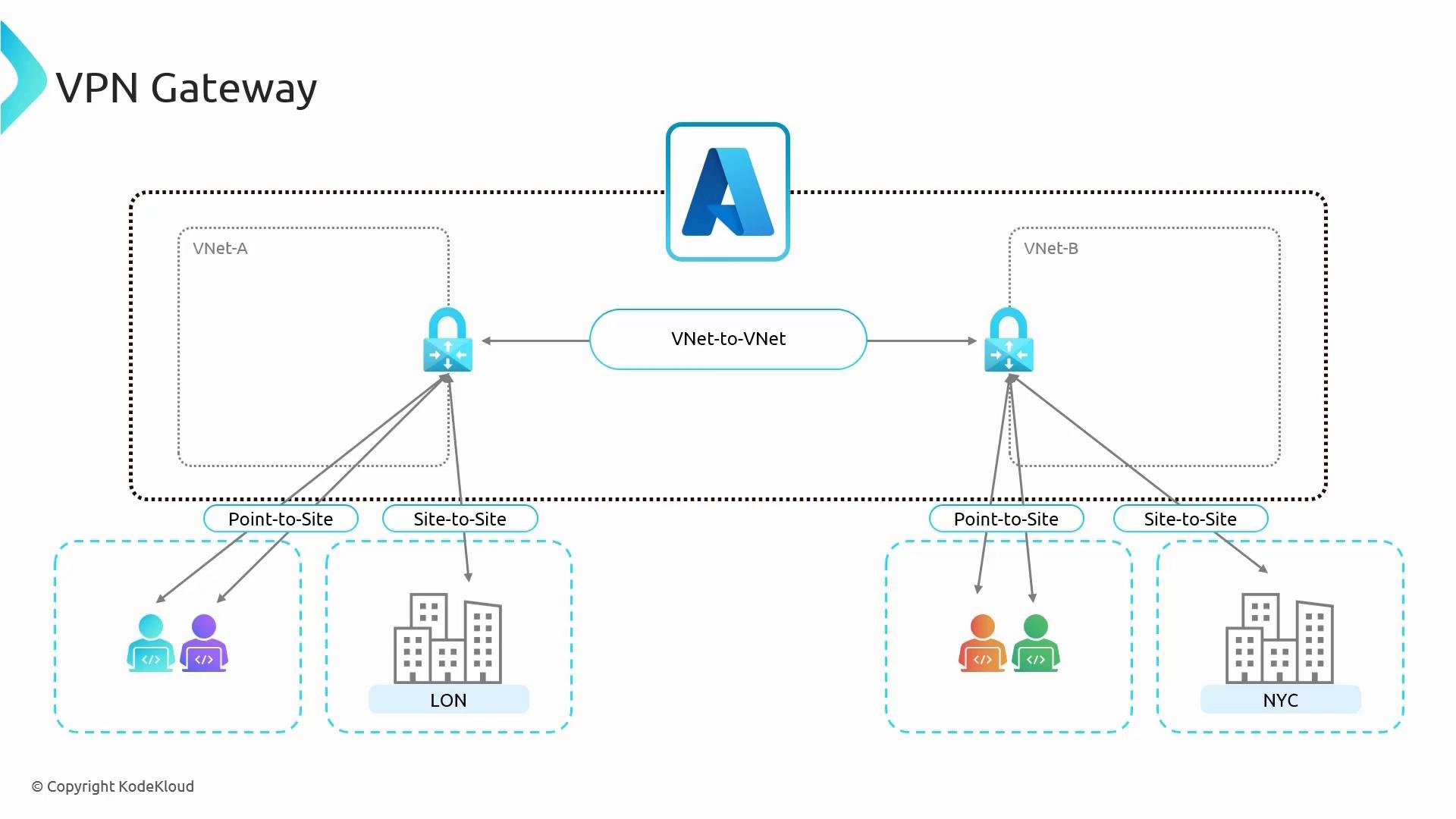
- VNet A and VNet B each host a VPN gateway.
- The two gateways form an encrypted VNet-to-VNet tunnel.
- Each gateway can also accept site-to-site connections from branch offices (e.g., LON, NYC) or point-to-site connections from remote users.
You do not need to know the full setup details for S2S/P2S to understand gateway transit and route propagation. However, familiarity with these concepts helps when designing cross-region or hybrid connectivity and deciding whether gateways or peering best match your requirements.
VPN gateway SKUs and selection
Azure offers multiple VPN gateway SKUs across Gen1 and Gen2 families. SKUs differ in maximum number of tunnels, supported P2S connections, and throughput. Choose a SKU based on required concurrent tunnels, P2S users, and throughput needs.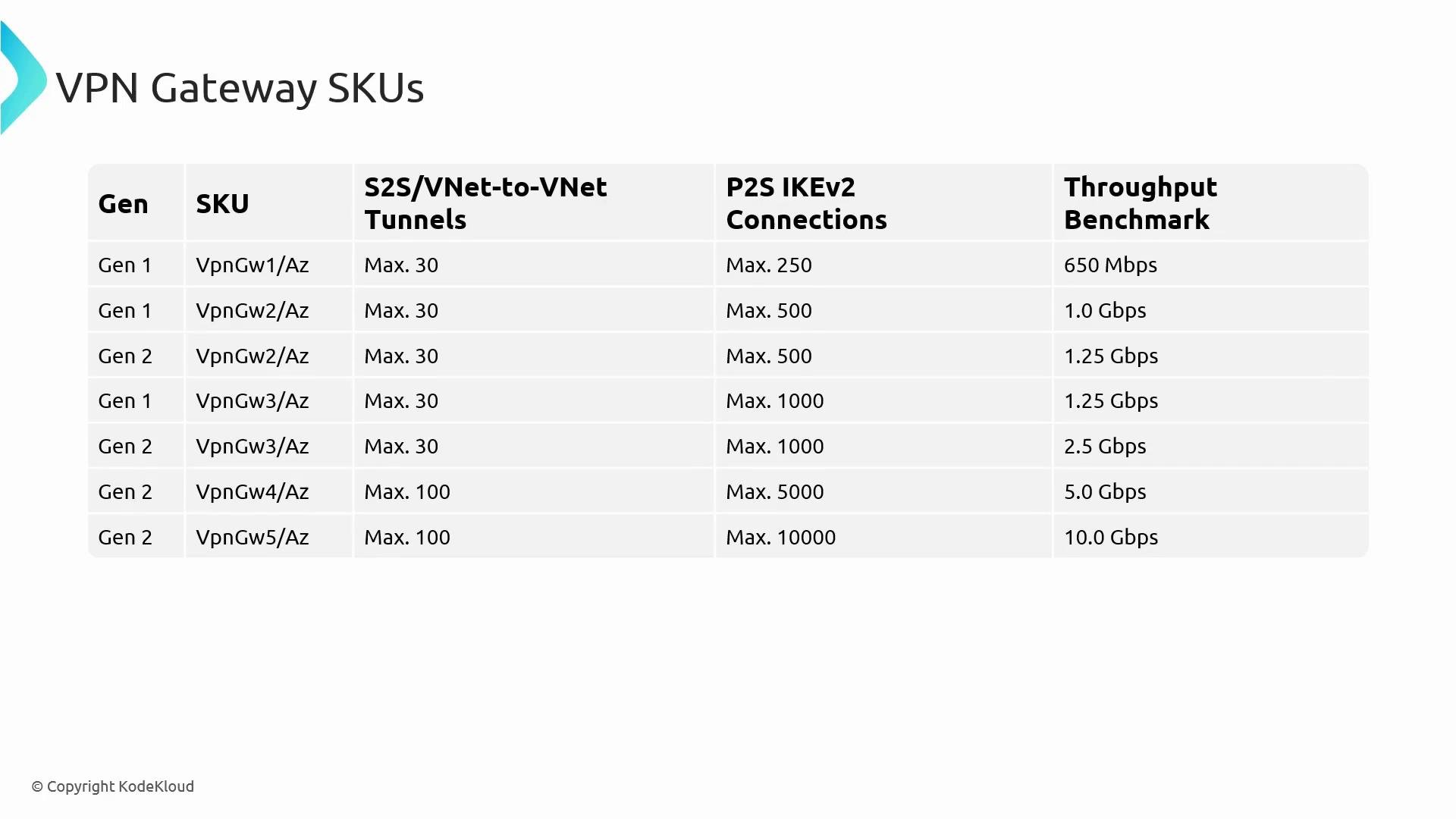
- You can resize a VPN gateway within the same generation (for example, Gen1
VpnGw1→ Gen1VpnGw2). - You cannot resize directly across generations (Gen1 → Gen2); migrating generations requires redeploying the gateway resource.
- A Basic SKU exists but is legacy and not recommended for production use.
Steps to create a VNet-to-VNet VPN connection
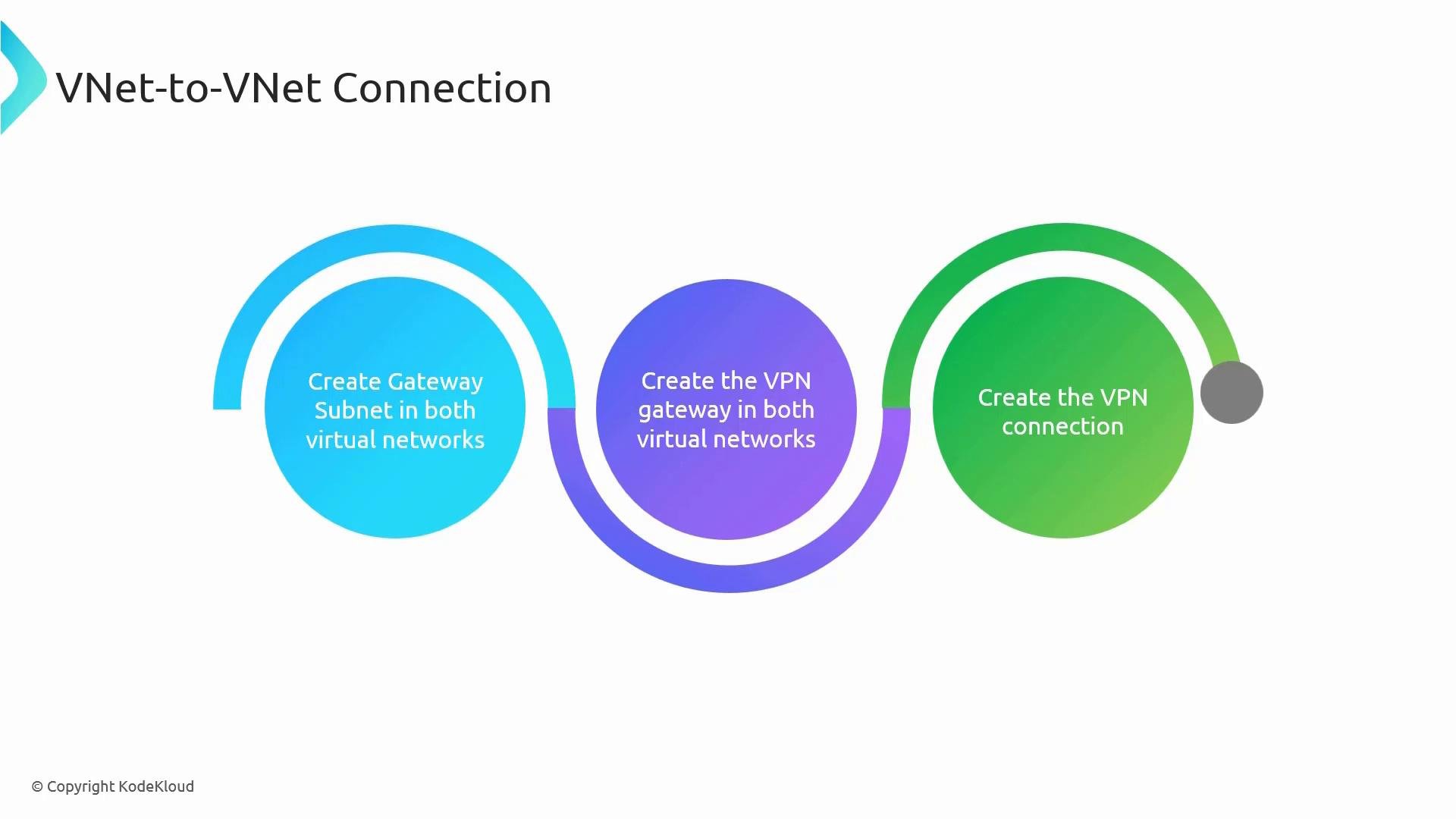
High-level deployment steps to set up a VNet-to-VNet connection:- Create a gateway subnet (
GatewaySubnet) in both VNets — this subnet is mandatory for gateway resources. - Deploy a VPN gateway in each VNet. Each gateway needs at least one public IP; active-active deployments use two public IPs.
- Create the VPN connection between the gateways (specify shared key or use certificates/BGP as needed).
VPN gateways incur an hourly gateway charge (even when idle) in addition to egress data costs. Plan for cost and deployment time: each gateway deployment often takes 30–40 minutes, so a full VNet-to-VNet deployment can take ~45–50 minutes.
VNet Peering vs VNet-to-VNet (VPN Gateway) — side-by-side comparison
Use the table below to compare VNet peering and VNet-to-VNet VPN gateways and decide which suits your architecture: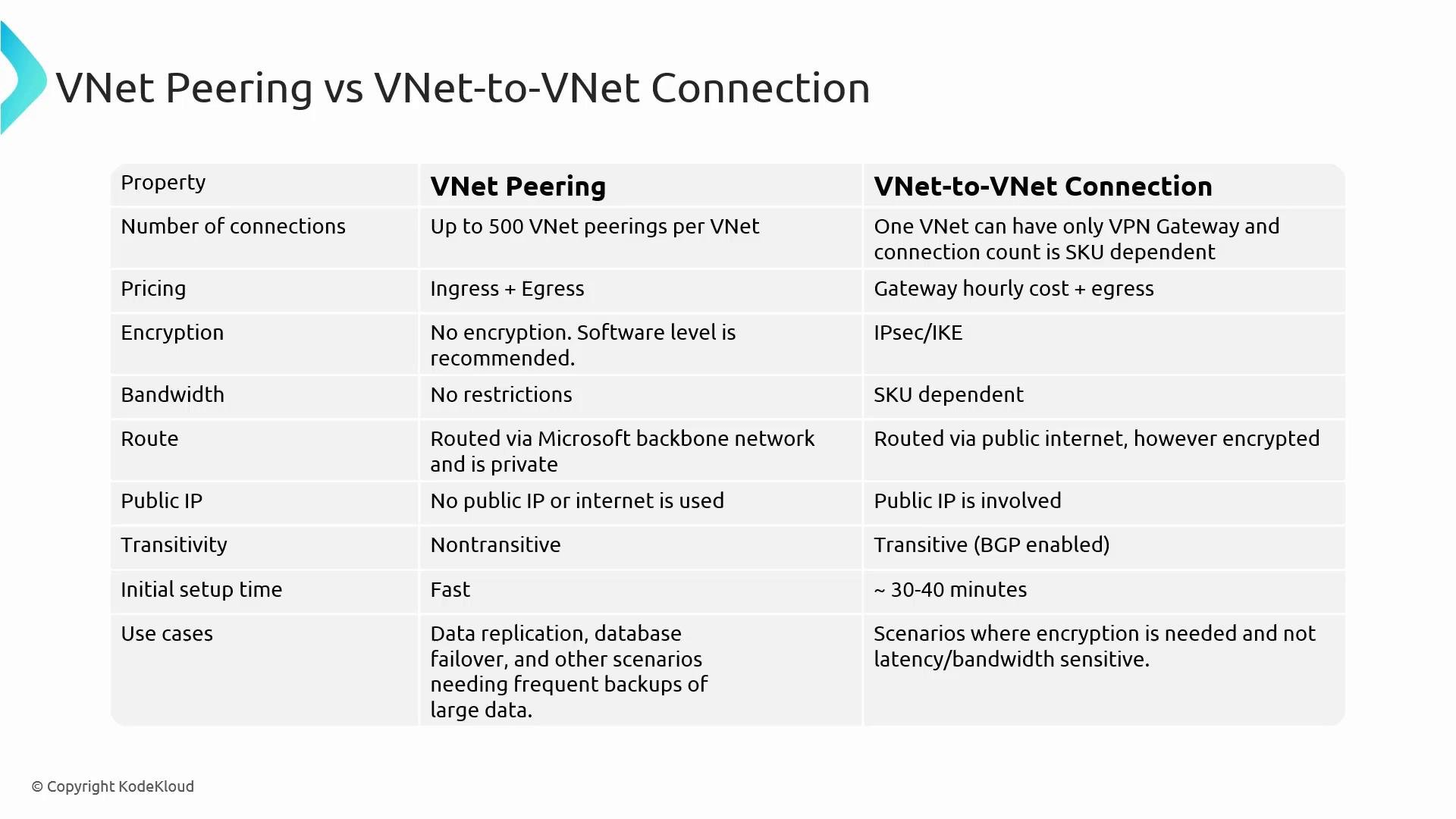
Typical use cases
- VNet peering: large-scale data replication, backups, and low-latency intra-region traffic that needs high throughput and minimal latency.
- VNet-to-VNet (VPN gateway): encrypted connectivity across regions, hybrid connectivity to on-premises sites, gateway transit scenarios where route propagation is required, or when policy/regulatory constraints require IPsec encryption.
Summary
Choose VNet peering for high-performance, low-latency private connectivity over the Microsoft backbone. Choose VPN gateways when you need:- IPsec/IKE encryption for traffic across the public Internet,
- Gateway-level transit and route propagation, or
- Hybrid site-to-site or point-to-site connectivity to Azure VNets.
- Azure VPN Gateway overview: https://learn.microsoft.com/azure/vpn-gateway/
- VPN gateway SKUs and limits: https://learn.microsoft.com/azure/vpn-gateway/vpn-gateway-about-vpngateways