

Azure VM disk types
There are three primary disk types you should know when architecting or operating Azure VMs:-
OS disk
The OS disk contains the operating system and boots the VM. It is a VHD stored as a page blob when using unmanaged disks or as a managed disk (an Azure-managed resource backed by platform storage). OS disks are persistent and durable and should contain only the OS and system-level configuration. -
Temporary disk
The temporary disk is directly attached to the VM host and is intended for ephemeral data: swap/page files, temporary caches, or transient scratch space. Data on the temporary disk can be lost during host maintenance, reboots, or VM deallocation — do not use it for persistent data. Note that not all VM sizes include a temporary disk; check the VM size documentation before relying on it.
Do not store important or persistent data on the temporary disk. Use data disks, managed disks, or external storage services (like
Azure Files or Azure Blob Storage) for persistent storage and backups.- Data disks
Data disks are additional persistent disks you attach to a VM for application and data storage. The number of attachable data disks and the aggregate IOPS/throughput available depend on the VM size and series. Always verify disk counts and performance limits for your chosen VM size.
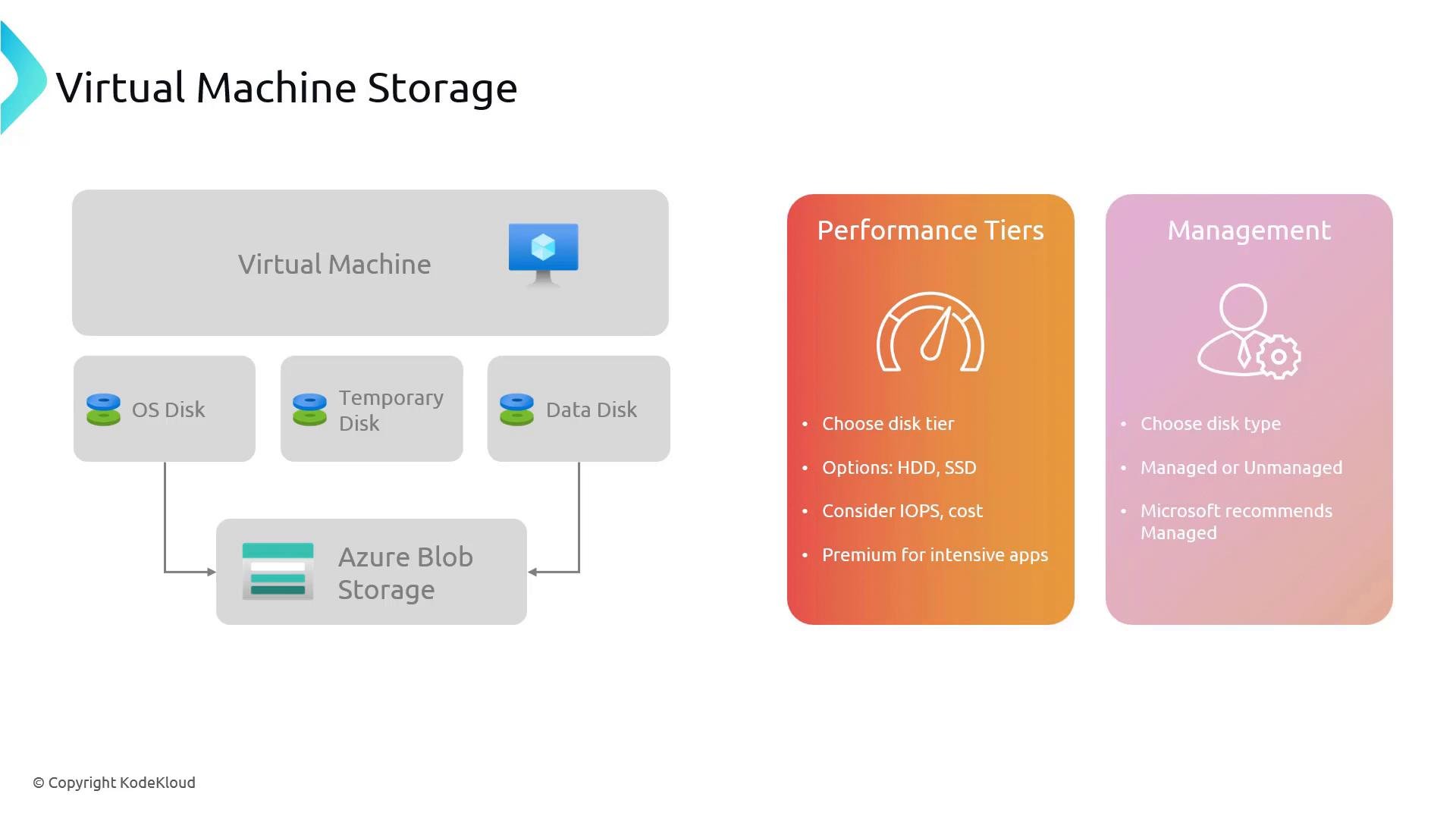
Performance tiers and choosing the right disk
Choose a disk tier based on workload I/O profile, latency sensitivity, and cost. Consider these general recommendations:
When evaluating disk tiers, weigh IOPS, throughput (MB/s), latency, and cost. Also account for VM-level maximums: many VM SKUs limit aggregate IOPS/throughput across attached disks, so pick a VM size that supports your storage performance requirements.
Managed disks vs unmanaged disks
Two management approaches exist for VM disks in Azure:- Managed disks
Managed disks are an Azure-managed abstraction over the underlying storage. Azure handles provisioning, placement, scaling, and the storage account boundaries for you. Managed disks simplify operations and integrate with features such as snapshots, Azure Backup, Azure Site Recovery, and availability constructs (availability sets and availability zones). They support Standard HDD, Standard SSD, Premium SSD, and Ultra Disk tiers. Use managed disks for most deployments to avoid storage account IOPS limits and reduce operational overhead.
Managed disks simplify operations and are the recommended choice for most deployments. They support snapshots, backup, and native integration with availability sets and zones.
- Unmanaged disks
Unmanaged disks are VHD files stored as page blobs in a storage account you create and manage. This gives you low-level control over storage accounts, but you must manage scalability, distribution, and avoid exceeding storage account IOPS/throughput limits. Unmanaged disks are generally only used when you have a specific requirement to manage the storage accounts directly.
Quick comparison
Practical CLI examples
Create a managed disk and attach it to an existing VM using the Azure CLI (example): Create a managed disk:- Azure VM sizes and limits: https://learn.microsoft.com/azure/virtual-machines/sizes
Additional considerations
- Snapshots and backups: Managed disks support on-demand snapshots and integrate with Azure Backup; use snapshots for point-in-time backups and rapid cloning.
- Availability: For high availability, combine VM placement strategies (availability sets or availability zones) with managed disks to distribute disks and VMs across fault and update domains.
- Disk limits: The maximum number of attachable data disks and total IOPS/throughput depend on VM size. Always consult the VM size documentation before provisioning production workloads.
- Data protection: Use backups, replication (for example Azure Site Recovery), or external storage for critical data protection strategies.
Next steps
Now that you understand VM storage types, performance tiers, and management options, follow the next article to learn how to create and configure VMs in the Azure portal. That guide will cover OS disk sizing, attaching and formatting data disks, disk tier selection, and setting availability options.Links and references
- Azure managed disks: https://learn.microsoft.com/azure/virtual-machines/disks-types
- Azure VM sizes and limits: https://learn.microsoft.com/azure/virtual-machines/sizes
- Azure Backup and snapshots: https://learn.microsoft.com/azure/backup/backup-overview