This article explains how to back up on-premises virtual machines to Azure using the Recovery Services Vault and associated tools.
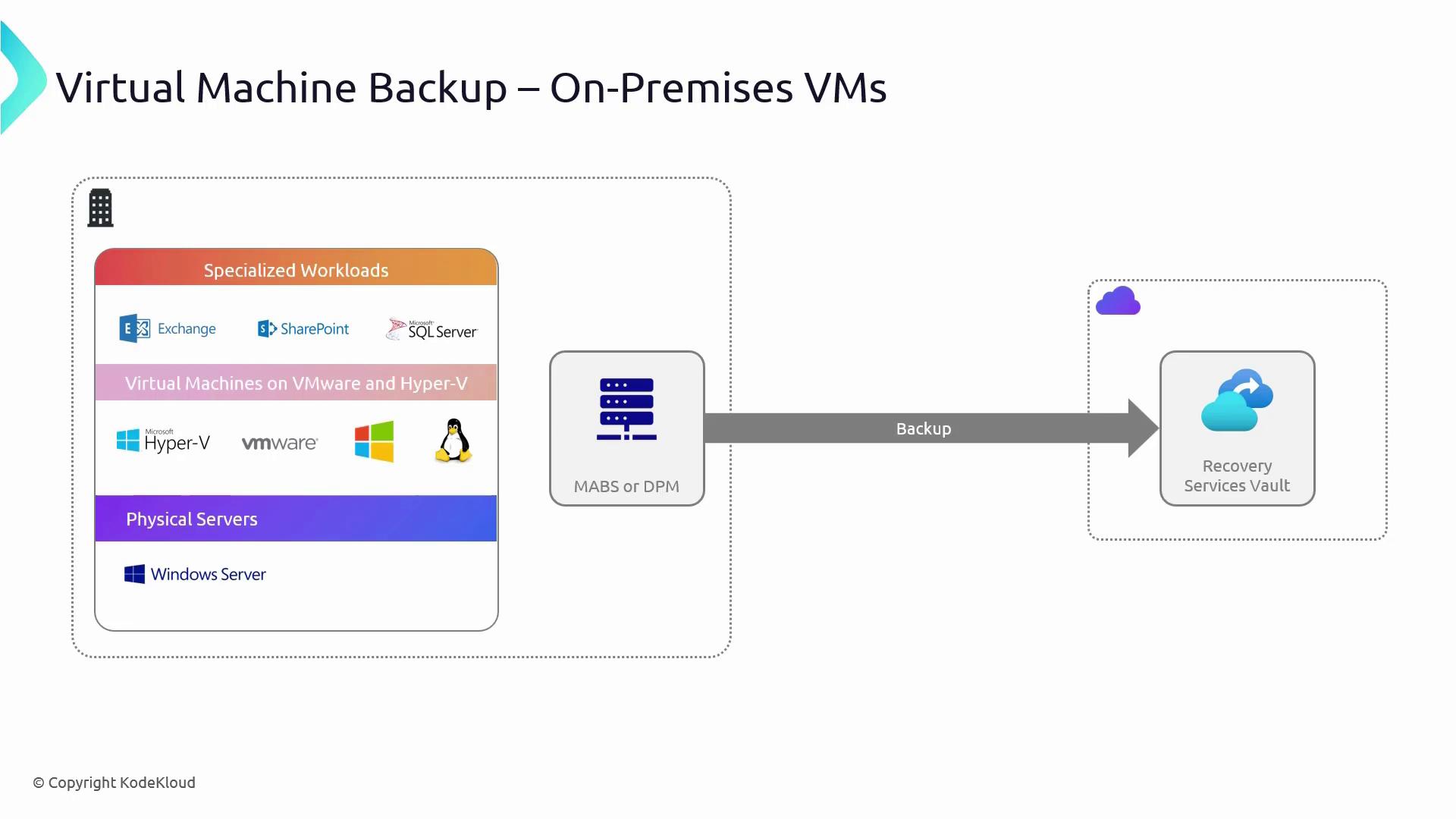
In this article, we explain how to back up on-premises virtual machines (VMs) to Azure using the Recovery Services Vault. The Recovery Services Vault can store backups for various specialized workloads, including Exchange, SharePoint, and SQL Server, supporting both Linux and Windows VMs on Hyper-V, VMware, and even physical Windows Server machines.When leveraging Azure, backups can be configured easily via the portal. For on-premises environments, however, you can utilize tools like Microsoft Azure Backup Server (MABS) and System Center Data Protection Manager (DPM). These tools bridge your on-premises environment with Azure by handling backup scheduling, retention policies, and securely transferring data to Azure over an HTTPS-encrypted connection.
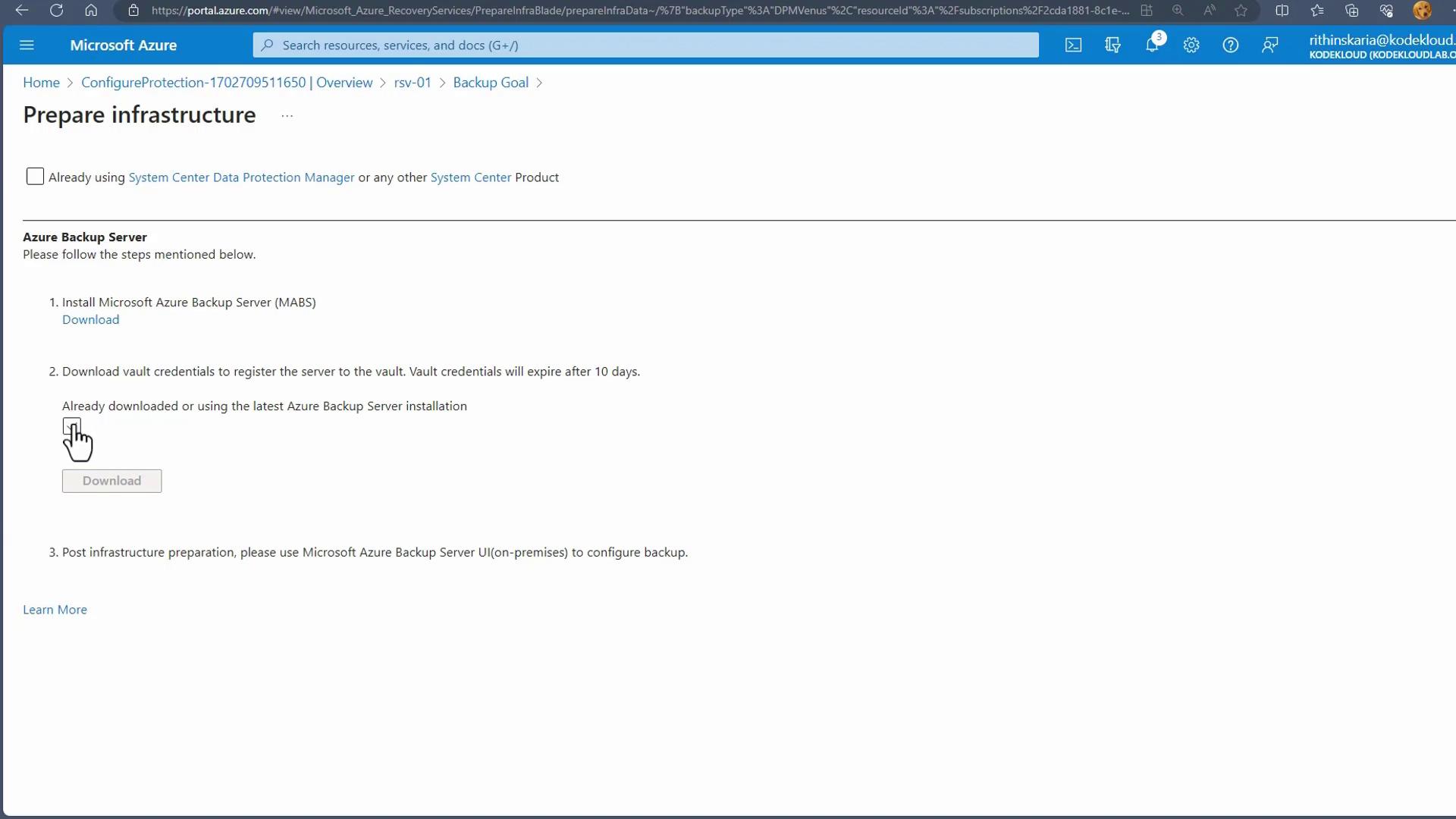
When a backup is initiated, data is securely transmitted over the network to the Recovery Services Vault. In addition to the cloud backup, a local copy is maintained to facilitate rapid restore operations in case of issues. This dual backup strategy ensures low latency access on-premises while also providing a secure secondary copy in the cloud.If you are using System Center Configuration Manager (SCCM), you have the option to configure backups with the DPM agent. The diagram below outlines the process for setting up the Azure Backup Server, including installation steps and downloading vault credentials:
Once MABS is enabled, the data flows securely to the Recovery Services Vault, ensuring an efficient and safe backup process.
Due to limited on-premises resources, a live demonstration of this configuration is not provided. However, the outlined process reliably secures your backup data both locally and in the cloud.This concludes the overview of configuring backup for non-Azure VMs. In the next section, we will compare MABS with MARS to help you determine the best solution for your backup strategy.