

-
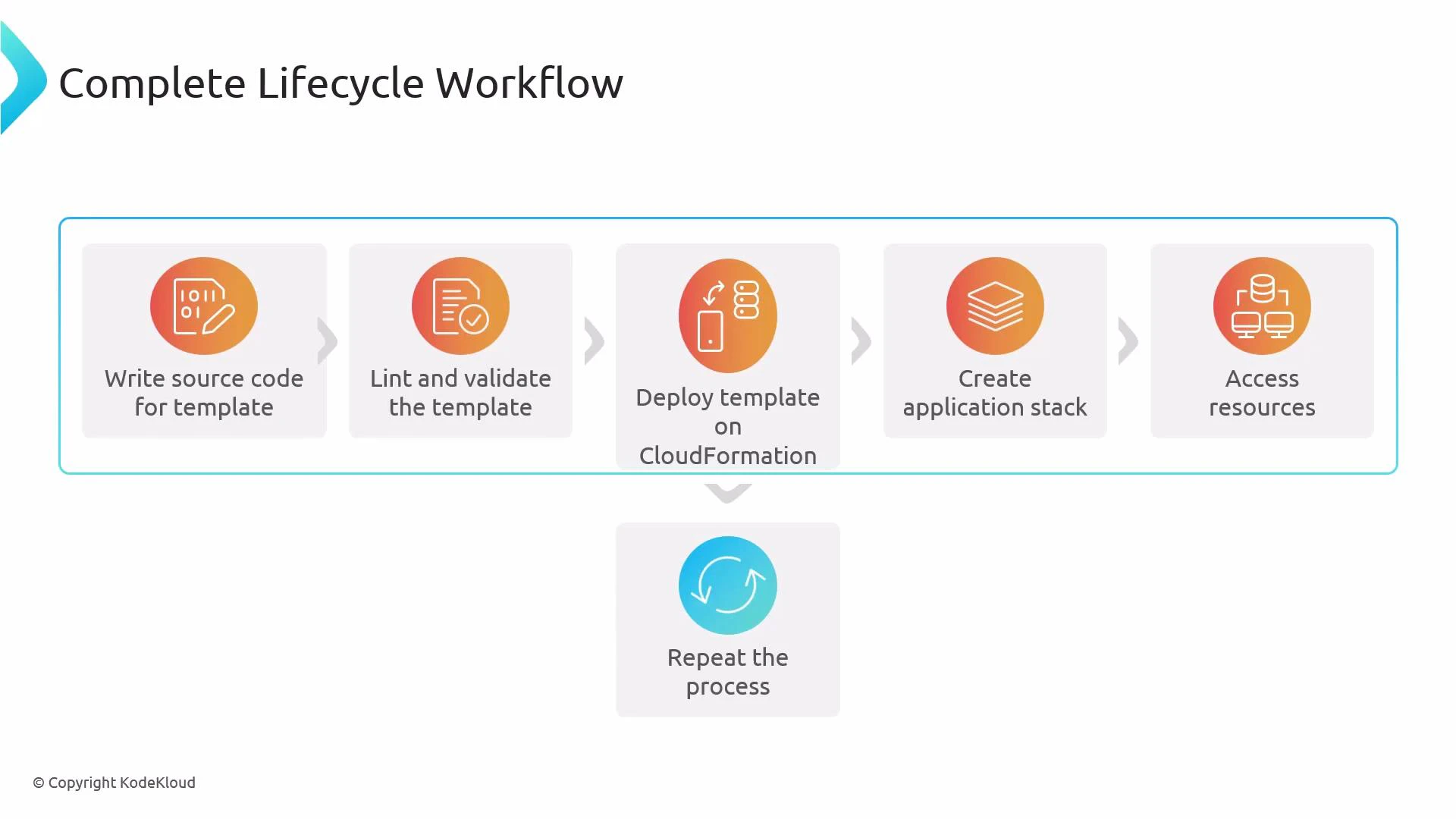
Write the template source code
- Author a CloudFormation template (commonly YAML, sometimes JSON). Define core sections:
Resources,Parameters,Mappings, andOutputs. Optionally includeMetadata,Conditions, andTransformsections as required by your design. Keep templates focused and modular to simplify testing and reuse.
- Author a CloudFormation template (commonly YAML, sometimes JSON). Define core sections:
-
Lint and validate the template
- Use tools such as cfn-lint to detect schema errors and common best-practice issues early:
- Validate syntax and intrinsic correctness using the CloudFormation console or AWS CLI:
- Example AWS CLI validation:
- Early validation prevents failed deployments and reduces troubleshooting time.
-
Deploy the template on CloudFormation
- Create or update a CloudFormation stack from your validated template. Use change sets to preview the impact of updates to an existing stack:
- Example (create change set):
- Create or update a CloudFormation stack from your validated template. Use change sets to preview the impact of updates to an existing stack:
-
CloudFormation provisions the application stack
- CloudFormation creates and configures the defined resources (EC2, VPCs, IAM roles, S3 buckets, Lambda, etc.), handling dependency ordering and lifecycle actions automatically.
-
Verify access and behavior of created resources
- Confirm resources are available and behaving as expected. For example, test network connectivity, check IAM permissions, and verify application endpoints. Capture outputs and update templates to expose needed metadata via
Outputs.
- Confirm resources are available and behaving as expected. For example, test network connectivity, check IAM permissions, and verify application endpoints. Capture outputs and update templates to expose needed metadata via
-
Iterate and repeat the process
- Add features, fix issues, and evolve the template. Each iteration should follow the author → lint/validate → deploy → verify loop to keep changes safe and incremental.
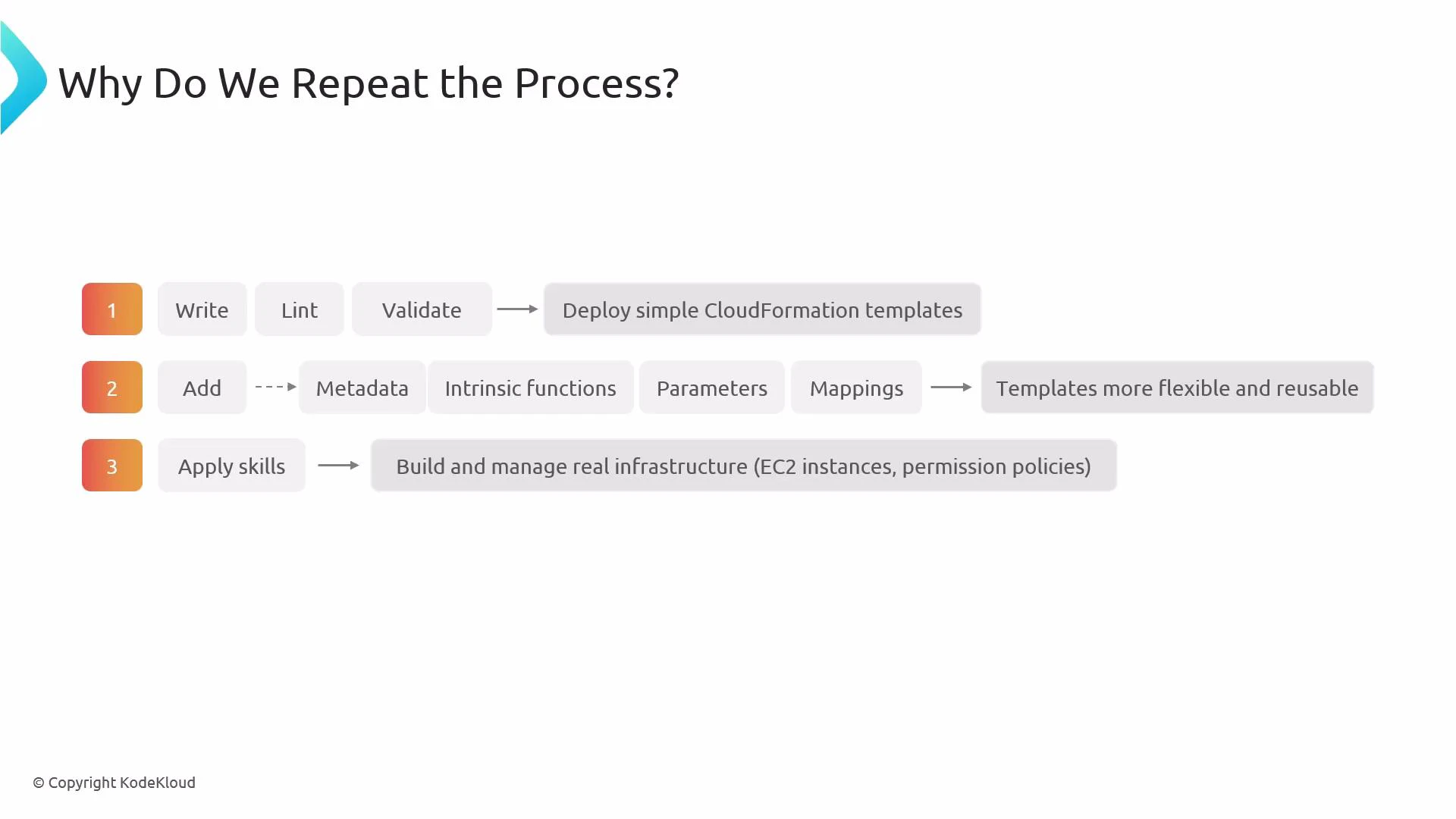
- Start with small, simple templates to validate the end-to-end flow and surface early issues. A minimal first template helps you confirm IAM roles, networking, and resource dependencies without complexity.
- Incrementally add reusability: introduce
Parameters,Mappings,Conditions,Metadata, and intrinsic functions (Ref,Fn::GetAtt,Fn::Sub,Fn::Join, etc.) so the template supports multiple environments and configurations. - Iteration builds confidence for production infrastructure: gradually introduce EC2 instances, IAM policies, networking, autoscaling, and monitoring while refining permissions and resource sizing.
Iterative cycles let you catch mistakes early, increase template reusability, and safely evolve infrastructure. Use linting and validation on every change before deployment.
- Validate and lint every change — include CI jobs that run
cfn-lintandaws cloudformation validate-template. - Use small, incremental changes with change sets to preview updates to running stacks.
- Parameterize environment-specific values and avoid hardcoding ARNs or region-specific AMIs.
- Keep templates modular: split large templates into nested stacks when logical grouping makes sense.
- Store templates in version control and tag releases to track deployed versions.
Never skip validation or testing in a non-production environment. Changes to IAM, networking, or shared services can have wide impact — always review changes with a change set and, when appropriate, a peer review or automated policy checks.
- cfn-lint (GitHub) — template linting tool
- AWS CloudFormation validate-template — https://docs.aws.amazon.com/AWSCloudFormation/latest/UserGuide/using-cfn-validate-template.html
- AWS CloudFormation Documentation
- Explore CloudFormation change sets and nested stacks for safer updates and modularization.
- Consider integrating policy-as-code (e.g., cfn-nag, AWS Config Rules, or AWS IAM Access Analyzer) into your CI to prevent accidental misconfigurations.