In this guide you’ll replace a hardcoded VPC ID in a CloudFormation template with a parameter typed as AWS::EC2::VPC::Id. Using this parameter type makes the template region-aware: when you create or update a stack, the CloudFormation console presents a dropdown of VPCs that exist in the selected region instead of requiring you to edit the template for each region. Understanding the two related CloudFormation concepts:
  • Pseudo-parameters (for example, AWS::Region, AWS::AccountId) are automatic, built-in values you can reference without declaring them.
  • Typed parameters (for example, AWS::EC2::VPC::Id) tell the console to present a list of existing resource identifiers from the region where the stack runs. This demo uses a typed parameter so you don’t need to hardcode a VPC ID.
Use the parameter type AWS::EC2::VPC::Id to let the CloudFormation console show available VPCs for the region where the stack runs. This is different from pseudo-parameters like AWS::Region.
Quick reference: parameter type behavior References: Initial template excerpt — instance type parameter and a resource placeholder:
Example of the resource that originally used a hardcoded VPC ID:
Add a typed parameter for VPC selection
  • Define a new parameter named MyVPC with Type: AWS::EC2::VPC::Id.
  • Reference the parameter using !Ref where the VpcId is required.
Parameter addition:
Update the security group to reference the new parameter (note the explicit CIDR entries for ingress rules):
Consolidated parameters section with descriptions (save this change before updating the stack):
Update the stack in the CloudFormation console
  • Choose “Replace current template” → Upload the updated template or paste it into the console.
  • On the stack details page, the MyVPC parameter will appear as a dropdown populated with VPCs from the selected region.
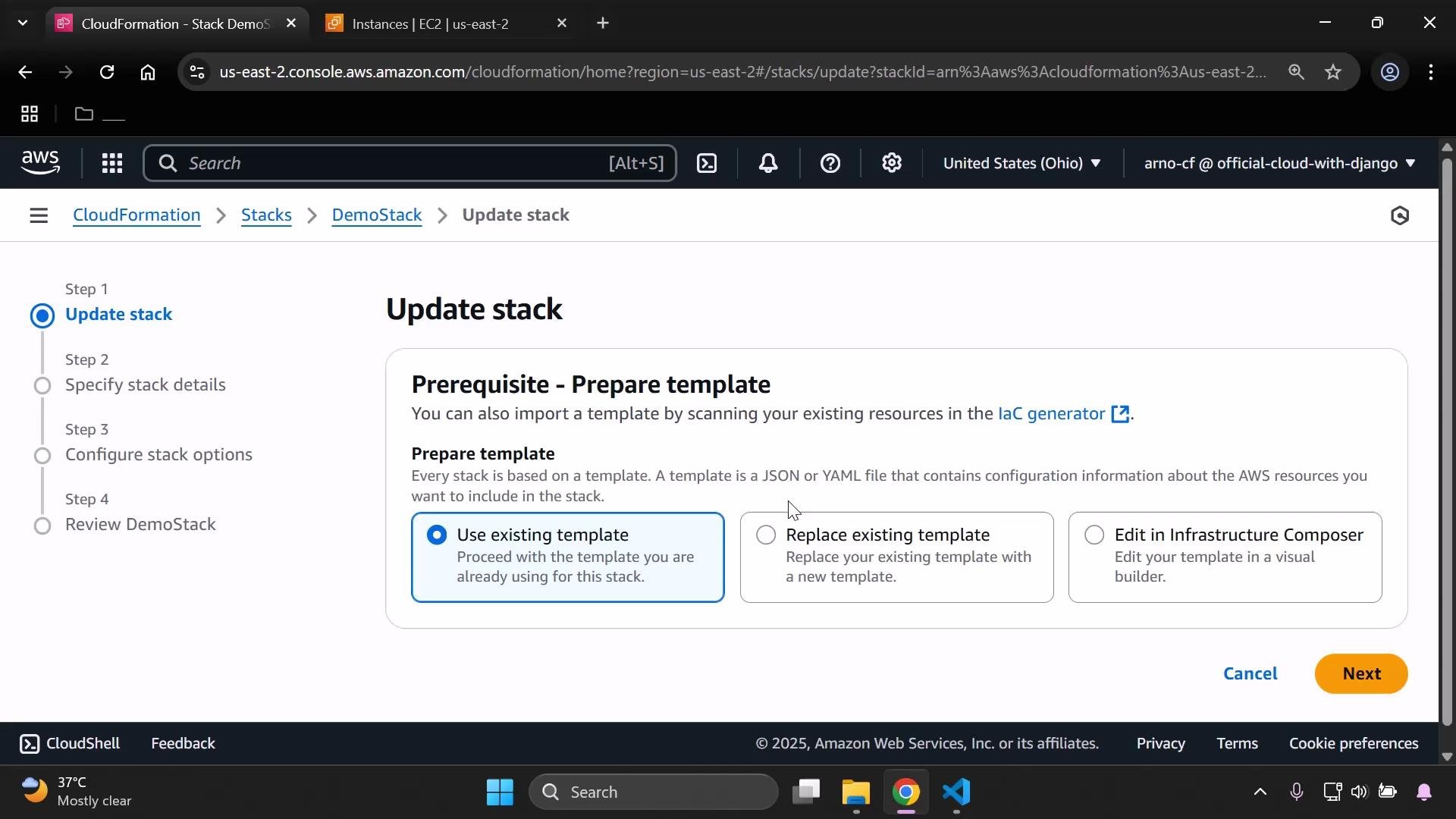
Screenshot of the AWS CloudFormation console on the "Update stack" page. It shows the "Prerequisite - Prepare template" panel with options to use an existing template, replace it, or edit in Infrastructure Composer.
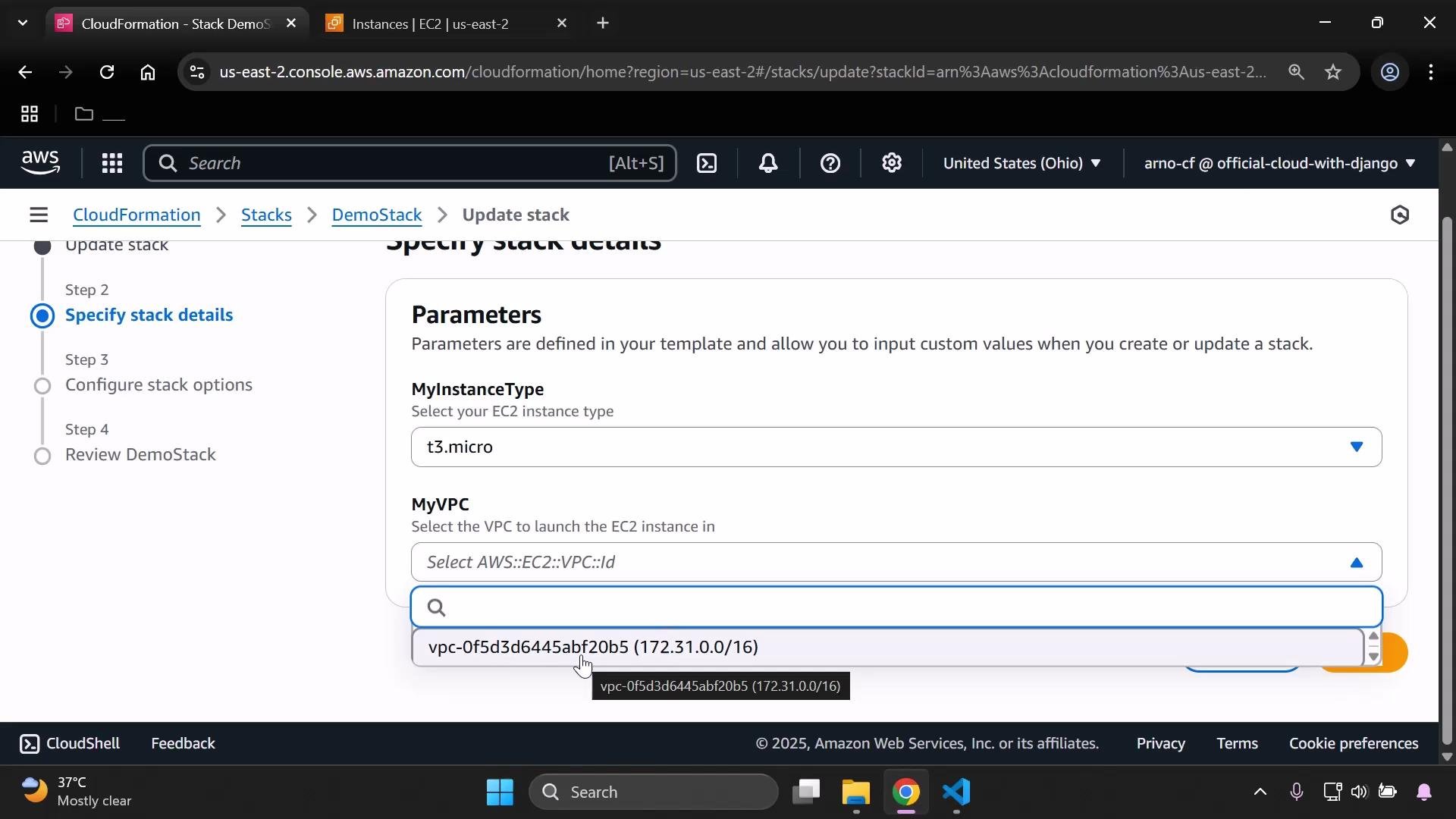
On the “Specify stack details” step you can choose the VPC from the dropdown; the console shows both the VPC ID and its CIDR block to help selection:
A screenshot of the AWS CloudFormation console on the "Update stack – Specify stack details" step showing template parameters. The MyInstanceType is set to "t3.micro" and the MyVPC dropdown is open showing a VPC ID and its CIDR (172.31.0.0/16).
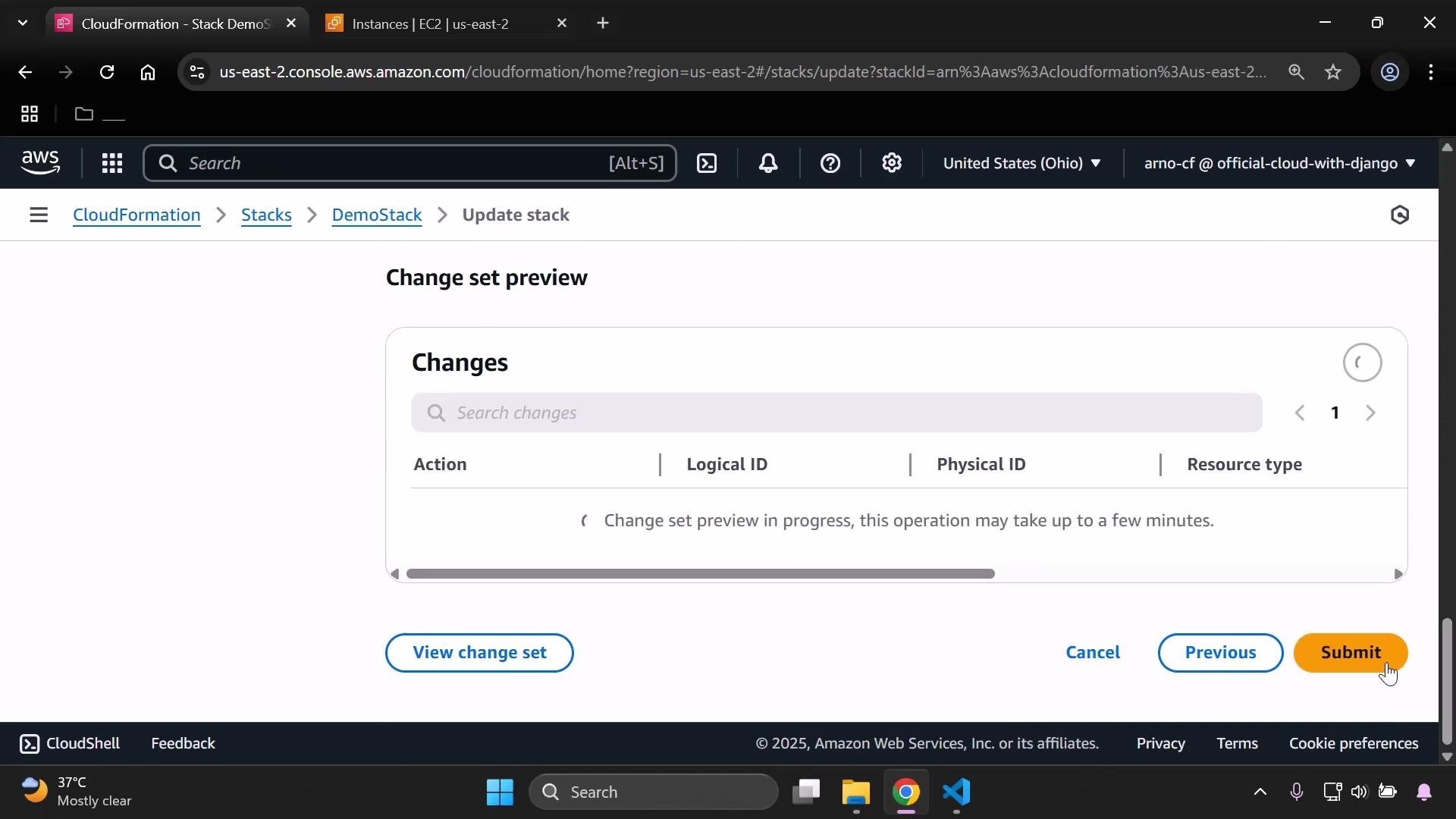
Proceed through the update workflow (Next → Next → Submit). The console prepares a change set and then applies the update.
Screenshot of the AWS CloudFormation console showing a "Change set preview" page with an empty/ loading Changes panel. Buttons at the bottom include "View change set", "Cancel", "Previous", and an orange "Submit" button.
If you select a different VPC than the one currently used by the stack, CloudFormation may need to replace resources that cannot move between VPCs (for example, security groups). Resource replacements can take longer than a quick update—review the change set carefully before submitting.
Behavior notes
  • If you choose the same VPC that was already in use, the update may complete quickly because no effective resource changes are required.
  • If you choose a different VPC, CloudFormation might recreate resources that are VPC-specific (security groups, network interfaces, etc.), which can increase update time.
Final consolidated example (contextual template excerpt):
That’s it — using the AWS::EC2::VPC::Id parameter type makes your CloudFormation template region-aware for VPC selection and removes the need to embed region-specific VPC IDs in your template.

Watch Video