This demo shows how to inspect a CloudFormation StackSet and verify where its resources were deployed. We’ll walk through the StackSet structure, the deployed stack instances, and how pseudoparameters produce unique resource names per target region/account. What you’ll see in this example:
  • StackSet name: demo-stack-set
  • Stack instances deployed to: eu-west-1 and us-east-1
  • A single CloudFormation template that creates an S3 bucket; its name is derived from pseudoparameters so each instance gets a unique bucket name
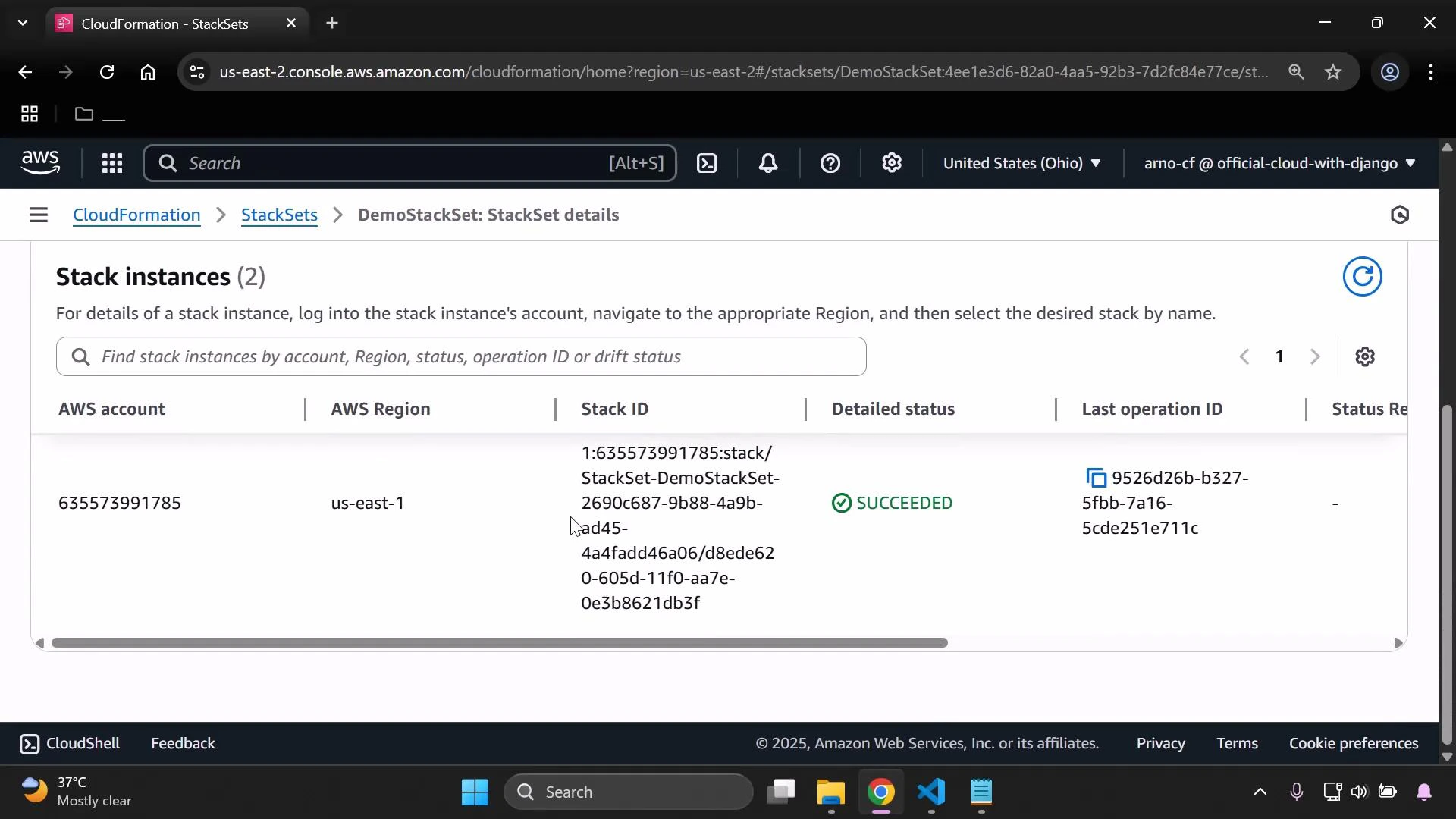
A StackSet is the managing entity that stores the shared template and deployment configuration. Each stack instance is an independent CloudFormation stack created in the specified target account and region, based on the StackSet template.
A screenshot of the AWS CloudFormation StackSets "Stack instances" page showing a list with one stack instance. The entry shows AWS account 635573991785 in us-east-1 with a long Stack ID and a "SUCCEEDED" status.
Think of the relationship like this:
  • StackSet = master template + deployment settings
  • Stack instance = per-region / per-account stack created from that template
Template example (creates an S3 bucket with a per-instance name)
Resources:
  MyBucket:
    Type: AWS::S3::Bucket
    Properties:
      BucketName: !Sub 'stackset-bucket-${AWS::Region}-${AWS::AccountId}'
Notes about the example:
  • The template uses CloudFormation pseudoparameters AWS::Region and AWS::AccountId via !Sub.
  • Pseudoparameters are resolved at deployment time for each target account/region, producing unique bucket names per stack instance.
Because the StackSet was deployed to two regions, CloudFormation created two S3 buckets—one in each target region/account—using the substituted values for AWS::Region and AWS::AccountId. You can confirm those buckets in the S3 console.
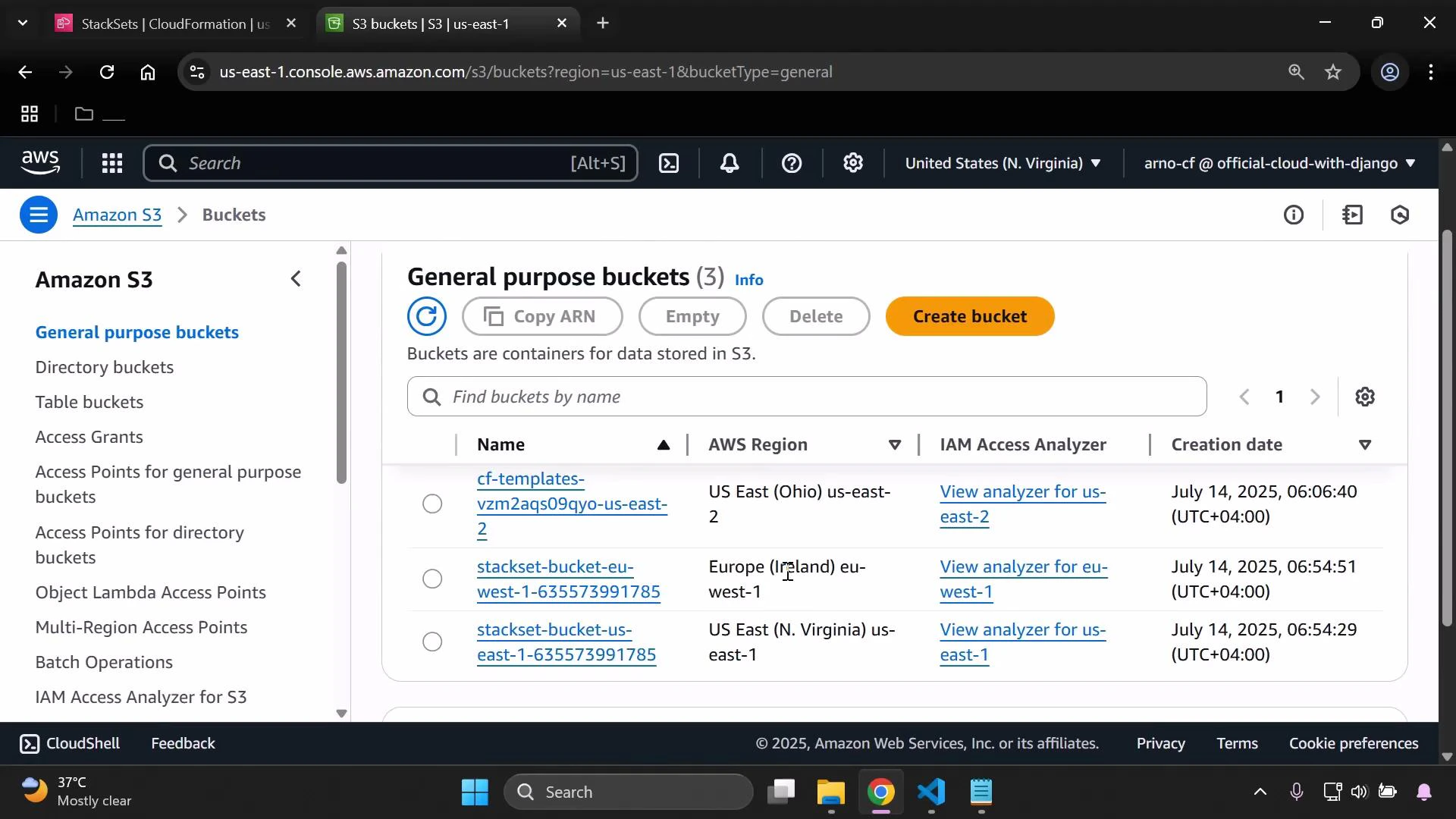
A screenshot of the Amazon S3 web console displaying the "General purpose buckets" list with three buckets, their AWS regions, IAM access analyzer links, and creation dates, plus the orange "Create bucket" button. The left sidebar shows S3 navigation options and the bottom shows a Windows taskbar.
Quick reference table
Resource TypePurpose in this demoExample / Notes
StackSetCentral template & deployment configurationdemo-stack-set deployed to multiple regions
Stack instancePer-region/per-account CloudFormation stackOne in eu-west-1, one in us-east-1
S3 bucketResource created by the templatestackset-bucket-${AWS::Region}-${AWS::AccountId} (resolved per instance)
How to verify deployments
  1. Open the CloudFormation console and inspect the StackSet’s “Stack instances” to see per-region/account status and Stack IDs.
  2. In each target region, open the S3 console to confirm the bucket names and creation dates.
  3. Review the StackSet template to see where pseudoparameters are used (for example, in BucketName).
Pseudoparameters such as AWS::Region and AWS::AccountId are resolved at deployment time for each target account/region. That’s why names generated with !Sub are unique per stack instance.
Links and references This is the process you can follow to analyze StackSet deployments and confirm where and how template values were resolved across multiple regions and accounts.

Watch Video