Welcome — in this lesson we’ll cover AWS CloudFormation nested stacks: what they are, why to use them, how updates are handled, and best practices for organizing large templates. Nested stacks are CloudFormation stacks created and managed by a parent (root) stack. Think of them as smaller, reusable templates that let you break a large CloudFormation template into logical, modular pieces — for example: networking, storage, and compute can each be modeled as separate nested stacks. This improves maintainability, reuse, and separation of concerns across environments. At a high level:
  • A parent (root) stack contains one or more nested (child) stacks.
  • Each nested stack is represented in the parent template by an AWS::CloudFormation::Stack resource.
  • The parent stack controls creation and updates for its child stacks, preserving correct ordering and dependency handling.
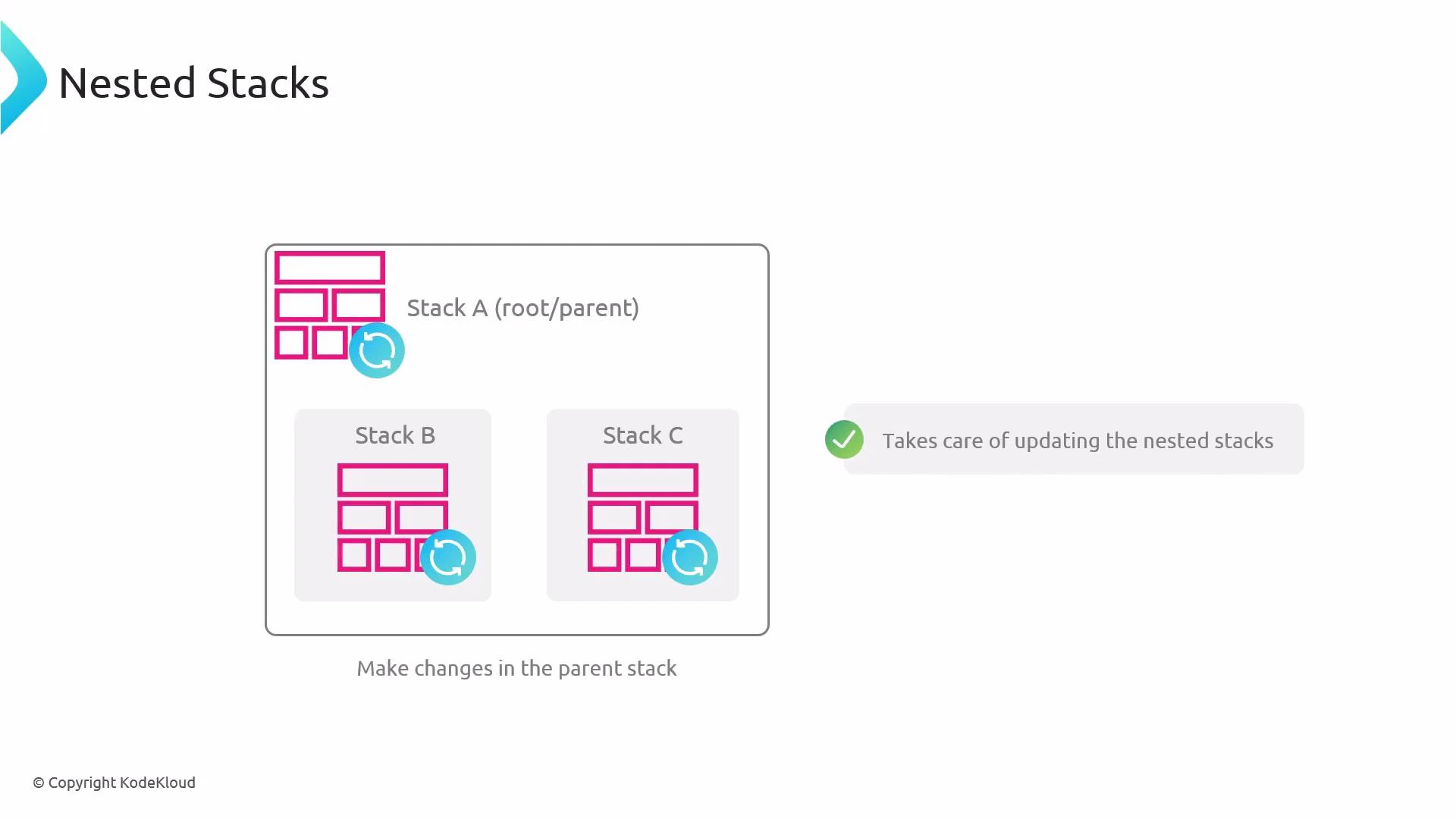
A diagram titled "Nested Stacks" showing a parent Stack A that contains two nested stacks (Stack B and Stack C) with update icons. It illustrates that making changes in the parent stack takes care of updating the nested stacks.
How updates are handled
  • When you update the parent stack, CloudFormation evaluates changes and orchestrates updates to the nested stacks in the correct order.
  • Each nested stack exists as its own stack object in CloudFormation, but you typically drive lifecycle operations (create, update, delete) from the parent.
  • If a nested-stack change fails, CloudFormation can roll back that nested stack to prevent inconsistently applied resources; however, a failed nested-stack update during a parent update can cause the parent update to fail and roll back as well.
Example: Declaring a nested stack in the parent template
Resources:
  MyNetworkStack:
    Type: AWS::CloudFormation::Stack
    Properties:
      TemplateURL: https://s3.amazonaws.com/example-bucket/networking-template.yaml
      Parameters:
        VpcCidr: 10.0.0.0/16

  MyComputeStack:
    Type: AWS::CloudFormation::Stack
    Properties:
      TemplateURL: https://s3.amazonaws.com/example-bucket/compute-template.yaml
      Parameters:
        InstanceType: t3.medium
    DependsOn: MyNetworkStack
This example shows the parent declaring two nested stacks (network and compute). Use TemplateURL (or local transforms for nested templates in certain workflows) to point to the nested template file, and pass parameters between parent and child as needed. Best practices and recommended workflow
Update nested stacks by updating the parent stack. Doing so lets CloudFormation manage dependencies, ordering, and safe rollbacks across nested stacks. Keep nested templates focused on a single concern (for example: networking, IAM, storage) to maximize reuse.
Practical benefits and considerations
BenefitDescription
ModularitySplit large templates into focused templates (network, compute, storage) for readability and reuse.
ReuseThe same nested-template file can be referenced by multiple parent stacks to produce independent child stack instances.
Controlled updatesParent-driven updates ensure nested stacks are updated in the right order with dependency handling.
Failure isolationNested stack failures can be rolled back to avoid partially applied nested-template resources — though a failing nested update can still fail the parent operation.
Operational constraints to be aware of
Nested stacks are tightly coupled to their creating parent. You cannot reparent an existing nested stack to a different parent. If you need a stack shared across parents, deploy it as an independent stack (not a nested child) and reference it externally.
When to use nested stacks
  • Use nested stacks when a template becomes large or has repeatable sections you want to reuse.
  • Avoid nesting everything: deeply nested or highly interdependent nested stacks can add complexity. Prefer clear boundaries and minimal coupling between nested stacks.
Links and further reading Summary Nested stacks are a powerful modularization pattern in CloudFormation that make large templates easier to manage, promote reuse, and centralize lifecycle operations through a parent stack. Follow the parent-driven update pattern, keep nested templates scoped to a single concern, and be mindful that nested stacks cannot be reparented once created.

Watch Video