This lesson shows how to use AWS CloudFormation drift detection on a StackSet and its stack instances. You’ll see the full flow: start drift detection from the StackSet console, make an out-of-band change to an S3 bucket to simulate drift, re-run detection to identify drift, then revert the change and re-check until the StackSet returns to IN_SYNC. Key concepts covered:
  • CloudFormation drift detection for StackSets
  • How stack instance divergence is reported across accounts and regions
  • Correcting drift and validating compliance
Useful links:

Step 1 — Start drift detection on the StackSet

  1. Open the AWS CloudFormation console and select your StackSet.
  2. From the Actions menu choose Detect drift.
  3. The console will request and begin the detection. Depending on the number of stack instances (across accounts and regions), detection may take several minutes.
Detect drift at the StackSet level compares the StackSet template configuration against each stack instance managed by that StackSet. Results are reported at both the StackSet and stack instance levels across accounts and regions.
When detection completes with no differences, the StackSet status will display IN_SYNC, indicating the live resources match the template. Here is the CloudFormation template resource used in this demo (the S3 bucket resource in the StackSet template):
Resources:
  MyBucket:
    Type: AWS::S3::Bucket
    Properties:
      BucketName: !Sub 'stackset-bucket-${AWS::Region}-${AWS::AccountId}'
      Tags:
        - Key: Status
          Value: "Active"
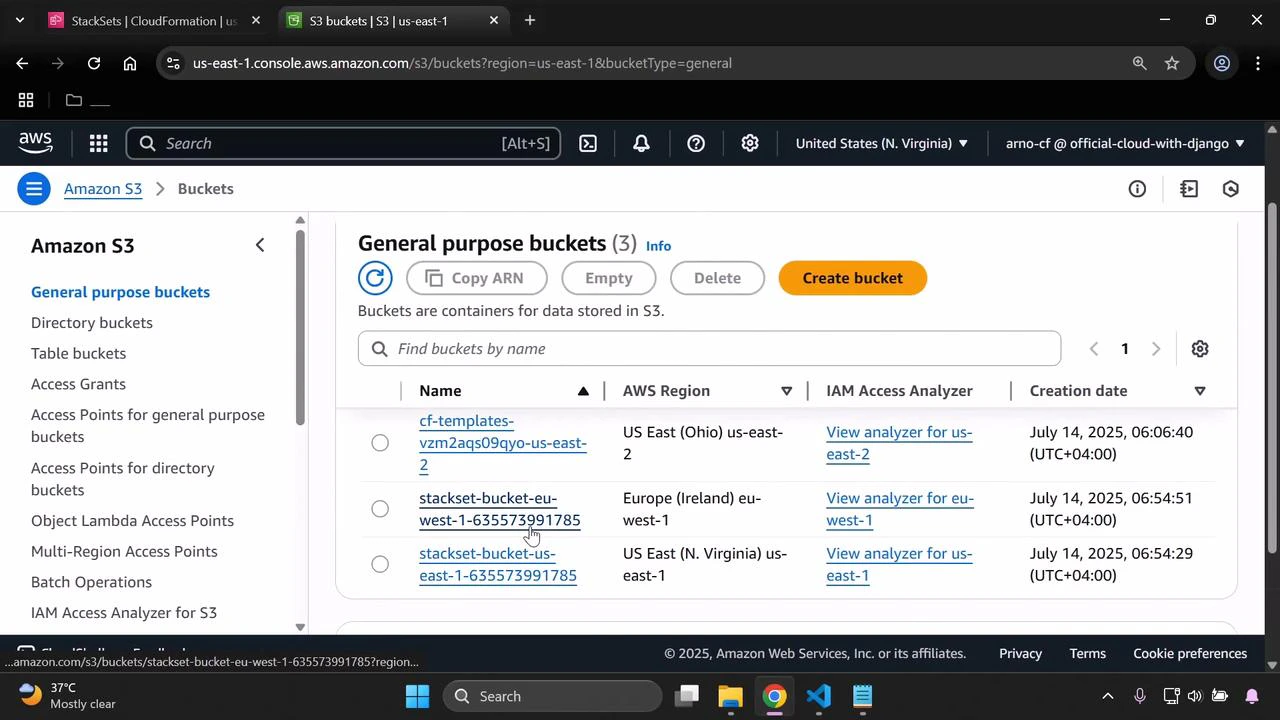
The S3 buckets created by this StackSet should match the template properties above. You can confirm the buckets in the S3 console:
A screenshot of the Amazon S3 console showing the "General purpose buckets" view with a list of three S3 buckets, their AWS regions, IAM Access Analyzer links, and creation dates, plus a "Create bucket" button.

Step 2 — Simulate drift with an out-of-band change

To simulate a drift scenario, make a manual edit to one of the S3 buckets that is not reflected in the StackSet template:
  1. Open the bucket in the S3 console.
  2. Go to Properties → Tags.
  3. Add a tag that is not part of the StackSet template (for example, Key: developer, Value: Arno).
  4. Save the changes.
This manual edit makes the live S3 resource diverge from the CloudFormation template; when drift detection runs again, the associated stack instance will be reported as DRIFTED.

Step 3 — Re-run drift detection on the StackSet

  1. Return to the CloudFormation StackSets console.
  2. Select the StackSet, open Actions, and choose Detect drift again.
  3. Wait for the detection job to complete, then refresh the StackSet view.
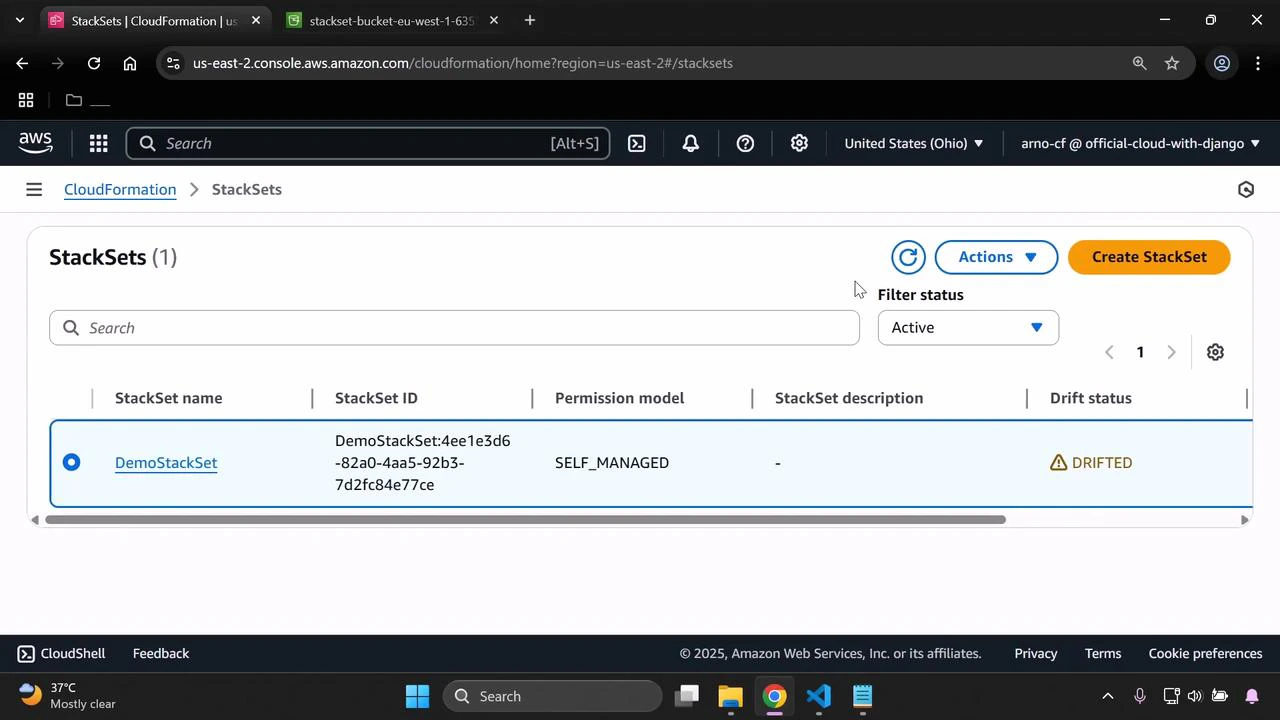
After detection finishes, the StackSet drift status should display DRIFTED because of the additional tag added directly in the S3 console:
A screenshot of the AWS CloudFormation StackSets console showing one StackSet called "DemoStackSet" with a SELF_MANAGED permission model and a Drift status marked "DRIFTED." The browser window and Windows taskbar are visible around the console.

Step 4 — Revert the change and confirm IN_SYNC

To resolve the detected drift:
  1. Remove the extra tag you added to the S3 bucket so it matches the template again.
  2. In the StackSet console, run Detect drift from Actions and wait for completion.
  3. After the detection finishes, verify that both the stack instance and the StackSet status have returned to IN_SYNC.
This confirms the live resources once again match the CloudFormation template.
Drift detection is read-only and only identifies differences. To remediate drift at scale, use StackSet operations such as Update StackSet or targeted stack instance operations to bring instances back into compliance with the template.

Drift status quick reference

Drift statusMeaningSuggested action
IN_SYNCLive resources match the CloudFormation templateNo action required
DRIFTEDOne or more resources in a stack instance differ from the templateInvestigate and reconcile (manual or StackSet update)
NOT_CHECKEDDetection has not been run for the StackSet or instanceRun Detect drift from the console or API

References

That completes this demo on using CloudFormation drift detection with a StackSet.

Watch Video