Welcome to the continuation of conditional, resource-based creation with AWS CloudFormation. This lesson walks through a compact CloudFormation template that:
  • selects environment-specific metadata from a mapping,
  • evaluates an environment-based Condition, and
  • either configures or creates resources based on that Condition.
This pattern is useful when you want a single template to behave differently for development, testing, and production environments.

Template overview

Below are the template sections we use in this demo: Mappings, Parameters, Conditions, and Resources. The mapping links developer names to a Profession (“Field”) and an environment (“Env”). The InputDeveloperName parameter selects which mapping entry to use.
Mappings:
  DevMap:
    Arno:
      Field: Quality assurance
      Env: Testing/development
    Alice:
      Field: Backend developer
      Env: Production

Parameters:
  InputBucketName:
    Type: String
    Description: Please enter your desired S3 bucket name
  InputDeveloperName:
    Type: String
    Description: Developer name to select mapping
    AllowedValues:
      - Arno
      - Alice

Evaluate environment with a Condition

We check whether the selected developer maps to a production environment by comparing the mapped Env value to “Production”:
Conditions:
  IsProd: !Equals
    - !FindInMap [DevMap, !Ref InputDeveloperName, Env]
    - "Production"

Conditional resources and properties

This template demonstrates two conditional behaviors:
  • Property-level conditional selection using !If for PublicAccessBlockConfiguration on the S3 bucket.
  • Resource-level conditional creation using Condition on the S3 bucket policy, so the policy exists only when IsProd is true.
Resources:
Resources:
  MyS3Bucket:
    Type: AWS::S3::Bucket
    Properties:
      BucketName: !Ref InputBucketName
      Tags:
        - Key: Developer
          Value: !Ref InputDeveloperName
        - Key: Profession
          Value: !FindInMap [DevMap, !Ref InputDeveloperName, Field]
        - Key: Environment
          Value: !FindInMap [DevMap, !Ref InputDeveloperName, Env]
      PublicAccessBlockConfiguration: !If
        - IsProd
        - BlockPublicAcls: false
          BlockPublicPolicy: false
          IgnorePublicAcls: false
          RestrictPublicBuckets: false
        - BlockPublicAcls: true
          BlockPublicPolicy: true
          IgnorePublicAcls: true
          RestrictPublicBuckets: true

  MyPublicReadPolicy:
    Condition: IsProd
    DependsOn: MyS3Bucket
    Type: AWS::S3::BucketPolicy
    Properties:
      Bucket: !Ref InputBucketName
      PolicyDocument:
        Version: "2012-10-17"
        Statement:
          - Effect: Allow
            Principal: "*"
            Action: "s3:GetObject"
            Resource: !Sub "arn:aws:s3:::${InputBucketName}/*"
Note: The Condition on MyPublicReadPolicy prevents CloudFormation from creating the bucket policy unless IsProd is true. The PublicAccessBlockConfiguration uses !If to apply one of two JSON-style configuration objects; the false branch applies the more restrictive default for non-production environments.

Update the stack in the CloudFormation console

To test the conditional behavior, update the existing stack and change the InputDeveloperName parameter from “Alice” (Production) to “Arno” (Testing/development). Begin by selecting the stack and choosing Update stack.
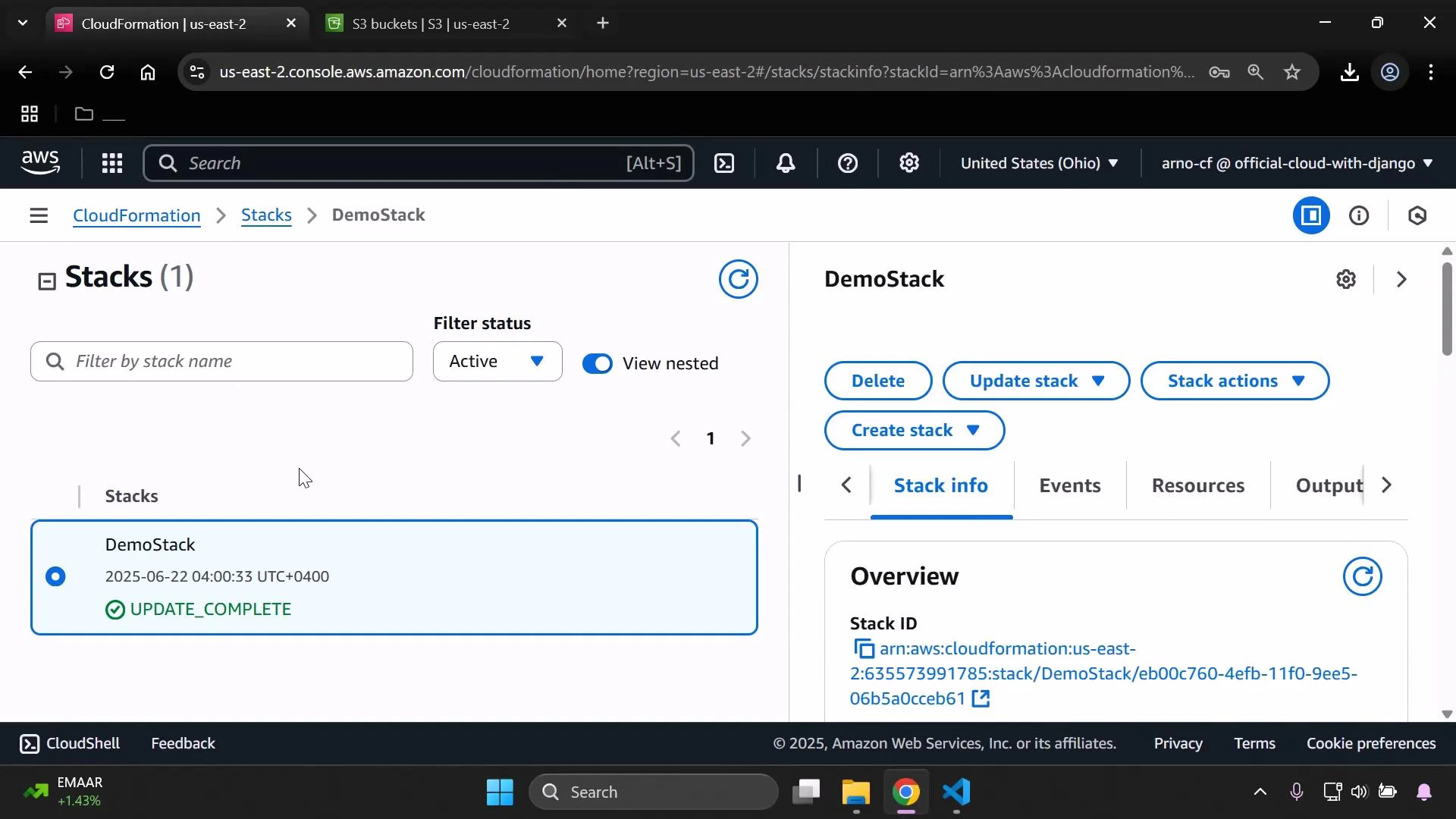
A screenshot of the AWS CloudFormation console showing a single stack named "DemoStack" with status "UPDATE_COMPLETE." The right panel shows action buttons (Delete, Update stack, Create stack) and the Stack info/Overview including the stack ARN.
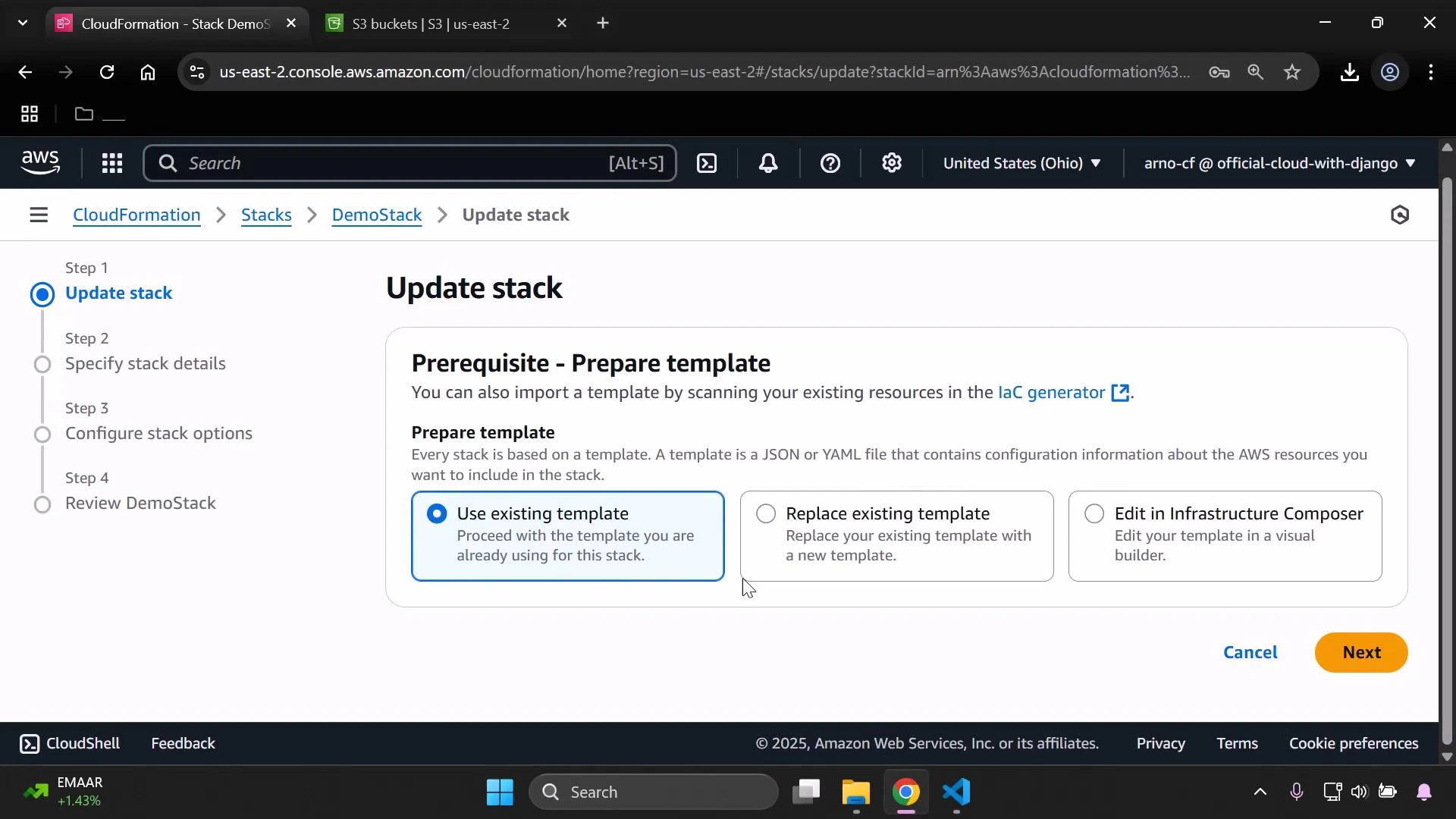
Choose “Use existing template” and proceed to the parameters step. Change InputDeveloperName to “Arno” to select the testing/development mapping values.
A screenshot of the AWS CloudFormation "Update stack" page showing the "Prerequisite - Prepare template" step, with the "Use existing template" option selected and other choices to replace or edit the template. The left pane shows the multi-step update workflow (Specify details, Configure options, Review).
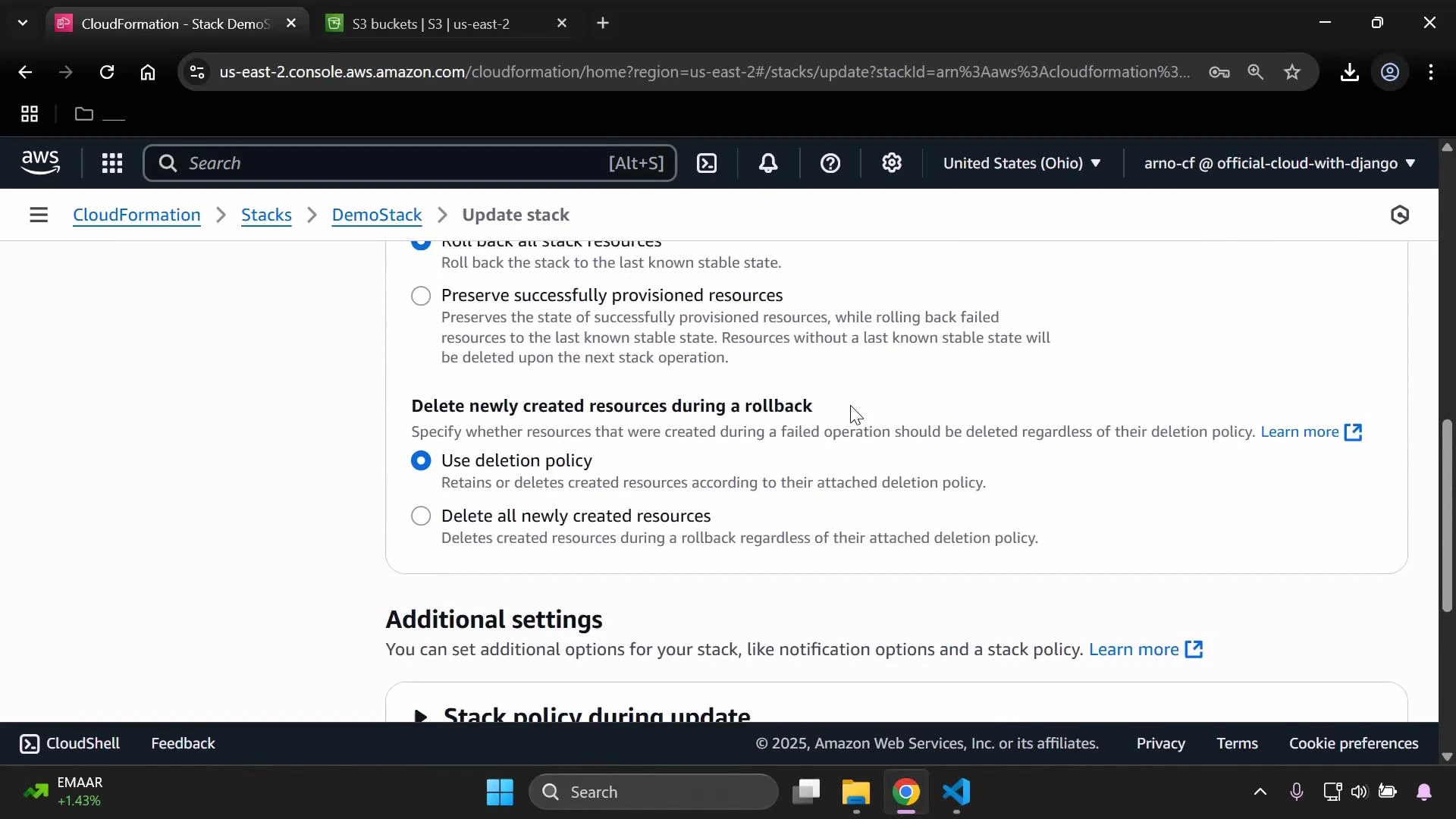
Review any additional options such as deletion policies and stack settings, then submit the update. The update typically completes quickly.
A screenshot of the AWS CloudFormation console on the "Update stack" page. It shows rollback/delete options—"Use deletion policy" is selected for deleting newly created resources—and an "Additional settings" section below.

Validate the environment-specific results

After the stack update finishes, open the bucket in the S3 console and confirm the tags. They should reflect the mapping for “Arno”:
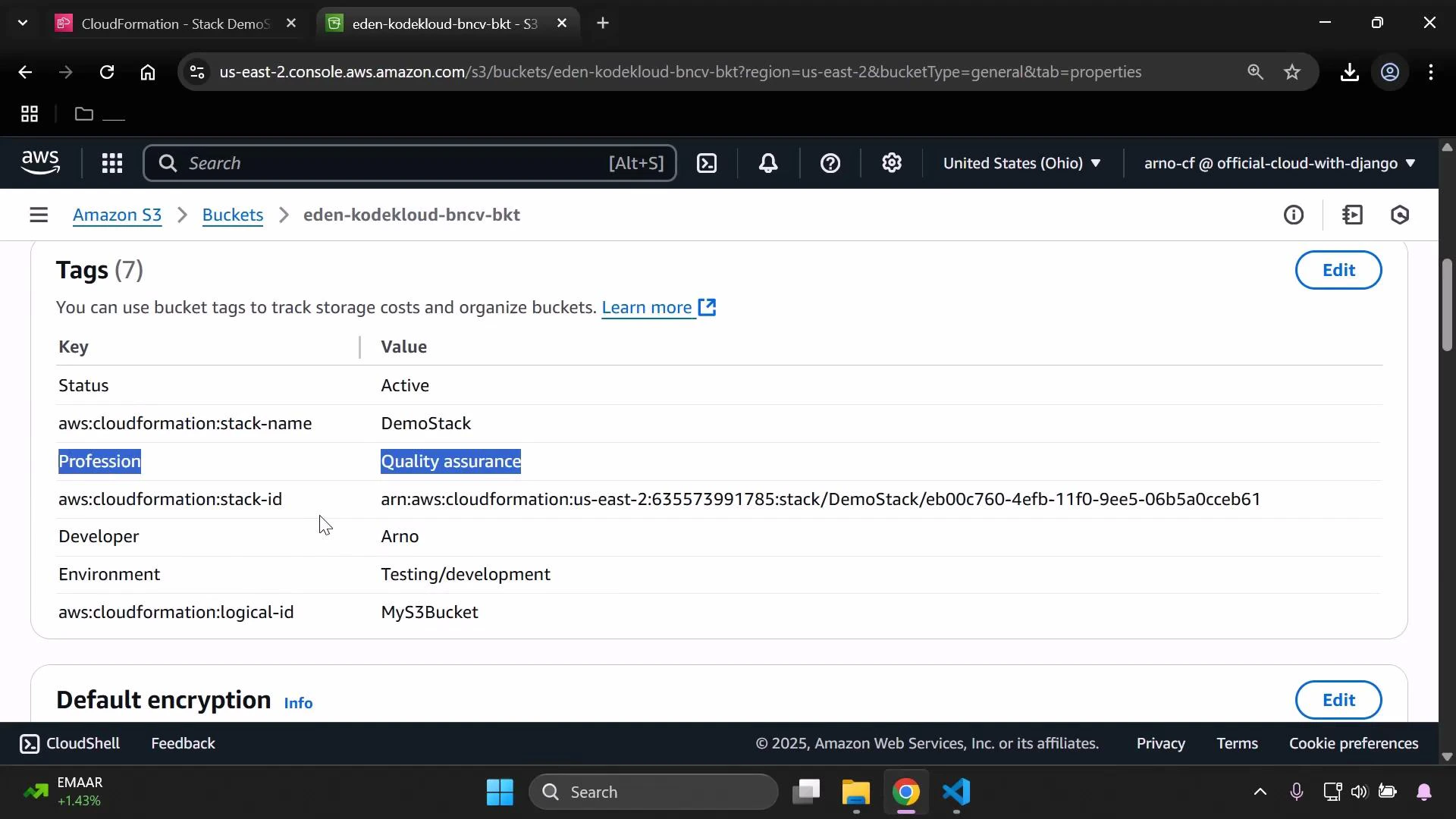
A screenshot of an AWS S3 bucket properties page showing the Tags table for the bucket "eden-kodekloud-bncv-bkt." Tag entries visible include Status: Active; aws:cloudformation:stack-name: DemoStack; Profession: Quality assurance; Developer: Arno; and Environment: Testing/development.
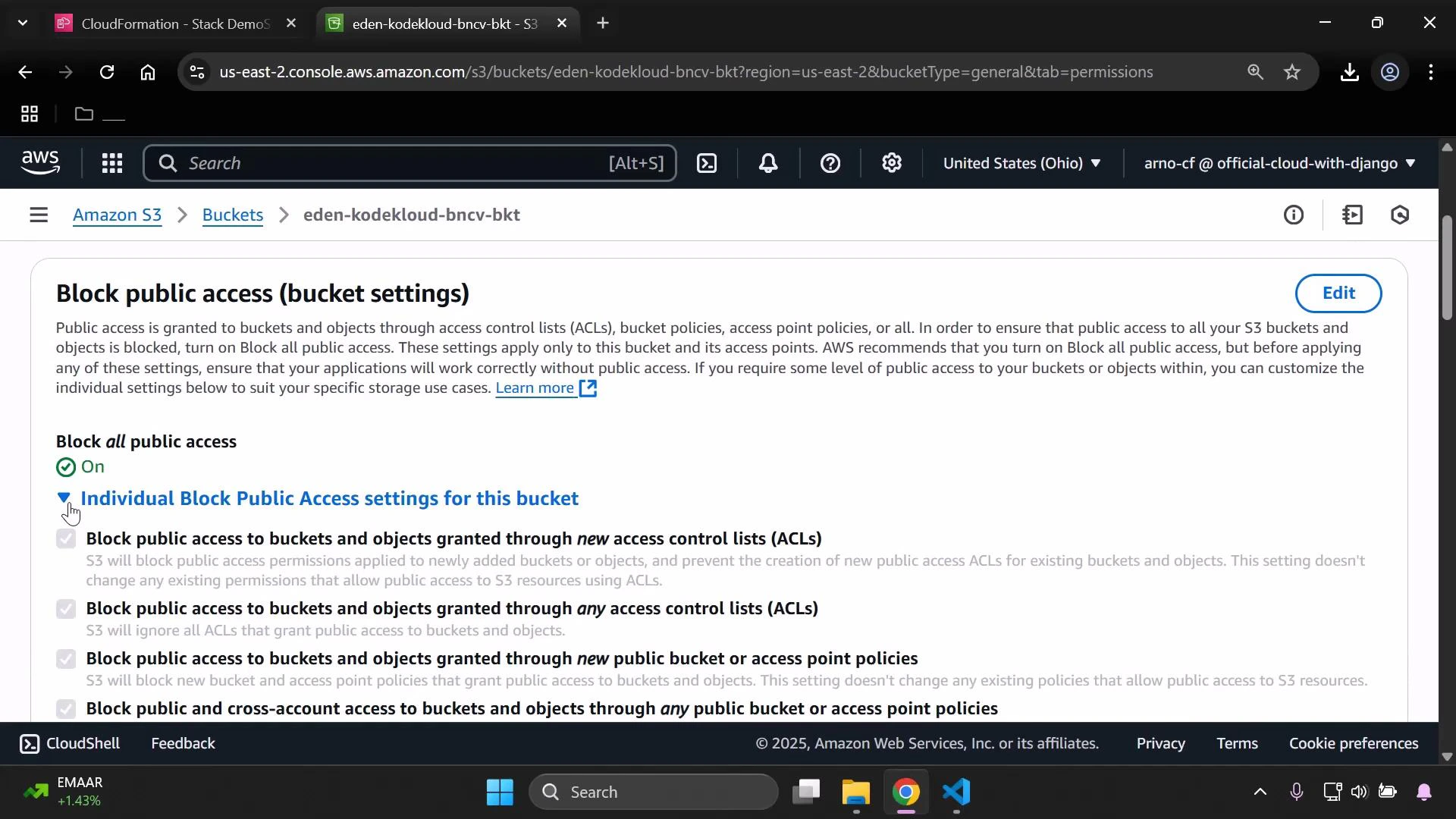
Next, check the bucket’s Block Public Access settings. Because IsProd evaluated to false (Env is Testing/development for Arno), the template applied the restrictive PublicAccessBlockConfiguration branch — all public access options are enabled (blocking public access).
A screenshot of the AWS S3 console showing the "Block public access (bucket settings)" page for the bucket eden-kodekloud-bncv-bkt. It shows "Block all public access" turned on and lists the individual block-public-access options with an Edit button.
Because the S3 bucket policy resource had Condition: IsProd, CloudFormation did not create the MyPublicReadPolicy resource when IsProd was false. As a result, the bucket has no public-read policy. Attempting an anonymous GET to an object URL returns AccessDenied:
This XML file does not appear to have any style information associated with it. The document tree is shown below.

<Error>
  <Code>AccessDenied</Code>
  <Message>Access Denied</Message>
  <RequestId>DTW7YGSFW02AWKKNK</RequestId>
  <HostId>8EPYHPXyQ0Fv+Kr+xAu03W7LPWQe6qMicevp8S58DRHfKXUXNLiJ9n4QsVBO+tI+y3AewH2bXz1JzZwoRUkyg==</HostId>
</Error>

Quick reference: behavior matrix

IsProd valuePublicAccessBlockConfigurationMyPublicReadPolicy created?Expected anonymous GET result
trueNon-restrictive (public allowed)Yes200 (if objects are public)
falseRestrictive (all public blocked)NoAccessDenied

Summary and best practices

This example demonstrates a common, reusable pattern in CloudFormation:
  1. Select environment-specific metadata via FindInMap.
  2. Evaluate environment identity with a Condition.
  3. Use !If to choose property-level configuration.
  4. Use Condition at the resource level to control creation of sensitive resources (like a public bucket policy).
Best practices:
  • Keep mappings and allowed parameter values in sync to avoid misconfiguration.
  • Use Conditions to avoid creating risky resources in non-production accounts.
  • Use tags to record the chosen environment and owner metadata for easier auditing.

Watch Video