

- Always delete the parent (top-level) stack. Do not delete nested stacks individually. When you delete the parent, CloudFormation cascades deletion to its nested stacks and their resources unless you explicitly set retention policies.
- Identify the parent (top-level) stack in the CloudFormation Stacks console — the stack that was created directly, not an AWS::CloudFormation::Stack resource inside another stack.
- Select the parent stack and choose Delete.
- Monitor the parent stack’s events. CloudFormation will start deleting nested stacks and the resources they own in the correct order.
- Refresh related service consoles (S3, EC2, etc.) to confirm resources are being removed.
- If you used a templates bucket to host nested-stack templates (for example, eden-kodekloud-lkjo-bkt-templates), empty it and then delete the bucket.
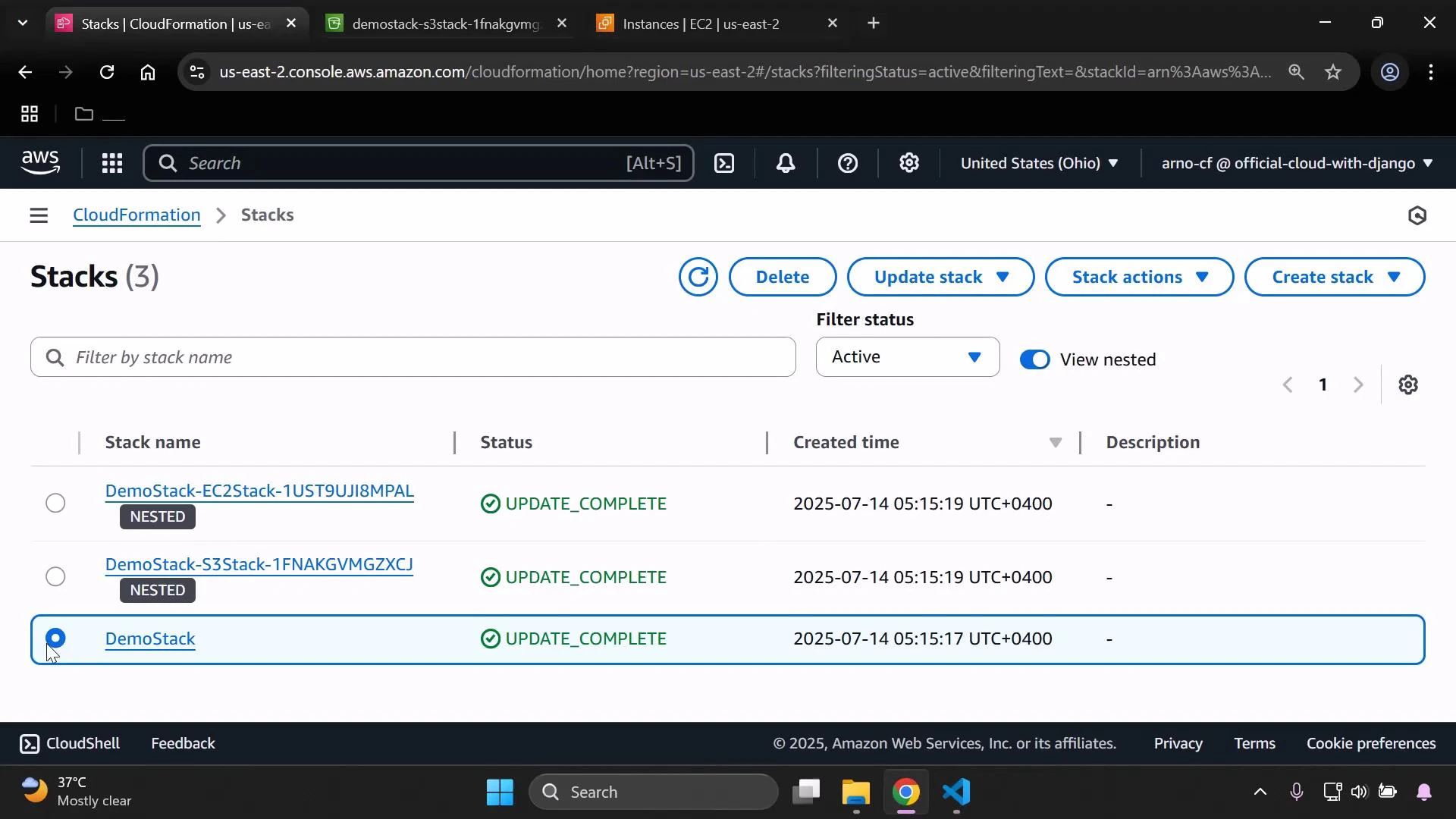
- Nested stacks and their resources are deleted by default when the parent stack is deleted.
- To keep a nested stack or certain resources after deleting the parent, set DeletionPolicy: Retain on the nested-stack resource (or on specific resources).
- UpdateReplacePolicy controls behavior for resource replacement scenarios.
Monitoring and verification
- Watch stack events in the CloudFormation console to see nested stack deletion progress and any errors.
- Check the service-specific consoles (S3, EC2, RDS, IAM, etc.) to confirm resources have been removed or retained according to policy.
- If a nested stack fails to delete, review the nested stack’s events to find the resource causing the failure.
Avoid deleting nested stacks directly from the console or API. Removing only the child stack may break the parent stack’s state and lead to orphaned resources or failed operations. Always delete the parent stack unless you intentionally used DeletionPolicy: Retain.
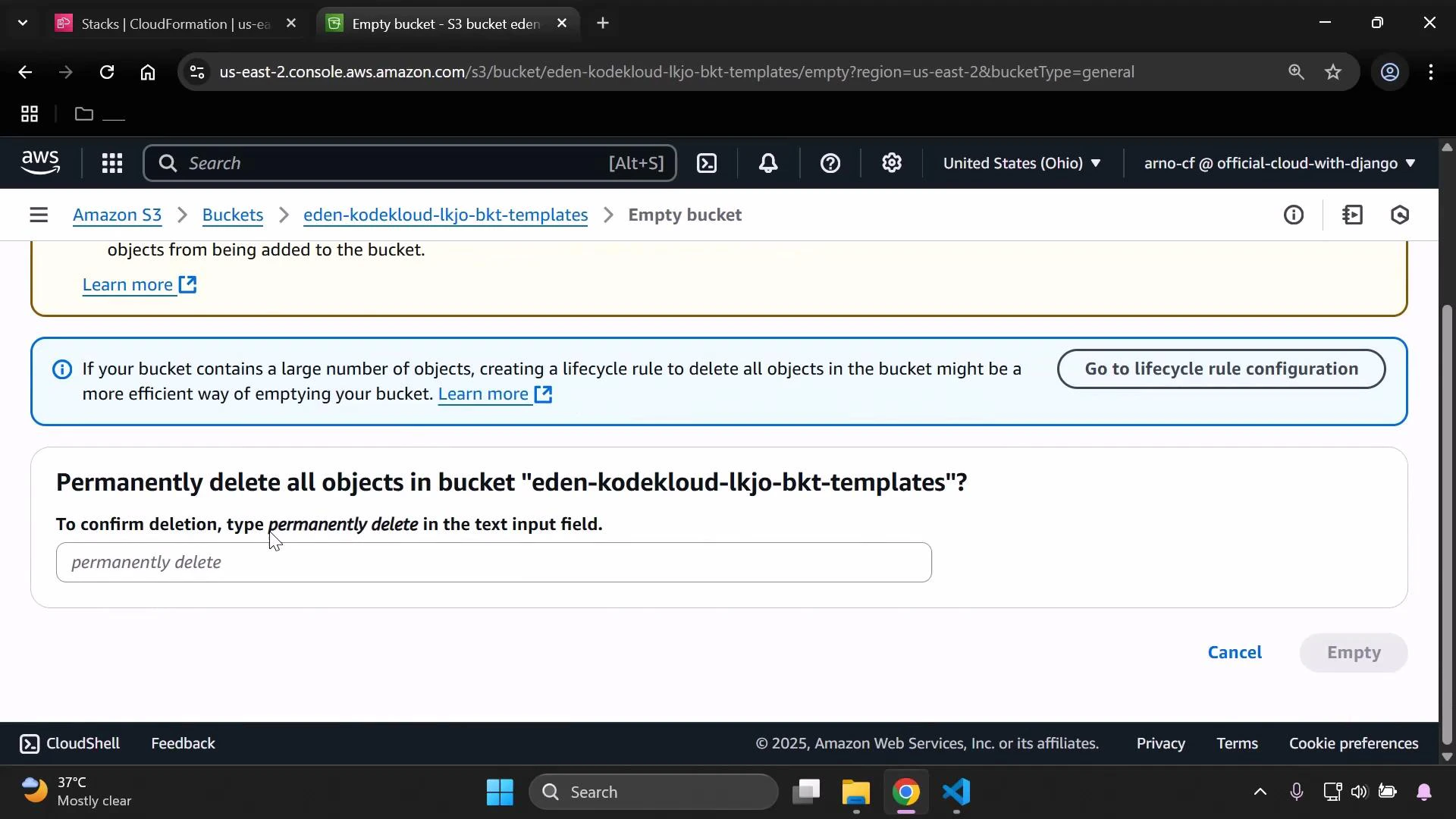
- To delete a non-empty bucket you must first empty it.
- In the S3 console, select the bucket and choose Empty.
- Confirm by typing the required confirmation phrase (for example, “permanently delete”) and proceed.
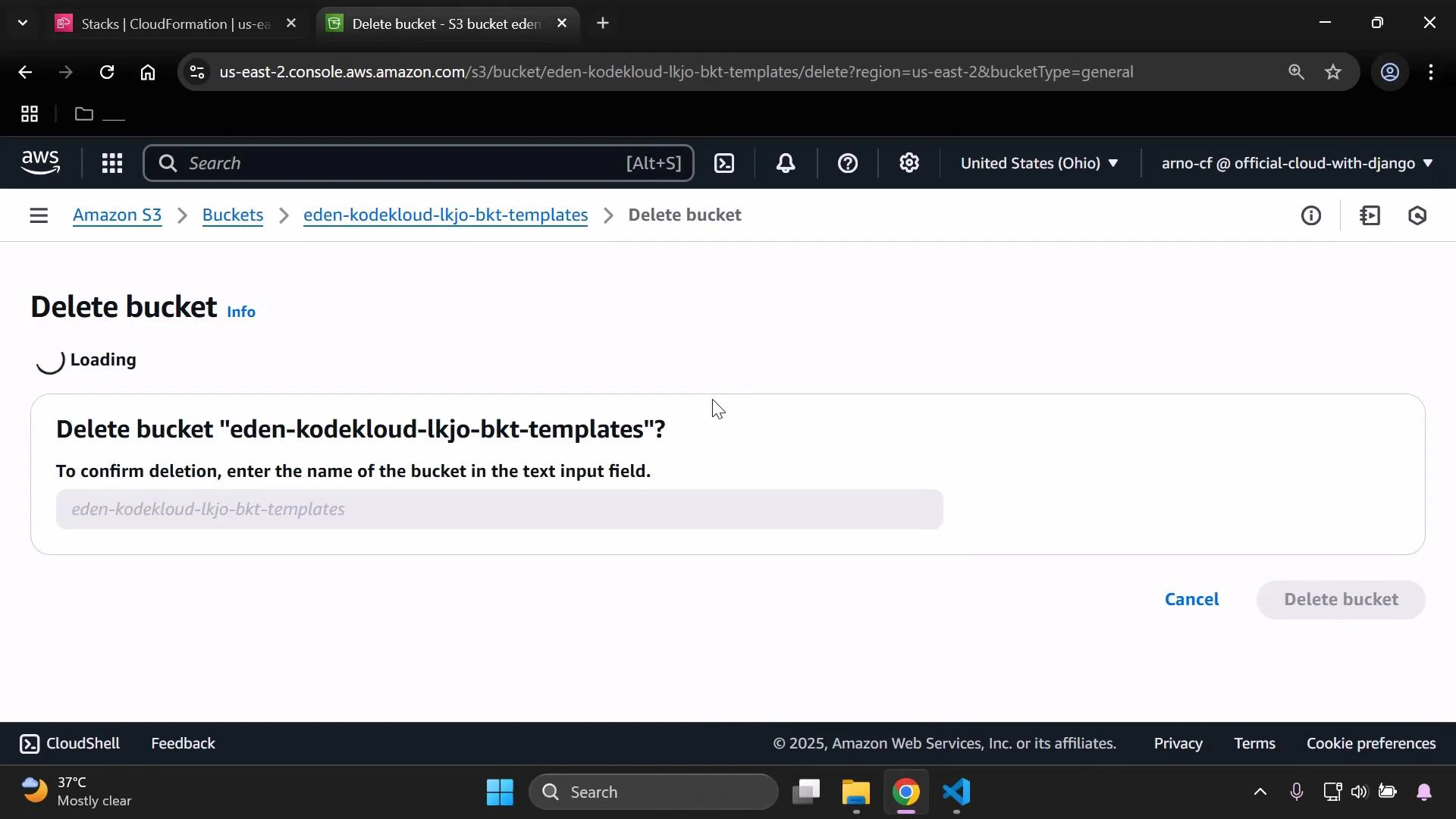
- Once the bucket is empty, delete the bucket itself. The console will prompt you to type the bucket name to confirm deletion.
- Delete the parent stack to remove nested stacks and their resources in the correct order.
- Use DeletionPolicy or UpdateReplacePolicy when you need to preserve resources.
- Verify deletions in both CloudFormation and the individual AWS service consoles.
- Empty and delete any auxiliary S3 templates buckets after cleanup.
- Automate cleanup with scripts or CI/CD steps when possible to avoid manual mistakes.
Best practice: delete the parent stack to remove nested stacks and their resources. Use DeletionPolicy and UpdateReplacePolicy to intentionally retain child stacks or resources during delete/replace operations. For more, see the AWS CloudFormation documentation on nested stacks and deletion policies.
- AWS CloudFormation nested stacks
- AWS CloudFormation DeletionPolicy attribute
- Amazon S3 console — empty and delete buckets