

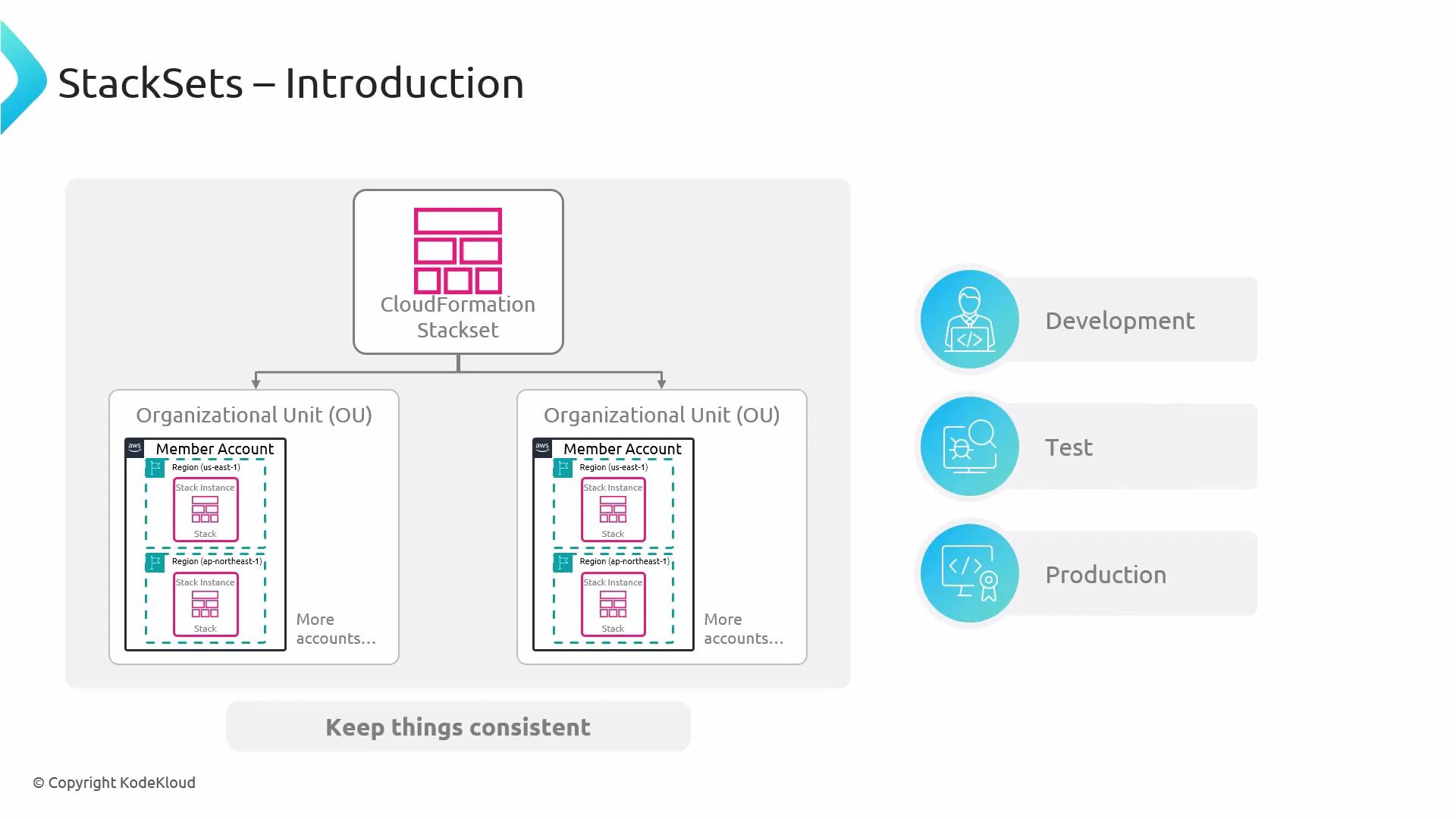
- Centralized operations: create, update, and delete stacks across many accounts and regions from a single administrator (management) account.
- Consistency: ensure identical templates and parameter values are applied across targets.
- Scale: efficiently deploy infrastructure at organization scale using Organizational Units (OUs) or explicit account lists.
Before deploying StackSets at scale, confirm your deployment permission model: service-managed permissions or self-managed permissions. With self-managed permissions, you must create an administrator IAM role in each target account that the management account can assume.
Important behavioral notes:
- Management scope: StackSets are created and controlled from an administrator (management) account, but the resulting stack instances are deployed into target member accounts and regions.
- Visibility: To inspect resources created by a stack instance, open the CloudFormation console in the target account and region where the instance was provisioned.
- Create — deploys stack instances across the specified accounts and regions based on the StackSet definition.
- Update — modifies the StackSet template or parameters and propagates changes to existing stack instances.
- Delete — removes stack instances and, when no instances remain, allows deletion of the StackSet itself.
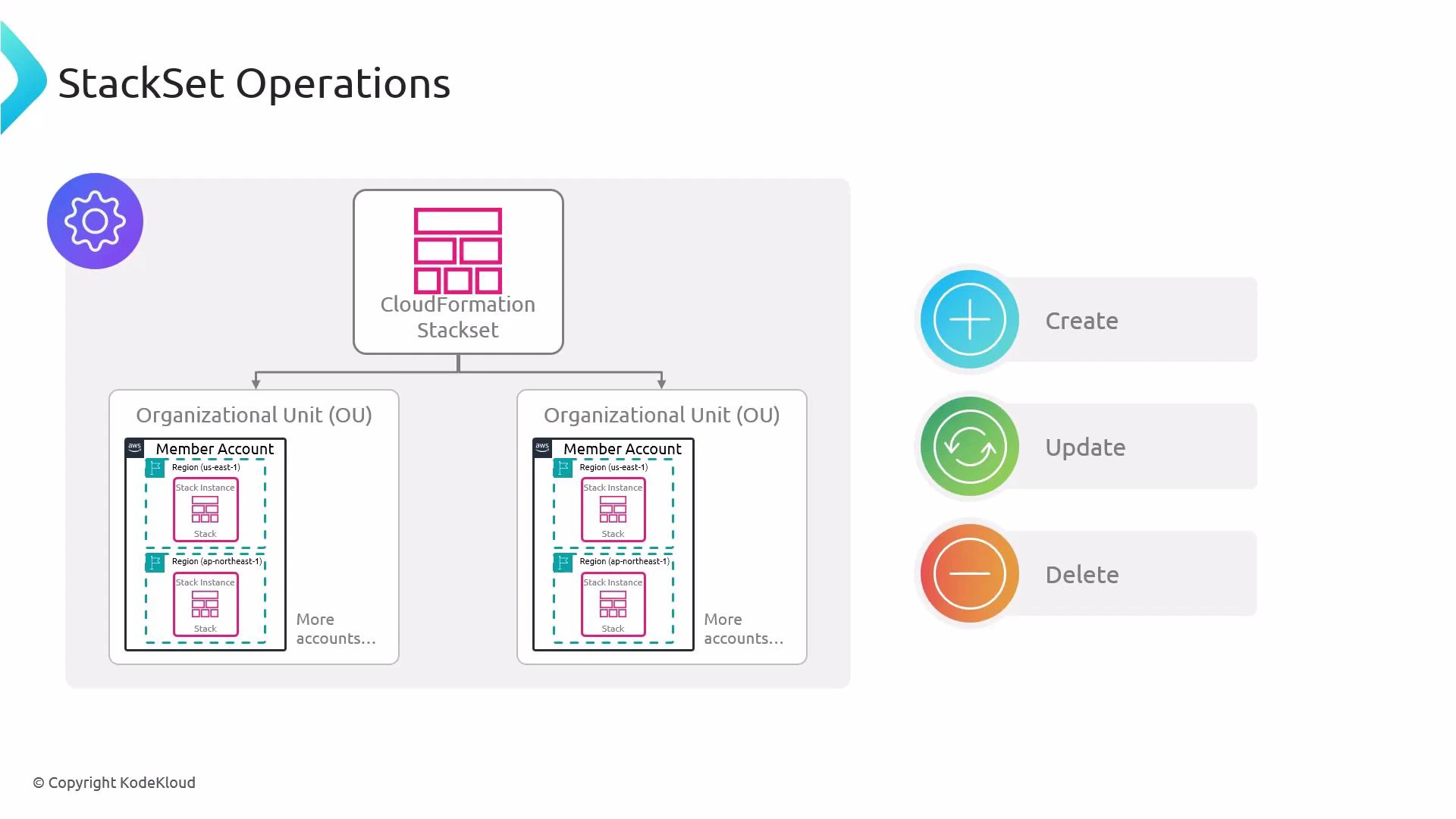
- A StackSet cannot be deleted while it still has associated stack instances. Remove all stack instances first (either individually or via the StackSet delete-instances operation), then delete the StackSet itself.
- Consider resource dependencies and deletion order across accounts and regions to avoid orphaned or dependent resources being left behind.
When deleting stack instances across accounts and regions, review cross-account and cross-region dependencies. Deleting in the wrong order can leave orphaned resources or cause failures that require manual remediation.
- Choose permission model: service-managed (recommended for AWS Organizations) or self-managed.
- Prepare IAM roles: for self-managed, create administrator roles in target accounts; for service-managed, confirm organization permissions.
- Test in a small set of accounts/regions first before large-scale deployments.
- Monitor stack instance drift, failures, and stack events in each target account/region.
- AWS CloudFormation — StackSets (AWS Docs)
- AWS Organizations (overview)
- AWS IAM documentation
- CloudFormation course on KodeKloud