

- Improves onboarding for new contributors.
- Sets clear guidelines for reporting bugs and proposing features.
- Documents project-specific workflows (branching, commit messages, PR process).
- Enables GitHub to surface the guidelines in the issues and pull request flows.
Where to put the file
- Create
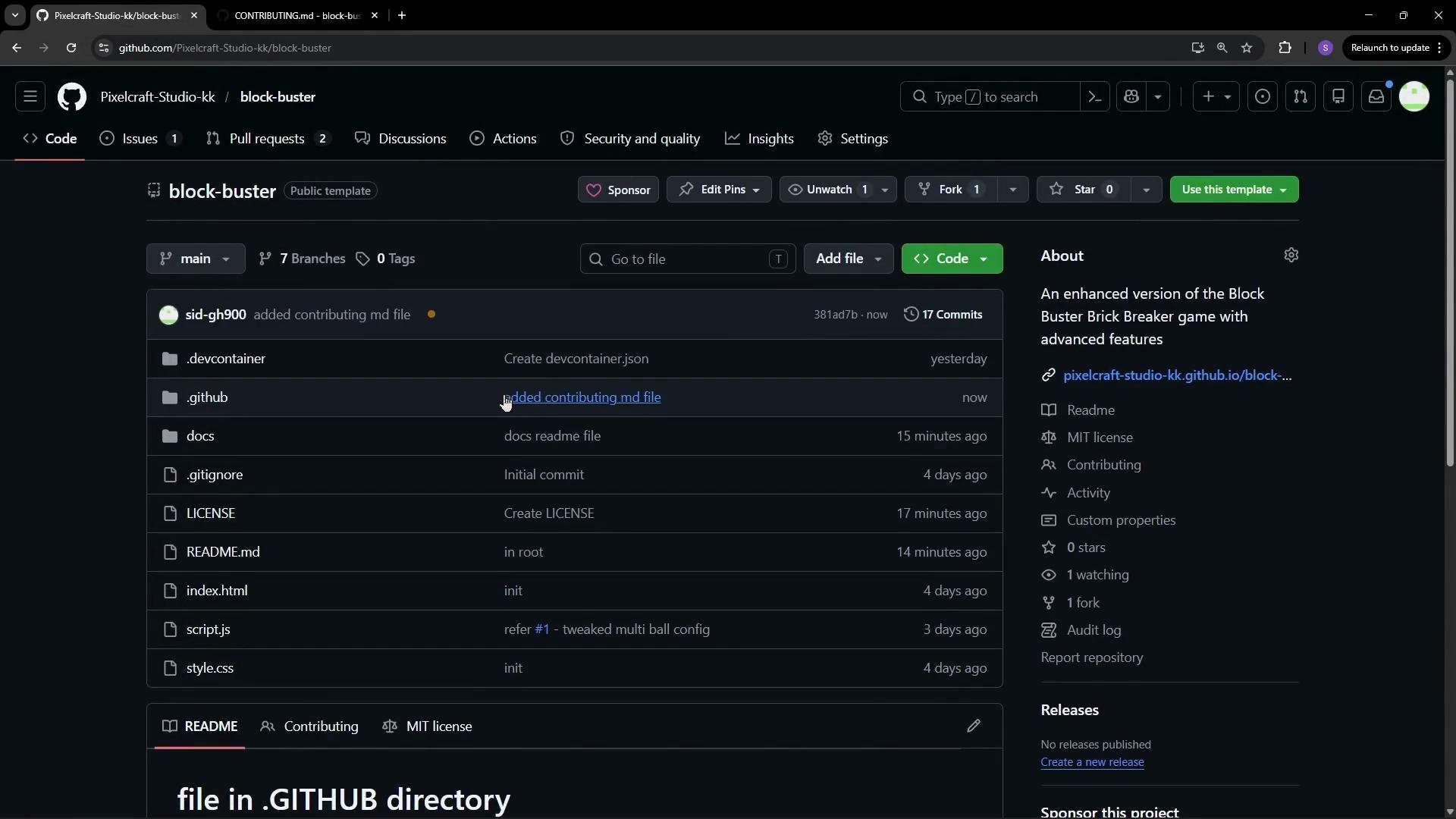
CONTRIBUTING.mdat the repository root or inside the.githubdirectory. GitHub displays the content in issue and PR flows when present.
- Add a new file:
.github/CONTRIBUTING.md(orCONTRIBUTING.mdat the repo root). - Populate it with the sections above, replacing placeholders with project-specific links and examples.
- Commit and push the change so it’s discoverable in the repository.
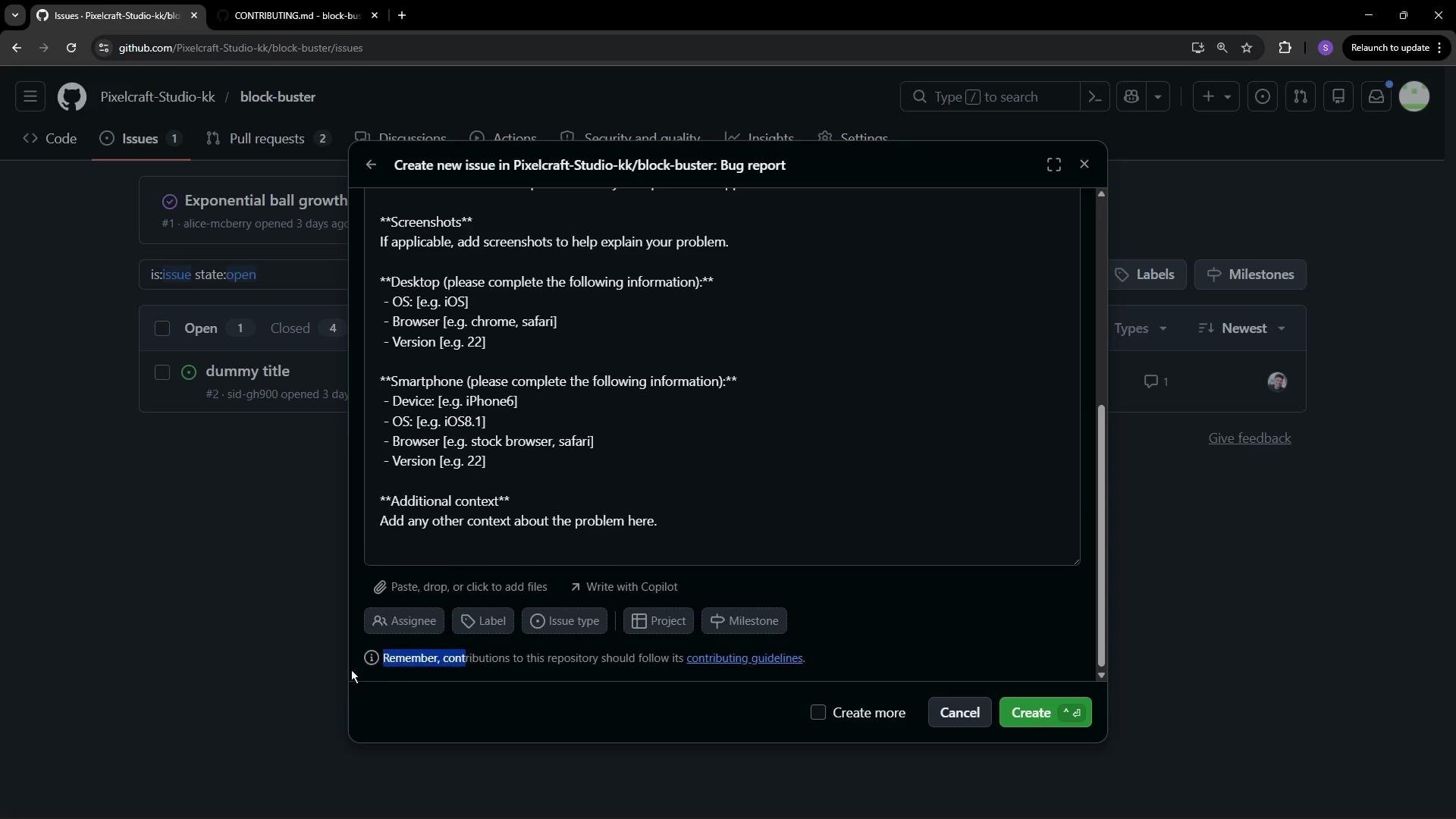
- When a contributor opens a new issue or creates a pull request, GitHub will show a reminder if your repository includes contribution guidelines.
- The reminder appears as a short prompt like “contributions to this repository should follow its contributing guidelines” and links directly to the
CONTRIBUTING.mdfile so contributors can review it before submitting.
- Be specific and actionable: provide step-by-step setup instructions and exact commands for tests and builds.
- Link to related documents:
CODE_OF_CONDUCT.md, issue/PR templates, and relevant project docs. - Keep it up to date: revise the file when workflows, CI, or maintainers change.
- Make it welcoming: include a short thank-you and clear next steps for first-time contributors.
- Use examples: show a sample issue report and a sample PR description to set expectations.
- Document automation: clarify required CI checks, labels, and who handles approvals and merges.
- GitHub: CONTRIBUTING guidelines — https://docs.github.com/en/github/building-a-strong-community/setting-guidelines-for-repository-contributors
- Example templates and community standards — search popular open-source projects for real-world examples.
Place
CONTRIBUTING.md at the repository root or in the .github directory. GitHub automatically links to it from the new issue and pull request interfaces, helping contributors follow your project’s process.