

- Personal: individual identity on GitHub; starts with GitHub Free, optional upgrade to GitHub Pro.
- Organization: shared account for teams and companies, centralized repositories and access control.
- Enterprise: umbrella for multiple organizations with centralized security, billing, and admin controls.
Personal account
- Represents an individual contributor on GitHub, hosting your profile, username, and personal settings.
- Every personal account starts on GitHub Free; you can upgrade to GitHub Pro for enhanced developer tools and productivity features.
- Both Free and Pro let you create unlimited public and private repositories and invite unlimited collaborators.
- GitHub Pro adds advanced repository features and tooling (e.g., insights and improved CI/CD options) that aren’t available on the Free tier.
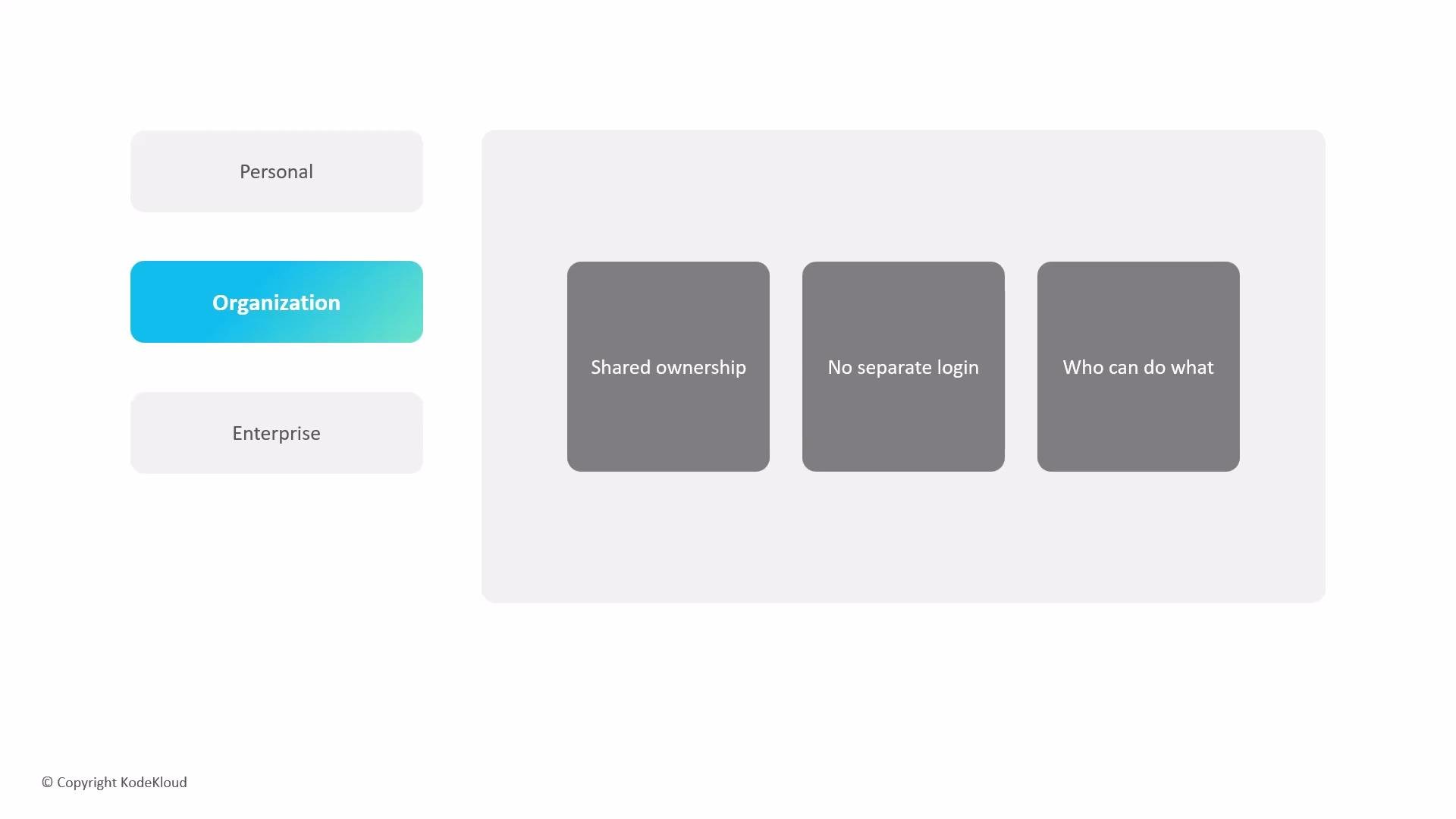
- An organization is a shared account that represents a group, team, or company and centrally holds repositories, teams, and access controls.
- Consider an organization a company office where projects and repositories are owned by the organization rather than by individuals.
- You do not sign in to an organization directly. Sign in with your personal GitHub account; membership in an organization grants the roles and access assigned to you.
- Role and permission model:
- Owners: full administration of settings, policies, billing, and security.
- Members: scoped permissions for day-to-day contributions.
- Teams and repository roles (admin / maintain / write / triage / read) let you finely control access.
You always log in with your personal account. Organization membership (and team membership) determines what repositories and features you can access—there is no separate organization login.
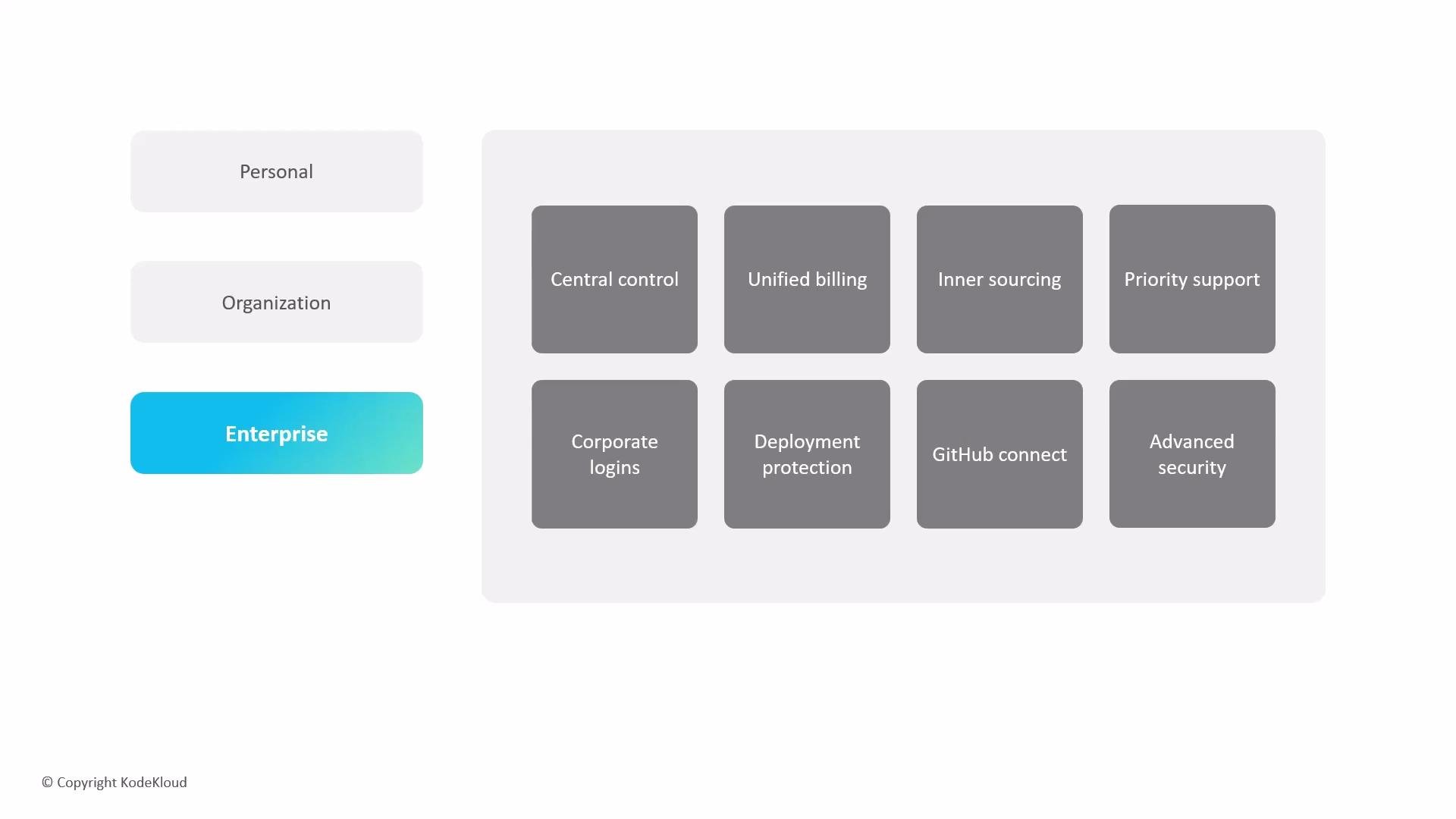
- Provides centralized control and governance across multiple organizations; designed for large companies and institutions needing centralized security, compliance, and billing.
- Acts as an umbrella for one or more organizations and enables company-wide policies, unified billing, and centralized administrative oversight.
- Typical enterprise capabilities:
- SAML single sign-on (SSO) for centralized authentication: https://docs.github.com/en/authentication/keeping-your-account-and-data-secure/about-authentication-with-saml-single-sign-on
- SCIM provisioning for automated user lifecycle management: https://docs.github.com/en/enterprise-cloud@latest/admin/identity-and-access-management/about-user-provisioning-with-scim
- Centralized audit logs for monitoring changes and activity: https://docs.github.com/en/enterprise-cloud@latest/admin/monitoring-and-logs/about-audit-logs
- Organization-wide security and compliance policies
- Enterprises can enable GitHub Advanced Security (an add-on) to automate code scanning, secret scanning, and dependency review across repositories.
- Integrations like GitHub Connect help bridge on-premises GitHub Enterprise Server instances with GitHub.com for a unified experience: https://docs.github.com/en/enterprise-cloud@latest/github/setting-up-and-managing-your-enterprise/managing-github-connect
- Other enterprise benefits: dedicated GitHub support, unified billing for all orgs, and tooling to encourage InnerSource (internal code discovery and collaboration).
- Automates security checks to detect vulnerabilities and secrets before code is merged:
- CodeQL code scanning: https://securitylab.github.com/tools/codeql
- Secret scanning: https://docs.github.com/en/code-security/secret-scanning/about-secret-scanning
- Dependency review and dependabot integration: https://docs.github.com/en/code-security/dependabot/dependency-review
- Can be enforced across repositories and organizations to raise your organization’s security posture.
- Pick a Personal account if you’re an individual developer, open-source contributor, or want an identity to sign in and own forks.
- Use an Organization when collaborating within teams, managing projects centrally, or controlling access across multiple repositories.
- Adopt an Enterprise account when you need centralized governance across multiple organizations, SSO/SCIM integration, advanced compliance and audit capabilities, and unified billing.
- Personal accounts: individual identity; start with Free and optionally upgrade to Pro.
- Organizations: shared ownership for teams and companies with role-based permissions and centralized management.
- Enterprises: centralized management across organizations, unified billing, advanced security and compliance, SSO and provisioning, and integrations for cloud and self-hosted environments.
- GitHub Docs — Authentication with SAML SSO: https://docs.github.com/en/authentication/keeping-your-account-and-data-secure/about-authentication-with-saml-single-sign-on
- GitHub Docs — SCIM provisioning: https://docs.github.com/en/enterprise-cloud@latest/admin/identity-and-access-management/about-user-provisioning-with-scim
- GitHub Docs — Audit logs: https://docs.github.com/en/enterprise-cloud@latest/admin/monitoring-and-logs/about-audit-logs
- GitHub Docs — GitHub Advanced Security: https://docs.github.com/en/code-security/secure-coding/configuring-github-advanced-security/about-github-advanced-security
- GitHub Security Lab — CodeQL: https://securitylab.github.com/tools/codeql