

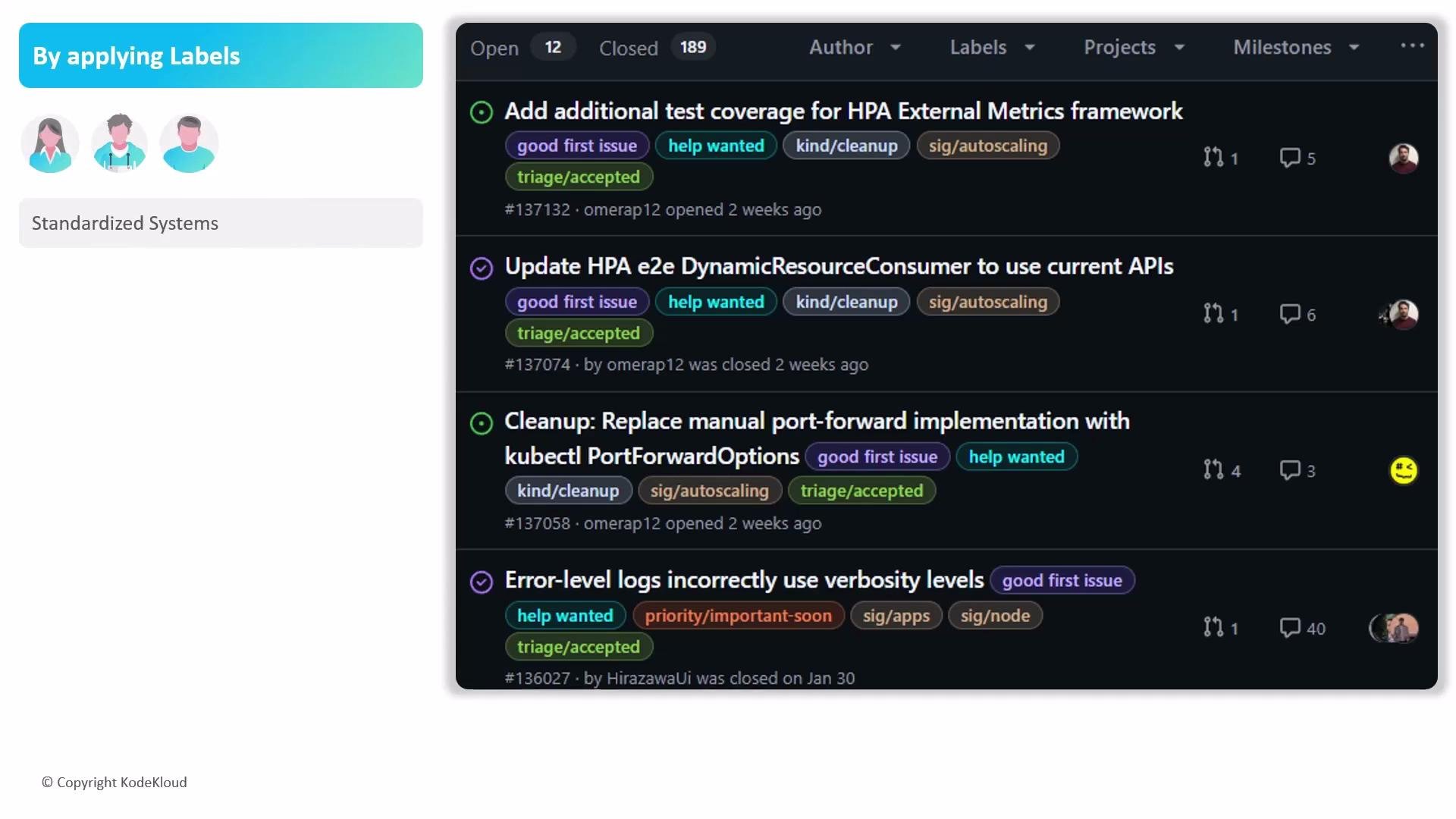
In addition to these defaults, create custom labels to match your workflow (e.g.,
needs-triage, high priority, security). Use a consistent naming and color scheme so contributors can interpret label meanings reliably across the repository.
Labels are scoped to individual repositories. Define a documented naming standard and color palette so contributors and automation can consistently interpret label intent.
Searching and automating with labels
Labels enable powerful filtering and can trigger automation such as GitHub Actions or project workflows. Example: find open issues labeled as high priority:Avoid label sprawl. Too many overlapping labels reduce clarity—periodically audit labels, merge similar ones, and document meaning to keep the system useful.
Best practices
- Document your label taxonomy in CONTRIBUTING.md or a repository README so newcomers can find and use labels correctly.
- Limit the number of “status” labels (e.g.,
triaged,in progress,blocked) vs. semantic labels (e.g.,bug,enhancement) to avoid confusion. - Standardize colors and prefixes if you use cross-repo conventions (e.g.,
priority:high,area:frontend). - Automate routine label actions where possible (assign owners, set SLA reminders, move project cards).
- Use
good first issueandhelp wantedto increase discoverability—GitHub indexes these labels for external contributors.
Links and references
- GitHub: About labels
- GitHub: Labeling issues and pull requests
- GitHub Actions: Events that trigger workflows (issues)