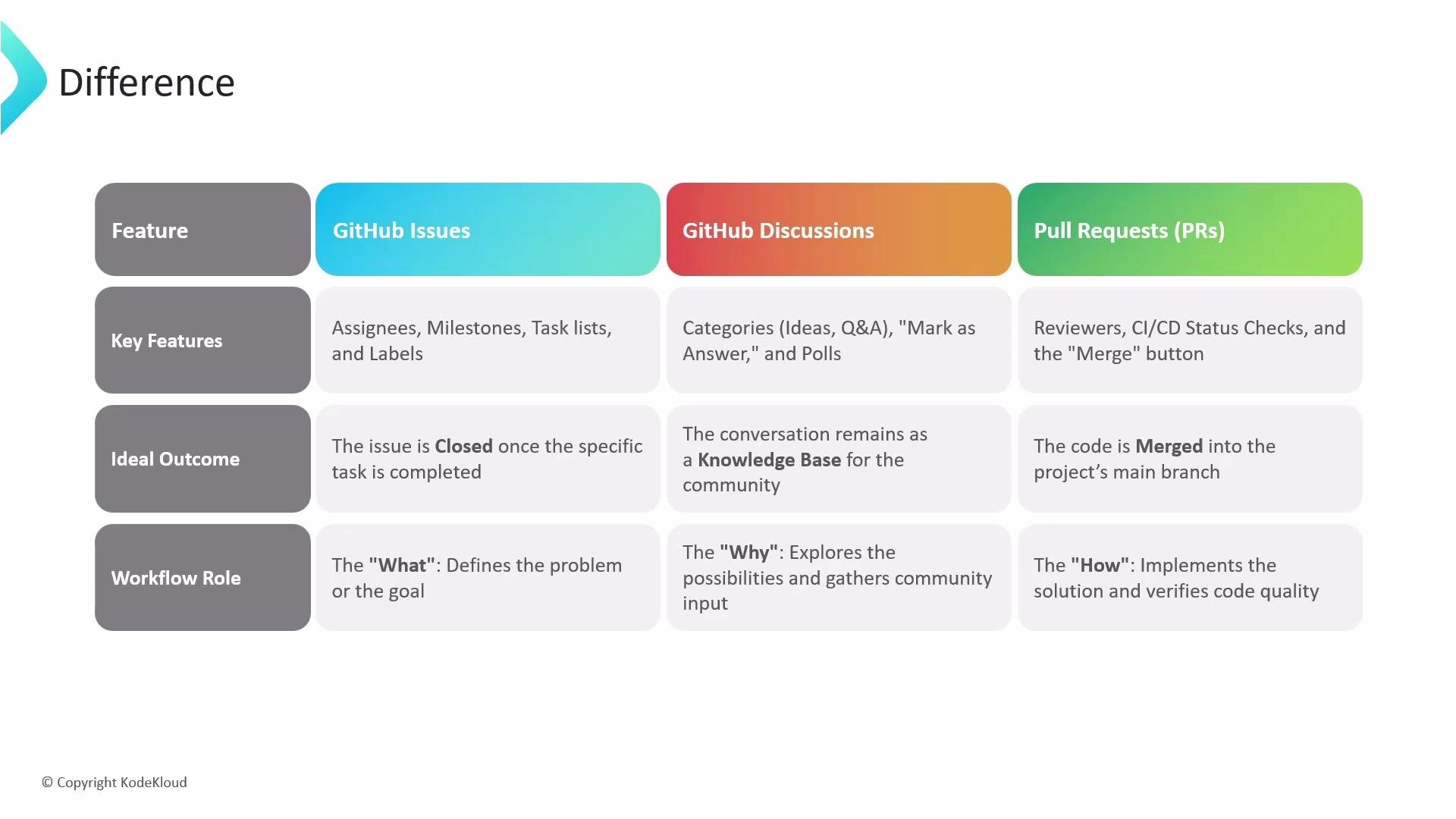
- Issues track actionable items like bugs, tasks, and feature requests.
- Discussions host open-ended community conversations, brainstorming, and Q&A.
- Pull requests propose code changes and provide a structured review and integration process.
Use Issues to define and track work, Discussions to collect context and community input, and Pull Requests to submit, review, and merge code. Linking these together (discussion → issue → pull request) creates a clear trace of decision-making and implementation.
- Purpose: Track specific work items—bugs, tasks, or feature requests.
- Best uses: Assigning work, prioritizing via labels/milestones, and tracking progress with project boards.
- Integrations: Assignees, labels, milestones, and references to commits and pull requests.

- Purpose: Host open-ended conversations such as brainstorming, Q&A, and polls.
- Best uses: Gathering feedback, developing ideas before formalizing requirements, and maintaining community knowledge.
- Outcome: A persistent knowledge base or community consensus that can inform issues or future development.
- Purpose: Propose concrete code or documentation changes and run them through review and CI processes.
- Best uses: Line-by-line code review, running automated tests, tracking CI/CD status, and merging approved changes into the main branch.
- Outcome: Reviewed and tested code merged into the repository.
- Issues: Action-oriented and integrated with project management.
- Discussions: Community-focused, exploratory, and documentation-friendly.
- Pull requests: Implementation-focused with review, CI, and merge gates.
Key feature differences
- Issues integrate with project-tracking features (milestones, assignees, labels).
- Discussions act as a forum for long-form community engagement (Q&A, polls, brainstorming).
- Pull requests enforce quality control through peer review, CI statuses, and merge checks.
- Issues: The task or bug is resolved and the issue is closed.
- Discussions: The conversation becomes a documented resource or leads to a clear decision.
- Pull requests: The changes pass review and CI, and are merged into the target branch.
- Discussions — explore the “why” (ideas, goals, feasibility).
- Issues — define the “what” (tasks, acceptance criteria).
- Pull requests — deliver the “how” (implementation, review, merge).