

Issue and pull request references
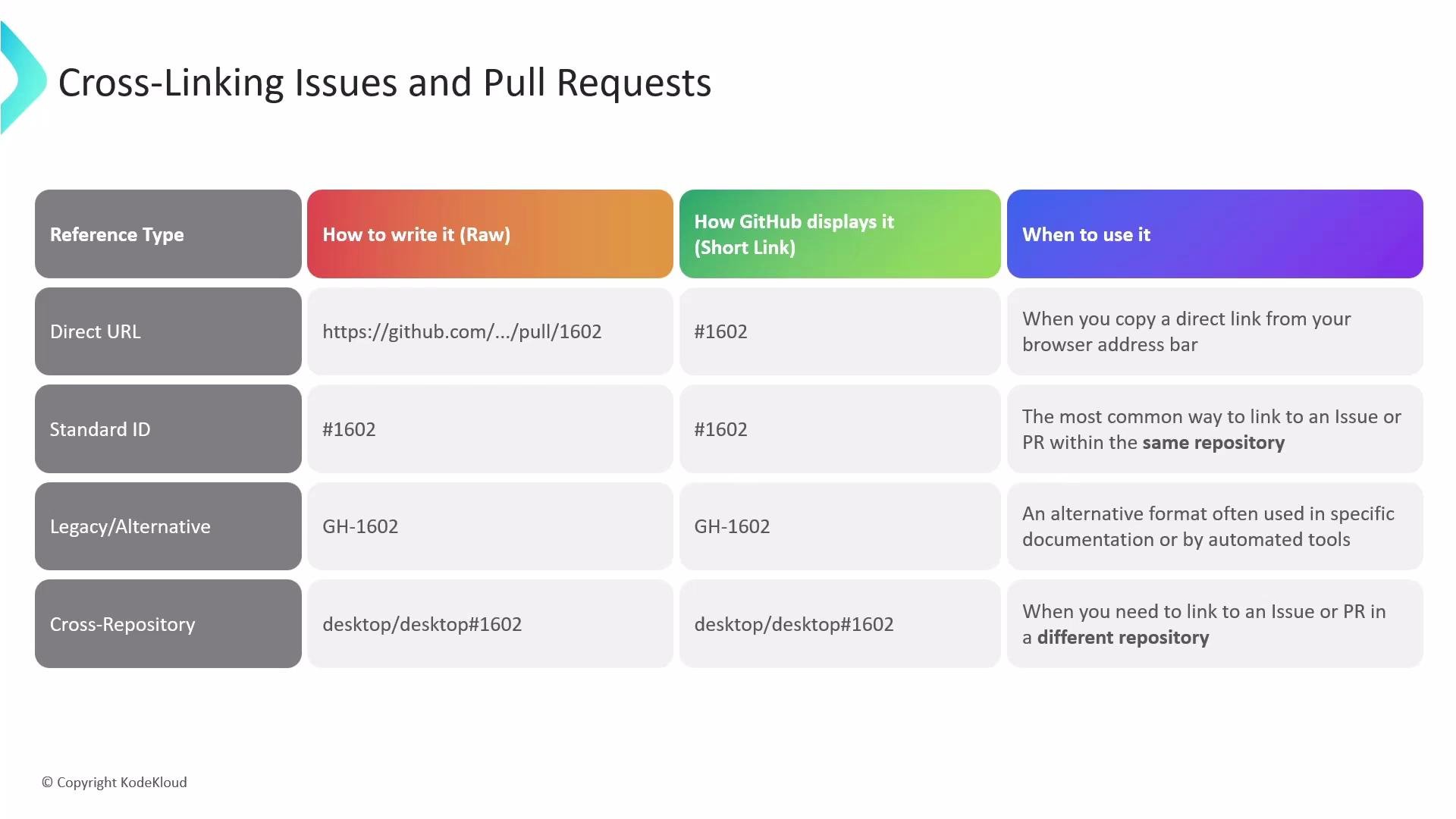
GitHub recognizes multiple ways to reference issues and pull requests. Each becomes a clickable link and is tracked by GitHub across conversations, timelines, and the network graph. Common reference formats:- Direct URL — paste the full issue/PR web address; the UI displays a shortened, clickable representation.
- Shorthand ID — type
#followed by the issue/PR number (e.g.,#42) for references within the same repository. - Legacy/alternate — some tooling or older docs may use the
GH-prefix (e.g.,GH-42). - Cross-repository — reference an item in another repository with
owner/repository#number(e.g.,octocat/Hello-World#42).
Commit references
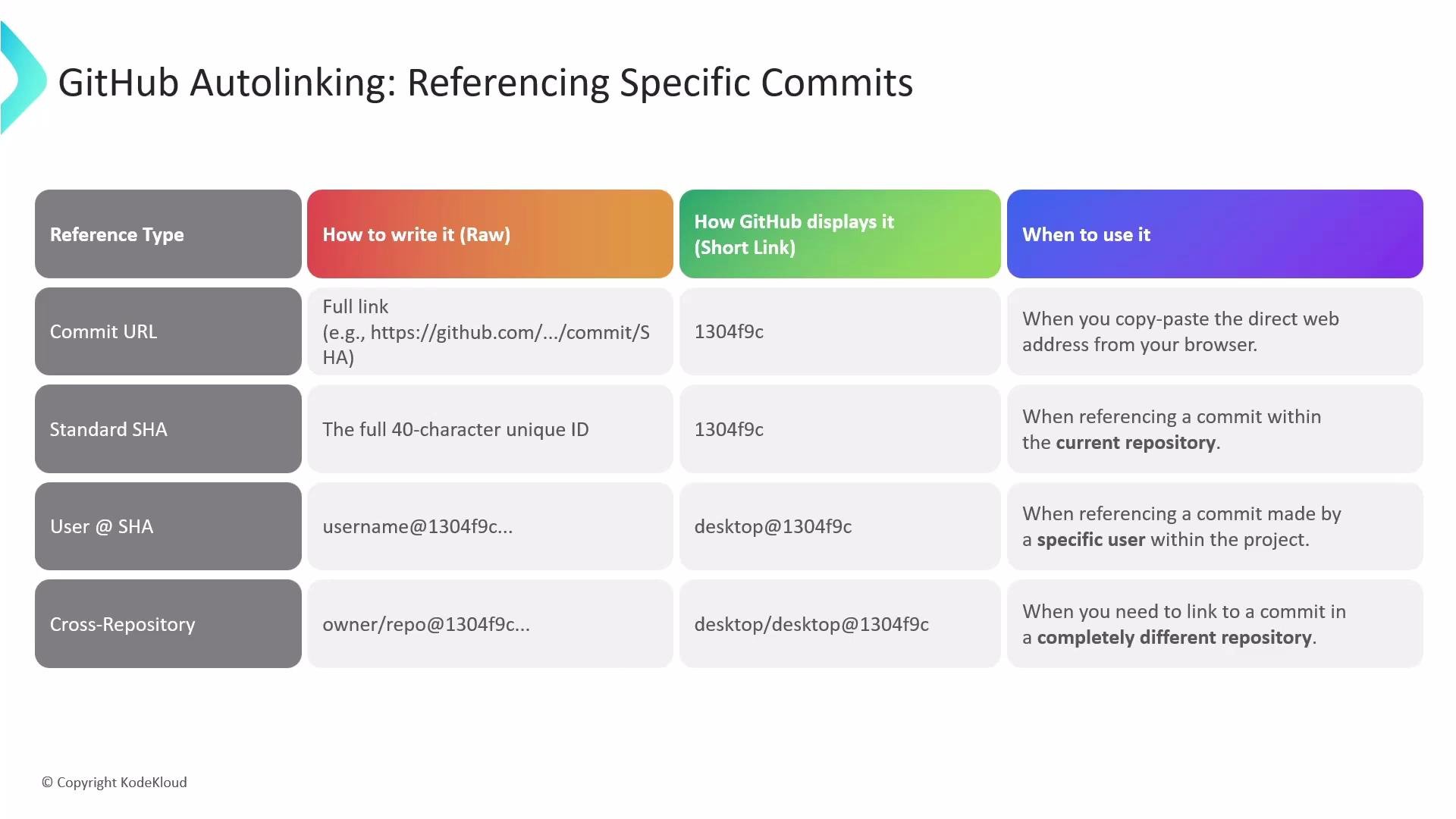
GitHub also auto-detects and links commit identifiers in comments, descriptions, and PR bodies. Use the format that best balances readability and precision for your workflow. Common commit reference types:- Commit URL — paste the full commit web address; GitHub displays a shortened seven-character SHA.
- Full SHA — include the full 40-character commit SHA when you need an exact identifier.
- Short SHA — the seven-character SHA shown in GitHub is usually sufficient for human-readable references.
- Username + SHA —
username@SHAto indicate a specific user’s commit (e.g.,octocat@7fd1a60). - Cross-repo commit — reference a commit in another repo with
owner/repository@SHA(e.g.,octocat/Hello-World@7fd1a60).
Best practice: use
#number for references within the same repository and owner/repo#number for cross-repo links. For commits, prefer the 7-character SHA shown in the UI for readability; use the full SHA when you need an exact, unambiguous identifier.