

- Share work with collaborators before it’s finalized.
- Run automated checks such as GitHub Actions workflows: https://docs.github.com/en/actions/using-workflows/about-workflows
- Start discussions and gather feedback without triggering reviewer notifications or allowing merges.
- GitHub intentionally delays reviewer notifications and prevents merging of the branch.
- Reviewers may be listed on the PR, but they are not notified until the PR is converted to a normal (ready) PR.
- CI/workflows still run, allowing you to iterate while checks execute.
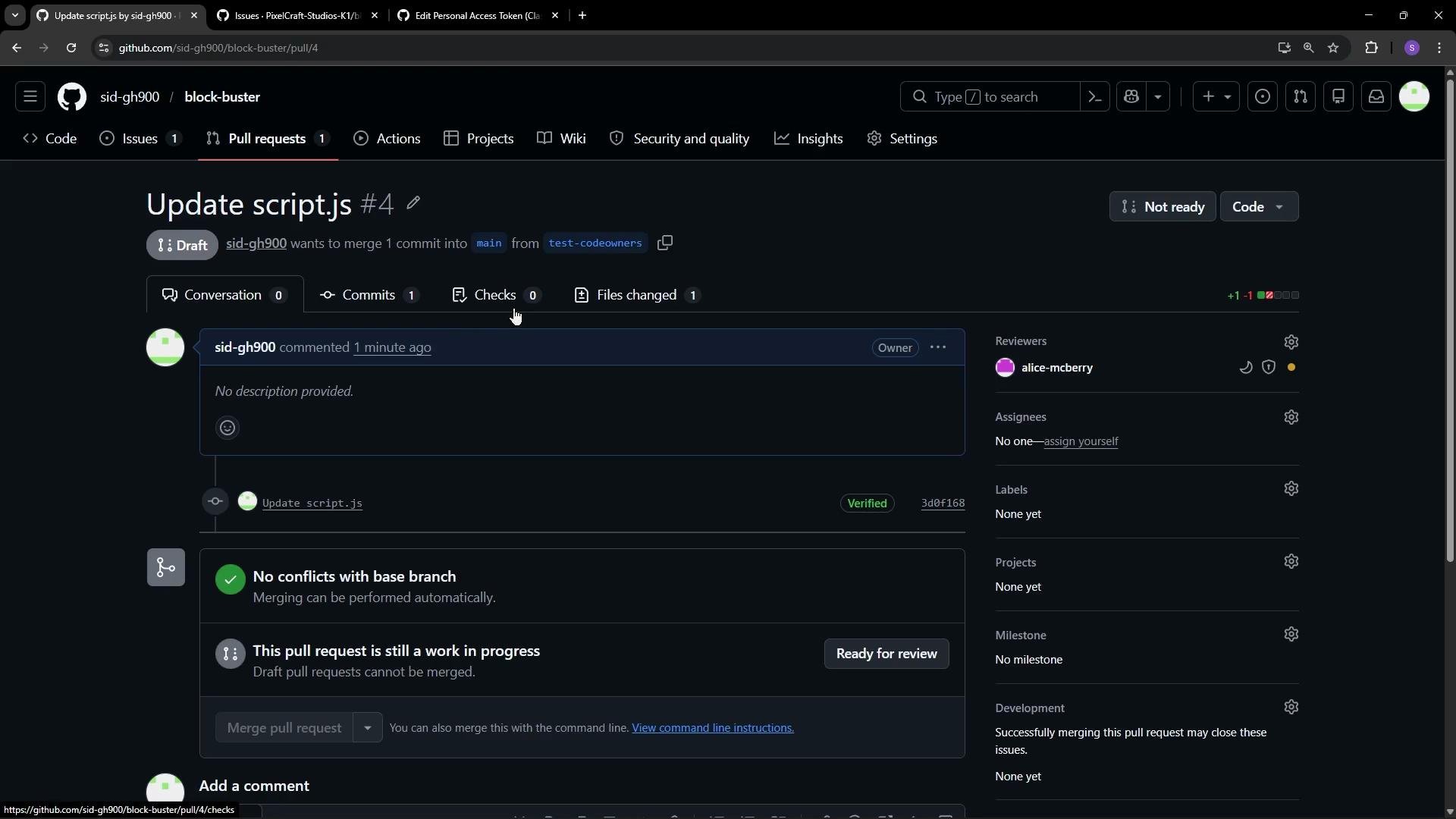
Draft pull requests let you keep iterating with CI and discussions without immediately notifying reviewers or allowing merges. Convert to
Ready for review when you want formal reviews and the ability to merge.- Click the
Ready for reviewbutton on the PR to convert it. - GitHub converts the draft into a regular PR and sends review requests to configured reviewers.
- The Merge button becomes enabled (subject to passing checks and any branch protection rules).
- Review duties appear in reviewers’ notification lists and inboxes.
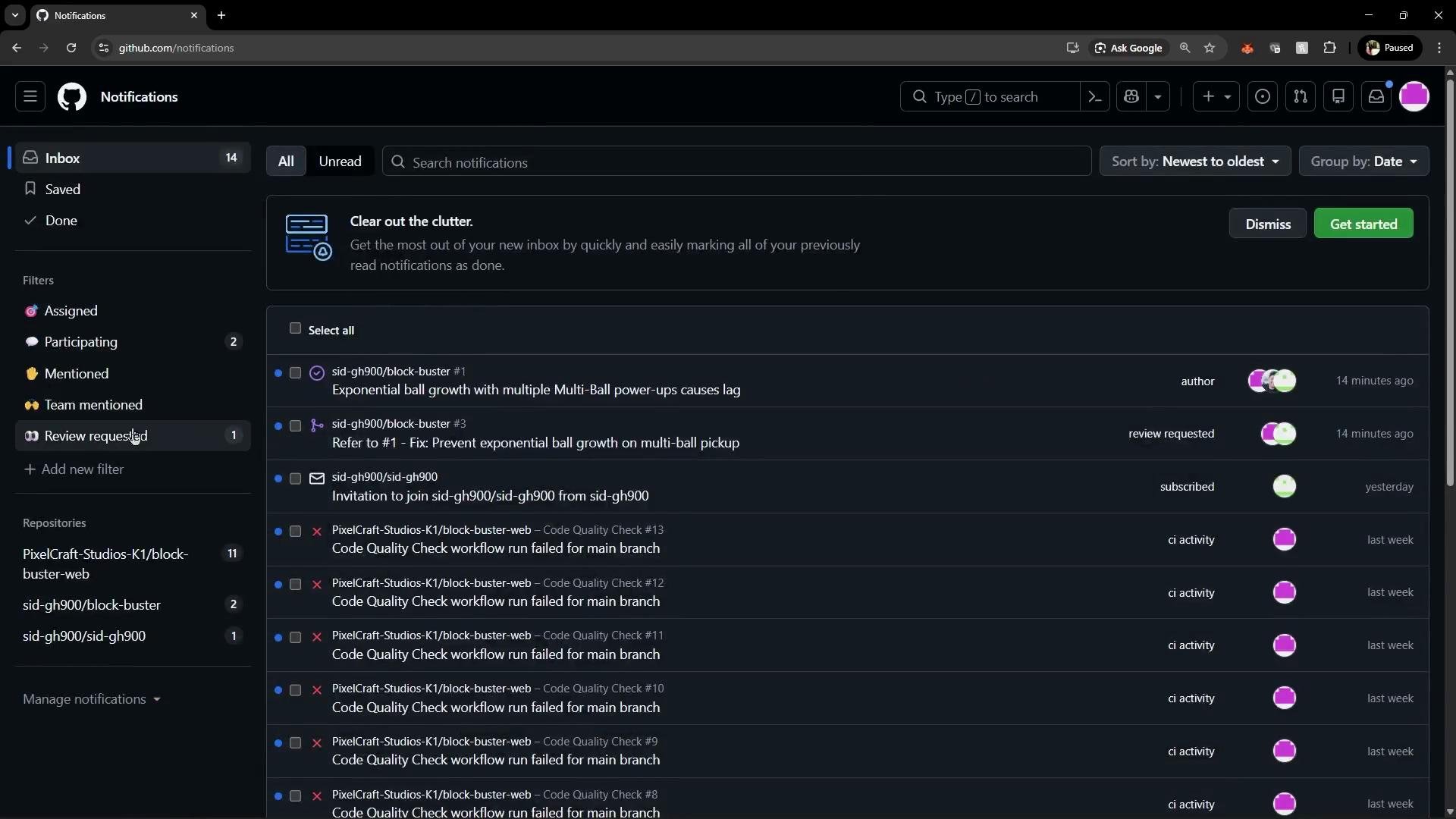
Ready for review:
- GitHub sends review requests and notifications to the listed reviewers (for example, Alice).
- The PR appears in the reviewers’ review queue and notification feeds.
- The Merge button is enabled once checks pass and branch protection conditions are satisfied.
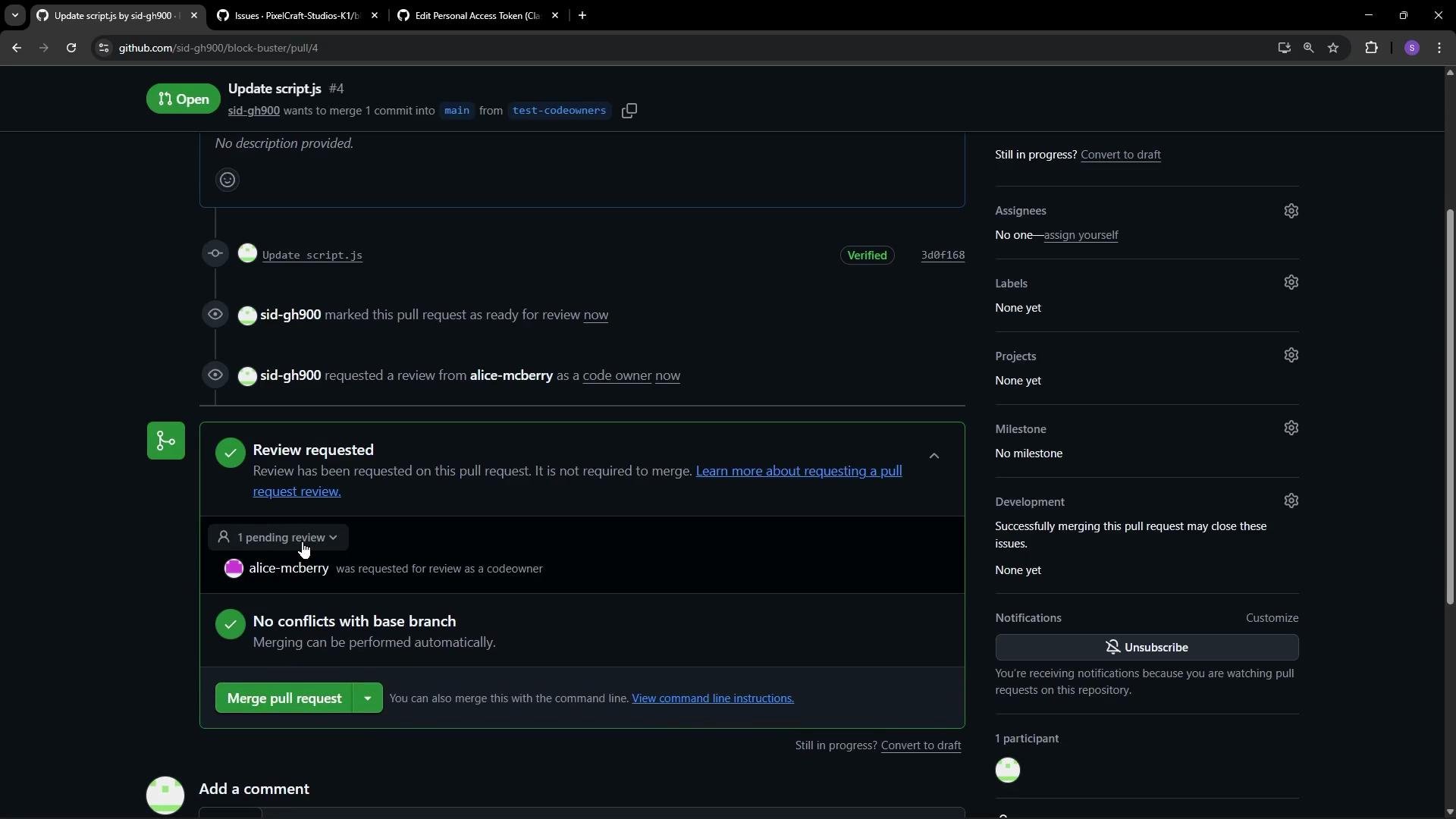
- Use draft PRs to iterate publicly while preventing premature review requests and merging.
- Continue adding commits and using CI while the PR remains a draft.
- Convert to
Ready for reviewonly when you want formal reviews, notifications, and the ability to merge.
- Draft Pull Requests (GitHub Docs): https://docs.github.com/en/pull-requests/collaborating-with-pull-requests/creating-pull-requests/creating-a-draft-pull-request
- GitHub Actions: https://docs.github.com/en/actions/using-workflows/about-workflows
- Pull Request workflows and review guidance: https://docs.github.com/en/pull-requests/using-pull-requests/reviewing-changes-in-pull-requests