

- How to create and configure a
devcontainer.jsonfile - How to provision a Codespace that uses that Dev Container
- How to add VS Code extensions to the repository Dev Container via the Extensions marketplace
- When and why to rebuild a Codespace after changing the Dev Container
.devcontainer folder at the repository root and adds a devcontainer.json file.
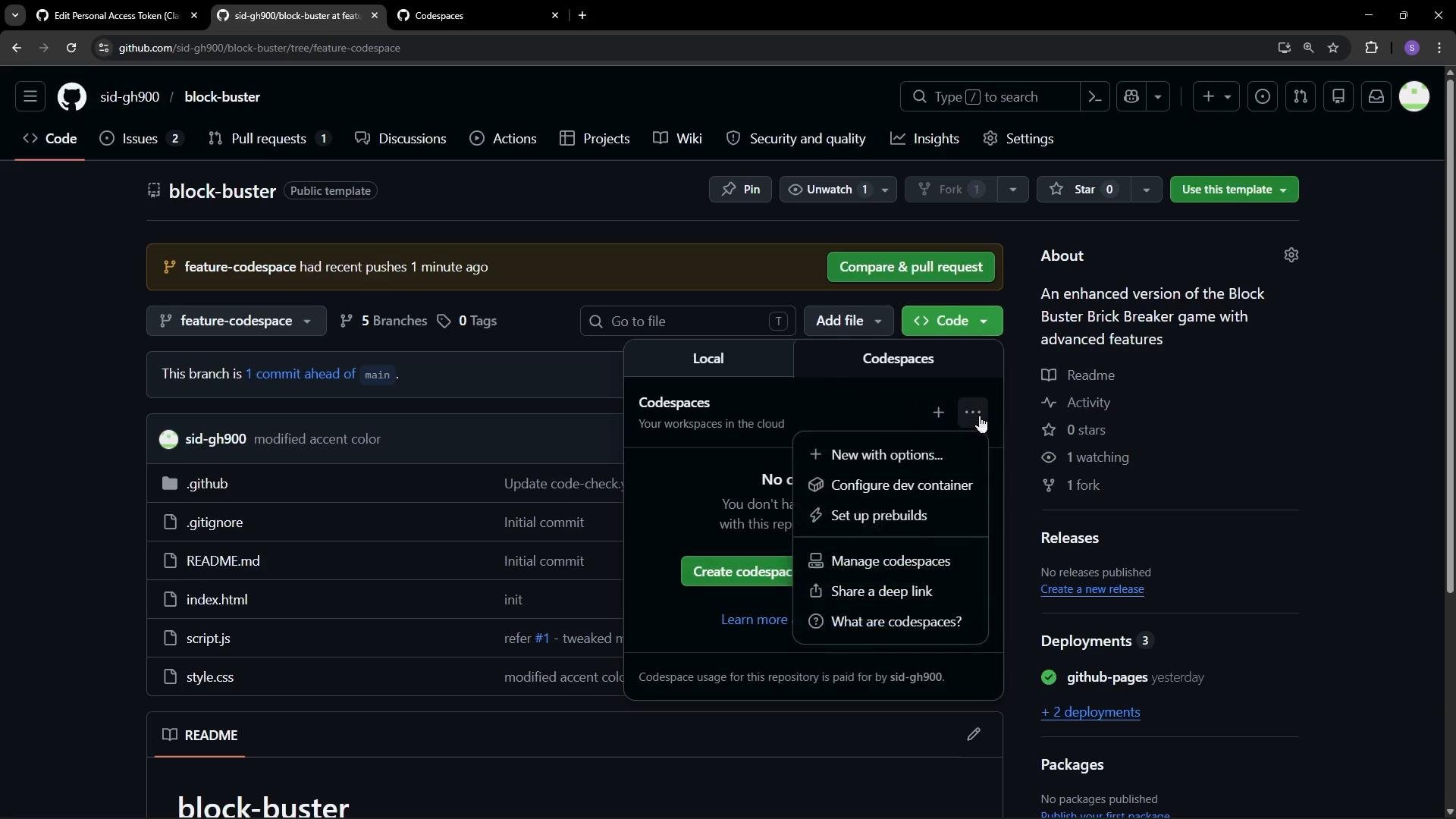
devcontainer.json — what to include
When creatingdevcontainer.json you typically:
- Give the Codespace environment a descriptive
name - Declare a base
imageor Dockerfile to use as the container environment - Add editor
customizations(for example, VS Code extensions to auto-install) - Commit the file to your default branch so Codespaces can detect it
devcontainer.json used in this lesson. It sets a name, uses a Microsoft universal container image, and automatically installs several VS Code extensions (Live Server, GitHub Copilot Chat, the Azure GitHub Copilot integration, and a Copilot code reviewer).
Create a Codespace using the Dev Container
After committing.devcontainer/devcontainer.json to the main branch, create a Codespace. The create dialog lets you select:
- Branch (for example
main) - Dev Container configuration (the
devcontainer.jsonyou added) - Region to deploy the Codespace (choose a nearby region to reduce latency)
- Machine type (for example, 2-core or 4-core)
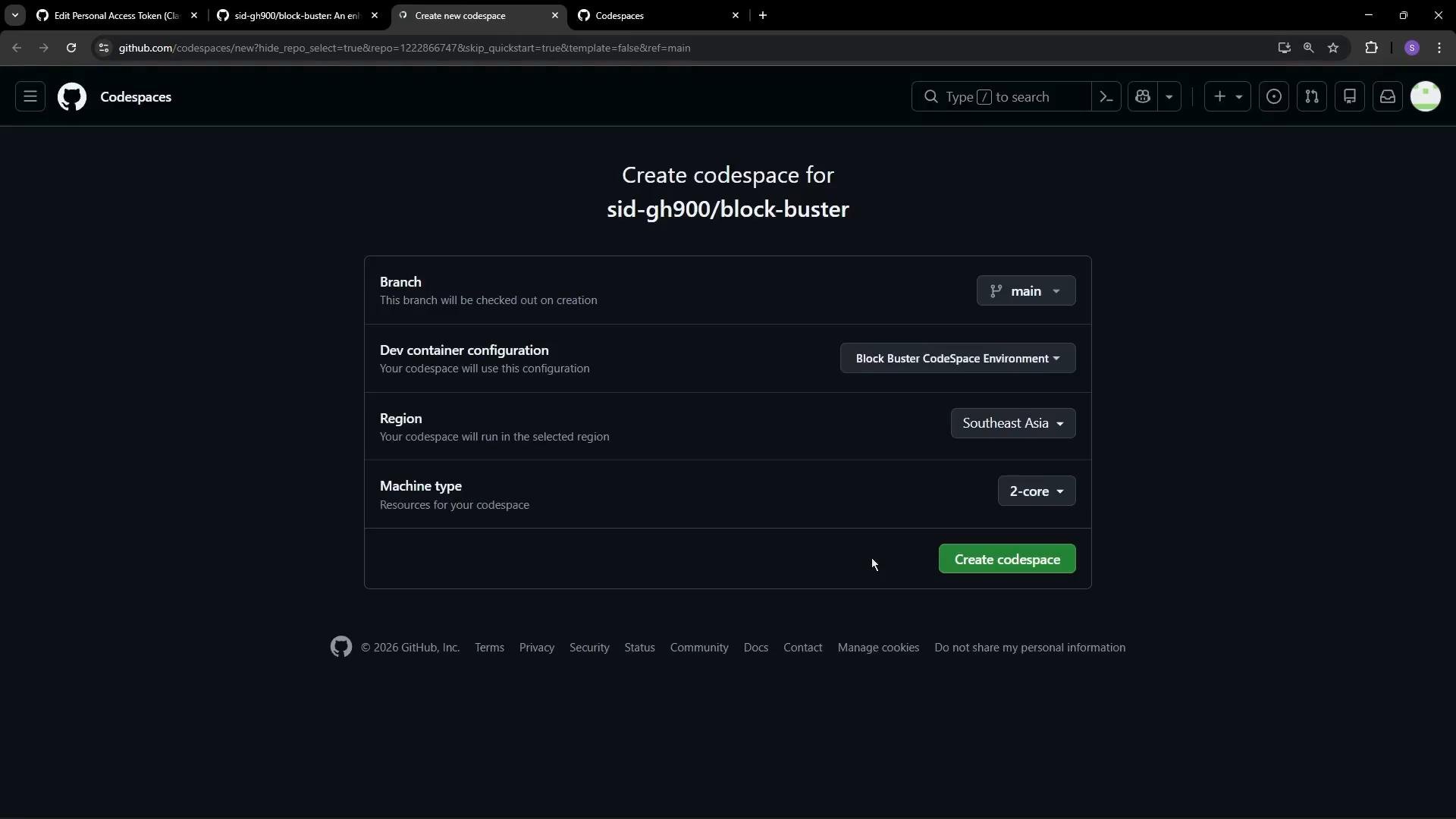
- Pulls the specified image
- Applies declared settings
- Installs the listed VS Code extensions automatically
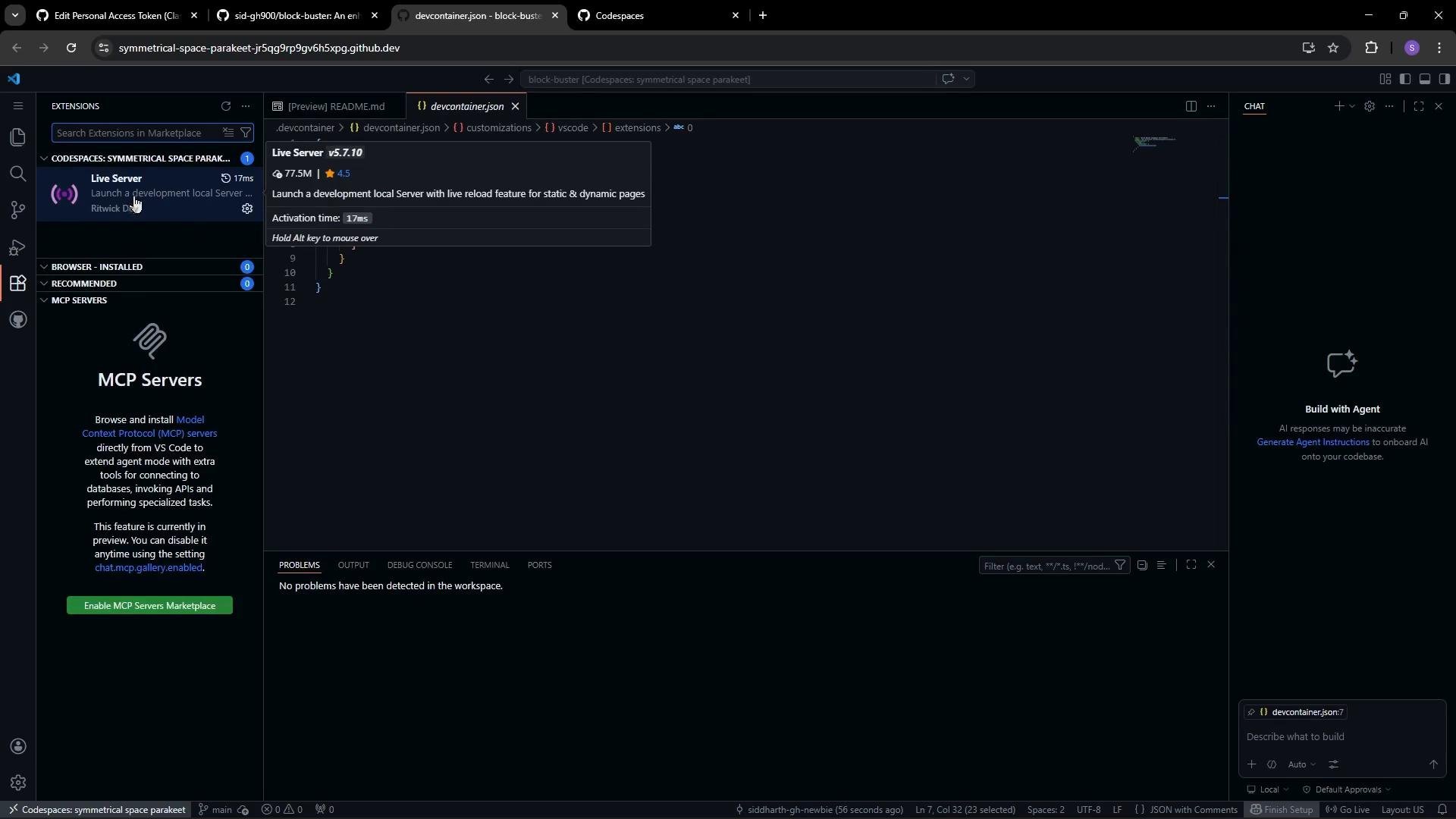
Add extensions from the Extensions marketplace
You can also add extensions directly from the VS Code Extensions marketplace while in a Codespace:- Open the Extensions marketplace view
- Right-click an extension and choose “Add to devcontainer.json”
- Codespaces appends the extension identifier to
customizations.vscode.extensionsindevcontainer.json
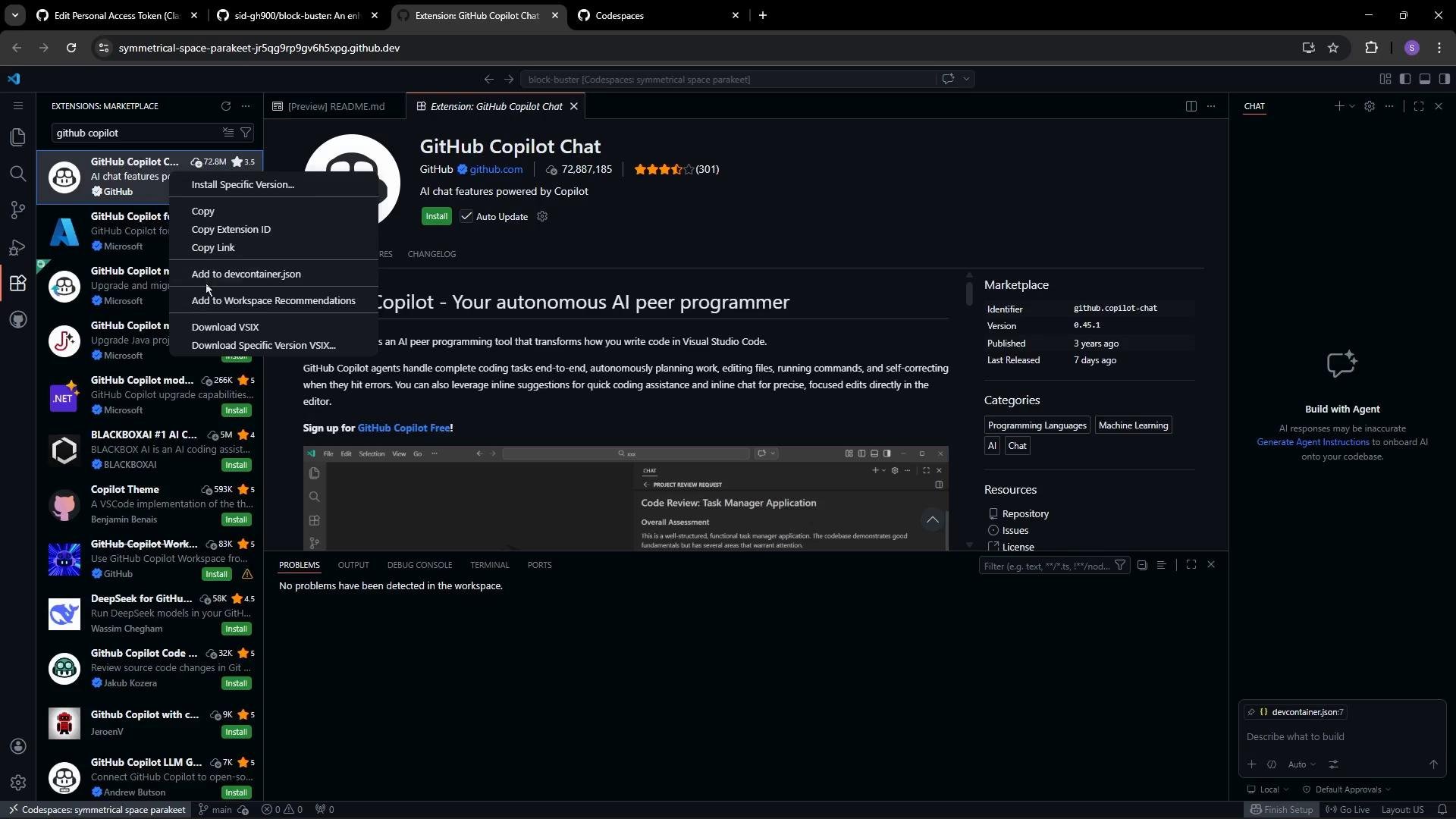
After editing
devcontainer.json, rebuild the Codespace to apply changes. Rebuilding recreates the environment so the updated image, new extensions, and any configuration changes are installed and applied.Links and references
- Dev Containers overview: https://code.visualstudio.com/docs/devcontainers/containers
- Dev Containers configuration reference: https://containers.dev/
- GitHub Codespaces docs: https://docs.github.com/en/codespaces
- VS Code Extensions marketplace: https://marketplace.visualstudio.com/vscode