

- Alice assigned the repository owner, Siddharth Barahalikar, to this issue because he owns the repository and is the most appropriate reviewer.
- The issue references a problematic code snippet that causes unexpected behavior when adding cloned items to an array while iterating over it.
- Mutating an array while iterating over it (pushing into the same array inside
forEach) can produce unexpected duplication or effectively run indefinitely in some circumstances. - The guard
gameState.balls.length < 5is insufficient because the loop itself increases the array length as it runs, invalidating the original check.
- Iterate over a shallow copy of the array so the list you’re iterating doesn’t change while you push new items.
- Or build a new array of clones and assign it back (using
concat/ spread) to avoid in-loop mutation. - Always enforce a maximum (e.g.,
MAX_BALLS) and compute how many clones you actually need so you don’t exceed limits.
Avoid mutating the same array while iterating. Use a copy or build a new array to preserve predictable behavior and respect your maximum limits.
- Repository owners and users with write access can assign issues to themselves or other collaborators.
- If someone else is better suited to fix the issue, search for their username in the assignee picker and add them as an assignee.
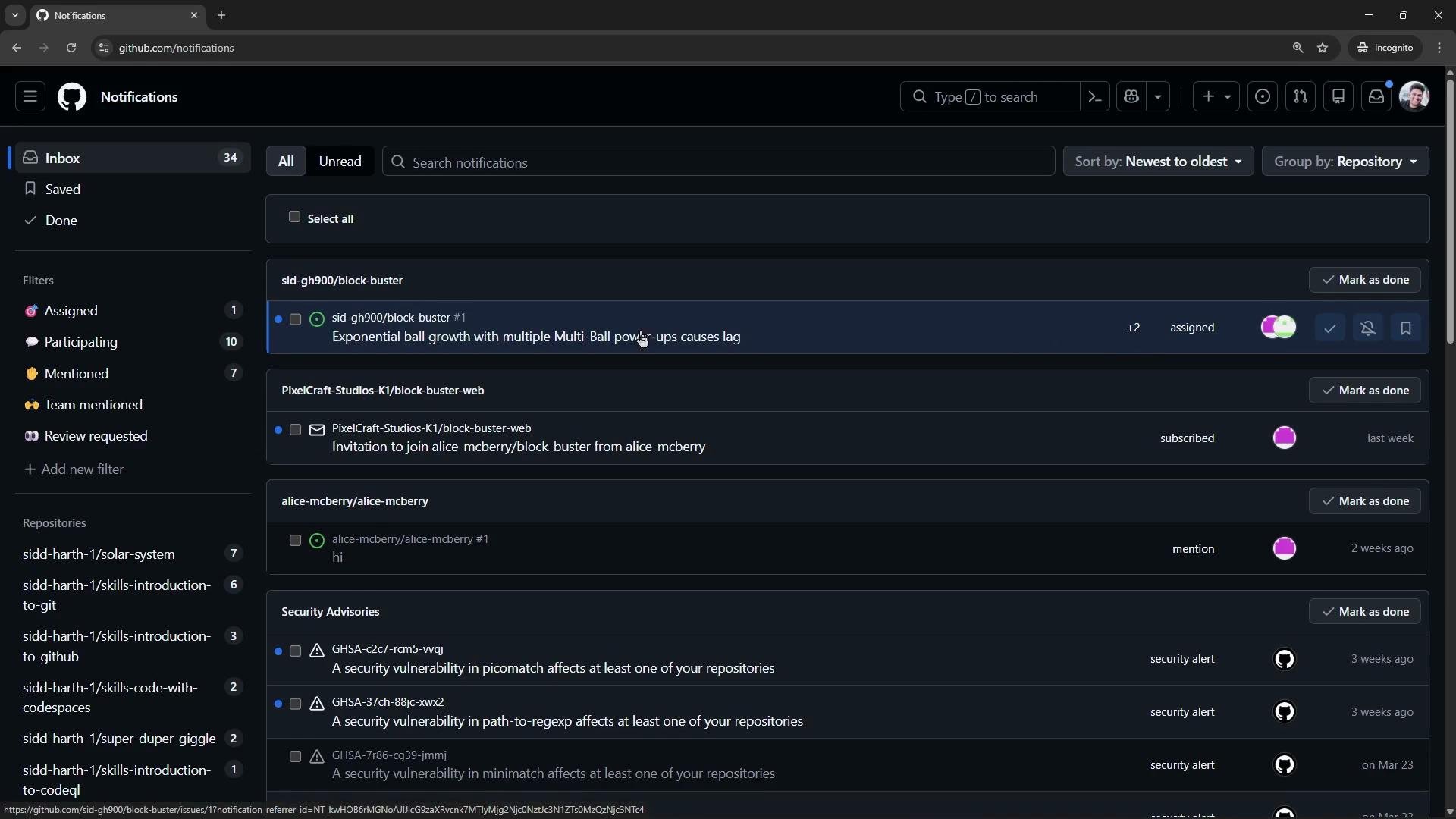
- Assigned users receive GitHub notifications and will see the issue in their notifications feed.
- Labels help triage and prioritize work (e.g.,
bug,enhancement,documentation,high-priority). - You can use the repository’s default labels or create custom labels to suit your workflow.
- Newly-created labels can take a few seconds to appear in the label picker.
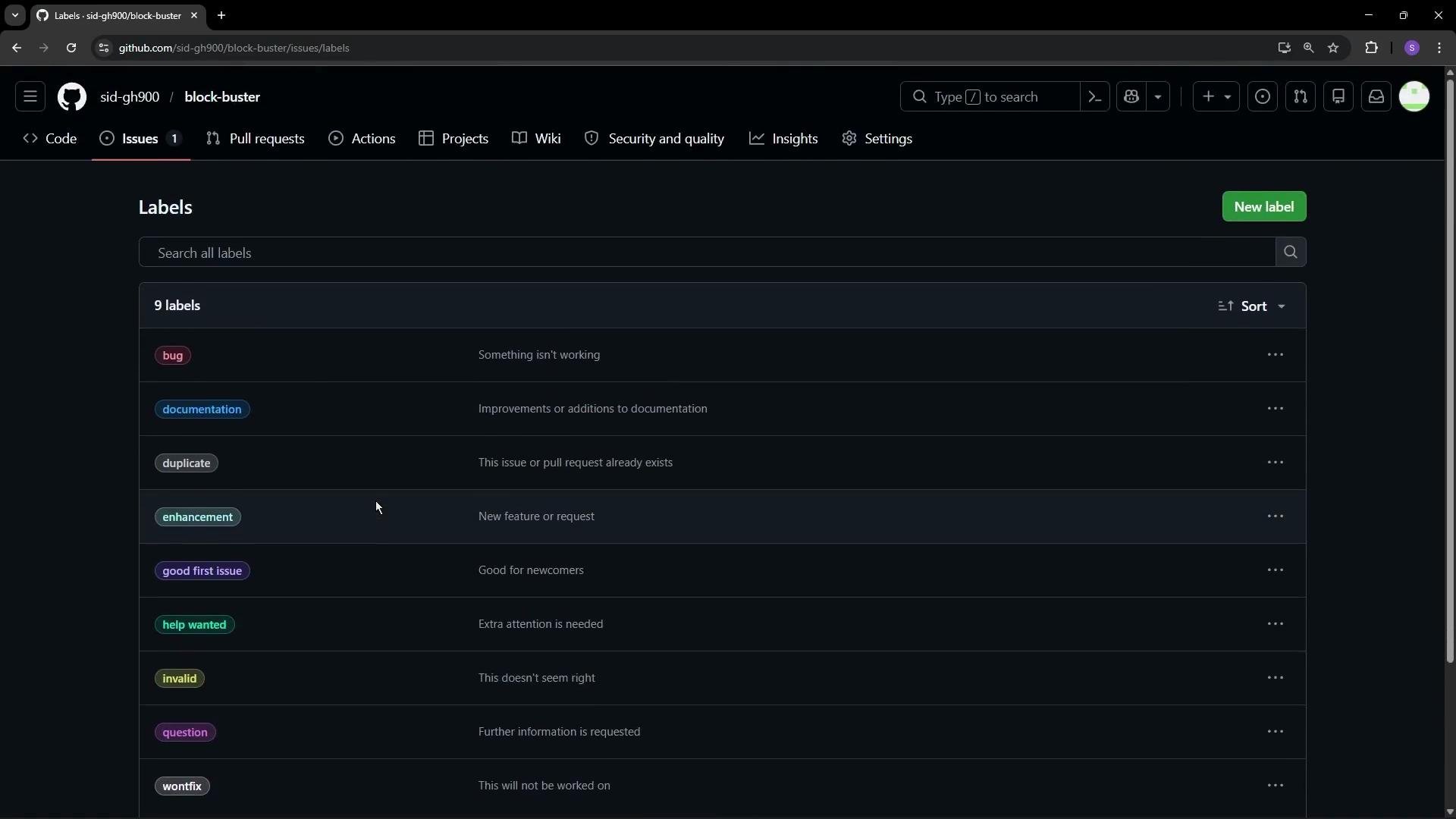
- Click “New label”.
- Enter a name, add a description, and pick a color.
- Example: create a
high-prioritylabel with description “Must be fixed ASAP”.
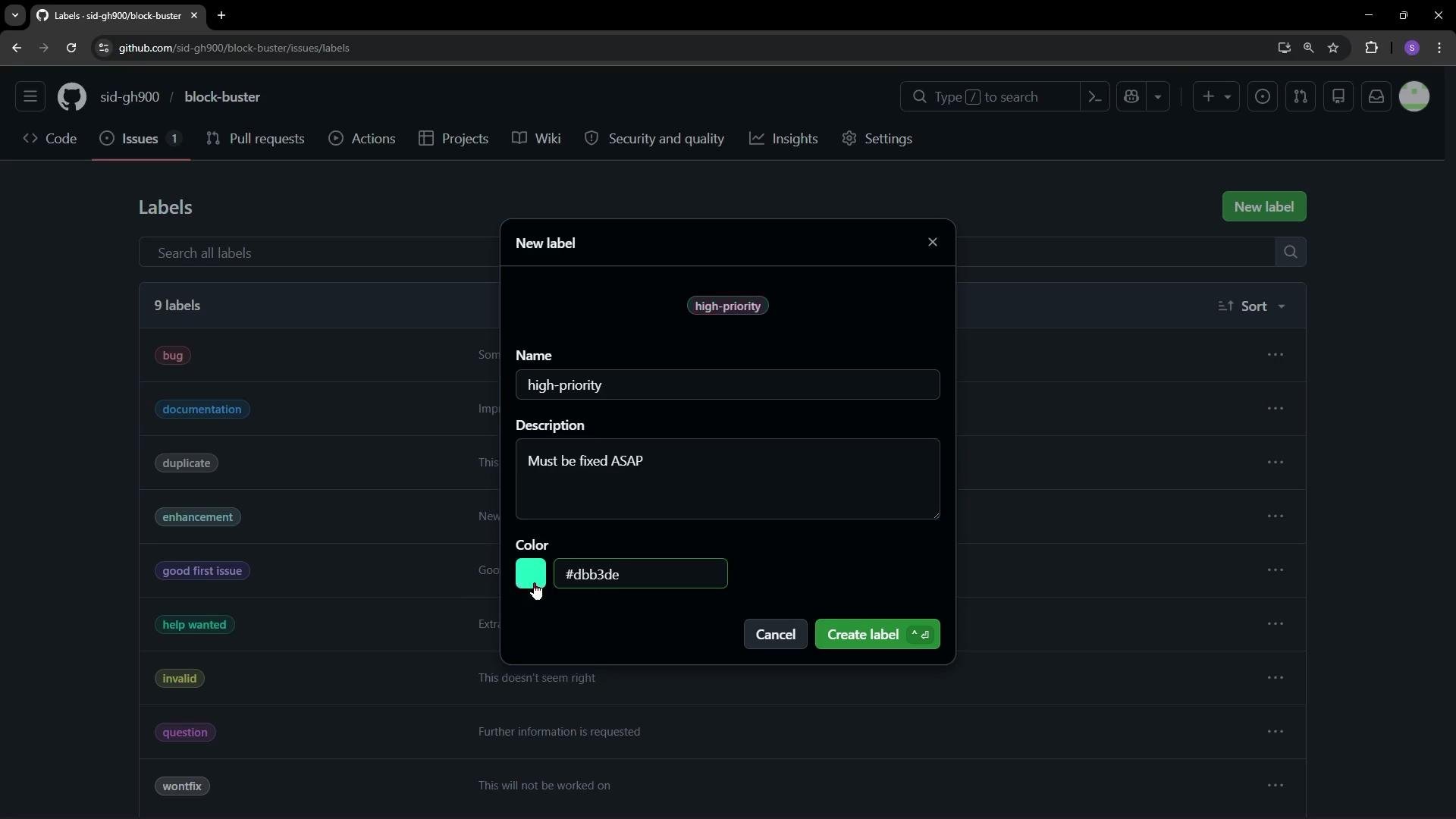
bug and high-priority). It may take a couple of seconds for a newly-created label to appear in the picker.
Once labels and assignees are set, assigned people should receive notifications in their GitHub notifications feed.
- Use comments to add context, request reviews, or propose fixes on an issue.
- Use
@usernamein a comment to mention someone and trigger a notification so they can respond.
Summary
- Assign issues to the person best suited to resolve them; assignees receive notifications.
- Use labels to triage, filter, and prioritize issues; custom labels help reflect team workflows.
- Do not mutate an array while iterating over it — iterate over a copy or build a new array to add cloned items safely.