

CODEOWNERS file defines which people or teams are responsible for specific files, directories, or patterns within a GitHub repository. By assigning ownership, you ensure that changes touch the right subject matter experts and that required code reviews are requested automatically when those files change. This improves review quality, speeds up onboarding, and helps enforce governance through branch protection rules.
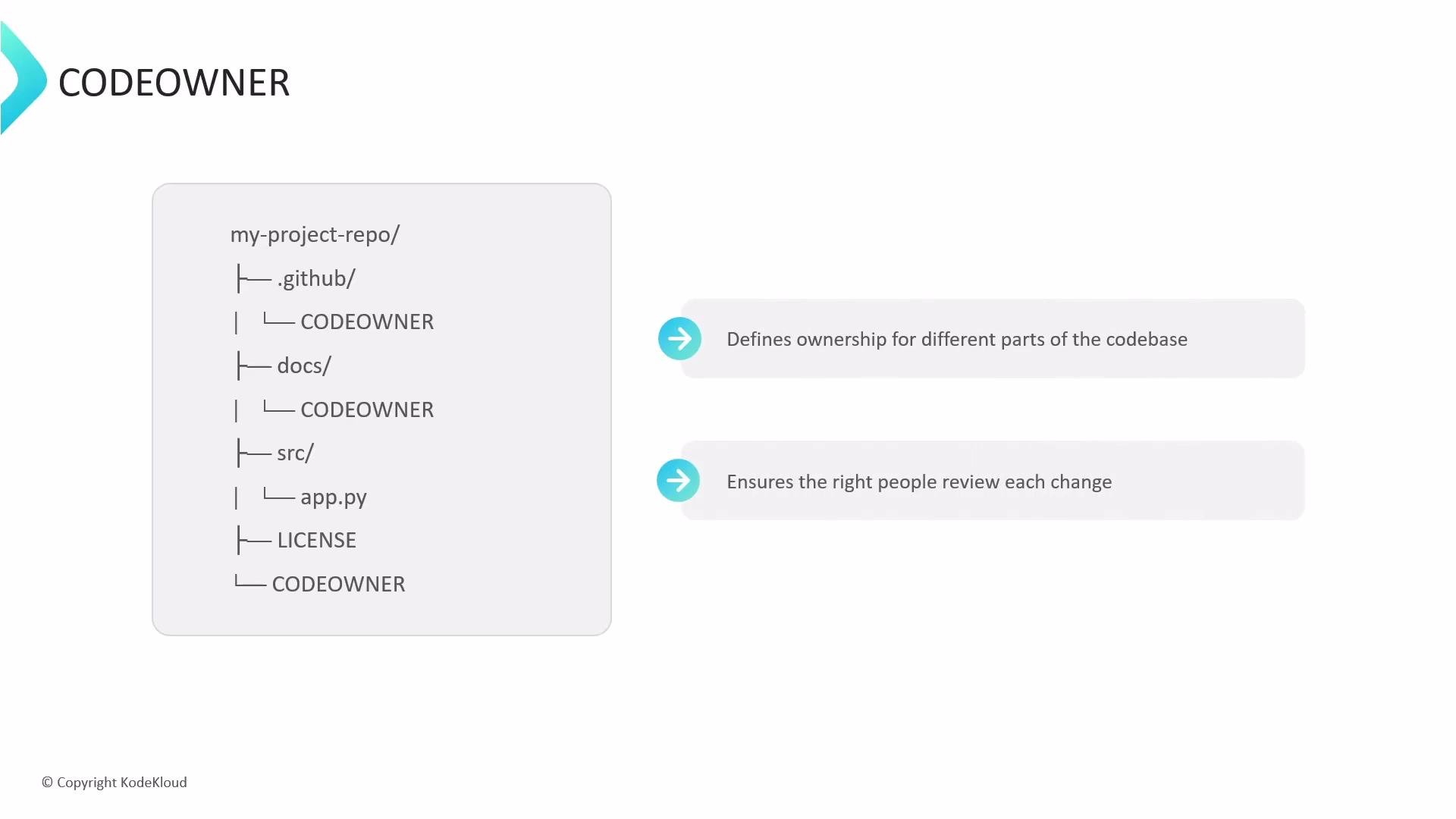
CODEOWNERS file when placed in any of these repository locations:
- The repository root
- The
.github/folder - The
docs/directory
CODEOWNERS files might look like this:
Assigning owners using patterns
CODEOWNERS uses pattern matching similar to .gitignore. Patterns can target extensions, filenames, or directories. Owners are GitHub users or teams in the form @username or @org/team.
Examples:
- Patterns are evaluated top-to-bottom; the last matching pattern wins.
- Use directory-level rules (for example,
docs/) to reduce maintenance overhead. - Prefer teams (
@org/team) to avoid single-person bottlenecks.
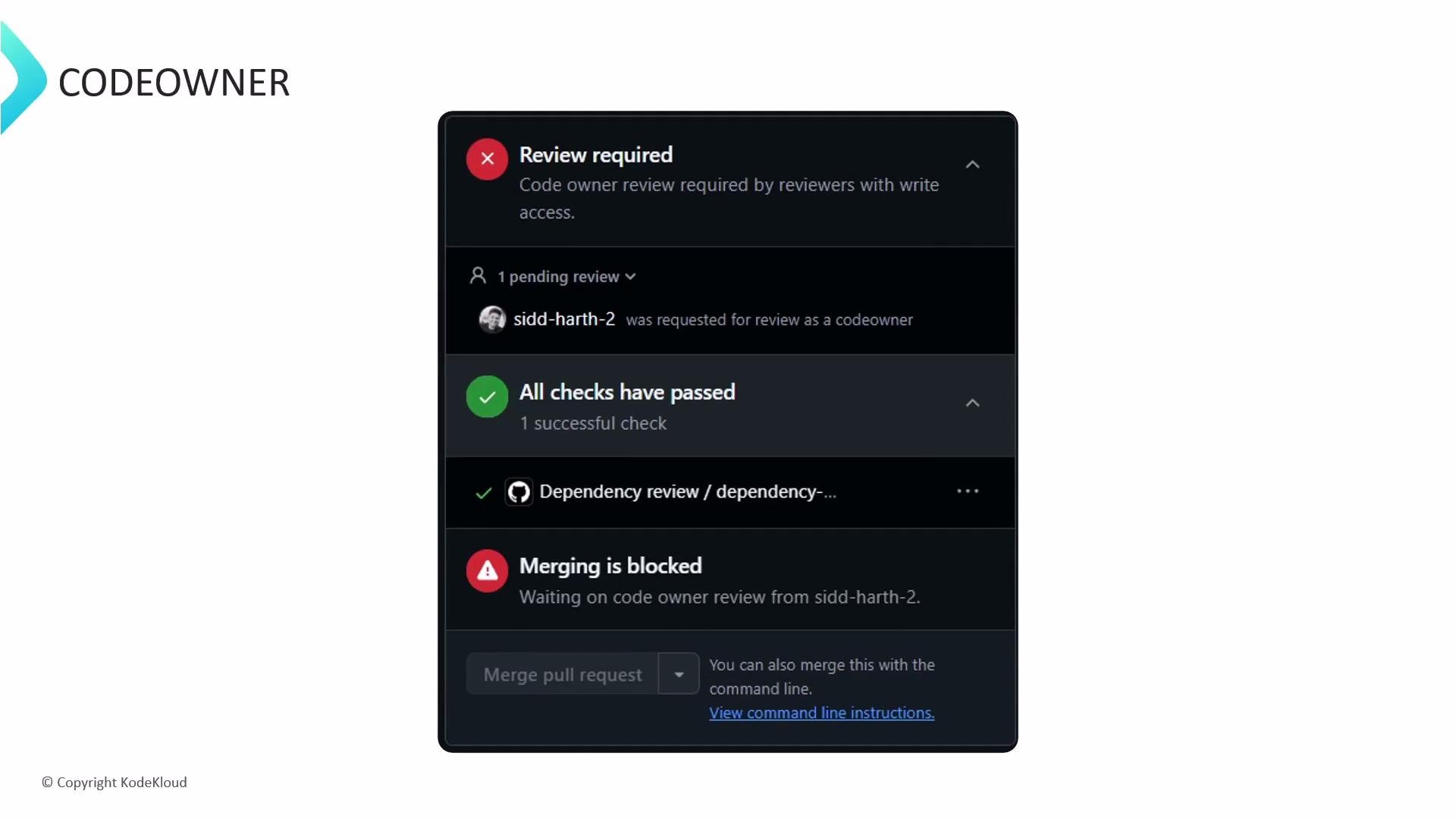
CODEOWNERS pattern, GitHub automatically requests reviews from the designated owners. If branch protection is configured to require code-owner approvals, the pull request will be blocked from merging until a required owner submits an approved review.
This can result in a pull request appearing blocked even when all other checks (CI, status checks) have passed. For example, a PR that modifies *.js and has *.js @sidd-harth-2 in CODEOWNERS will request a review from Siddharth; the PR remains blocked until he approves.
This pull request is currently blocked, and to unblock this, a user named Siddharth must review the changes and submit an approved review.
Best practices: Keep
CODEOWNERS concise and focused. Favor directory-level patterns over many file-level entries, add organization teams (@org/team) where possible, and remember that the last matching pattern in the file takes precedence. For more advanced branch protection and review settings, see the GitHub documentation.