

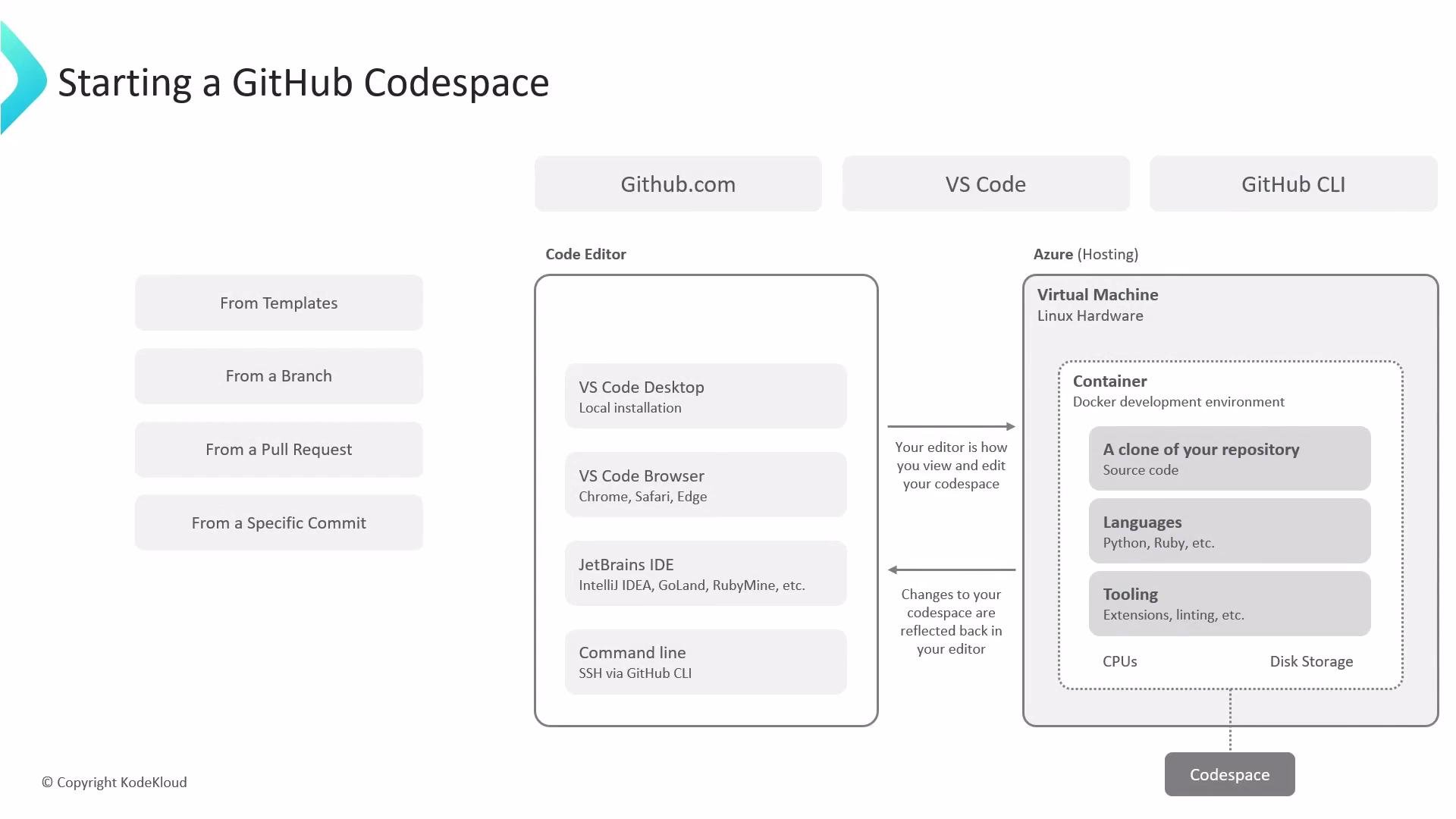
- Create a fresh, reproducible development environment for a repository without installing dependencies locally.
- Connect from the browser, from Visual Studio Code (desktop or web), or manage environments from the terminal using the GitHub CLI.
- Launch environments that match a repository’s branch, pull request, commit, or template state to ensure deterministic development and testing.
Example: GitHub CLI snippets
- Templates: Repository templates or starter templates bootstrap a new project. Templates commonly include a
.devcontainerfolder (withdevcontainer.jsonand an optional Dockerfile) that specifies the container image, required packages, extensions, and forwarded ports.Using a.devcontainercodifies the OS image, packages, and editor extensions so every codespace launched from the repo delivers a consistent developer experience. - Branch: Launch from a specific branch to develop in the same code and config context as that branch.
- Pull request: Start a Codespace from a pull request to run the changes in an isolated environment for review and validation.
- Commit: Create a Codespace tied to a commit hash to reproduce the repository state at a precise point in time—valuable for debugging and regression testing.
Codespaces availability and billing depend on your GitHub account or organization plan and policies. Verify enabled regions, allowed machine types, and usage quotas in your organization settings before provisioning large or long-running environments.
- Add a complete
.devcontainerconfiguration to your repository to lower onboarding friction for contributors. - Use lightweight base images for faster spin-up times.
- Forward only required ports and set workspace-specific secrets via repository or organization settings.
- Stop or delete idle Codespaces to minimize billing and resource usage.
- GitHub Codespaces documentation
- Visual Studio Code - Dev Containers
- GitHub CLI
- Azure Virtual Machines